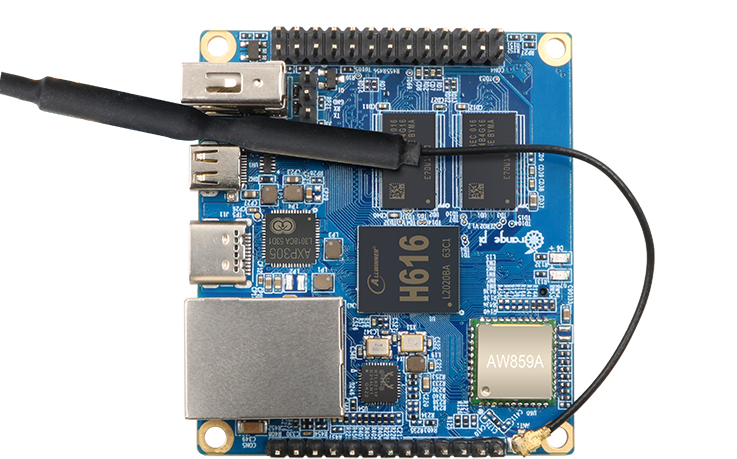



RPi Alternative: Libre Computer AML-S905X-CC "Le Potato" (2GB RAM)
-
With Raspberry Pi boards continuing to be relatively scarce, I've been trying a few alternatives to see what may be usable and good. I had previously written about the Jetson Nano 2GB, which is great, but a little pricey, so I'm trying to find sub-US$100 boards that will run Reactor.
I've got four that I'm trying now, but one in particular goes right to work in the most predictable way and seems worth a mention immediately: the Libre Computer Board AML-S905X-CC 2GB (known as "Le Potato").
The form factor is very similar to that of the Raspberry Pi 3 B+, and has comparable CPU (ARM Cortex-A53, quad 64-bit cores at 1.5+GHz -- slightly higher clock speed). It's US$35 on Amazon and LoverPi in the (recommended) 2GB configuration, and easy to get.
Startup is like RPi: download one of the available OS images (Ubuntu, Raspbian, Debian, ARMbian, etc.) from their site and write the image to a MicroSD card, insert into slot, power up, and off you go. I tried the Ubuntu 22.04 image first and it comes right up. No problem getting nodejs 18.12.1 installed and running (with Reactor).
No WiFi on board, but I don't see that as a minus for use as a controller/hub (which should be hard-wired, IMO). The 40-pin GPIO connector is compatible with typical RPi HATs (PoE, breakouts, etc.).
There is an available eMMC (solid state storage) module to use instead of MicroSD, which I would recommend for long-term use. It runs US$25 for 32GB (64GB and 128GB available). The module is scarcely larger than the chip it carries, and has the smallest board-to-board connector I've ever seen.
Next up: ESPRESSObin 2GB (spoiler: it's... technical...)
-
 T toggledbits referenced this topic on
-
T toggledbits referenced this topic on
-
T toggledbits referenced this topic on
-
T toggledbits referenced this topic on
-
PassMark Performance Test result:
Libre Computer AML-S905X-CC Cortex-A53 (aarch64) 4 cores @ 1512 MHz | 1.9 GiB RAM Number of Processes: 4 | Test Iterations: 1 | Test Duration: Medium -------------------------------------------------------------------------- CPU Mark: 430 Integer Math 9262 Million Operations/s Floating Point Math 994 Million Operations/s Prime Numbers 3.4 Million Primes/s Sorting 2643 Thousand Strings/s Encryption 125 MB/s Compression 3064 KB/s CPU Single Threaded 204 Million Operations/s Physics 61.7 Frames/s Extended Instructions (NEON) 170 Million Matrices/s Memory Mark: 459 Database Operations 438 Thousand Operations/s Memory Read Cached 2822 MB/s Memory Read Uncached 2243 MB/s Memory Write 3592 MB/s Available RAM 1079 Megabytes Memory Latency 124 Nanoseconds Memory Threaded 5116 MB/s -------------------------------------------------------------------------- -
PassMark Performance Test result:
Libre Computer AML-S905X-CC Cortex-A53 (aarch64) 4 cores @ 1512 MHz | 1.9 GiB RAM Number of Processes: 4 | Test Iterations: 1 | Test Duration: Medium -------------------------------------------------------------------------- CPU Mark: 430 Integer Math 9262 Million Operations/s Floating Point Math 994 Million Operations/s Prime Numbers 3.4 Million Primes/s Sorting 2643 Thousand Strings/s Encryption 125 MB/s Compression 3064 KB/s CPU Single Threaded 204 Million Operations/s Physics 61.7 Frames/s Extended Instructions (NEON) 170 Million Matrices/s Memory Mark: 459 Database Operations 438 Thousand Operations/s Memory Read Cached 2822 MB/s Memory Read Uncached 2243 MB/s Memory Write 3592 MB/s Available RAM 1079 Megabytes Memory Latency 124 Nanoseconds Memory Threaded 5116 MB/s --------------------------------------------------------------------------Was looking at running PassMark on a RasPi 4 to get a general reference against the other PCBs being trialed as possible replacements for the RasPi:
Downloaded PassMark from RasPi 64 bit OS from PassMark. I'm using the 64 bit OS.
Put the executable "pt_linux_arm64" into /bin/user and changed the permissions to 0755.
Run the executable and get:
pt_linux_arm64: error while loading shared libraries: libncurses.so.5: cannot open shared object file: No such file or directoryDownload page for PassMark Linux says "ncurses 5, newer distributions with ncurses 6 will need to install the ncurses 5 library for compatability ".
So I do this but it installs ver 6 not 5:
sudo apt-get install libncurses5-devAny ideas on how I get PassMark to work? I thought it would be useful to post the results here.
-
Going OT here a bit... I just posted benchmarks for RPi 4 maker board and Compute Module
-
UPDATE — JANUARY 2026
Since this Libre Le Potato board is still a good lower-cost alternative to RPis (especially for running Reactor), I pulled it out and did an update on the OS (Ubuntu 22.04.1). It had been in storage since I wrote the first post in November 2022, so it was... ahem... a little behind.
My first attempt at
apt updatesemi-failed because a signature for one repository had changed, so that had to be fixed (easy):wget https://deb.libre.computer/repo/pool/main/libr/libretech-keyring/libretech-keyring_2024.05.19_all.deb dpkg -i libretech-keyring_2024.05.19_all.debFrom there, I was able to update the OS as usual. After the update, Ubuntu offered an upgrade to the current 24.04.3 LTS release. In the interest of science, I went for it (
do-release-upgrade). That went less well. The system came up, but without networking and ssh access. I had to fix that with a locally-connected HDMI monitor and keyboard by adding (as root) a/etc/netplan/01-netcfg.yamlfile as follows:network: version: 2 renderer: networkd ethernets: end0: dhcp4: trueThen run (still in a shell as root)
netplan applyto bring the network up (you should be able topingsomething at that point), and thensystemctl enable sshto re-enable sshd at startup. I then rebooted the unit, and all was well and it was ssh accessible.I then upgraded nodejs to the current v24 LTS, and ran Reactor, no problem.
As of this writing, the price of this board at that large, well-known online retailer is around US$45. A heatsink for the CPU may be needed.
An upgraded/newer Sweet Potato model AML-S905X-CC-V2 runs about US$60 (with 2GB RAM). Same CPU; changes include heatsink now included/installed, DDR4 RAM, UEFI BIOS, USB C power input (5V/3A), support for a PoE hat, and an eMMC 5.x SM interface. A 16GB eMMC (flash disk) 5.x module is available (same source) for around US$10. Direct OS support includes Debian 13 and Ubuntu 24.04 LTS).
Since eMMC 5.x modules are available for the Sweet Potato, I highly recommend it (I wasn't able to find a seller of eMMC 4.x modules compatible with the older Le Potato at this point). MicroSD cards are notoriously failure prone (they're not up to the sustained, frequent writes of general purpose OSs). The NAND flash will do much better and likely be faster. Alternately, you could use an overlay filesystem. Maybe I'll write a post about that separately, if anyone wants to know.