





UI not loading after upgrading to 26318
-
Sorry for a hasty post, will update some details later, but the scenario is that I managed to type a wrong password for too many times and had the following users.yaml section:
authtrack:
  max_attempts: 4
  within_minutes: 180  # 180 minutes = 3 hrs
  block_expiration_minutes: 10080  # 7 days
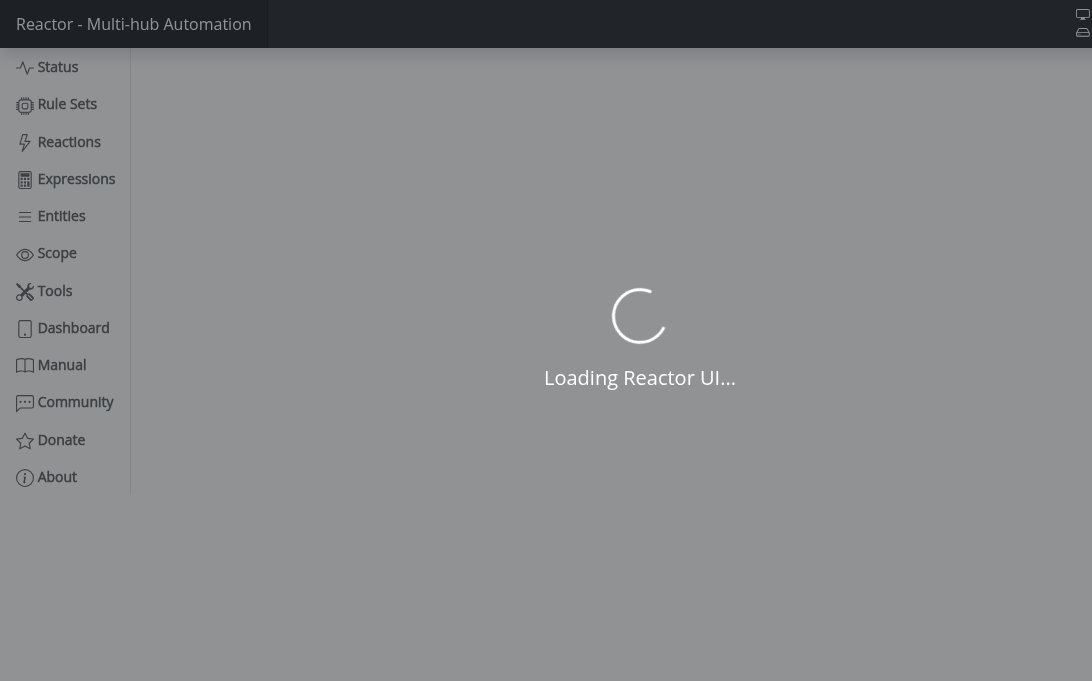
At this time I used build 26298. Then noticed there's a new build with a bypass blocking feature (and yes, it said it won't remove existing block). Anyway, went ahead and upgraded to 26318, but the problem now is that UI is not loading at all (page does not answer). This also means that I cannot use "http://reactor_host:port/diag/clear_authtrack?askauth" command to clear the block (or use any other source IP for login). Docker container stays up & running and does not exit. I'll try to dig up some logs, but anything that I could immediately try out (could I delete a particular file for example)?
EDIT: some logs
[latest-26318]2026-11-17T20:42:32.337Z <Rule:INFO> MSR startup (rule-lculfnhm in Miscellaneous) started [latest-26318]2026-11-17T20:42:32.343Z <httpapi:NOTICE> httpapi#1 HTTP server listening on :::8111 [latest-26318]2026-11-17T20:42:32.347Z <httpapi:INFO> httpapi#1 local docs found in /opt/reactor/docs/html; setting up static service [latest-26318]2026-11-17T20:42:32.354Z <app:NOTICE> Starting WSAPI... [latest-26318]2026-11-17T20:42:32.355Z <wsapi:NOTICE> wsapi: starting version 26298 protocol [latest-26318]2026-11-17T20:42:32.523Z <Engine:INFO> Engine#1 master timer tick, local time "17/11/2026 22:42:32" (TZ offset 120 mins from UTC) [latest-26318]2026-11-17T20:42:32.542Z <Engine:NOTICE> Starting reaction MSR startup<SET> (rule-lculfnhm:S) [latest-26318]2026-11-17T20:42:32.545Z <Notifier:null> Module Notifier v26186 [latest-26318]2026-11-17T20:42:32.545Z <Engine:INFO> MSR startup<SET> all actions completed. [latest-26318]2026-11-17T20:42:32.557Z <Rule:INFO> Rule#rule-lculfnhm reaction rule-lculfnhm:S completed [latest-26318]2026-11-17T20:42:32.558Z <default:null> Module NotifyTelegram v26177 -
Stop Reactor, remove the
auth.jsonandauth.dvalfiles from thestoragedirectory, restart Reactor.This will also invalidate all auths for all clients. Everyone will need to log in again.
If you want something a little less dramatic, stop Reactor, edit
auth.jsonand remove the contents of thevalueunderauthtrack(i.e. make it readvalue: {}with nothing between the curly braces). Then deleteauth.dvaland restart Reactor.Author of Multi-system Reactor and Reactor, DelayLight, Switchboard, and about a dozen other plugins that run on Vera and openLuup.
-
Stop Reactor, remove the
auth.jsonandauth.dvalfiles from thestoragedirectory, restart Reactor.This will also invalidate all auths for all clients. Everyone will need to log in again.
If you want something a little less dramatic, stop Reactor, edit
auth.jsonand remove the contents of thevalueunderauthtrack(i.e. make it readvalue: {}with nothing between the curly braces). Then deleteauth.dvaland restart Reactor.@toggledbits thanks, this solved my issue
-
 T tunnus marked this topic as a question
-
T tunnus has marked this topic as solved
-
Sorry for a hasty post, will update some details later, but the scenario is that I managed to type a wrong password for too many times and had the following users.yaml section:
authtrack:
  max_attempts: 4
  within_minutes: 180  # 180 minutes = 3 hrs
  block_expiration_minutes: 10080  # 7 days
At this time I used build 26298. Then noticed there's a new build with a bypass blocking feature (and yes, it said it won't remove existing block). Anyway, went ahead and upgraded to 26318, but the problem now is that UI is not loading at all (page does not answer). This also means that I cannot use "http://reactor_host:port/diag/clear_authtrack?askauth" command to clear the block (or use any other source IP for login). Docker container stays up & running and does not exit. I'll try to dig up some logs, but anything that I could immediately try out (could I delete a particular file for example)?
EDIT: some logs
[latest-26318]2026-11-17T20:42:32.337Z <Rule:INFO> MSR startup (rule-lculfnhm in Miscellaneous) started [latest-26318]2026-11-17T20:42:32.343Z <httpapi:NOTICE> httpapi#1 HTTP server listening on :::8111 [latest-26318]2026-11-17T20:42:32.347Z <httpapi:INFO> httpapi#1 local docs found in /opt/reactor/docs/html; setting up static service [latest-26318]2026-11-17T20:42:32.354Z <app:NOTICE> Starting WSAPI... [latest-26318]2026-11-17T20:42:32.355Z <wsapi:NOTICE> wsapi: starting version 26298 protocol [latest-26318]2026-11-17T20:42:32.523Z <Engine:INFO> Engine#1 master timer tick, local time "17/11/2026 22:42:32" (TZ offset 120 mins from UTC) [latest-26318]2026-11-17T20:42:32.542Z <Engine:NOTICE> Starting reaction MSR startup<SET> (rule-lculfnhm:S) [latest-26318]2026-11-17T20:42:32.545Z <Notifier:null> Module Notifier v26186 [latest-26318]2026-11-17T20:42:32.545Z <Engine:INFO> MSR startup<SET> all actions completed. [latest-26318]2026-11-17T20:42:32.557Z <Rule:INFO> Rule#rule-lculfnhm reaction rule-lculfnhm:S completed [latest-26318]2026-11-17T20:42:32.558Z <default:null> Module NotifyTelegram v26177@tunnus said in UI not loading after upgrading to 26318:
This also means that I cannot use "http://reactor_host:port/diag/clear_authtrack?askauth" command to clear the block (or use any other source IP for login). Docker container stays up & running and does not exit.
By the way, I didn't fully catch this on my earlier reading, but this is not true. At least, it's not the design. Blocking only blocks a single host IP address. You should be able to make the request to the
clear_authtrackendpoint from any other IP (as long as you can correctly authenticate from that IP). You definitely won't be able to do it from the same IP that got blocked, of course, but any other IP should work.The other thing is that that endpoint will not stop the docker container. That would actually be an unexpected result (bug) for that endpoint.
Author of Multi-system Reactor and Reactor, DelayLight, Switchboard, and about a dozen other plugins that run on Vera and openLuup.
-
@tunnus said in UI not loading after upgrading to 26318:
This also means that I cannot use "http://reactor_host:port/diag/clear_authtrack?askauth" command to clear the block (or use any other source IP for login). Docker container stays up & running and does not exit.
By the way, I didn't fully catch this on my earlier reading, but this is not true. At least, it's not the design. Blocking only blocks a single host IP address. You should be able to make the request to the
clear_authtrackendpoint from any other IP (as long as you can correctly authenticate from that IP). You definitely won't be able to do it from the same IP that got blocked, of course, but any other IP should work.The other thing is that that endpoint will not stop the docker container. That would actually be an unexpected result (bug) for that endpoint.
@toggledbits in my case this problem is related to how Synology handles network routing (see the earlier thread). Now by using
bypass_blockingstatement, I can't lock myself out, but seems that public IPs are not blocked either.See below: (public IP partly redacted)
[latest-26318]2026-11-20T18:55:13.334Z <wsapi:INFO> wsapi: connection from "85.*.*.* via proxy ::ffff:172.18.0.1
[latest-26318]2026-11-20T18:55:13.381Z <wsapi:INFO> wsapi#1 client "85.*.*.*#54" authorized
[latest-26318]2026-11-20T18:55:17.771Z <httpapi:INFO> httpapi#1 API request from ::ffff:172.18.0.1: GET /api/v1/systime
[latest-26318]2026-11-20T18:55:17.771Z <httpapi:null> httpapi#1 checking ACLs for /api/v1/systime user anonymous authorization none
[latest-26318]2026-11-20T18:55:17.771Z <httpapi:null> httpapi#1 checking /api/v1/systime against /api/v1/systime ACL { "url": "/api/v1/systime", "allow": true, "index": 6 }
[latest-26318]2026-11-20T18:55:17.771Z <httpapi:INFO> httpapi#1 request for /api/v1/systime from ::ffff:172.18.0.1 user anonymous auth none matches /api/v1/systime ACL (#6): { "url": "/api/v1/systime", "allow": true, "index": 6 }
[latest-26318]2026-11-20T18:55:22.114Z <httpapi:INFO> httpapi#1 redirecting /reactor/login.html to /reactor/en-US/login.html
[latest-26318]2026-11-20T18:55:22.774Z <httpapi:INFO> httpapi#1 API request from ::ffff:172.18.0.1: GET /api/v1/lang
[latest-26318]2026-11-20T18:55:22.774Z <httpapi:null> httpapi#1 checking ACLs for /api/v1/lang user anonymous authorization none
[latest-26318]2026-11-20T18:55:22.775Z <httpapi:null> httpapi#1 checking /api/v1/lang against /api/v1/lang ACL { "url": "/api/v1/lang", "allow": true, "index": 8 }
[latest-26318]2026-11-20T18:55:22.775Z <httpapi:INFO> httpapi#1 request for /api/v1/lang from ::ffff:172.18.0.1 user anonymous auth none matches /api/v1/lang ACL (#8): { "url": "/api/v1/lang", "allow": true, "index": 8 }
[latest-26318]2026-11-20T18:55:22.876Z <httpapi:INFO> httpapi#1 API request from ::ffff:172.18.0.1: GET /api/v1/deauthorize
[latest-26318]2026-11-20T18:55:22.876Z <httpapi:null> httpapi#1 checking ACLs for /api/v1/deauthorize user admin authorization auth
[latest-26318]2026-11-20T18:55:22.877Z <httpapi:null> httpapi#1 checking /api/v1/deauthorize against /api/v1/deauthorize ACL { "url": "/api/v1/deauthorize", "allow": true, "index": 5 }
[latest-26318]2026-11-20T18:55:22.877Z <httpapi:INFO> httpapi#1 request for /api/v1/deauthorize from ::ffff:172.18.0.1 user admin auth auth matches /api/v1/deauthorize ACL (#5): { "url": "/api/v1/deauthorize", "allow": true, "index": 5 }
[latest-26318]2026-11-20T18:55:22.878Z <httpapi:NOTICE> httpapi#1 deauthorized ::ffff:172.18.0.1
[latest-26318]2026-11-20T18:55:22.878Z <wsapi:NOTICE> wsapi: client "85.*.*.*#54" lost authorization (expired or deleted)
[latest-26318]2026-11-20T18:55:22.878Z <wsapi:NOTICE> wsapi: closing "85.*.*.*#54" (1000 lost authorization)
[latest-26318]2026-11-20T18:55:22.939Z <wsapi:INFO> wsapi: client-initiated close "85.*.*.*#54"
[latest-26318]2026-11-20T18:55:29.617Z <httpapi:INFO> httpapi#1 API request from ::ffff:172.18.0.1: POST /api/v1/authorize
[latest-26318]2026-11-20T18:55:29.618Z <httpapi:null> httpapi#1 checking ACLs for /api/v1/authorize user anonymous authorization none
[latest-26318]2026-11-20T18:55:29.618Z <httpapi:null> httpapi#1 checking /api/v1/authorize against /api/v1/authorize ACL { "url": "/api/v1/authorize", "allow": true, "index": 4 }
[latest-26318]2026-11-20T18:55:29.618Z <httpapi:INFO> httpapi#1 request for /api/v1/authorize from ::ffff:172.18.0.1 user anonymous auth none matches /api/v1/authorize ACL (#4): { "url": "/api/v1/authorize", "allow": true, "index": 4 }
[latest-26318]2026-11-20T18:55:29.619Z <httpapi:WARN> httpapi#1 authorize admin from ::ffff:172.18.0.1 failed
[latest-26318]2026-11-20T18:55:32.372Z <httpapi:INFO> httpapi#1 API request from ::ffff:172.18.0.1: POST /api/v1/authorize
[latest-26318]2026-11-20T18:55:32.372Z <httpapi:null> httpapi#1 checking ACLs for /api/v1/authorize user anonymous authorization none
[latest-26318]2026-11-20T18:55:32.373Z <httpapi:null> httpapi#1 checking /api/v1/authorize against /api/v1/authorize ACL { "url": "/api/v1/authorize", "allow": true, "index": 4 }
[latest-26318]2026-11-20T18:55:37.386Z <httpapi:INFO> httpapi#1 request for /api/v1/authorize from ::ffff:172.18.0.1 user anonymous auth none matches /api/v1/authorize ACL (#4): { "url": "/api/v1/authorize", "allow": true, "index": 4 }
[latest-26318]2026-11-20T18:55:37.386Z <httpapi:WARN> httpapi#1 authorize admin from ::ffff:172.18.0.1 failed
[latest-26318]2026-11-20T18:55:40.937Z <httpapi:INFO> httpapi#1 API request from ::ffff:172.18.0.1: POST /api/v1/authorize
[latest-26318]2026-11-20T18:55:40.937Z <httpapi:null> httpapi#1 checking ACLs for /api/v1/authorize user anonymous authorization none
[latest-26318]2026-11-20T18:55:40.937Z <httpapi:null> httpapi#1 checking /api/v1/authorize against /api/v1/authorize ACL { "url": "/api/v1/authorize", "allow": true, "index": 4 }
[latest-26318]2026-11-20T18:55:40.938Z <httpapi:INFO> httpapi#1 request for /api/v1/authorize from ::ffff:172.18.0.1 user anonymous auth none matches /api/v1/authorize ACL (#4): { "url": "/api/v1/authorize", "allow": true, "index": 4 }
[latest-26318]2026-11-20T18:55:40.938Z <httpapi:WARN> httpapi#1 authorize admin from ::ffff:172.18.0.1 failed
[latest-26318]2026-11-20T18:55:44.779Z <httpapi:INFO> httpapi#1 API request from ::ffff:172.18.0.1: POST /api/v1/authorize
[latest-26318]2026-11-20T18:55:44.780Z <httpapi:null> httpapi#1 checking ACLs for /api/v1/authorize user anonymous authorization none
[latest-26318]2026-11-20T18:55:44.780Z <httpapi:null> httpapi#1 checking /api/v1/authorize against /api/v1/authorize ACL { "url": "/api/v1/authorize", "allow": true, "index": 4 }
[latest-26318]2026-11-20T18:55:44.780Z <httpapi:INFO> httpapi#1 request for /api/v1/authorize from ::ffff:172.18.0.1 user anonymous auth none matches /api/v1/authorize ACL (#4): { "url": "/api/v1/authorize", "allow": true, "index": 4 }
[latest-26318]2026-11-20T18:55:44.780Z <httpapi:WARN> httpapi#1 authorize admin from ::ffff:172.18.0.1 failed
[latest-26318]2026-11-20T18:55:47.512Z <httpapi:INFO> httpapi#1 API request from ::ffff:172.18.0.1: POST /api/v1/authorize
[latest-26318]2026-11-20T18:55:47.512Z <httpapi:null> httpapi#1 checking ACLs for /api/v1/authorize user anonymous authorization none
[latest-26318]2026-11-20T18:55:47.512Z <httpapi:null> httpapi#1 checking /api/v1/authorize against /api/v1/authorize ACL { "url": "/api/v1/authorize", "allow": true, "index": 4 }
[latest-26318]2026-11-20T18:55:47.512Z <httpapi:INFO> httpapi#1 request for /api/v1/authorize from ::ffff:172.18.0.1 user anonymous auth none matches /api/v1/authorize ACL (#4): { "url": "/api/v1/authorize", "allow": true, "index": 4 }
[latest-26318]2026-11-20T18:55:47.512Z <httpapi:WARN> httpapi#1 authorize admin from ::ffff:172.18.0.1 failed
[latest-26318]2026-11-20T18:56:00.625Z <httpapi:INFO> httpapi#1 API request from ::ffff:172.18.0.1: POST /api/v1/authorize
[latest-26318]2026-11-20T18:56:00.625Z <httpapi:null> httpapi#1 checking ACLs for /api/v1/authorize user anonymous authorization none
[latest-26318]2026-11-20T18:56:00.625Z <httpapi:null> httpapi#1 checking /api/v1/authorize against /api/v1/authorize ACL { "url": "/api/v1/authorize", "allow": true, "index": 4 }
[latest-26318]2026-11-20T18:56:00.625Z <httpapi:INFO> httpapi#1 request for /api/v1/authorize from ::ffff:172.18.0.1 user anonymous auth none matches /api/v1/authorize ACL (#4): { "url": "/api/v1/authorize", "allow": true, "index": 4 }
[latest-26318]2026-11-20T18:56:00.627Z <httpapi:NOTICE> httpapi#1 authorize admin from ::ffff:172.18.0.1 succeeded; applications true
[latest-26318]2026-11-20T18:56:00.786Z <httpapi:INFO> httpapi#1 redirecting /reactor to /reactor/en-US/
[latest-26318]2026-11-20T18:56:01.486Z <httpapi:INFO> httpapi#1 API request from ::ffff:172.18.0.1: GET /api/v1/lang
[latest-26318]2026-11-20T18:56:01.486Z <httpapi:null> httpapi#1 checking ACLs for /api/v1/lang user anonymous authorization none
[latest-26318]2026-11-20T18:56:01.486Z <httpapi:null> httpapi#1 checking /api/v1/lang against /api/v1/lang ACL { "url": "/api/v1/lang", "allow": true, "index": 8 }
[latest-26318]2026-11-20T18:56:01.486Z <httpapi:INFO> httpapi#1 request for /api/v1/lang from ::ffff:172.18.0.1 user anonymous auth none matches /api/v1/lang ACL (#8): { "url": "/api/v1/lang", "allow": true, "index": 8 }
[latest-26318]2026-11-20T18:56:01.743Z <wsapi:INFO> wsapi: connection from "85.*.*.*" via proxy ::ffff:172.18.0.1
[latest-26318]2026-11-20T18:56:01.785Z <wsapi:INFO> wsapi#1 client "85.*.*.*#55" authorized
Deliberately failed login multiple times (enough to satisfy
max_attempts), and then used a correct password at a point where IP should have been blocked. But as said, Synology is the culprit here.