





Reactor Build 26284 stuck at Loading Reactor UI
-
Good morning all,
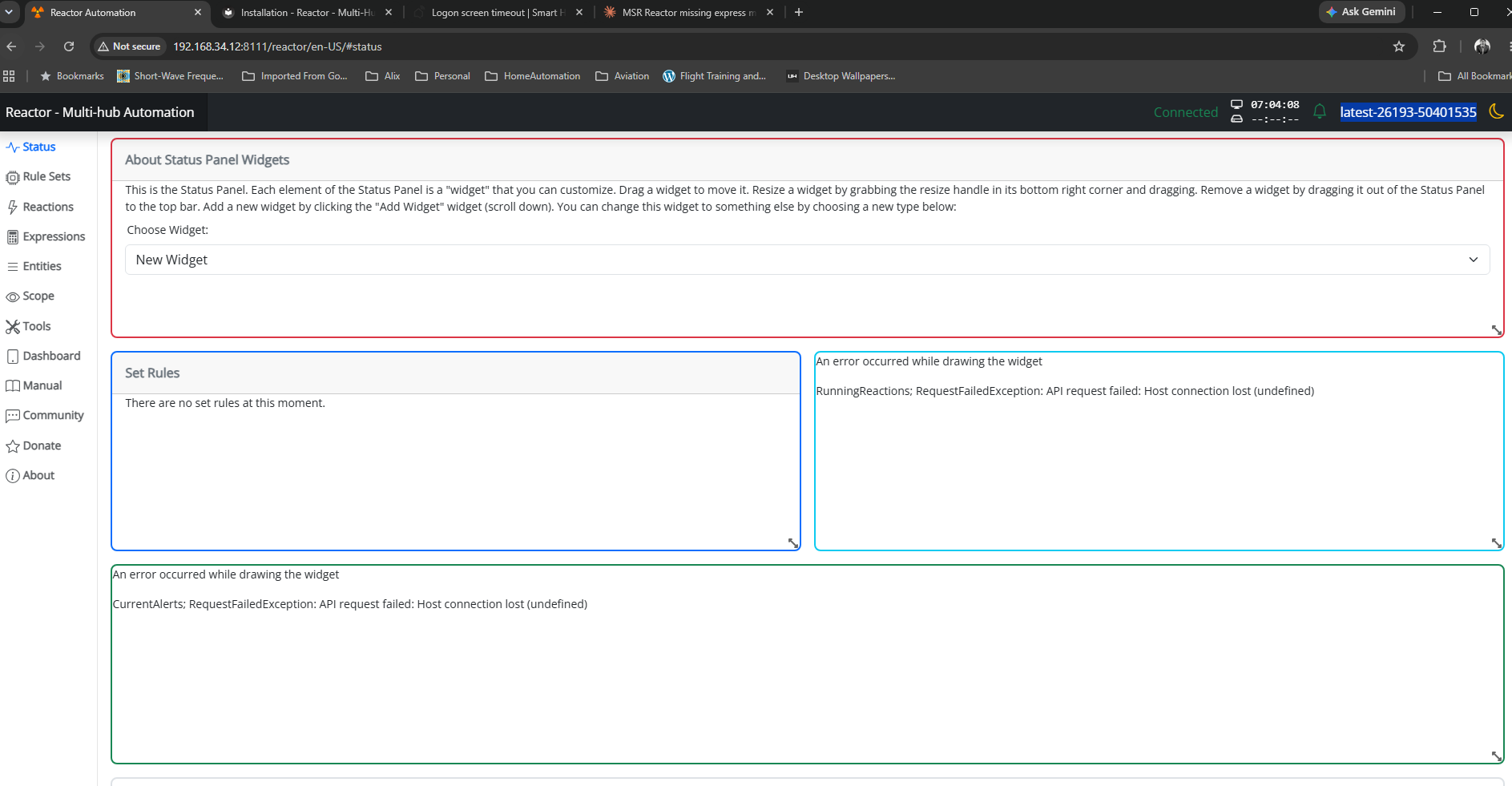
I'm having an issue with the latest version of MSR. I'm unable to get past "Loading Reactor UI..."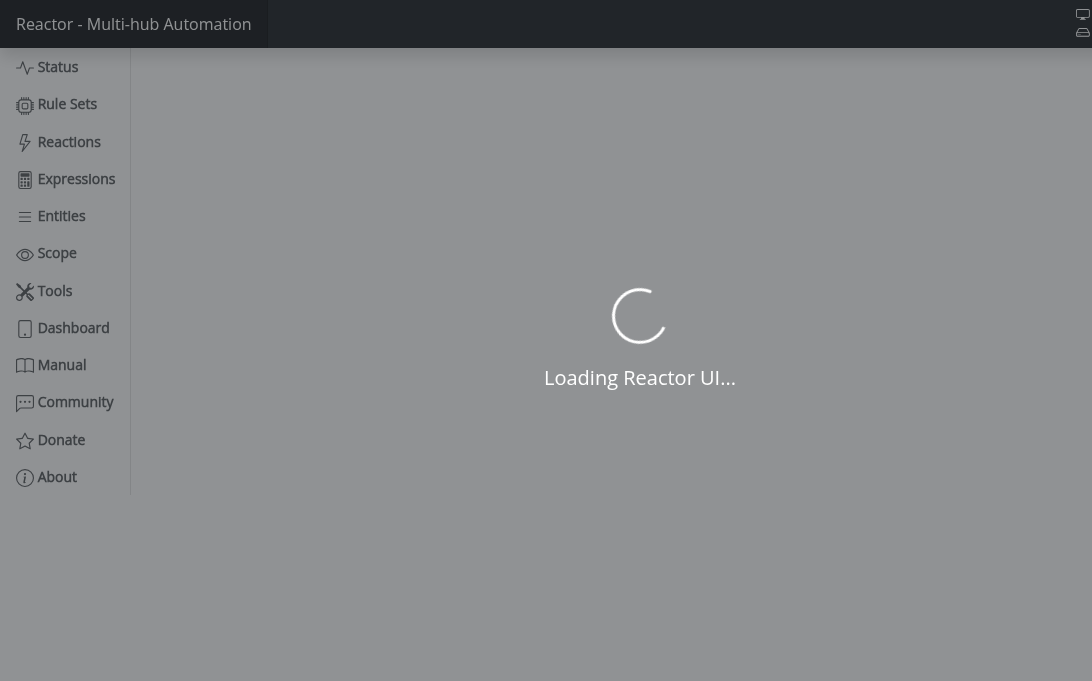
I run a MSR image in Portainer on Proxmox as a Docker VM. This has served me well for about the past 18 months. Previously I ran MSR as a bare metal install.
To secure and access my local images, I run a Cloudflared LXC and run a Cloudflare tunnel. The Cloudflare tunnel for MSR points to my Proxmox server's local IP port 8554. I've used username/password since it became an option for MSR.
I've read the notes about new Access control and reverse proxies. I'm not sure that this new feature is what is causing my issue, but this is the only thing I can think of at the moment.
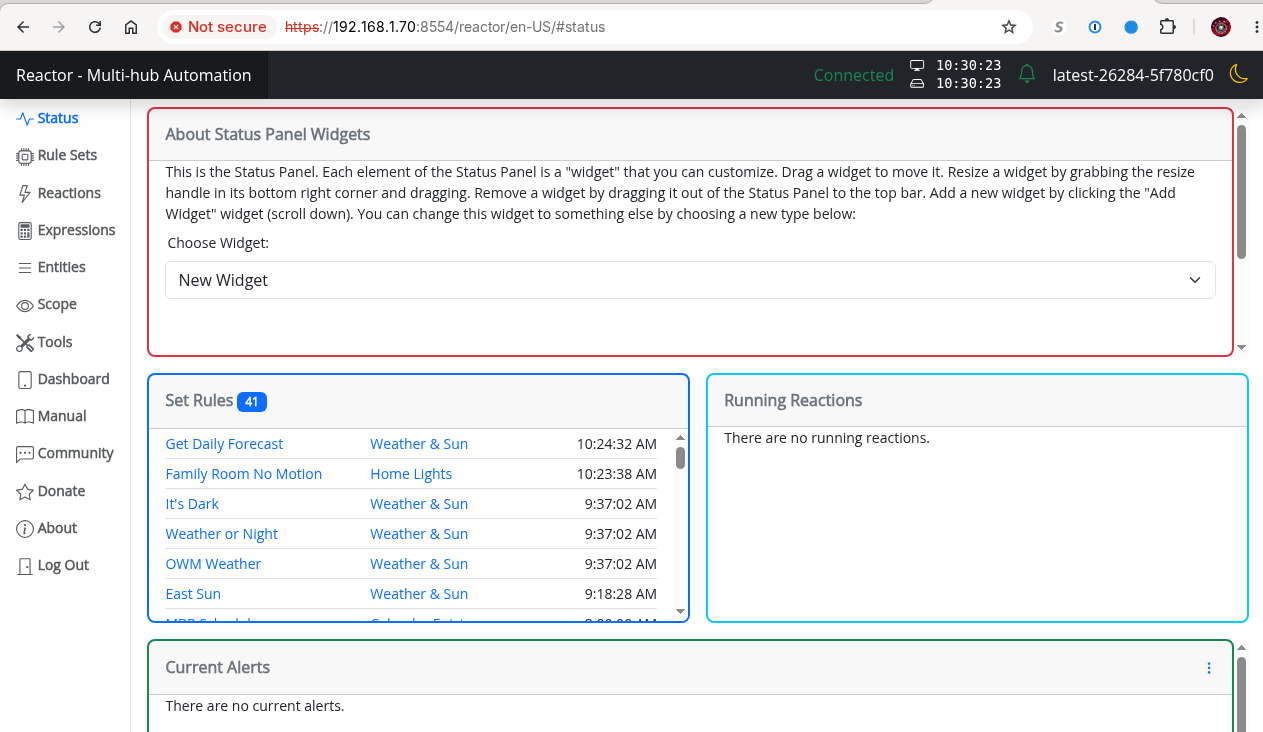
I also want to point out that if I access the site locally via IP, the site does load properly, albeit with a Not Secure warning:
Thanks in advance for any advice.
Running:
Reactor (Multi-hub) latest-26284-5f780cf0
ZWaveJSController [0.1.26048] -
Okay, I determined the issue. I looked in the logs, and MSR is actually seeing the IP of the source host and denying the entry. I've added the assigned IP of from my ISP, as well as my work network to the allowed IP list. I can now access MSR from my workstation at work, as well as my iPhone with VPN to my home network turned on, and my local network as before. What I don't know about, is if my ISP reassigns my IP address, what I can do about it, as this could cause me to have to manually add that IP address every time it's changed. Historically, they haven't changed it often, but I may have to figure a way out to automatically update the config.
-
@toggledbits
This may be a feature request, which would solve the dynamic IP issue in mentioned in my previous post. Would it be possible to use domain names in the allowed list instead of just IPs (I tried, doesn't appear to work)?As I mentioned in the original post, I access MSR via the my Cloudflare domain name. Previous to this update, I was able to access it from anywhere. This lock down is probably a good thing, but it now creates a potential issue when I try and access MSR from my local network.
Cloudflare automatically updates the Origin IP of my network, which is the same as the IP my ISP assigns me. If I put my domain name in as an allowed source, then anytime my ISP reassigns me an IP address, then that source IP would be allowed.
My other option may be some sort of bash/cron script, but I'm not sure how successful it would be.
-
Have you set any of the new proxy configs?
-
I found two cases where proxy-handling behavior can be triggered even though Reactor isn't configured with proxy info. Build 26287 contains fixes for those.
-
Have you set any of the new proxy configs?
@toggledbits said in Reactor Build 26284 stuck at Loading Reactor UI:
Have you set any of the new proxy configs?
I'm not seeing about proxy configs in the reactor.yaml file. I had not set anything previously.
I'm looking the docs and I'm not seeing where the proxy needs to be set up.
I guess the reactor.yaml file doesn't automagically get updated when a new docker image gets released.
-
I found two cases where proxy-handling behavior can be triggered even though Reactor isn't configured with proxy info. Build 26287 contains fixes for those.
@toggledbits said in Reactor Build 26284 stuck at Loading Reactor UI:
I found two cases where proxy-handling behavior can be triggered even though Reactor isn't configured with proxy info. Build 26287 contains fixes for those.
I updated to the 26287 build, commented out my public IP, and the behavior returned.
I put removed the comment so it's working currently. As a work around, I set up a crontab that checks my public IP hourly, replaces the line with the IP (new or not), then reboots the docker instance. This is working but, I have a feeling the hourly restarts will bite me at some point.
-
I found the proxy section in the doc (search function works great).
I added my cloudflare URL in a below baseurl and recommented by public IP.
proxy_baselurl: https://reactor.xyz.com #not xyz.com
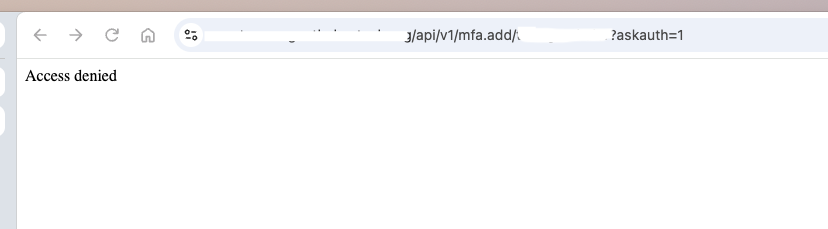
I am now getting Access Denied.
Edit: I also tried it with quotes around the URL. I'm not sure why, but in your documentation you have quotes around the baseurl URL and the proxy_baseurl with an IP, but in the next section with a FQDN, there is no quotes. Is that intentional, or does it matter?
-
I found the proxy section in the doc (search function works great).
I added my cloudflare URL in a below baseurl and recommented by public IP.
proxy_baselurl: https://reactor.xyz.com #not xyz.com
I am now getting Access Denied.
Edit: I also tried it with quotes around the URL. I'm not sure why, but in your documentation you have quotes around the baseurl URL and the proxy_baseurl with an IP, but in the next section with a FQDN, there is no quotes. Is that intentional, or does it matter?
@tamorgen said in Reactor Build 26284 stuck at Loading Reactor UI:
proxy_baselurl: https://reactor.xyz.com #not xyz.com
Must include port number
@tamorgen said in Reactor Build 26284 stuck at Loading Reactor UI:
Edit: I also tried it with quotes around the URL. I'm not sure why, but in your documentation you have quotes around the baseurl URL and the proxy_baseurl with an IP, but in the next section with a FQDN, there is no quotes. Is that intentional, or does it matter?
Best practice to quote it. Makes no difference to Reactor as long as the YAML parser accepts it (the quotes assure that).
-
@tamorgen said in Reactor Build 26284 stuck at Loading Reactor UI:
proxy_baselurl: https://reactor.xyz.com #not xyz.com
Must include port number
@tamorgen said in Reactor Build 26284 stuck at Loading Reactor UI:
Edit: I also tried it with quotes around the URL. I'm not sure why, but in your documentation you have quotes around the baseurl URL and the proxy_baseurl with an IP, but in the next section with a FQDN, there is no quotes. Is that intentional, or does it matter?
Best practice to quote it. Makes no difference to Reactor as long as the YAML parser accepts it (the quotes assure that).
@toggledbits said in Reactor Build 26284 stuck at Loading Reactor UI:
Must include port number
I tried both 443 and 8554. When I go to the url in my browser, the port is simply 443. Cloudflare forwards the traffic to my local (Private) IP via the tunnel and port number. I tried using both port numbers, and neither works. I don't think my setup is so much a proxy in the way that reactor is expecting.
So, when i try and access my reactor instance, I goto https://reactor.xyz.com (not xyz.com). Cloudflare has a tunnel established the a cloudflare client on my server, and the reactor.xyz.com has a service published of https://192.168.x.x:8554. Cloudflare establishes the SSL certificate for the domain.
When I look in the logs, I see this
[latest-26287]2026-10-17T00:12:07.524Z httpapi:WARN httpapi#1 request from "aaa.bbb.ccc.ddd" rejected (IP restriction)
Which shows my public IP
-
There's a reason that I ask that log data is always posted with context (lots of preceding lines): often there are messages before that provide hints or additional data that are important to troubleshooting. There is a line logged for httpapi prior to one you included that would be useful to see. I'd also like to see all of the related configuration settings as you have them right now.
-
There's a reason that I ask that log data is always posted with context (lots of preceding lines): often there are messages before that provide hints or additional data that are important to troubleshooting. There is a line logged for httpapi prior to one you included that would be useful to see. I'd also like to see all of the related configuration settings as you have them right now.
@toggledbits said in Reactor Build 26284 stuck at Loading Reactor UI:
here is a line logged for httpapi prior to one you included that would be useful to see. I
I'm not seeing anything in the logs when I perform a tail -f and reload the page, other than reactions prior to the httpapi warning.
tmorgenthaler@docker:~/reactor/logs$ sudo tail -f reactor.log
[latest-26287]2026-10-17T12:39:53.325Z <ZWaveJSController:5:ZWaveJSController.js:876> ZWaveJSController#zwavejs _apply_value dimming.level=1 force_update=false
[latest-26287]2026-10-17T12:39:53.326Z <ZWaveJSController:5:ZWaveJSController.js:966> ZWaveJSController#zwavejs setting Light#zwavejs>263-0.x_zwave_values.Multilevel_Switch_currentValue to 99
[latest-26287]2026-10-17T12:39:53.527Z <ZWaveJSController:5:ZWaveJSController.js:361> ZWaveJSController#zwavejs handling event message
[latest-26287]2026-10-17T12:39:53.527Z <ZWaveJSController:5:ZWaveJSController.js:471> ZWaveJSController#zwavejs handling event { "source": "controller", "event": "statistics updated", "statistics": { "messagesTX": 21708, "messagesRX": 102412, "messagesDroppedRX": 27, "NAK": 0, "CAN": 0, "timeoutACK": 0, "timeoutResponse": 0, "timeoutCallback": 0, "messagesDroppedTX": 0, "backgroundRSSI": { "channel0": { "current": -105, "average": -105 }, "channel1": { "current": -106, "average": -106 }, "channel2": { "current": -106, "average": -106 }, "channel3": { "current": -92, "average": -93 }, "timestamp": 1792240767719 } } }
[latest-26287]2026-10-17T12:39:53.547Z <ZWaveJSController:5:ZWaveJSController.js:361> ZWaveJSController#zwavejs handling event message
[latest-26287]2026-10-17T12:39:53.547Z <ZWaveJSController:5:ZWaveJSController.js:471> ZWaveJSController#zwavejs handling event { "source": "node", "event": "statistics updated", "nodeId": 263, "statistics": { "commandsTX": 3154, "commandsRX": 3351, "commandsDroppedRX": 1, "commandsDroppedTX": 0, "timeoutResponse": 1, "lwr": { "protocolDataRate": 4, "repeaters": Array(0) [], "rssi": -66, "repeaterRSSI": Array(0) [] }, "lastSeen": "2026-10-17T12:39:53.315Z", "rtt": 43.9, "rssi": -60 } }
[latest-26287]2026-10-17T12:39:53.547Z <ZWaveJSController:5:ZWaveJSController.js:486> ZWaveJSController#zwavejs handling node event statistics updated entity Light#zwavejs>263-0
[latest-26287]2026-10-17T12:39:53.848Z <DynamicGroupController:INFO> DynamicGroupController#groups processing pending updates for Array(2) ["door_sensors", "interior_motion"]
[latest-26287]2026-10-17T12:39:55.595Z <Rule:INFO> Alarm State (rule-grpq7soqaj in Home Modes) starting rule state evaluation; because predicate-state-changed Predicate#rule-grpq7soqaj/trig
[latest-26287]2026-10-17T12:39:55.595Z <Rule:INFO> Alarm State (rule-grpq7soqaj in Home Modes) evaluated; rule state transition from RESET to 'SET'
[latest-26287]2026-10-17T12:39:58.347Z <ZWaveJSController:5:ZWaveJSController.js:361> ZWaveJSController#zwavejs handling event message
[latest-26287]2026-10-17T12:39:58.348Z <ZWaveJSController:5:ZWaveJSController.js:471> ZWaveJSController#zwavejs handling event { "source": "controller", "event": "statistics updated", "statistics": { "messagesTX": 21708, "messagesRX": 102413, "messagesDroppedRX": 27, "NAK": 0, "CAN": 0, "timeoutACK": 0, "timeoutResponse": 0, "timeoutCallback": 0, "messagesDroppedTX": 0, "backgroundRSSI": { "channel0": { "current": -105, "average": -105 }, "channel1": { "current": -106, "average": -106 }, "channel2": { "current": -106, "average": -106 }, "channel3": { "current": -92, "average": -93 }, "timestamp": 1792240767719 } } }
[latest-26287]2026-10-17T12:39:58.597Z <ZWaveJSController:5:ZWaveJSController.js:361> ZWaveJSController#zwavejs handling event message
[latest-26287]2026-10-17T12:39:58.597Z <ZWaveJSController:5:ZWaveJSController.js:471> ZWaveJSController#zwavejs handling event { "source": "controller", "event": "statistics updated", "statistics": { "messagesTX": 21709, "messagesRX": 102413, "messagesDroppedRX": 27, "NAK": 0, "CAN": 0, "timeoutACK": 0, "timeoutResponse": 0, "timeoutCallback": 0, "messagesDroppedTX": 0, "backgroundRSSI": { "channel0": { "current": -105, "average": -105 }, "channel1": { "current": -107, "average": -106 }, "channel2": { "current": -107, "average": -106 }, "channel3": { "current": -92, "average": -93 }, "timestamp": 1792240798344 } } }
[latest-26287]2026-10-17T12:39:58.783Z <httpapi:WARN> httpapi#1 request from "174.172.AAA.BB" rejected (IP restriction)
And here is the first area of reactor.yaml that pertains to proxy and permitted ips:
# See the Reactor documentation at https://reactor.toggledbits.com/docs/ # Template version 22127 # # Try this browser-based YAML editor: https://onlineyamltools.com/edit-yaml # Here's a quick YAML checker: https://www.yamlchecker.com/ --- reactor: # baseurl - The base URL to access the Reactor system. If you want to use # HTTPS, please see the How-To section of the docs. baseurl: "https://192.168.1.70:8554" proxy_baseurl: "https://reactor.xyz.org:443" pki_certfile: reactor1.crt pki_keyfile: reactor1.key # # allowed_ips - List (array) of IP addresses/prefixes allowed access. # if empty (default, commented out), all IPs are allowed. If # you wish to filter (recommended), uncomment the lines below # and edit the addresses as needed to match your network. allowed_ips: # - "127.0.0.1" # - "192.168.0." # or whatever your local trusted subnet - "192.168.1.0/24" # - "174.172.AAA.BB" # MY_DYNAMIC_IP - "169.252.4.16/29" - "169.253.162.0/29" -
OK. Please do this: make the
httpapisection ofconfig/logging.yamllook like below (or add if not present):httpapi: level: 5 streams: - type: file name: "httpapi.log" recycle: true keep: 4 maxsize: 2 level: 999Also add
trusted_proxy: "127.0.0.2"to yourconfig/reactor.yaml(after thebaseurls is a good spot).Restart Reactor. Launch a request from the remote side of the tunnel. There should be messages logged in
httpapi.logfor that request that say eitherhttpapi#1 starting request from <ip> for...orhttpapi#1 starting proxied request from <ip> via <ip> for....If the logged message is the first form, or it's the second form and the two IP addresses logged ("from" and "via") are identical, there is no stable internal (CloudFlare) address seen on the request from your tunnel. This means you can't use
allowed_ips(at all) unless your external request address is stable and can be listed in it.If the logged message is the second form (
<ip> via <ip>), and the two IP addresses are different, then the second address is the (detectable) inside address of the tunnel. In that case, you would replace the127.0.0.2intrusted_proxywith that ("via") IP address, and addpass_all_proxy: truetoconfig/reactor.yaml.Since your tunnel is not a reverse proxy, I suspect you're going to be in the former situation. I'm just hoping to be surprised.
-
OK. Please do this: make the
httpapisection ofconfig/logging.yamllook like below (or add if not present):httpapi: level: 5 streams: - type: file name: "httpapi.log" recycle: true keep: 4 maxsize: 2 level: 999Also add
trusted_proxy: "127.0.0.2"to yourconfig/reactor.yaml(after thebaseurls is a good spot).Restart Reactor. Launch a request from the remote side of the tunnel. There should be messages logged in
httpapi.logfor that request that say eitherhttpapi#1 starting request from <ip> for...orhttpapi#1 starting proxied request from <ip> via <ip> for....If the logged message is the first form, or it's the second form and the two IP addresses logged ("from" and "via") are identical, there is no stable internal (CloudFlare) address seen on the request from your tunnel. This means you can't use
allowed_ips(at all) unless your external request address is stable and can be listed in it.If the logged message is the second form (
<ip> via <ip>), and the two IP addresses are different, then the second address is the (detectable) inside address of the tunnel. In that case, you would replace the127.0.0.2intrusted_proxywith that ("via") IP address, and addpass_all_proxy: truetoconfig/reactor.yaml.Since your tunnel is not a reverse proxy, I suspect you're going to be in the former situation. I'm just hoping to be surprised.
@toggledbits said in Reactor Build 26284 stuck at Loading Reactor UI:
Restart Reactor. Launch a request from the remote side of the tunnel. There should be messages logged in httpapi.log for that request that say either httpapi#1 starting request from <ip> for... or httpapi#1 starting proxied request from <ip> via <ip> for....
If the logged message is the first form, or it's the second form and the two IP addresses logged ("from" and "via") are identical, there is no stable internal (CloudFlare) address seen on the request from your tunnel. This means you can't use allowed_ips (at all) unless your external request address is stable and can be listed in it.
If the logged message is the second form (<ip> via <ip>), and the two IP addresses are different, then the second address is the (detectable) inside address of the tunnel. In that case, you would replace the 127.0.0.2 in trusted_proxy with that ("via") IP address, and add pass_all_proxy: true to config/reactor.yaml.
Since your tunnel is not a reverse proxy, I suspect you're going to be in the former situation. I'm just hoping to be surprised.
Okay, done.
Here's what I'm seeing:
[latest-26287]2026-10-17T13:50:39.179Z <wsapi:5:wsapi.js:538> (event handler) sending update for 5 entities
[latest-26287]2026-10-17T13:50:39.332Z <wsapi:INFO> wsapi: SSL/TLS connection from "174.172.AAA.BB" via ::ffff:192.168.1.73 (TLSv1.3)
[latest-26287]2026-10-17T13:50:39.333Z <wsapi:WARN> wsapi: rejecting request from "174.172.AAA.BB"; IP restriction
[latest-26287]2026-10-17T13:50:39.377Z <wsapi:5:wsapi.js:555> (event handler): sending data
[latest-26287]2026-10-17T13:50:39.378Z <wsapi:5:wsapi.js:555> (event handler): sending data
[latest-26287]2026-10-17T13:50:39.379Z <wsapi:5:wsapi.js:555> (event handler): sending data
[latest-26287]2026-10-17T13:50:39.379Z <wsapi:5:wsapi.js:555> (event handler): sending data
[latest-26287]2026-10-17T13:50:39.380Z <wsapi:5:wsapi.js:555> (event handler): sending data
[latest-26287]2026-10-17T13:50:39.402Z <wsapi:5:wsapi.js:538> (event handler) sending update for 5 entities
[latest-26287]2026-10-17T13:50:39.545Z <wsapi:5:wsapi.js:555> (event handler): sending data
[latest-26287]2026-10-17T13:50:39.546Z <wsapi:5:wsapi.js:555> (event handler): sending data
[latest-26287]2026-10-17T13:50:39.547Z <wsapi:5:wsapi.js:555> (event handler): sending data
[latest-26287]2026-10-17T13:50:39.547Z <wsapi:5:wsapi.js:555> (event handler): sending data
[latest-26287]2026-10-17T13:50:39.571Z <wsapi:5:wsapi.js:538> (event handler) sending update for 4 entities
[latest-26287]2026-10-17T13:50:39.696Z <wsapi:5:wsapi.js:555> (event handler): sending data
[latest-26287]2026-10-17T13:50:39.697Z <wsapi:5:wsapi.js:555> (event handler): sending data
[latest-26287]2026-10-17T13:50:39.697Z <wsapi:5:wsapi.js:555> (event handler): sending data
[latest-26287]2026-10-17T13:50:39.698Z <wsapi:5:wsapi.js:555> (event handler): sending data
[latest-26287]2026-10-17T13:50:39.722Z <wsapi:5:wsapi.js:538> (event handler) sending update for 4 entities
[latest-26287]2026-10-17T13:50:39.945Z <wsapi:INFO> wsapi: SSL/TLS connection from "174.172.AAA.BB" via ::ffff:192.168.1.73 (TLSv1.3)
[latest-26287]2026-10-17T13:50:39.945Z <wsapi:WARN> wsapi: rejecting request from "174.172.AAA.BB"; IP restriction
[latest-26287]2026-10-17T13:50:39.955Z <wsapi:5:wsapi.js:555> (event handler): sending data
[latest-26287]2026-10-17T13:50:39.956Z <wsapi:5:wsapi.js:555> (event handler): sending data
[latest-26287]2026-10-17T13:50:39.957Z <wsapi:5:wsapi.js:555> (event handler): sending data
[latest-26287]2026-10-17T13:50:39.957Z <wsapi:5:wsapi.js:555> (event handler): sending data
[latest-26287]2026-10-17T13:50:39.958Z <wsapi:5:wsapi.js:555> (event handler): sending data
[latest-26287]2026-10-17T13:50:39.970Z <wsapi:5:wsapi.js:555> (event handler): sending data
It still appears to be seeing the my public facing IP, but it does say "via" the IP of my Cloudflared VM, which is covered in the allowed IP's via the 192.168.1.0/24.
Uncommenting the hard coded public IP does work. Unless you can think of another work around, I see one of two options.
- Leave it hard coded, and manually change it if I get the Access Denied page.
- Have the crontab run daily in the middle of the night to check the IP and update the config as needed.
I will say that I don't believe my public IP changes often, however, I don't know what that interval is for certain. It is not a static IP, and unless I'm a business, I don't believe Xfinity will give me one.
-
@toggledbits said in Reactor Build 26284 stuck at Loading Reactor UI:
Restart Reactor. Launch a request from the remote side of the tunnel. There should be messages logged in httpapi.log for that request that say either httpapi#1 starting request from <ip> for... or httpapi#1 starting proxied request from <ip> via <ip> for....
If the logged message is the first form, or it's the second form and the two IP addresses logged ("from" and "via") are identical, there is no stable internal (CloudFlare) address seen on the request from your tunnel. This means you can't use allowed_ips (at all) unless your external request address is stable and can be listed in it.
If the logged message is the second form (<ip> via <ip>), and the two IP addresses are different, then the second address is the (detectable) inside address of the tunnel. In that case, you would replace the 127.0.0.2 in trusted_proxy with that ("via") IP address, and add pass_all_proxy: true to config/reactor.yaml.
Since your tunnel is not a reverse proxy, I suspect you're going to be in the former situation. I'm just hoping to be surprised.
Okay, done.
Here's what I'm seeing:
[latest-26287]2026-10-17T13:50:39.179Z <wsapi:5:wsapi.js:538> (event handler) sending update for 5 entities
[latest-26287]2026-10-17T13:50:39.332Z <wsapi:INFO> wsapi: SSL/TLS connection from "174.172.AAA.BB" via ::ffff:192.168.1.73 (TLSv1.3)
[latest-26287]2026-10-17T13:50:39.333Z <wsapi:WARN> wsapi: rejecting request from "174.172.AAA.BB"; IP restriction
[latest-26287]2026-10-17T13:50:39.377Z <wsapi:5:wsapi.js:555> (event handler): sending data
[latest-26287]2026-10-17T13:50:39.378Z <wsapi:5:wsapi.js:555> (event handler): sending data
[latest-26287]2026-10-17T13:50:39.379Z <wsapi:5:wsapi.js:555> (event handler): sending data
[latest-26287]2026-10-17T13:50:39.379Z <wsapi:5:wsapi.js:555> (event handler): sending data
[latest-26287]2026-10-17T13:50:39.380Z <wsapi:5:wsapi.js:555> (event handler): sending data
[latest-26287]2026-10-17T13:50:39.402Z <wsapi:5:wsapi.js:538> (event handler) sending update for 5 entities
[latest-26287]2026-10-17T13:50:39.545Z <wsapi:5:wsapi.js:555> (event handler): sending data
[latest-26287]2026-10-17T13:50:39.546Z <wsapi:5:wsapi.js:555> (event handler): sending data
[latest-26287]2026-10-17T13:50:39.547Z <wsapi:5:wsapi.js:555> (event handler): sending data
[latest-26287]2026-10-17T13:50:39.547Z <wsapi:5:wsapi.js:555> (event handler): sending data
[latest-26287]2026-10-17T13:50:39.571Z <wsapi:5:wsapi.js:538> (event handler) sending update for 4 entities
[latest-26287]2026-10-17T13:50:39.696Z <wsapi:5:wsapi.js:555> (event handler): sending data
[latest-26287]2026-10-17T13:50:39.697Z <wsapi:5:wsapi.js:555> (event handler): sending data
[latest-26287]2026-10-17T13:50:39.697Z <wsapi:5:wsapi.js:555> (event handler): sending data
[latest-26287]2026-10-17T13:50:39.698Z <wsapi:5:wsapi.js:555> (event handler): sending data
[latest-26287]2026-10-17T13:50:39.722Z <wsapi:5:wsapi.js:538> (event handler) sending update for 4 entities
[latest-26287]2026-10-17T13:50:39.945Z <wsapi:INFO> wsapi: SSL/TLS connection from "174.172.AAA.BB" via ::ffff:192.168.1.73 (TLSv1.3)
[latest-26287]2026-10-17T13:50:39.945Z <wsapi:WARN> wsapi: rejecting request from "174.172.AAA.BB"; IP restriction
[latest-26287]2026-10-17T13:50:39.955Z <wsapi:5:wsapi.js:555> (event handler): sending data
[latest-26287]2026-10-17T13:50:39.956Z <wsapi:5:wsapi.js:555> (event handler): sending data
[latest-26287]2026-10-17T13:50:39.957Z <wsapi:5:wsapi.js:555> (event handler): sending data
[latest-26287]2026-10-17T13:50:39.957Z <wsapi:5:wsapi.js:555> (event handler): sending data
[latest-26287]2026-10-17T13:50:39.958Z <wsapi:5:wsapi.js:555> (event handler): sending data
[latest-26287]2026-10-17T13:50:39.970Z <wsapi:5:wsapi.js:555> (event handler): sending data
It still appears to be seeing the my public facing IP, but it does say "via" the IP of my Cloudflared VM, which is covered in the allowed IP's via the 192.168.1.0/24.
Uncommenting the hard coded public IP does work. Unless you can think of another work around, I see one of two options.
- Leave it hard coded, and manually change it if I get the Access Denied page.
- Have the crontab run daily in the middle of the night to check the IP and update the config as needed.
I will say that I don't believe my public IP changes often, however, I don't know what that interval is for certain. It is not a static IP, and unless I'm a business, I don't believe Xfinity will give me one.
I just reread that last part about the different addresses. I changed the local 127.0.0.2 to 192.168.1.73 and restarted the service.
# See the Reactor documentation at https://reactor.toggledbits.com/docs/
# Template version 22127
#
# Try this browser-based YAML editor: https://onlineyamltools.com/edit-yaml
# Here's a quick YAML checker: https://www.yamlchecker.com/
---
reactor:
  # baseurl - The base URL to access the Reactor system. If you want to use
  #           HTTPS, please see the How-To section of the docs.
  baseurl: "https://192.168.1.70:8554"
  trusted_proxy: "192.168.1.73"
  proxy_baseurl: "https://reactor.xyz.org:443"
  pki_certfile: reactor1.crt
  pki_keyfile: reactor1.key
  #
  # allowed_ips - List (array) of IP addresses/prefixes allowed access.
  #               if empty (default, commented out), all IPs are allowed. If
  #               you wish to filter (recommended), uncomment the lines below
  #               and edit the addresses as needed to match your network.
  allowed_ips:
  #  - "127.0.0.1"
  #  - "192.168.0."  # or whatever your local trusted subnet
    - "192.168.1.0/24"
  #  - "174.172.AAA.BB" # MY_DYNAMIC_IP
    - "169.252.4.16/29"
    - "169.253.162.0/29"
I am still getting access denied:
[latest-26287]2026-10-17T14:40:32.708Z <wsapi:5:wsapi.js:555> (event handler): sending data
[latest-26287]2026-10-17T14:40:32.733Z <wsapi:5:wsapi.js:538> (event handler) sending update for 1 entities
[latest-26287]2026-10-17T14:40:32.959Z <wsapi:INFO> wsapi: SSL/TLS connection from "174.172.AAA.BB" via ::ffff:192.168.1.73 (TLSv1.3)
[latest-26287]2026-10-17T14:40:32.960Z <wsapi:WARN> wsapi: rejecting request from "174.172.AAA.BB"; IP restriction
[latest-26287]2026-10-17T14:40:33.028Z <wsapi:5:wsapi.js:555> (event handler): sending data
[latest-26287]2026-10-17T14:40:33.029Z <wsapi:5:wsapi.js:555> (event handler): sending data
[latest-26287]2026-10-17T14:40:33.029Z <wsapi:5:wsapi.js:555> (event handler): sending data
[latest-26287]2026-10-17T14:40:33.030Z <wsapi:5:wsapi.js:555> (event handler): sending data
[latest-26287]2026-10-17T14:40:33.030Z <wsapi:5:wsapi.js:555> (event handler): sending data
[latest-26287]2026-10-17T14:40:33.054Z <wsapi:5:wsapi.js:538> (event handler) sending update for 5 entities
[latest-26287]2026-10-17T14:40:33.342Z <wsapi:5:wsapi.js:555> (event handler): sending data
[latest-26287]2026-10-17T14:40:33.343Z <wsapi:5:wsapi.js:555> (event handler): sending data
[latest-26287]2026-10-17T14:40:33.344Z <wsapi:5:wsapi.js:555> (event handler): sending data
[latest-26287]2026-10-17T14:40:33.368Z <wsapi:5:wsapi.js:538> (event handler) sending update for 3 entities
[latest-26287]2026-10-17T14:40:33.454Z <wsapi:5:wsapi.js:555> (event handler): sending data
[latest-26287]2026-10-17T14:40:33.479Z <wsapi:5:wsapi.js:538> (event handler) sending update for 1 entities
[latest-26287]2026-10-17T14:40:33.516Z <wsapi:5:wsapi.js:555> (event handler): sending data
[latest-26287]2026-10-17T14:40:33.517Z <wsapi:5:wsapi.js:555> (event handler): sending data
[latest-26287]2026-10-17T14:40:33.542Z <wsapi:5:wsapi.js:538> (event handler) sending update for 1 entities
[latest-26287]2026-10-17T14:40:33.736Z <wsapi:5:wsapi.js:555> (event handler): sending data
[latest-26287]2026-10-17T14:40:33.737Z <wsapi:5:wsapi.js:555> (event handler): sending data
[latest-26287]2026-10-17T14:40:33.737Z <wsapi:5:wsapi.js:555> (event handler): sending data
[latest-26287]2026-10-17T14:40:33.738Z <wsapi:5:wsapi.js:555> (event handler): sending data
[latest-26287]2026-10-17T14:40:33.738Z <wsapi:5:wsapi.js:555> (event handler): sending data
[latest-26287]2026-10-17T14:40:33.761Z <wsapi:5:wsapi.js:538> (event handler) sending update for 5 entities
[latest-26287]2026-10-17T14:40:33.893Z <wsapi:INFO> wsapi: SSL/TLS connection from "174.172.AAA.BB" via ::ffff:192.168.1.73 (TLSv1.3)
[latest-26287]2026-10-17T14:40:33.893Z <wsapi:WARN> wsapi: rejecting request from "174.172.AAA.BB"; IP restriction
 Reactor - Multi-Hub Automation