






Skip to content
  • Categories
  • Recent
  • Tags
  • Popular
  • Unsolved
Collapse
Discussion Forum to share and further the development of home control and automation, independent of platforms.
  1. Home
  2. Software
  3. Multi-System Reactor
  4. MFA
MFA
T
Topic thumbnail image
Multi-System Reactor
Login protections
tunnusT
Topic thumbnail image
Multi-System Reactor
Reactor (Multi-System/Multi-Hub) Announcements
toggledbitsT
Build 21228 has been released. Docker images available from DockerHub as usual, and bare-metal packages here. Home Assistant up to version 2021.8.6 supported; the online version of the manual will now state the current supported versions; Fix an error in OWMWeatherController that could cause it to stop updating; Unify the approach to entity filtering on all hub interface classes (controllers); this works for device entities only; it may be extended to other entities later; Improve error detail in messages for EzloController during auth phase; Add isRuleSet() and isRuleEnabled() functions to expressions extensions; Implement set action for lock and passage capabilities (makes them more easily scriptable in some cases); Fix a place in the UI where 24-hour time was not being displayed.
Multi-System Reactor
Reactor Inspect - a small read-only helper panel for MSR
wmarcolinW
Topic thumbnail image
Multi-System Reactor
Reactor Build 26284 stuck at Loading Reactor UI
T
Topic thumbnail image
Multi-System Reactor
MSR with reverse proxy
tunnusT
I'm trying to use MSR via reserve proxy in Synology DSM, but MSR page does not load https://<public ip>:30000/reactor/en-US/ At the same time logging page loads normally https://<public ip>:30000/api/v1/log I thought maybe authentication was messing it up, but there was no deny entries in the log, and also disabling authentication did not make any difference. For this use case VPN is not an option (that works, but as said not an option for this particular use case). Any ideas what could cause this? MSR build latest-26242-28d69aa8, Chrome browser
Multi-System Reactor
Missing attribute after upgrade
3
Topic thumbnail image
Multi-System Reactor
[MSR] Native fan capabilty
therealdbT
Nothing more to add. I see we have hvac_blower, but, anyway, maybe a native fan on the same assumptions of the fan from HASS could be reasonable. I have a couple of them. ie, this is from ESPHome via HASS. x_hass.domain="fan" x_hass.entity_id="fan.kitchen_seashell_hood_ventilation_fan" x_hass.floor_id=null x_hass.services=["fan","esphome"] x_hass.source="esphome" x_hass.state="off" x_hass_attr.friendly_name="Seashell Hood Ventilation Fan" x_hass_attr.percentage=50 x_hass_attr.percentage_step=25 x_hass_attr.preset_mode="" x_hass_attr.preset_modes=[] x_hass_attr.supported_features=49 Thanks.
Multi-System Reactor
[MSR] Rule do not fire
therealdbT
Topic thumbnail image
Multi-System Reactor
Rule condition shows TRUE in UI but Rule never transitions to SET — survives full restart
N
Build: latest-26221-b25bb3e3, Docker on Synology. Hi, I have a Rule whose Trigger/Constraints reference other Rules via Rule State ... is TRUE. At some point it stops firing. Expanding the rule's condition tree in the UI shows every Trigger and Constraint condition green/TRUE — confirmed live by walking into the room and watching Motion go true in real time. Rule History shows no new SET, just old reset entries. Tried, on the same rule, same evening: recreating the trigger conditions with fresh IDs, recreating the constraint conditions with fresh IDs (flat and wrapped in a new Group — wrapping in a Group produced one SET, but it didn't reproduce on repeat attempts with the same structure), and finally a full container restart with a verified-correct saved rule. Still no SET, even with a fresh live motion event right after the restart. Separately, I found that this rule (and its 10 per-room clones) share identical internal condition/group IDs with each other — leftover from a batch clone done months ago, never regenerated. Not sure if that's related, since fixing the IDs didn't reliably fix the symptom either. Has anyone seen a Rule State condition show TRUE in the UI without the Rule ever producing a SET, surviving a clean restart? Thanks in advance
Multi-System Reactor
DynamicGroupController and attributes
therealdbT
Hey @toggledbits I'm back to trying to optimize a couple of things based on dynamic group. First of all, I think I found a typo in the doc: primary_attribute: "binary_sensor.state" primary_attribute_value: | d = false; each id in members: d = getEntity(id)?.attributes?.power_switch?.state or d, d I think the correct code snippet is d = false, All that said, my use case for dynamic groups is to group 3 different climate devices, so I could easily command them at the same time. Commands are good, but sometimes I want to check if any of the devices are on, and that's easily done with a similar snippet as the one you have in the docs. But this is limited to the primary attribute, while I want to have any of the attributes in the group to be driven by a similar logic (while all are null in the group). ie, access hvac_control.mode and see if any of the unit is set to cool, or heat. Is that possible, without re-defining an expression in each of my rules? Thanks!
Multi-System Reactor
Unofficial thread for compatibility
tunnusT
As there are statements about compatibility for home assistant versions in MSR new version announcements (e.g. "HassController: Bless Hass to 2025.7.3"), I thought it would be good idea to track other controllers as well. As an example, I can confirm that build "latest-25208-c53e8513" works with Hubitat Elevation C-8 platform version 2.4.2.134 using Maker API. Updates: (the latest versions first in the list) OK: build "latest-25264-2fbe9217" with Hubitat C-8 platform v. 2.4.3.123
Multi-System Reactor
Ooops - Deleted Reactor Ex Machina II
R
I accidentally deleted Reactor Ex Machina II (REM II) from my Reactor rules. I tried to recover it by deleting the .json and .dval in the Rules subdirectory and then recreating it from Togglebits original posting, but that did not work. Does anyone know how to recover REM ll ?
Multi-System Reactor
Bail out of failed reaction?
T
Topic thumbnail image
Multi-System Reactor
Arming Envisalink panel from MSR
T
Topic thumbnail image
Multi-System Reactor
[Solved] DynamicGroupController updating members issue
CrilleC
Edit: Solved in latest-26221. Bare-metal latest-26193 I have this group: "OKforLarm": name: OK för Larm select: - include_controller: vera - include_capability: door_sensor filter_expression: entity.attributes.door_sensor.state It contains the entities I expect but behaves a bit odd. When I open vera>device_10097 the entity attribute door_sensor.state changes to true but it won't show up as member in the group, when I also open vera>device_10095 they both shows as members and when I close vera>device_10095 it disappear from the group but when I close vera>device_10097 it lingers in the group until I restart Reactor.
Multi-System Reactor
Upgrade Issues
T
Topic thumbnail image
Multi-System Reactor
[SOLVED] Conflicting Set Reaction Groups Appear to Fire Simultaneously in Single Rule Evaluation
G
Topic thumbnail image
Multi-System Reactor
[SOLVED] Question regarding "in" vs "contains" vs contents of the string
G
Topic thumbnail image
Multi-System Reactor
Logon screen timeout
G
Noticing since 170 that the lock screen doesn't switch to the logon prompt but, rather, stays on the active UI until such time as you go to click something within it. Then it jumps to the login screen. Brave browser Brave 1.92.139 (Official Build) (arm64) Chromium: 150.0.7871.114
Multi-System Reactor

MFA

Scheduled Pinned Locked Moved Multi-System Reactor
8 Posts 3 Posters 57 Views 3 Watching
  • Oldest to Newest
  • Newest to Oldest
  • Most Votes
Reply
  • Reply as topic
Log in to reply
This topic has been deleted. Only users with topic management privileges can see it.
  • T Offline
    T Offline
    tamorgen
    wrote last edited by
    #1

    @toggledbits ,
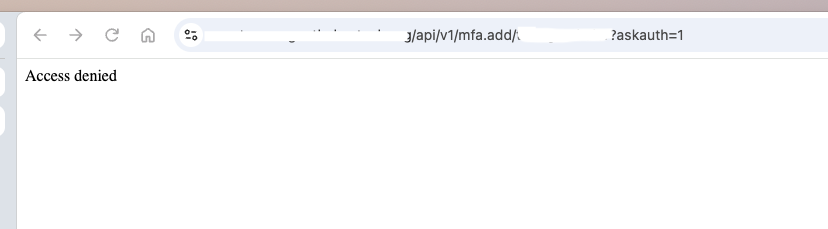
    I didn't want to pile on to the Login protection thread, but it reminded me about the MFA authentication. I tried to set it up once, and I could never get it to work. I got the pop up to login, and it returns an Access Denied page.
    00e9d644-adc7-4a9a-8db1-4d5ebe3f9751-image.png

    I'm starting with a clean, newly opened browser window, and my credentials are correct.

    I'm using these directions, and using my URL and my username in place of UUUU

    https://notmyurl.com/api/v1/mfa.add/notmyuserid?askauth=1

    I tried it via my private IP as well, and I'm still receiving Access Denied. I'm unsure what the log file is that would provide the why.

    I'm running latest-26298-fbb75fb8

    G 1 Reply Last reply
    0
    • T tamorgen

      @toggledbits ,
      I didn't want to pile on to the Login protection thread, but it reminded me about the MFA authentication. I tried to set it up once, and I could never get it to work. I got the pop up to login, and it returns an Access Denied page.

      00e9d644-adc7-4a9a-8db1-4d5ebe3f9751-image.png

      I'm starting with a clean, newly opened browser window, and my credentials are correct.

      I'm using these directions, and using my URL and my username in place of UUUU

      https://notmyurl.com/api/v1/mfa.add/notmyuserid?askauth=1

      I tried it via my private IP as well, and I'm still receiving Access Denied. I'm unsure what the log file is that would provide the why.

      I'm running latest-26298-fbb75fb8

      G Offline
      G Offline
      gwp1
      wrote last edited by
      #2

      @tamorgen My experience is the same and I’m sure I’m missing something obvious. I’m at work and haven’t had time to dig in as yet.

      *Hubitat C-7 2.5.2.139
      *Proxmox VE v8, Beelink MiniPC 12GBs, SSD

      *HAOS
      Core 2026.10.4
      w/ HA Connect ZWA-2 & ZBT-2
      FW: v1.1
      SDK: v7.23.1

      *Prod MSR in docker/portainer
      MSR: latest-26298-fbb75fb8
      MQTTController: 25139
      ZWave Controller: 25139

      G 1 Reply Last reply
      0
      • G gwp1

        @tamorgen My experience is the same and I’m sure I’m missing something obvious. I’m at work and haven’t had time to dig in as yet.

        G Offline
        G Offline
        gwp1
        wrote last edited by
        #3

        @tamorgen I beat it. With a lot of AI help, admittedly. But it's up and running. I'm using Portainer inside Proxmox so it had... challenges... with what IP it was "seeing".

        I'll see if tomorrow I can pull together the full steps.

        *Hubitat C-7 2.5.2.139
        *Proxmox VE v8, Beelink MiniPC 12GBs, SSD

        *HAOS
        Core 2026.10.4
        w/ HA Connect ZWA-2 & ZBT-2
        FW: v1.1
        SDK: v7.23.1

        *Prod MSR in docker/portainer
        MSR: latest-26298-fbb75fb8
        MQTTController: 25139
        ZWave Controller: 25139

        T 1 Reply Last reply
        0
        • G gwp1

          @tamorgen I beat it. With a lot of AI help, admittedly. But it's up and running. I'm using Portainer inside Proxmox so it had... challenges... with what IP it was "seeing".

          I'll see if tomorrow I can pull together the full steps.

          T Offline
          T Offline
          tamorgen
          wrote last edited by tamorgen
          #4

          @gwp1 said in MFA:

          I'm using Portainer inside Proxmox so it had... challenges... with what IP it was "seeing".

          I have the same setup, and I have my own Cloudflare domain, with a local LXC running Cloudflared for the tunnels, so yeah, I'm sure the authenticator is having issues with the IPs and the virtual networking. Please let me know what you did to get past it.

          G 1 Reply Last reply
          0
          • T tamorgen

            @gwp1 said in MFA:

            I'm using Portainer inside Proxmox so it had... challenges... with what IP it was "seeing".

            I have the same setup, and I have my own Cloudflare domain, with a local LXC running Cloudflared for the tunnels, so yeah, I'm sure the authenticator is having issues with the IPs and the virtual networking. Please let me know what you did to get past it.

            G Offline
            G Offline
            gwp1
            wrote last edited by
            #5

            @tamorgen I asked Lumo to pull together everything that WORKED to get to the end goal (we had a lot of trial and error at times).

            Good luck. YMMV.

            Here's the working procedure — tested end-to-end with your Reactor instance.


            Setting Up MFA for Multi-System Reactor (MSR)

            Problem: Requesting http://<reactor_host>:8111/api/v1/mfa.add/<username>?askauth=1 from a browser or host shell returns ACCESS DENIED, even after entering valid admin credentials.

            Root Cause: When access control is enabled (config/users.yaml exists), MSR restricts API access by default to localhost only. Traffic reaching a Dockerised Reactor from the host appears to come from Docker's bridge gateway (172.17.0.1), not 127.0.0.1, so it fails the default loopback rule and falls through to the catch-all deny.


            Working Setup Procedure

            Prerequisites

            • MSR installed and running in Docker
            • Target user exists in config/users.yaml and is a member of the admin group
            • You have shell access to the host running the container

            Step 1: Enter the Reactor Container

            docker exec -it <container_name> sh
            

            Replace <container_name> with your container name (e.g., reactor). Find it with:

            docker ps | grep reactor
            

            Step 2: Request the MFA QR Code From Inside the Container

            Run the following command inside the container:

            curl -s -o /tmp/qrcode.png -u <target_username> \
              http://localhost:8111/api/v1/mfa.add/<target_username>
            

            When prompted, enter the target user's password.

            Notes:

            • -u <target_username> makes curl prompt for the password interactively (safer than typing it in the command line).
            • The request originates from 127.0.0.1 inside the container, which matches the default ACL allowing loopback.
            • The ?askauth=1 parameter is not needed here — it's only for the browser-based flow.

            Step 3: Verify the Image Was Generated

            ls -la /tmp/qrcode.png
            head -c 8 /tmp/qrcode.png | od -An -tx1
            

            You should see 89 50 4e 47 0d 0a 1a 0a — the PNG magic bytes. If you see 41 63 63 65 73 73 20 64 ("Access denied"), the file is stale from an earlier failed attempt. Redo step 2.

            Step 4: Copy the QR Code to Your Desktop

            exit
            docker cp <container_name>:/tmp/qrcode.png ~/Desktop/qr-mfa.png
            

            Or from a separate machine:

            scp root@<host_ip>:/tmp/qrcode.png .
            

            Step 5: Scan the QR Code

            Open qr-mfa.png in any image viewer and scan it with your authenticator app (Google Authenticator, Authy, Aegis, 1Password, Bitwarden, Ente, etc.).

            Alternative: Manual Entry
            If your viewer can't display the image, install zbar-tools:

            apt update && apt install -y --no-install-recommends zbar-tools
            zbarimg --quiet ~/Desktop/qr-mfa.png
            

            This outputs an otpauth://totp/... URI. Use the secret= value in your authenticator app's "Manual Entry" or "Setup Key" option.

            Step 6: Test the Login

            Log into the Reactor UI as the target user. You should be prompted for a six-digit code. Enter the code from your authenticator app.

            Step 7: Clean Up the Seed File

            Both the host and container copies contain the TOTP secret in plaintext. Delete them after enrollment:

            rm -f ~/Desktop/qr-mfa.png
            docker exec <container_name> rm -f /tmp/qrcode.png
            

            Anyone who photographs this image can generate valid codes indefinitely.


            Recovery (If You Lose the Authenticator)

            The same procedure applies for clearing MFA. From inside the container:

            docker exec -it <container_name> sh
            curl -s -o /dev/null -u <admin_user> -w 'HTTP %{http_code}\n' \
              http://localhost:8111/api/v1/mfa.clear/<username_to_clear>
            

            You'll need admin credentials. The endpoint is subject to the same default ACL rules, so it must be called from inside the container.


            What Not to Do (Common Pitfalls)

            ❌ Don't ✅ Do
            Run curl from the host shell against localhost or the LAN IP Run the command from inside the container via docker exec
            Use ?askauth=1 with curl Only use it for the browser-based flow
            Edit users.yaml to add ACL rules Not required for the initial setup; stick to stock defaults
            Paste my suggested YAML without validation Use python3 -c "import yaml; yaml.safe_load(open('users.yaml'))" to verify first
            Re-run mfa.add after enrolling It may rotate the secret and invalidate your existing setup
            Leave the QR code PNG anywhere accessible Delete it immediately after enrollment

            Troubleshooting

            Symptom Likely Cause Fix
            HTTP 403 Forbidden Request from host/network interface Use docker exec to run curl inside container
            HTTP 401 Unauthorized Wrong password Verify credentials, use -u <user> for interactive prompt
            Empty qrcode.png or "Access denied" text Stale file from failed attempt Delete old copy and re-run step 2
            File opens as text instead of image curl wrote error body over PNG Check magic bytes with od before scanning

            Optional: Browser-Based MFA Setup (Requires ACL Change)

            If you prefer the browser method from a LAN machine (http://<reactor_host>:8111/api/v1/mfa.add/<user>?askauth=1), you need to add an ACL rule in config/users.yaml:

            api_acls:
              - url: "/api/v1/mfa.add"
                group: admin
                allow: true
              - url: "/api/v1/mfa.clear"
                group: admin
                allow: true
            

            Place these at the top level of the file (same indent as users: and groups:). Then restart:

            docker restart <container_name>
            

            Validate the YAML before applying:

            python3 -c "import yaml; yaml.safe_load(open('/var/reactor/config/users.yaml')); print('Valid')"
            

            Note: This is optional. The docker exec method works on stock defaults and requires no configuration changes.


            Documented based on real-world testing with Reactor in Docker, October 2026.

            *Hubitat C-7 2.5.2.139
            *Proxmox VE v8, Beelink MiniPC 12GBs, SSD

            *HAOS
            Core 2026.10.4
            w/ HA Connect ZWA-2 & ZBT-2
            FW: v1.1
            SDK: v7.23.1

            *Prod MSR in docker/portainer
            MSR: latest-26298-fbb75fb8
            MQTTController: 25139
            ZWave Controller: 25139

            G 1 Reply Last reply
            0
            • G gwp1

              @tamorgen I asked Lumo to pull together everything that WORKED to get to the end goal (we had a lot of trial and error at times).

              Good luck. YMMV.

              Here's the working procedure — tested end-to-end with your Reactor instance.


              Setting Up MFA for Multi-System Reactor (MSR)

              Problem: Requesting http://<reactor_host>:8111/api/v1/mfa.add/<username>?askauth=1 from a browser or host shell returns ACCESS DENIED, even after entering valid admin credentials.

              Root Cause: When access control is enabled (config/users.yaml exists), MSR restricts API access by default to localhost only. Traffic reaching a Dockerised Reactor from the host appears to come from Docker's bridge gateway (172.17.0.1), not 127.0.0.1, so it fails the default loopback rule and falls through to the catch-all deny.


              Working Setup Procedure

              Prerequisites

              • MSR installed and running in Docker
              • Target user exists in config/users.yaml and is a member of the admin group
              • You have shell access to the host running the container

              Step 1: Enter the Reactor Container

              docker exec -it <container_name> sh
              

              Replace <container_name> with your container name (e.g., reactor). Find it with:

              docker ps | grep reactor
              

              Step 2: Request the MFA QR Code From Inside the Container

              Run the following command inside the container:

              curl -s -o /tmp/qrcode.png -u <target_username> \
                http://localhost:8111/api/v1/mfa.add/<target_username>
              

              When prompted, enter the target user's password.

              Notes:

              • -u <target_username> makes curl prompt for the password interactively (safer than typing it in the command line).
              • The request originates from 127.0.0.1 inside the container, which matches the default ACL allowing loopback.
              • The ?askauth=1 parameter is not needed here — it's only for the browser-based flow.

              Step 3: Verify the Image Was Generated

              ls -la /tmp/qrcode.png
              head -c 8 /tmp/qrcode.png | od -An -tx1
              

              You should see 89 50 4e 47 0d 0a 1a 0a — the PNG magic bytes. If you see 41 63 63 65 73 73 20 64 ("Access denied"), the file is stale from an earlier failed attempt. Redo step 2.

              Step 4: Copy the QR Code to Your Desktop

              exit
              docker cp <container_name>:/tmp/qrcode.png ~/Desktop/qr-mfa.png
              

              Or from a separate machine:

              scp root@<host_ip>:/tmp/qrcode.png .
              

              Step 5: Scan the QR Code

              Open qr-mfa.png in any image viewer and scan it with your authenticator app (Google Authenticator, Authy, Aegis, 1Password, Bitwarden, Ente, etc.).

              Alternative: Manual Entry
              If your viewer can't display the image, install zbar-tools:

              apt update && apt install -y --no-install-recommends zbar-tools
              zbarimg --quiet ~/Desktop/qr-mfa.png
              

              This outputs an otpauth://totp/... URI. Use the secret= value in your authenticator app's "Manual Entry" or "Setup Key" option.

              Step 6: Test the Login

              Log into the Reactor UI as the target user. You should be prompted for a six-digit code. Enter the code from your authenticator app.

              Step 7: Clean Up the Seed File

              Both the host and container copies contain the TOTP secret in plaintext. Delete them after enrollment:

              rm -f ~/Desktop/qr-mfa.png
              docker exec <container_name> rm -f /tmp/qrcode.png
              

              Anyone who photographs this image can generate valid codes indefinitely.


              Recovery (If You Lose the Authenticator)

              The same procedure applies for clearing MFA. From inside the container:

              docker exec -it <container_name> sh
              curl -s -o /dev/null -u <admin_user> -w 'HTTP %{http_code}\n' \
                http://localhost:8111/api/v1/mfa.clear/<username_to_clear>
              

              You'll need admin credentials. The endpoint is subject to the same default ACL rules, so it must be called from inside the container.


              What Not to Do (Common Pitfalls)

              ❌ Don't ✅ Do
              Run curl from the host shell against localhost or the LAN IP Run the command from inside the container via docker exec
              Use ?askauth=1 with curl Only use it for the browser-based flow
              Edit users.yaml to add ACL rules Not required for the initial setup; stick to stock defaults
              Paste my suggested YAML without validation Use python3 -c "import yaml; yaml.safe_load(open('users.yaml'))" to verify first
              Re-run mfa.add after enrolling It may rotate the secret and invalidate your existing setup
              Leave the QR code PNG anywhere accessible Delete it immediately after enrollment

              Troubleshooting

              Symptom Likely Cause Fix
              HTTP 403 Forbidden Request from host/network interface Use docker exec to run curl inside container
              HTTP 401 Unauthorized Wrong password Verify credentials, use -u <user> for interactive prompt
              Empty qrcode.png or "Access denied" text Stale file from failed attempt Delete old copy and re-run step 2
              File opens as text instead of image curl wrote error body over PNG Check magic bytes with od before scanning

              Optional: Browser-Based MFA Setup (Requires ACL Change)

              If you prefer the browser method from a LAN machine (http://<reactor_host>:8111/api/v1/mfa.add/<user>?askauth=1), you need to add an ACL rule in config/users.yaml:

              api_acls:
                - url: "/api/v1/mfa.add"
                  group: admin
                  allow: true
                - url: "/api/v1/mfa.clear"
                  group: admin
                  allow: true
              

              Place these at the top level of the file (same indent as users: and groups:). Then restart:

              docker restart <container_name>
              

              Validate the YAML before applying:

              python3 -c "import yaml; yaml.safe_load(open('/var/reactor/config/users.yaml')); print('Valid')"
              

              Note: This is optional. The docker exec method works on stock defaults and requires no configuration changes.


              Documented based on real-world testing with Reactor in Docker, October 2026.

              G Offline
              G Offline
              gwp1
              wrote last edited by
              #6

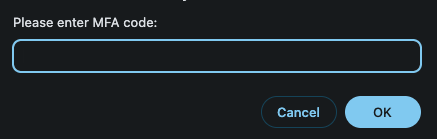
              When working you'll get this prompt for the code:

              19825e10-e50c-40f3-946e-6ba0f1dbd53b-image.png

              *Hubitat C-7 2.5.2.139
              *Proxmox VE v8, Beelink MiniPC 12GBs, SSD

              *HAOS
              Core 2026.10.4
              w/ HA Connect ZWA-2 & ZBT-2
              FW: v1.1
              SDK: v7.23.1

              *Prod MSR in docker/portainer
              MSR: latest-26298-fbb75fb8
              MQTTController: 25139
              ZWave Controller: 25139

              1 Reply Last reply
              0
              • toggledbitsT Offline
                toggledbitsT Offline
                toggledbits
                wrote last edited by toggledbits
                #7

                You don't need to run the commands from inside the container. You can add an ACL allowing the IP address of the host system or your LAN subnet (as source_ip). But in any case, once you add the user/group ACL entry to permit the endpoint as suggested above, as long as that entry also doesn't restrict IP (i.e. doesn't contain source_ip), any IP that can log in as that user (or a user in that group, if group), will be allowed from anywhere (i.e. authorized queries from outside the container will work).

                Author of Multi-system Reactor and Reactor, DelayLight, Switchboard, and about a dozen other plugins that run on Vera and openLuup.

                G 1 Reply Last reply
                0
                • toggledbitsT toggledbits

                  You don't need to run the commands from inside the container. You can add an ACL allowing the IP address of the host system or your LAN subnet (as source_ip). But in any case, once you add the user/group ACL entry to permit the endpoint as suggested above, as long as that entry also doesn't restrict IP (i.e. doesn't contain source_ip), any IP that can log in as that user (or a user in that group, if group), will be allowed from anywhere (i.e. authorized queries from outside the container will work).

                  G Offline
                  G Offline
                  gwp1
                  wrote last edited by
                  #8

                  @toggledbits I honestly did not recall implementing any ACL or Access Control settings outside of adding a user.

                  That to say, this morning when I went in to start that work, I found entries in place. No recollection of adding them - but it made all of the above suddenly make much more sense.

                  I can remove the above post if it's way out.
                  *Hubitat C-7 2.5.2.139
                  *Proxmox VE v8, Beelink MiniPC 12GBs, SSD

                  *HAOS
                  Core 2026.10.4
                  w/ HA Connect ZWA-2 & ZBT-2
                  FW: v1.1
                  SDK: v7.23.1

                  *Prod MSR in docker/portainer
                  MSR: latest-26298-fbb75fb8
                  MQTTController: 25139
                  ZWave Controller: 25139

                  1 Reply Last reply
                  0
                  Reply
                  • Reply as topic
                  Log in to reply
                  • Oldest to Newest
                  • Newest to Oldest
                  • Most Votes


                  Recent Topics

                  • MFA
                    G
                    gwp1
                    0
                    8
                    57

                  • Login protections
                    toggledbitsT
                    toggledbits
                    0
                    2
                    82

                  • Reactor (Multi-System/Multi-Hub) Announcements
                    toggledbitsT
                    toggledbits
                    5
                    152
                    149.7k

                  • Reactor Inspect - a small read-only helper panel for MSR
                    G
                    gwp1
                    2
                    6
                    317

                  • Reactor Build 26284 stuck at Loading Reactor UI
                    T
                    tamorgen
                    0
                    16
                    1.3k

                  • MSR with reverse proxy
                    tunnusT
                    tunnus
                    0
                    12
                    677

                  • Missing attribute after upgrade
                    3
                    3rdStng
                    0
                    3
                    380

                  • Use of Google Gemini as an MSR and Hubitat configuration aid
                    therealdbT
                    therealdb
                    0
                    2
                    218

                  • [MSR] Native fan capabilty
                    therealdbT
                    therealdb
                    1
                    3
                    233

                  • [MSR] Rule do not fire
                    therealdbT
                    therealdb
                    0
                    4
                    313

                  • Rule condition shows TRUE in UI but Rule never transitions to SET — survives full restart
                    N
                    noelab
                    0
                    8
                    466

                  • DynamicGroupController and attributes
                    toggledbitsT
                    toggledbits
                    1
                    9
                    529
                  Powered by NodeBB | Contributors
                  Hosted freely by 10RUPTiV - Solutions Technologiques | Contact us
                  • Login

                  • Don't have an account? Register

                  • Login or register to search.
                  • First post
                    Last post
                  0
                  • Categories
                  • Recent
                  • Tags
                  • Popular
                  • Unsolved