





Skip to content
  • Categories
  • Recent
  • Tags
  • Popular
  • Unsolved
Collapse
Discussion Forum to share and further the development of home control and automation, independent of platforms.
  1. Home
  2. Software
  3. Multi-System Reactor
  4. Last Modifed Information
[Resolved] Hubitat upgrade 2.5.3.123 may have broken login
3
Topic thumbnail image
Multi-System Reactor
Reactor (Multi-System/Multi-Hub) Announcements
toggledbitsT
Build 21228 has been released. Docker images available from DockerHub as usual, and bare-metal packages here. Home Assistant up to version 2021.8.6 supported; the online version of the manual will now state the current supported versions; Fix an error in OWMWeatherController that could cause it to stop updating; Unify the approach to entity filtering on all hub interface classes (controllers); this works for device entities only; it may be extended to other entities later; Improve error detail in messages for EzloController during auth phase; Add isRuleSet() and isRuleEnabled() functions to expressions extensions; Implement set action for lock and passage capabilities (makes them more easily scriptable in some cases); Fix a place in the UI where 24-hour time was not being displayed.
Multi-System Reactor
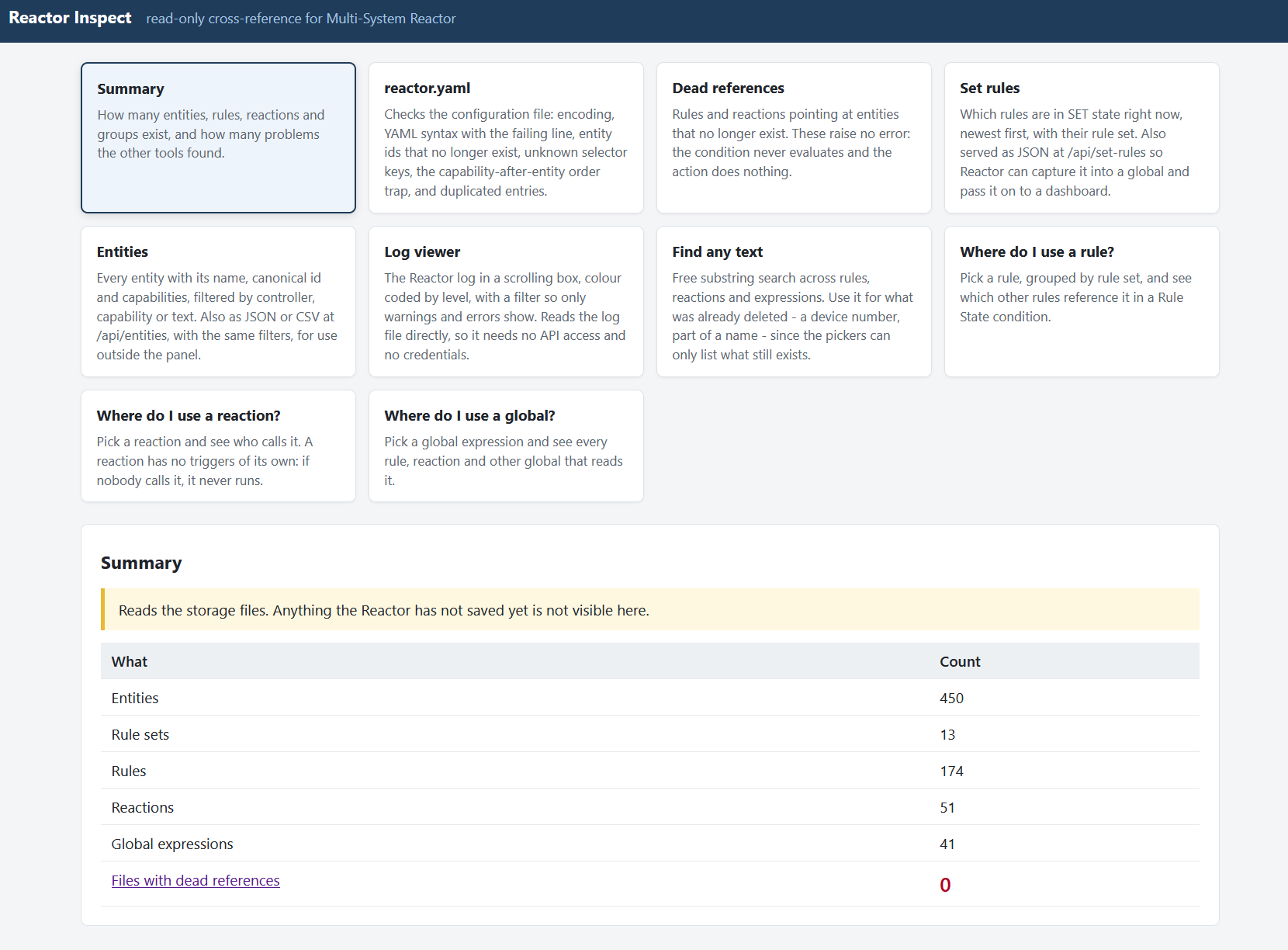
Reactor Inspect - a small read-only helper panel for MSR
wmarcolinW
Topic thumbnail image
Multi-System Reactor
Reverse proxy & API ACL
tunnusT
I'm trying to allow anonymous access from a local network to /api/v1/log, but the problem now with the reverse proxy configuration is that this access is open via proxy to the internet. At least I wasn't able to configure ACL so that only an access from a local network would be permitted. reactor.yaml: baseurl: "http://192.168.1.12:8111" proxy_baseurl: "https://external.com:30000" trusted_proxy: "192.168.1.12" Local traffic would originate from 192.168.1.0/24 network. Synology is acting as a reverse proxy and hosting MSR as a docker container (which has its own network and IP 172.18.0.5). MSR build is latest-26298-fbb75fb8 users.yaml: - url: "/api/v1/log" method: "GET" source_ip: 172.18.0.0/24 allow: true Using the above ACL works, but it enables access via proxy also. If I use source_ip: 192.168.1.0/24, then it doesn't work either locally or remotely. So I'm kinda lost what should I use as source_ip in this case?
Multi-System Reactor
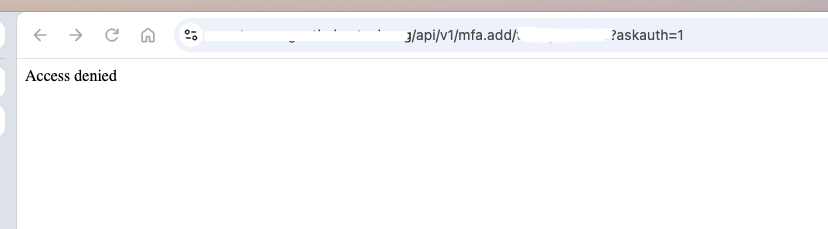
MFA
T
Topic thumbnail image
Multi-System Reactor
Grouped devices
G
I've seen many of you using Dynamic Group Controller. I'm using it myself for monitoring device battery levels. I've read and re-read the Dynamic Group Controller docs and still cannot come to an answer for my question so let me paint my scenario: I've migrated from EchoSpeaks in Hubitat ('cause borked and seemingly unmaintained) to Alexa Devices in Home Assistant ('cause not borked in 2026.11.0) to be able to send TTS to my Echo devices. In EchoSpeaks I could create groups. Sweet. In Alexa Devices I don't seem to be able to do so. As such, my thought was "wait - isn't there a way in MSR?" Is this an effective scenario that Dynamic Group Controller can be used for?
Multi-System Reactor
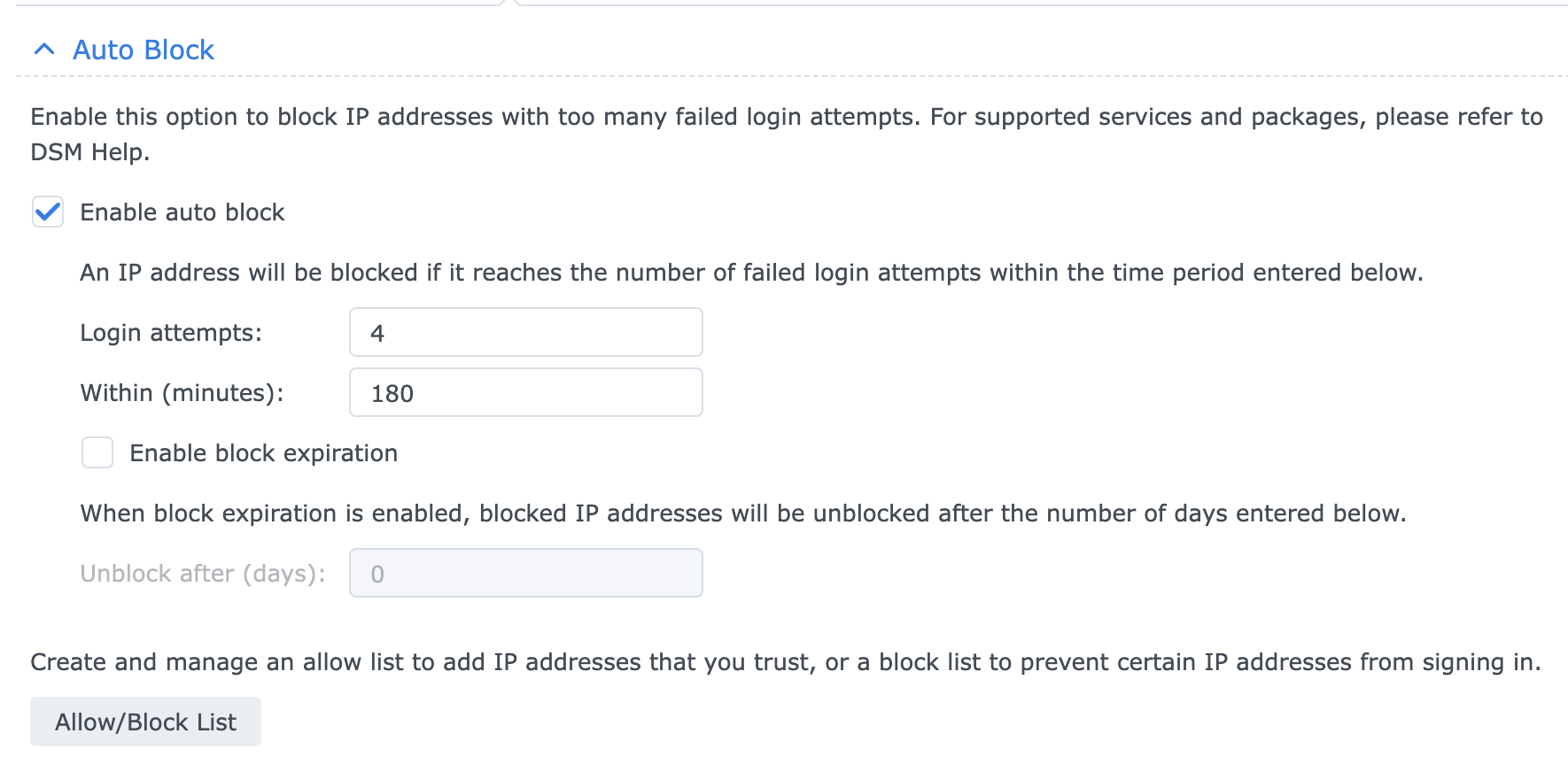
Login protections
tunnusT
Topic thumbnail image
Multi-System Reactor
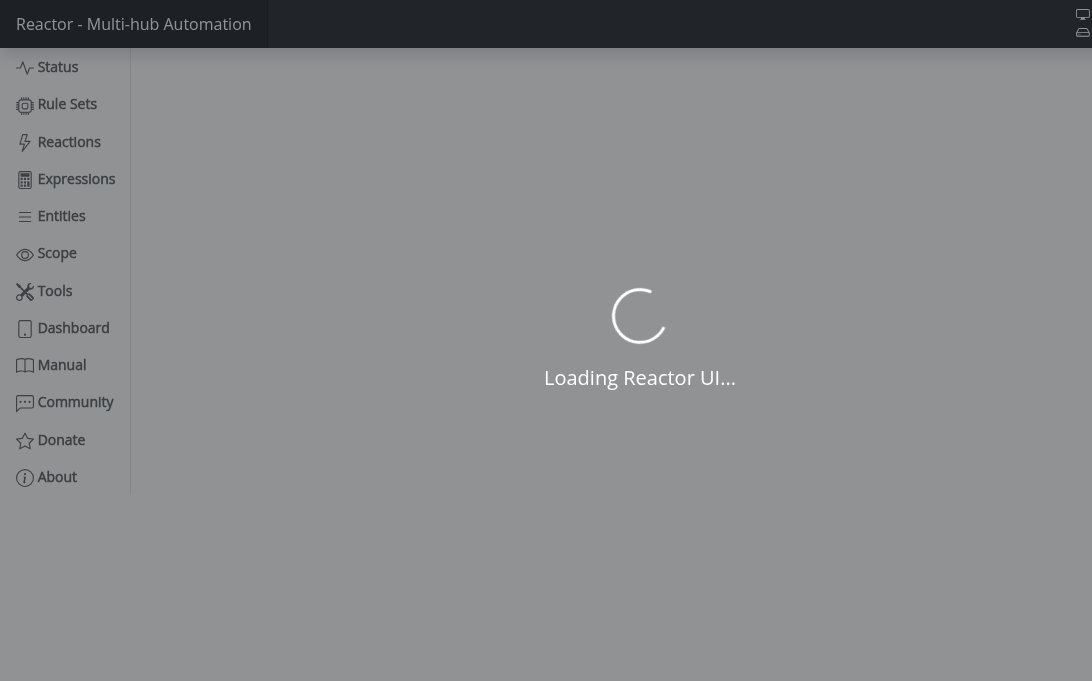
Reactor Build 26284 stuck at Loading Reactor UI
T
Topic thumbnail image
Multi-System Reactor
MSR with reverse proxy
tunnusT
I'm trying to use MSR via reserve proxy in Synology DSM, but MSR page does not load https://<public ip>:30000/reactor/en-US/ At the same time logging page loads normally https://<public ip>:30000/api/v1/log I thought maybe authentication was messing it up, but there was no deny entries in the log, and also disabling authentication did not make any difference. For this use case VPN is not an option (that works, but as said not an option for this particular use case). Any ideas what could cause this? MSR build latest-26242-28d69aa8, Chrome browser
Multi-System Reactor
Missing attribute after upgrade
3
Topic thumbnail image
Multi-System Reactor
[MSR] Native fan capabilty
therealdbT
Nothing more to add. I see we have hvac_blower, but, anyway, maybe a native fan on the same assumptions of the fan from HASS could be reasonable. I have a couple of them. ie, this is from ESPHome via HASS. x_hass.domain="fan" x_hass.entity_id="fan.kitchen_seashell_hood_ventilation_fan" x_hass.floor_id=null x_hass.services=["fan","esphome"] x_hass.source="esphome" x_hass.state="off" x_hass_attr.friendly_name="Seashell Hood Ventilation Fan" x_hass_attr.percentage=50 x_hass_attr.percentage_step=25 x_hass_attr.preset_mode="" x_hass_attr.preset_modes=[] x_hass_attr.supported_features=49 Thanks.
Multi-System Reactor
[MSR] Rule do not fire
therealdbT
Topic thumbnail image
Multi-System Reactor
Rule condition shows TRUE in UI but Rule never transitions to SET — survives full restart
N
Build: latest-26221-b25bb3e3, Docker on Synology. Hi, I have a Rule whose Trigger/Constraints reference other Rules via Rule State ... is TRUE. At some point it stops firing. Expanding the rule's condition tree in the UI shows every Trigger and Constraint condition green/TRUE — confirmed live by walking into the room and watching Motion go true in real time. Rule History shows no new SET, just old reset entries. Tried, on the same rule, same evening: recreating the trigger conditions with fresh IDs, recreating the constraint conditions with fresh IDs (flat and wrapped in a new Group — wrapping in a Group produced one SET, but it didn't reproduce on repeat attempts with the same structure), and finally a full container restart with a verified-correct saved rule. Still no SET, even with a fresh live motion event right after the restart. Separately, I found that this rule (and its 10 per-room clones) share identical internal condition/group IDs with each other — leftover from a batch clone done months ago, never regenerated. Not sure if that's related, since fixing the IDs didn't reliably fix the symptom either. Has anyone seen a Rule State condition show TRUE in the UI without the Rule ever producing a SET, surviving a clean restart? Thanks in advance
Multi-System Reactor
DynamicGroupController and attributes
therealdbT
Hey @toggledbits I'm back to trying to optimize a couple of things based on dynamic group. First of all, I think I found a typo in the doc: primary_attribute: "binary_sensor.state" primary_attribute_value: | d = false; each id in members: d = getEntity(id)?.attributes?.power_switch?.state or d, d I think the correct code snippet is d = false, All that said, my use case for dynamic groups is to group 3 different climate devices, so I could easily command them at the same time. Commands are good, but sometimes I want to check if any of the devices are on, and that's easily done with a similar snippet as the one you have in the docs. But this is limited to the primary attribute, while I want to have any of the attributes in the group to be driven by a similar logic (while all are null in the group). ie, access hvac_control.mode and see if any of the unit is set to cool, or heat. Is that possible, without re-defining an expression in each of my rules? Thanks!
Multi-System Reactor
Unofficial thread for compatibility
tunnusT
As there are statements about compatibility for home assistant versions in MSR new version announcements (e.g. "HassController: Bless Hass to 2025.7.3"), I thought it would be good idea to track other controllers as well. As an example, I can confirm that build "latest-25208-c53e8513" works with Hubitat Elevation C-8 platform version 2.4.2.134 using Maker API. Updates: (the latest versions first in the list) OK: build "latest-25264-2fbe9217" with Hubitat C-8 platform v. 2.4.3.123
Multi-System Reactor
Ooops - Deleted Reactor Ex Machina II
R
I accidentally deleted Reactor Ex Machina II (REM II) from my Reactor rules. I tried to recover it by deleting the .json and .dval in the Rules subdirectory and then recreating it from Togglebits original posting, but that did not work. Does anyone know how to recover REM ll ?
Multi-System Reactor
Bail out of failed reaction?
T
Topic thumbnail image
Multi-System Reactor
Arming Envisalink panel from MSR
T
Topic thumbnail image
Multi-System Reactor
[Solved] DynamicGroupController updating members issue
CrilleC
Edit: Solved in latest-26221. Bare-metal latest-26193 I have this group: "OKforLarm": name: OK för Larm select: - include_controller: vera - include_capability: door_sensor filter_expression: entity.attributes.door_sensor.state It contains the entities I expect but behaves a bit odd. When I open vera>device_10097 the entity attribute door_sensor.state changes to true but it won't show up as member in the group, when I also open vera>device_10095 they both shows as members and when I close vera>device_10095 it disappear from the group but when I close vera>device_10097 it lingers in the group until I restart Reactor.
Multi-System Reactor
Upgrade Issues
T
Topic thumbnail image
Multi-System Reactor

Last Modifed Information

Scheduled Pinned Locked Moved Multi-System Reactor
18 Posts 3 Posters 5.1k Views 3 Watching
  • Oldest to Newest
  • Newest to Oldest
  • Most Votes
Reply
  • Reply as topic
Log in to reply
This topic has been deleted. Only users with topic management privileges can see it.
  • toggledbitsT toggledbits

    OK, let me make sure you understand:

    1. lastupdate is not a reliable indicator of device updates; there are many other things that will cause it to change, thereby invalidating its usefulness for the purpose you propose.
    2. canonical_id is not an attribute, it is a property. The attributes structure is itself a property, but the values contained in it are not properties, they are attributes. Properly terminology is important here, because if you start talking about canonical_id (incorrectly) as an attribute, you and/or others will start thinking you can get to it via entity.attributes.canonical_id, which is incorrect. Properties are directly accessible on the entity (entity.canonical_id is correct). @therealdb has already opened a PR for more description of entities and capabilities, and I will add to that some discussion of attributes and properties at a later date.
    wmarcolinW Offline
    wmarcolinW Offline
    wmarcolin
    wrote on last edited by wmarcolin
    #6

    @toggledbits ok, thanks!

    Well after a few hours of thinking about your comments, lastupdate really doesn't serve the purpose of monitoring. There should be something that informs when the entity.attributes.door_sensor.state (motion_sensor...) changes state, and then it will be monitored.

    Now I understand why APP monitors that have Hubitat used battery_power.since as a reference, because it is the closest to a communication of the device effectively passing its state. But in this situation it excludes everything that does not work with battery power.

    Well back to another old discussion, that in Vera we had the zwave_device.failed that helped in this problem identification.

    Well anyway it was good to understand a little of the theme attribute and property, and I'm waiting for the information you commented that @therealdb requested.

    Thanks!

    1 Reply Last reply
    0
    • G Offline
      G Offline
      gwp1
      wrote on last edited by
      #7

      I could be missing the boat here completely but it sounds like Vera was passing different/additional attributes than Hubitat is/does, yes? If Hubs won't pass it then MSR wouldn't know of it and, therefore, be unable to action on it.

      Or am I missing the aforementioned watercraft?

      *Hubitat C-7 2.5.2.139
      *Proxmox VE v8, Beelink MiniPC 12GBs, SSD

      *HAOS
      Core 2026.10.4
      w/ HA Connect ZWA-2 & ZBT-2
      FW: v1.1
      SDK: v7.23.1

      *Prod MSR in docker/portainer
      MSR: latest-26298-fbb75fb8
      MQTTController: 25139
      ZWave Controller: 25139

      toggledbitsT 1 Reply Last reply
      0
      • G gwp1

        I could be missing the boat here completely but it sounds like Vera was passing different/additional attributes than Hubitat is/does, yes? If Hubs won't pass it then MSR wouldn't know of it and, therefore, be unable to action on it.

        Or am I missing the aforementioned watercraft?

        toggledbitsT Offline
        toggledbitsT Offline
        toggledbits
        wrote on last edited by
        #8

        @gwp1 said in Last Modifed Information:

        I could be missing the boat here completely but it sounds like Vera was passing different/additional attributes than Hubitat is/does, yes?

        That's right. Vera has its urn:micasaverde-com:serviceId:HaDevice1/CommFailure state variable, which at least applies to Z-Wave parent devices. There does not seem to be an analogue for this in Hubitat or Hass, but, of the two, I think Hubitat is most likely to fix it itself, and it may also be possible for a third-party app to address it (I have not ruled out abandoning Maker API as the interface for MSR and writing my own, but I have other things I want to spend my time on in this project right now).

        Author of Multi-system Reactor and Reactor, DelayLight, Switchboard, and about a dozen other plugins that run on Vera and openLuup.

        wmarcolinW 1 Reply Last reply
        0
        • toggledbitsT toggledbits

          @gwp1 said in Last Modifed Information:

          I could be missing the boat here completely but it sounds like Vera was passing different/additional attributes than Hubitat is/does, yes?

          That's right. Vera has its urn:micasaverde-com:serviceId:HaDevice1/CommFailure state variable, which at least applies to Z-Wave parent devices. There does not seem to be an analogue for this in Hubitat or Hass, but, of the two, I think Hubitat is most likely to fix it itself, and it may also be possible for a third-party app to address it (I have not ruled out abandoning Maker API as the interface for MSR and writing my own, but I have other things I want to spend my time on in this project right now).

          wmarcolinW Offline
          wmarcolinW Offline
          wmarcolin
          wrote on last edited by
          #9

          @toggledbits

          Sorry for the insistence with the subject 🙂

          I exchanged a few messages with the developer of the Hubitat Z-Wave Mesh Details APP, Tony Fleisher also asked if there would be information about the last activity of the device with the z-wave radio.

          He just answered me, that in the last version was incorporated the information extension, see his comment:

          As to your question, the closest we have on Hubitat is the "Last Activity At" date, which you can see in the "Last Activity" column on the Devices page or at the end of the device details pages in the data section.

          The latest version of the Z-Wave Mesh Tool has this available if you follow these steps:

          1. Authorize Extended device data for your z-wave devices.
          2. Select "Last Active Time" in the Additional Columns drop-down.

          Looking at the information presented, I see that the date and time presented, effectively is not of a reboot or update of the device name, for example, it would actually be closer to what would be the last communication of the device with the hub.
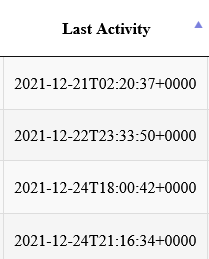
          350ff846-06ef-4ab4-974b-03cd68cef20d-image.png

          I searched for this information in the MSR and don't see it, surely as he comments it is an extension of the device information.

          Would it be possible for you @toggledbits, your kindness to perhaps look at this information, if we would be able to access it, or would it depend on the Make API?

          Thanks, and again sorry for the insistence.

          toggledbitsT 1 Reply Last reply
          0
          • wmarcolinW wmarcolin

            @toggledbits

            Sorry for the insistence with the subject 🙂

            I exchanged a few messages with the developer of the Hubitat Z-Wave Mesh Details APP, Tony Fleisher also asked if there would be information about the last activity of the device with the z-wave radio.

            He just answered me, that in the last version was incorporated the information extension, see his comment:

            As to your question, the closest we have on Hubitat is the "Last Activity At" date, which you can see in the "Last Activity" column on the Devices page or at the end of the device details pages in the data section.

            The latest version of the Z-Wave Mesh Tool has this available if you follow these steps:

            1. Authorize Extended device data for your z-wave devices.
            2. Select "Last Active Time" in the Additional Columns drop-down.

            Looking at the information presented, I see that the date and time presented, effectively is not of a reboot or update of the device name, for example, it would actually be closer to what would be the last communication of the device with the hub.

            350ff846-06ef-4ab4-974b-03cd68cef20d-image.png

            I searched for this information in the MSR and don't see it, surely as he comments it is an extension of the device information.

            Would it be possible for you @toggledbits, your kindness to perhaps look at this information, if we would be able to access it, or would it depend on the Make API?

            Thanks, and again sorry for the insistence.

            toggledbitsT Offline
            toggledbitsT Offline
            toggledbits
            wrote on last edited by
            #10

            @wmarcolin said in Last Modifed Information:

            surely as he comments it is an extension of the device information.

            Then we should be able to see it in Reactor.

            At this point, Reactor can only work with information that is passed through Maker API and Hubitat's events websocket, and it needs to be directly presented as attributes on the devices as those interfaces report them. If they do add attributes to the existing native Z-Wave devices, then those would be automatically immediately visible in the listed attributes of the Entities list.

            Anything presented in the Hubitat UI is of no use if it does not make its way out of either Maker API, the events websocket, or another API that I might be able to access (the last option being the least desirable/most work).

            Author of Multi-system Reactor and Reactor, DelayLight, Switchboard, and about a dozen other plugins that run on Vera and openLuup.

            wmarcolinW 1 Reply Last reply
            0
            • toggledbitsT toggledbits

              @wmarcolin said in Last Modifed Information:

              surely as he comments it is an extension of the device information.

              Then we should be able to see it in Reactor.

              At this point, Reactor can only work with information that is passed through Maker API and Hubitat's events websocket, and it needs to be directly presented as attributes on the devices as those interfaces report them. If they do add attributes to the existing native Z-Wave devices, then those would be automatically immediately visible in the listed attributes of the Entities list.

              Anything presented in the Hubitat UI is of no use if it does not make its way out of either Maker API, the events websocket, or another API that I might be able to access (the last option being the least desirable/most work).

              wmarcolinW Offline
              wmarcolinW Offline
              wmarcolin
              wrote on last edited by
              #11

              @toggledbits

              Ok, I get it, and that is what I thought, the Make API has to publish this additional information, otherwise of course the MSR won't be able to see it.

              So this goes along with your comments that you would be working on a way to not use the Make API for MSR and open up a wider universe of integration, is that correct?

              Anyway, I did the search below, and I see that all devices have capabilities.x_hubitat_extra_attributes which is an object. How do I read this object, I lack the knowledge here to work out this additional step to the query. Could you help me?
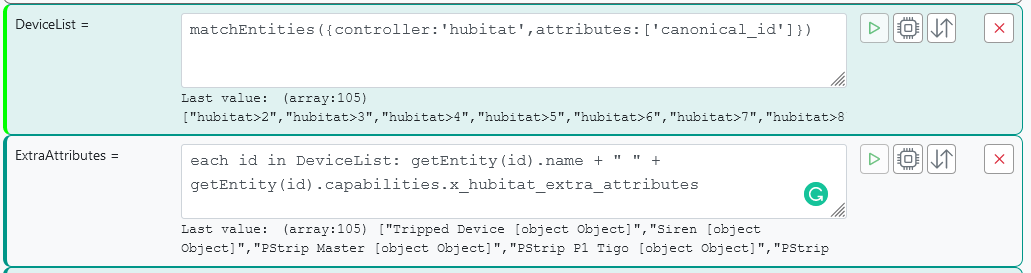
              1386f32a-afe0-4f85-b168-9563a72e7a01-image.png

              Thanks.

              1 Reply Last reply
              0
              • toggledbitsT Offline
                toggledbitsT Offline
                toggledbits
                wrote on last edited by toggledbits
                #12

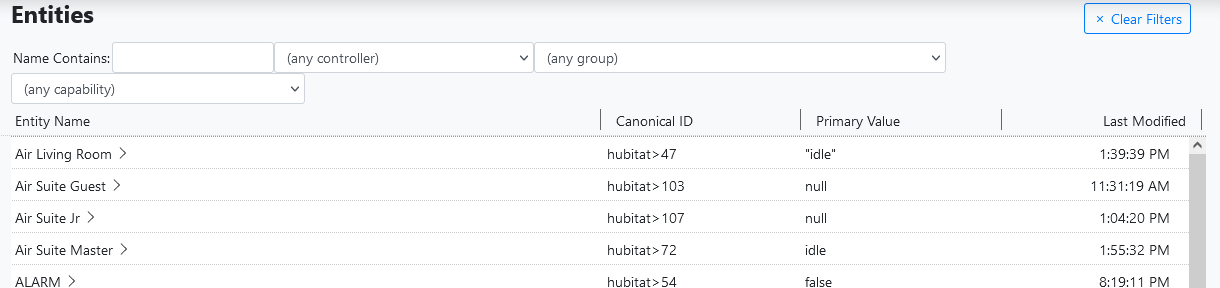
                Why don't you just look at the Entities list?
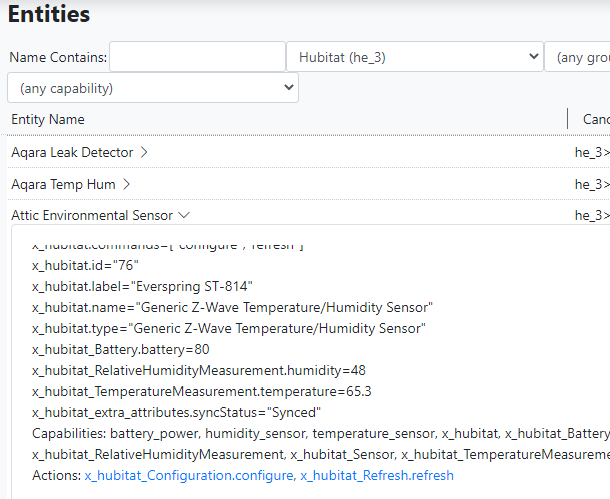
                f3528f46-e03c-423a-906c-8ef9ceaf9272-image.png

                Author of Multi-system Reactor and Reactor, DelayLight, Switchboard, and about a dozen other plugins that run on Vera and openLuup.

                wmarcolinW 1 Reply Last reply
                0
                • toggledbitsT toggledbits

                  Why don't you just look at the Entities list?

                  f3528f46-e03c-423a-906c-8ef9ceaf9272-image.png

                  wmarcolinW Offline
                  wmarcolinW Offline
                  wmarcolin
                  wrote on last edited by
                  #13

                  @toggledbits

                  Yes, I look everything up in Entities and then try to elaborate queries to use in the actions. My question was more in the sense of knowledge/learning, how to read what appears as [object Object], if it is possible.

                  1 Reply Last reply
                  0
                  • toggledbitsT Offline
                    toggledbitsT Offline
                    toggledbits
                    wrote on last edited by toggledbits
                    #14

                    OK. Well you can't get to attributes by going through the capabilities property. You've never done it that way before, when you reference other attributes on an entity. The attributes under ...extra... work the same as any other... power_switch, dimming, binary_sensor...

                    I think you're over-thinking it.

                    Author of Multi-system Reactor and Reactor, DelayLight, Switchboard, and about a dozen other plugins that run on Vera and openLuup.

                    wmarcolinW 1 Reply Last reply
                    0
                    • toggledbitsT toggledbits

                      OK. Well you can't get to attributes by going through the capabilities property. You've never done it that way before, when you reference other attributes on an entity. The attributes under ...extra... work the same as any other... power_switch, dimming, binary_sensor...

                      I think you're over-thinking it.

                      wmarcolinW Offline
                      wmarcolinW Offline
                      wmarcolin
                      wrote on last edited by
                      #15

                      @toggledbits

                      3001e71e-3dfc-4873-90f4-a0763b718875-image.png

                      1 Reply Last reply
                      1
                      • toggledbitsT Offline
                        toggledbitsT Offline
                        toggledbits
                        wrote on last edited by
                        #16

                        LOL!

                        OK. Let's work from something you probably already do... checking the battery level. You are probably using an expression, either in a global variable or a group filter, that does this: entity.attributes.battery_power.level < 0.5.

                        This is an access through several objects to get to the final member, level. The top object is the entity itself, supplied either by the context (in the case of a group filter as shown), or some variant of getEntity(). Either way, the result is an object that contains the definition of the entity.

                        Adding .attributes to that, to make entity.attributes gets to the attributes property of the entity, which is itself an object that contains objects, the inner objects being identified by a capability name. So...

                        Adding .battery_power then, to make entity.attributes.battery_power gets us to the object that contains the attributes for the battery_power capability. That capability publishes one attribute...

                        Adding .level, to make entity.attributes.battery_power.level, which is the member that contains the (numeric) level, 0 to 1, representing the charge state of the battery.

                        So accessing any other capabilities attributes is done the same way... entity.attributes.x_hubitat_extra.somename

                        You can also enumerate the contents of an object using the each...in statement. For objects, in particular, the two-identifier syntax is useful because objects contain key/value pairs, and you want access to both the key and the value. So each v,k in obj: something will make the key and value available in the variables k and v to the something expression, for every key/value pair on obj.

                        Author of Multi-system Reactor and Reactor, DelayLight, Switchboard, and about a dozen other plugins that run on Vera and openLuup.

                        wmarcolinW 2 Replies Last reply
                        0
                        • toggledbitsT toggledbits

                          LOL!

                          OK. Let's work from something you probably already do... checking the battery level. You are probably using an expression, either in a global variable or a group filter, that does this: entity.attributes.battery_power.level < 0.5.

                          This is an access through several objects to get to the final member, level. The top object is the entity itself, supplied either by the context (in the case of a group filter as shown), or some variant of getEntity(). Either way, the result is an object that contains the definition of the entity.

                          Adding .attributes to that, to make entity.attributes gets to the attributes property of the entity, which is itself an object that contains objects, the inner objects being identified by a capability name. So...

                          Adding .battery_power then, to make entity.attributes.battery_power gets us to the object that contains the attributes for the battery_power capability. That capability publishes one attribute...

                          Adding .level, to make entity.attributes.battery_power.level, which is the member that contains the (numeric) level, 0 to 1, representing the charge state of the battery.

                          So accessing any other capabilities attributes is done the same way... entity.attributes.x_hubitat_extra.somename

                          You can also enumerate the contents of an object using the each...in statement. For objects, in particular, the two-identifier syntax is useful because objects contain key/value pairs, and you want access to both the key and the value. So each v,k in obj: something will make the key and value available in the variables k and v to the something expression, for every key/value pair on obj.

                          wmarcolinW Offline
                          wmarcolinW Offline
                          wmarcolin
                          wrote on last edited by wmarcolin
                          #17

                          @toggledbits again a class of knowledge, thank you!

                          The part of checking the battery level I'm already using since you launched the Dynamic Group Controller, and of course already expanded to several other features, such as tracking the tripped devices.

                          Anyway, I also opened a ticket so that the Make API can contemplate this extension of information, which is not really published as the date of the last device x hub communication.

                          1 Reply Last reply
                          0
                          • toggledbitsT toggledbits

                            LOL!

                            OK. Let's work from something you probably already do... checking the battery level. You are probably using an expression, either in a global variable or a group filter, that does this: entity.attributes.battery_power.level < 0.5.

                            This is an access through several objects to get to the final member, level. The top object is the entity itself, supplied either by the context (in the case of a group filter as shown), or some variant of getEntity(). Either way, the result is an object that contains the definition of the entity.

                            Adding .attributes to that, to make entity.attributes gets to the attributes property of the entity, which is itself an object that contains objects, the inner objects being identified by a capability name. So...

                            Adding .battery_power then, to make entity.attributes.battery_power gets us to the object that contains the attributes for the battery_power capability. That capability publishes one attribute...

                            Adding .level, to make entity.attributes.battery_power.level, which is the member that contains the (numeric) level, 0 to 1, representing the charge state of the battery.

                            So accessing any other capabilities attributes is done the same way... entity.attributes.x_hubitat_extra.somename

                            You can also enumerate the contents of an object using the each...in statement. For objects, in particular, the two-identifier syntax is useful because objects contain key/value pairs, and you want access to both the key and the value. So each v,k in obj: something will make the key and value available in the variables k and v to the something expression, for every key/value pair on obj.

                            wmarcolinW Offline
                            wmarcolinW Offline
                            wmarcolin
                            wrote on last edited by
                            #18

                            Hi @toggledbits !!

                            After your class in January, I started using Dynamic Group Controller to manage devices that have no changes after a period to alert me of an eventual problem (48 hours for one group and 7 days for another).

                                    "dgc_lastupdate_48h":
                                      name: DGC Last Update Up 48 hours
                                      select:
                                        - include_controller:
                                          - hubitat
                                        - exclude_entity:
                                          - "hubitat>54"
                                          - "hubitat>257"
                                          - "hubitat>56"
                                          filter_expression: >
                                            entity.lastupdate < (time()-172800000)
                                        "dgc_lastupdate_7d":
                                          name: DGC Last Update Up 7 days
                                          select:
                                            - include_entity:
                                              - "hubitat>107"
                                              - "hubitat>1569"
                                              - "hubitat>483"
                                      filter_expression: >
                                                  entity.lastupdate < (time()-604800000)         
                            

                            It works and helped a lot, but as you already said, it can fail because a simple name update or reset of the HE/MSR can update everything and not indicate failures. Even updating the battery does not mean that the device is working. It can send a signal, but having no action does not help to identify the failure.

                            So I don't know if I could include in the Thanksgiving wishlist maybe something like Last Action, where it would store the date and time of when the device performs an action, i.e., the primary attribute that triggers a Trigger, for example.

                            Sorry to bother you with this subject again, but with a very large number of devices that I already have, it is becoming increasingly difficult to identify failures, a device that stops working, and then impacts the entire automation.

                            Thanks.

                            1 Reply Last reply
                            0
                            • toggledbitsT toggledbits locked this topic on
                            Reply
                            • Reply as topic
                            Log in to reply
                            • Oldest to Newest
                            • Newest to Oldest
                            • Most Votes


                            Recent Topics

                            • [Resolved] Hubitat upgrade 2.5.3.123 may have broken login
                              3
                              3rdStng
                              0
                              7
                              63

                            • Reactor (Multi-System/Multi-Hub) Announcements
                              toggledbitsT
                              toggledbits
                              5
                              153
                              160.9k

                            • Reactor Inspect - a small read-only helper panel for MSR
                              G
                              gwp1
                              2
                              8
                              536

                            • Reverse proxy & API ACL
                              tunnusT
                              tunnus
                              0
                              9
                              430

                            • MFA
                              T
                              tamorgen
                              0
                              28
                              1.2k

                            • Grouped devices
                              G
                              gwp1
                              0
                              3
                              163

                            • Login protections
                              toggledbitsT
                              toggledbits
                              0
                              2
                              212

                            • Reactor Build 26284 stuck at Loading Reactor UI
                              T
                              tamorgen
                              0
                              16
                              1.7k

                            • MSR with reverse proxy
                              tunnusT
                              tunnus
                              0
                              12
                              868

                            • Missing attribute after upgrade
                              3
                              3rdStng
                              0
                              3
                              659

                            • Use of Google Gemini as an MSR and Hubitat configuration aid
                              therealdbT
                              therealdb
                              0
                              2
                              307

                            • [MSR] Native fan capabilty
                              therealdbT
                              therealdb
                              1
                              3
                              296
                            Powered by NodeBB | Contributors
                            Hosted freely by 10RUPTiV - Solutions Technologiques | Contact us
                            • Login

                            • Don't have an account? Register

                            • Login or register to search.
                            • First post
                              Last post
                            0
                            • Categories
                            • Recent
                            • Tags
                            • Popular
                            • Unsolved