











Issue with Zooz Zen14 outlet and Zwavejs
-
Good morning,
I'm having an issue with controlling my Zooz Zen14 outdoor double outlet. I should be able to control each outlet individually, and this does work when use Home Assistant (haas) from Reactor.When I use zwavejs, I see 3 entries:

The first entry is for the overall device. I can turn both outlets on and off (in theory) by setting the power_switch state to on or off. This does turn them on and off when using zwavejs.
When I go to the individual outlets, performing the power_switch.on or power_switch.off actions turns them all (main, 1 and 2) on or off, and not just the individual outlets. When I perform the same action from haas, turning on outlet 1 will turn on the main switch and 1, but not 2.
I reviewed the logs for that node and I'm not seeing anything obvious.
:~/reactor/logs$ cat reactor.log.1 | grep ZWaveJSController#zwavejs | grep "node 216"
[latest-24212]2024-08-07T00:19:00.233Z <ZWaveJSController:INFO> ZWaveJSController#zwavejs update node 216 value "0:37:targetValue:" data [Object]{ "source": "node", "event": "value updated", "nodeId": 216, "args": { "commandClassName": "Binary Switch", "commandClass": 37, "endpoint": 0, "property": "targetValue", "newValue": true, "prevValue": false, "propertyName": "targetValue" } }
[latest-24212]2024-08-07T00:19:00.235Z <ZWaveJSController:INFO> ZWaveJSController#zwavejs update node 216 value "0:37:currentValue:" data [Object]{ "source": "node", "event": "value updated", "nodeId": 216, "args": { "commandClassName": "Binary Switch", "commandClass": 37, "property": "currentValue", "endpoint": 0, "newValue": true, "prevValue": false, "propertyName": "currentValue" } }
[latest-24212]2024-08-07T00:19:00.321Z <ZWaveJSController:INFO> ZWaveJSController#zwavejs update node 216 value "0:37:currentValue:" data [Object]{ "source": "node", "event": "value updated", "nodeId": 216, "args": { "commandClassName": "Binary Switch", "commandClass": 37, "property": "currentValue", "endpoint": 0, "newValue": true, "prevValue": true, "propertyName": "currentValue" } }
[latest-24212]2024-08-07T00:19:00.322Z <ZWaveJSController:INFO> ZWaveJSController#zwavejs update node 216 value "0:37:targetValue:" data [Object]{ "source": "node", "event": "value updated", "nodeId": 216, "args": { "commandClassName": "Binary Switch", "commandClass": 37, "property": "targetValue", "endpoint": 0, "newValue": true, "prevValue": true, "propertyName": "targetValue" } }
[latest-24212]2024-08-07T00:19:00.323Z <ZWaveJSController:INFO> ZWaveJSController#zwavejs update node 216 value "0:37:duration:" data [Object]{ "source": "node", "event": "value updated", "nodeId": 216, "args": { "commandClassName": "Binary Switch", "commandClass": 37, "property": "duration", "endpoint": 0, "newValue": { "value": 0, "unit": "seconds" }, "prevValue": { "value": 0, "unit": "seconds" }, "propertyName": "duration" } }
[latest-24212]2024-08-07T00:19:02.189Z <ZWaveJSController:INFO> ZWaveJSController#zwavejs update node 216 value "1:37:currentValue:" data [Object]{ "source": "node", "event": "value updated", "nodeId": 216, "args": { "commandClassName": "Binary Switch", "commandClass": 37, "property": "currentValue", "endpoint": 1, "newValue": true, "prevValue": false, "propertyName": "currentValue" } }
[latest-24212]2024-08-07T00:19:02.192Z <ZWaveJSController:INFO> ZWaveJSController#zwavejs update node 216 value "1:37:targetValue:" data [Object]{ "source": "node", "event": "value updated", "nodeId": 216, "args": { "commandClassName": "Binary Switch", "commandClass": 37, "property": "targetValue", "endpoint": 1, "newValue": true, "prevValue": false, "propertyName": "targetValue" } }
[latest-24212]2024-08-07T00:19:02.193Z <ZWaveJSController:INFO> ZWaveJSController#zwavejs update node 216 value "1:37:duration:" data [Object]{ "source": "node", "event": "value updated", "nodeId": 216, "args": { "commandClassName": "Binary Switch", "commandClass": 37, "property": "duration", "endpoint": 1, "newValue": { "value": 0, "unit": "seconds" }, "prevValue": { "value": 0, "unit": "seconds" }, "propertyName": "duration" } }
[latest-24212]2024-08-07T05:32:30.127Z <ZWaveJSController:INFO> ZWaveJSController#zwavejs configuring node 216 endpoint 0 (entity "216-0")
[latest-24212]2024-08-07T05:32:30.127Z <ZWaveJSController:INFO> ZWaveJSController#zwavejs configuring node 216 endpoint 1 (entity "216-1")
[latest-24212]2024-08-07T05:32:30.128Z <ZWaveJSController:INFO> ZWaveJSController#zwavejs configuring node 216 endpoint 2 (entity "216-2")
I'm running:
Reactor (Multi-hub) latest-24212-3ce15e25
ZWaveJSController [0.1.23326] (with zwavejs_data from 7/25/2024)HA:
Core 2024.7.3
Supervisor 2024.08.0
Operating System 12.3
Frontend 20240710.0 -
Good morning,
I'm having an issue with controlling my Zooz Zen14 outdoor double outlet. I should be able to control each outlet individually, and this does work when use Home Assistant (haas) from Reactor.When I use zwavejs, I see 3 entries:
The first entry is for the overall device. I can turn both outlets on and off (in theory) by setting the power_switch state to on or off. This does turn them on and off when using zwavejs.
When I go to the individual outlets, performing the power_switch.on or power_switch.off actions turns them all (main, 1 and 2) on or off, and not just the individual outlets. When I perform the same action from haas, turning on outlet 1 will turn on the main switch and 1, but not 2.
I reviewed the logs for that node and I'm not seeing anything obvious.
:~/reactor/logs$ cat reactor.log.1 | grep ZWaveJSController#zwavejs | grep "node 216"
[latest-24212]2024-08-07T00:19:00.233Z <ZWaveJSController:INFO> ZWaveJSController#zwavejs update node 216 value "0:37:targetValue:" data [Object]{ "source": "node", "event": "value updated", "nodeId": 216, "args": { "commandClassName": "Binary Switch", "commandClass": 37, "endpoint": 0, "property": "targetValue", "newValue": true, "prevValue": false, "propertyName": "targetValue" } }
[latest-24212]2024-08-07T00:19:00.235Z <ZWaveJSController:INFO> ZWaveJSController#zwavejs update node 216 value "0:37:currentValue:" data [Object]{ "source": "node", "event": "value updated", "nodeId": 216, "args": { "commandClassName": "Binary Switch", "commandClass": 37, "property": "currentValue", "endpoint": 0, "newValue": true, "prevValue": false, "propertyName": "currentValue" } }
[latest-24212]2024-08-07T00:19:00.321Z <ZWaveJSController:INFO> ZWaveJSController#zwavejs update node 216 value "0:37:currentValue:" data [Object]{ "source": "node", "event": "value updated", "nodeId": 216, "args": { "commandClassName": "Binary Switch", "commandClass": 37, "property": "currentValue", "endpoint": 0, "newValue": true, "prevValue": true, "propertyName": "currentValue" } }
[latest-24212]2024-08-07T00:19:00.322Z <ZWaveJSController:INFO> ZWaveJSController#zwavejs update node 216 value "0:37:targetValue:" data [Object]{ "source": "node", "event": "value updated", "nodeId": 216, "args": { "commandClassName": "Binary Switch", "commandClass": 37, "property": "targetValue", "endpoint": 0, "newValue": true, "prevValue": true, "propertyName": "targetValue" } }
[latest-24212]2024-08-07T00:19:00.323Z <ZWaveJSController:INFO> ZWaveJSController#zwavejs update node 216 value "0:37:duration:" data [Object]{ "source": "node", "event": "value updated", "nodeId": 216, "args": { "commandClassName": "Binary Switch", "commandClass": 37, "property": "duration", "endpoint": 0, "newValue": { "value": 0, "unit": "seconds" }, "prevValue": { "value": 0, "unit": "seconds" }, "propertyName": "duration" } }
[latest-24212]2024-08-07T00:19:02.189Z <ZWaveJSController:INFO> ZWaveJSController#zwavejs update node 216 value "1:37:currentValue:" data [Object]{ "source": "node", "event": "value updated", "nodeId": 216, "args": { "commandClassName": "Binary Switch", "commandClass": 37, "property": "currentValue", "endpoint": 1, "newValue": true, "prevValue": false, "propertyName": "currentValue" } }
[latest-24212]2024-08-07T00:19:02.192Z <ZWaveJSController:INFO> ZWaveJSController#zwavejs update node 216 value "1:37:targetValue:" data [Object]{ "source": "node", "event": "value updated", "nodeId": 216, "args": { "commandClassName": "Binary Switch", "commandClass": 37, "property": "targetValue", "endpoint": 1, "newValue": true, "prevValue": false, "propertyName": "targetValue" } }
[latest-24212]2024-08-07T00:19:02.193Z <ZWaveJSController:INFO> ZWaveJSController#zwavejs update node 216 value "1:37:duration:" data [Object]{ "source": "node", "event": "value updated", "nodeId": 216, "args": { "commandClassName": "Binary Switch", "commandClass": 37, "property": "duration", "endpoint": 1, "newValue": { "value": 0, "unit": "seconds" }, "prevValue": { "value": 0, "unit": "seconds" }, "propertyName": "duration" } }
[latest-24212]2024-08-07T05:32:30.127Z <ZWaveJSController:INFO> ZWaveJSController#zwavejs configuring node 216 endpoint 0 (entity "216-0")
[latest-24212]2024-08-07T05:32:30.127Z <ZWaveJSController:INFO> ZWaveJSController#zwavejs configuring node 216 endpoint 1 (entity "216-1")
[latest-24212]2024-08-07T05:32:30.128Z <ZWaveJSController:INFO> ZWaveJSController#zwavejs configuring node 216 endpoint 2 (entity "216-2")
I'm running:
Reactor (Multi-hub) latest-24212-3ce15e25
ZWaveJSController [0.1.23326] (with zwavejs_data from 7/25/2024)HA:
Core 2024.7.3
Supervisor 2024.08.0
Operating System 12.3
Frontend 20240710.0@tamorgen If you don't already have separate logging configuration for ZWaveJSController, add the following to your
logging.yamland restart Reactor:# These lines are indented 2 **spaces** (no tabs) in logging.yaml ZWaveJSController: level: 5 streams: - type: file name: zwavejs.log keep: 2 level: 999 recycle: trueIf you already have this kind of entry for ZWaveJSController, then just change
levelto 5.After restarting Reactor and letting everything settle, turn endpoint 1 (entity 216-1) on, then off. Then, go through the logs looking for the text
_set_value(...stuff)andsetting value ...stuff-- these lines should be close to each other, probably adjacent, and of course, close to the end of the file. I need the lines that specifically (and only) relate to the node in question (216). Post what you find. It should look something like this (this is for turning off switch 1):[xxxx]2024-08-07T22:03:16.733Z <ZWaveJSController#zwavejs:5:ZWaveJSController.js:1751> ZWaveJSController#zwavejs _set_value(216,1,37,targetValue,(undefined),false) [xxxx]2024-08-07T22:03:16.734Z <ZWaveJSController#zwavejs:5> ZWaveJSController#zwavejs setting value [Object]{ "command": "node.set_value", "nodeId": 216, "endpoint": 1, "valueId": { "commandClass": 37, "property": "targetValue" }, "value": false } -
@tamorgen If you don't already have separate logging configuration for ZWaveJSController, add the following to your
logging.yamland restart Reactor:# These lines are indented 2 **spaces** (no tabs) in logging.yaml ZWaveJSController: level: 5 streams: - type: file name: zwavejs.log keep: 2 level: 999 recycle: trueIf you already have this kind of entry for ZWaveJSController, then just change
levelto 5.After restarting Reactor and letting everything settle, turn endpoint 1 (entity 216-1) on, then off. Then, go through the logs looking for the text
_set_value(...stuff)andsetting value ...stuff-- these lines should be close to each other, probably adjacent, and of course, close to the end of the file. I need the lines that specifically (and only) relate to the node in question (216). Post what you find. It should look something like this (this is for turning off switch 1):[xxxx]2024-08-07T22:03:16.733Z <ZWaveJSController#zwavejs:5:ZWaveJSController.js:1751> ZWaveJSController#zwavejs _set_value(216,1,37,targetValue,(undefined),false) [xxxx]2024-08-07T22:03:16.734Z <ZWaveJSController#zwavejs:5> ZWaveJSController#zwavejs setting value [Object]{ "command": "node.set_value", "nodeId": 216, "endpoint": 1, "valueId": { "commandClass": 37, "property": "targetValue" }, "value": false }Here's what I got from that powering on and off....
~/reactor/logs$ cat reactor.log | grep ZWaveJSController#zwavejs | grep "node 216" | grep 2024-08-08T00:22:
[latest-24212]2024-08-08T00:22:11.117Z <ZWaveJSController:INFO> ZWaveJSController#zwavejs update node 216 value "0:37:targetValue:" data [Object]{ "source": "node", "event": "value updated", "nodeId": 216, "args": { "commandClassName": "Binary Switch", "commandClass": 37, "endpoint": 0, "property": "targetValue", "newValue": true, "prevValue": false, "propertyName": "targetValue" } }
[latest-24212]2024-08-08T00:22:11.118Z <ZWaveJSController:5:ZWaveJSController.js:465> ZWaveJSController#zwavejs updating attributes for node 216 value "0:37:targetValue:"=true: [Array][  ]
[latest-24212]2024-08-08T00:22:11.124Z <ZWaveJSController:INFO> ZWaveJSController#zwavejs update node 216 value "0:37:currentValue:" data [Object]{ "source": "node", "event": "value updated", "nodeId": 216, "args": { "commandClassName": "Binary Switch", "commandClass": 37, "property": "currentValue", "endpoint": 0, "newValue": true, "prevValue": false, "propertyName": "currentValue" } }
[latest-24212]2024-08-08T00:22:11.125Z <ZWaveJSController:5:ZWaveJSController.js:465> ZWaveJSController#zwavejs updating attributes for node 216 value "0:37:currentValue:"=true: [Array][ "power_switch.state" ]
[latest-24212]2024-08-08T00:22:11.170Z <ZWaveJSController:INFO> ZWaveJSController#zwavejs update node 216 value "0:37:currentValue:" data [Object]{ "source": "node", "event": "value updated", "nodeId": 216, "args": { "commandClassName": "Binary Switch", "commandClass": 37, "property": "currentValue", "endpoint": 0, "newValue": true, "prevValue": true, "propertyName": "currentValue" } }
[latest-24212]2024-08-08T00:22:11.170Z <ZWaveJSController:5:ZWaveJSController.js:465> ZWaveJSController#zwavejs updating attributes for node 216 value "0:37:currentValue:"=true: [Array][ "power_switch.state" ]
[latest-24212]2024-08-08T00:22:11.174Z <ZWaveJSController:INFO> ZWaveJSController#zwavejs update node 216 value "0:37:targetValue:" data [Object]{ "source": "node", "event": "value updated", "nodeId": 216, "args": { "commandClassName": "Binary Switch", "commandClass": 37, "property": "targetValue", "endpoint": 0, "newValue": true, "prevValue": true, "propertyName": "targetValue" } }
[latest-24212]2024-08-08T00:22:11.175Z <ZWaveJSController:INFO> ZWaveJSController#zwavejs update node 216 value "0:37:duration:" data [Object]{ "source": "node", "event": "value updated", "nodeId": 216, "args": { "commandClassName": "Binary Switch", "commandClass": 37, "property": "duration", "endpoint": 0, "newValue": { "value": 0, "unit": "seconds" }, "prevValue": { "value": 0, "unit": "seconds" }, "propertyName": "duration" } }
[latest-24212]2024-08-08T00:22:11.176Z <ZWaveJSController:5:ZWaveJSController.js:465> ZWaveJSController#zwavejs updating attributes for node 216 value "0:37:targetValue:"=true: [Array][  ]
[latest-24212]2024-08-08T00:22:11.177Z <ZWaveJSController:5:ZWaveJSController.js:465> ZWaveJSController#zwavejs updating attributes for node 216 value "0:37:duration:"=[Object]{ "value": 0, "unit": "seconds" }: [Array][  ]
[latest-24212]2024-08-08T00:22:11.418Z <ZWaveJSController:INFO> ZWaveJSController#zwavejs update node 216 value "1:37:currentValue:" data [Object]{ "source": "node", "event": "value updated", "nodeId": 216, "args": { "commandClassName": "Binary Switch", "commandClass": 37, "property": "currentValue", "endpoint": 1, "newValue": true, "prevValue": false, "propertyName": "currentValue" } }
[latest-24212]2024-08-08T00:22:11.419Z <ZWaveJSController:5:ZWaveJSController.js:465> ZWaveJSController#zwavejs updating attributes for node 216 value "1:37:currentValue:"=true: [Array][ "power_switch.state" ]
[latest-24212]2024-08-08T00:22:11.426Z <ZWaveJSController:INFO> ZWaveJSController#zwavejs update node 216 value "1:37:targetValue:" data [Object]{ "source": "node", "event": "value updated", "nodeId": 216, "args": { "commandClassName": "Binary Switch", "commandClass": 37, "property": "targetValue", "endpoint": 1, "newValue": true, "prevValue": false, "propertyName": "targetValue" } }
[latest-24212]2024-08-08T00:22:11.427Z <ZWaveJSController:INFO> ZWaveJSController#zwavejs update node 216 value "1:37:duration:" data [Object]{ "source": "node", "event": "value updated", "nodeId": 216, "args": { "commandClassName": "Binary Switch", "commandClass": 37, "property": "duration", "endpoint": 1, "newValue": { "value": 0, "unit": "seconds" }, "prevValue": { "value": 0, "unit": "seconds" }, "propertyName": "duration" } }
[latest-24212]2024-08-08T00:22:11.428Z <ZWaveJSController:5:ZWaveJSController.js:465> ZWaveJSController#zwavejs updating attributes for node 216 value "1:37:targetValue:"=true: [Array][  ]
[latest-24212]2024-08-08T00:22:11.433Z <ZWaveJSController:5:ZWaveJSController.js:465> ZWaveJSController#zwavejs updating attributes for node 216 value "1:37:duration:"=[Object]{ "value": 0, "unit": "seconds" }: [Array][  ]
[latest-24212]2024-08-08T00:22:11.978Z <ZWaveJSController:INFO> ZWaveJSController#zwavejs update node 216 value "2:37:currentValue:" data [Object]{ "source": "node", "event": "value updated", "nodeId": 216, "args": { "commandClassName": "Binary Switch", "commandClass": 37, "property": "currentValue", "endpoint": 2, "newValue": true, "prevValue": false, "propertyName": "currentValue" } }
[latest-24212]2024-08-08T00:22:11.978Z <ZWaveJSController:5:ZWaveJSController.js:465> ZWaveJSController#zwavejs updating attributes for node 216 value "2:37:currentValue:"=true: [Array][ "power_switch.state" ]
[latest-24212]2024-08-08T00:22:11.984Z <ZWaveJSController:INFO> ZWaveJSController#zwavejs update node 216 value "2:37:targetValue:" data [Object]{ "source": "node", "event": "value updated", "nodeId": 216, "args": { "commandClassName": "Binary Switch", "commandClass": 37, "property": "targetValue", "endpoint": 2, "newValue": true, "prevValue": false, "propertyName": "targetValue" } }
[latest-24212]2024-08-08T00:22:11.985Z <ZWaveJSController:INFO> ZWaveJSController#zwavejs update node 216 value "2:37:duration:" data [Object]{ "source": "node", "event": "value updated", "nodeId": 216, "args": { "commandClassName": "Binary Switch", "commandClass": 37, "property": "duration", "endpoint": 2, "newValue": { "value": 0, "unit": "seconds" }, "prevValue": { "value": 0, "unit": "seconds" }, "propertyName": "duration" } }
[latest-24212]2024-08-08T00:22:11.986Z <ZWaveJSController:5:ZWaveJSController.js:465> ZWaveJSController#zwavejs updating attributes for node 216 value "2:37:targetValue:"=true: [Array][  ]
[latest-24212]2024-08-08T00:22:11.989Z <ZWaveJSController:5:ZWaveJSController.js:465> ZWaveJSController#zwavejs updating attributes for node 216 value "2:37:duration:"=[Object]{ "value": 0, "unit": "seconds" }: [Array][  ]
[latest-24212]2024-08-08T00:22:30.188Z <ZWaveJSController:INFO> ZWaveJSController#zwavejs update node 216 value "0:37:targetValue:" data [Object]{ "source": "node", "event": "value updated", "nodeId": 216, "args": { "commandClassName": "Binary Switch", "commandClass": 37, "endpoint": 0, "property": "targetValue", "newValue": false, "prevValue": true, "propertyName": "targetValue" } }
[latest-24212]2024-08-08T00:22:30.189Z <ZWaveJSController:5:ZWaveJSController.js:465> ZWaveJSController#zwavejs updating attributes for node 216 value "0:37:targetValue:"=false: [Array][  ]
[latest-24212]2024-08-08T00:22:30.194Z <ZWaveJSController:INFO> ZWaveJSController#zwavejs update node 216 value "0:37:currentValue:" data [Object]{ "source": "node", "event": "value updated", "nodeId": 216, "args": { "commandClassName": "Binary Switch", "commandClass": 37, "property": "currentValue", "endpoint": 0, "newValue": false, "prevValue": true, "propertyName": "currentValue" } }
[latest-24212]2024-08-08T00:22:30.196Z <ZWaveJSController:5:ZWaveJSController.js:465> ZWaveJSController#zwavejs updating attributes for node 216 value "0:37:currentValue:"=false: [Array][ "power_switch.state" ]
[latest-24212]2024-08-08T00:22:30.242Z <ZWaveJSController:INFO> ZWaveJSController#zwavejs update node 216 value "0:37:currentValue:" data [Object]{ "source": "node", "event": "value updated", "nodeId": 216, "args": { "commandClassName": "Binary Switch", "commandClass": 37, "property": "currentValue", "endpoint": 0, "newValue": false, "prevValue": false, "propertyName": "currentValue" } }
[latest-24212]2024-08-08T00:22:30.242Z <ZWaveJSController:5:ZWaveJSController.js:465> ZWaveJSController#zwavejs updating attributes for node 216 value "0:37:currentValue:"=false: [Array][ "power_switch.state" ]
[latest-24212]2024-08-08T00:22:30.245Z <ZWaveJSController:INFO> ZWaveJSController#zwavejs update node 216 value "0:37:targetValue:" data [Object]{ "source": "node", "event": "value updated", "nodeId": 216, "args": { "commandClassName": "Binary Switch", "commandClass": 37, "property": "targetValue", "endpoint": 0, "newValue": false, "prevValue": false, "propertyName": "targetValue" } }
[latest-24212]2024-08-08T00:22:30.246Z <ZWaveJSController:INFO> ZWaveJSController#zwavejs update node 216 value "0:37:duration:" data [Object]{ "source": "node", "event": "value updated", "nodeId": 216, "args": { "commandClassName": "Binary Switch", "commandClass": 37, "property": "duration", "endpoint": 0, "newValue": { "value": 0, "unit": "seconds" }, "prevValue": { "value": 0, "unit": "seconds" }, "propertyName": "duration" } }
[latest-24212]2024-08-08T00:22:30.247Z <ZWaveJSController:5:ZWaveJSController.js:465> ZWaveJSController#zwavejs updating attributes for node 216 value "0:37:targetValue:"=false: [Array][  ]
[latest-24212]2024-08-08T00:22:30.248Z <ZWaveJSController:5:ZWaveJSController.js:465> ZWaveJSController#zwavejs updating attributes for node 216 value "0:37:duration:"=[Object]{ "value": 0, "unit": "seconds" }: [Array][  ]
[latest-24212]2024-08-08T00:22:30.487Z <ZWaveJSController:INFO> ZWaveJSController#zwavejs update node 216 value "1:37:currentValue:" data [Object]{ "source": "node", "event": "value updated", "nodeId": 216, "args": { "commandClassName": "Binary Switch", "commandClass": 37, "property": "currentValue", "endpoint": 1, "newValue": false, "prevValue": true, "propertyName": "currentValue" } }
[latest-24212]2024-08-08T00:22:30.487Z <ZWaveJSController:5:ZWaveJSController.js:465> ZWaveJSController#zwavejs updating attributes for node 216 value "1:37:currentValue:"=false: [Array][ "power_switch.state" ]
[latest-24212]2024-08-08T00:22:30.488Z <ZWaveJSController:INFO> ZWaveJSController#zwavejs update node 216 value "1:37:targetValue:" data [Object]{ "source": "node", "event": "value updated", "nodeId": 216, "args": { "commandClassName": "Binary Switch", "commandClass": 37, "property": "targetValue", "endpoint": 1, "newValue": false, "prevValue": true, "propertyName": "targetValue" } }
[latest-24212]2024-08-08T00:22:30.488Z <ZWaveJSController:5:ZWaveJSController.js:465> ZWaveJSController#zwavejs updating attributes for node 216 value "1:37:targetValue:"=false: [Array][  ]
[latest-24212]2024-08-08T00:22:30.491Z <ZWaveJSController:INFO> ZWaveJSController#zwavejs update node 216 value "1:37:duration:" data [Object]{ "source": "node", "event": "value updated", "nodeId": 216, "args": { "commandClassName": "Binary Switch", "commandClass": 37, "property": "duration", "endpoint": 1, "newValue": { "value": 0, "unit": "seconds" }, "prevValue": { "value": 0, "unit": "seconds" }, "propertyName": "duration" } }
[latest-24212]2024-08-08T00:22:30.491Z <ZWaveJSController:5:ZWaveJSController.js:465> ZWaveJSController#zwavejs updating attributes for node 216 value "1:37:duration:"=[Object]{ "value": 0, "unit": "seconds" }: [Array][  ]
[latest-24212]2024-08-08T00:22:31.048Z <ZWaveJSController:INFO> ZWaveJSController#zwavejs update node 216 value "2:37:currentValue:" data [Object]{ "source": "node", "event": "value updated", "nodeId": 216, "args": { "commandClassName": "Binary Switch", "commandClass": 37, "property": "currentValue", "endpoint": 2, "newValue": false, "prevValue": true, "propertyName": "currentValue" } }
[latest-24212]2024-08-08T00:22:31.048Z <ZWaveJSController:5:ZWaveJSController.js:465> ZWaveJSController#zwavejs updating attributes for node 216 value "2:37:currentValue:"=false: [Array][ "power_switch.state" ]
[latest-24212]2024-08-08T00:22:31.055Z <ZWaveJSController:INFO> ZWaveJSController#zwavejs update node 216 value "2:37:targetValue:" data [Object]{ "source": "node", "event": "value updated", "nodeId": 216, "args": { "commandClassName": "Binary Switch", "commandClass": 37, "property": "targetValue", "endpoint": 2, "newValue": false, "prevValue": true, "propertyName": "targetValue" } }
[latest-24212]2024-08-08T00:22:31.056Z <ZWaveJSController:INFO> ZWaveJSController#zwavejs update node 216 value "2:37:duration:" data [Object]{ "source": "node", "event": "value updated", "nodeId": 216, "args": { "commandClassName": "Binary Switch", "commandClass": 37, "property": "duration", "endpoint": 2, "newValue": { "value": 0, "unit": "seconds" }, "prevValue": { "value": 0, "unit": "seconds" }, "propertyName": "duration" } }
[latest-24212]2024-08-08T00:22:31.057Z <ZWaveJSController:5:ZWaveJSController.js:465> ZWaveJSController#zwavejs updating attributes for node 216 value "2:37:targetValue:"=false: [Array][  ]
[latest-24212]2024-08-08T00:22:31.059Z <ZWaveJSController:5:ZWaveJSController.js:465> ZWaveJSController#zwavejs updating attributes for node 216 value "2:37:duration:"=[Object]{ "value": 0, "unit": "seconds" }: [Array][  ]
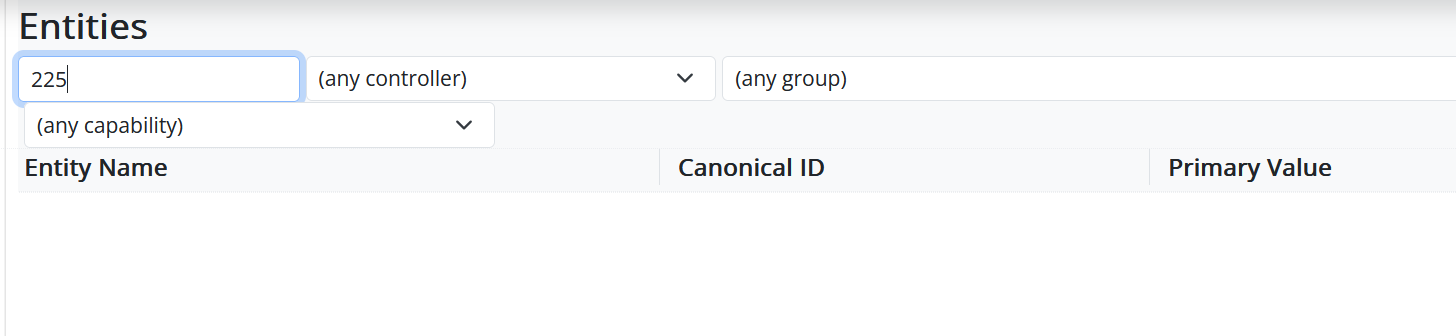
I don't see test about set_value or setting_value when I tried to grep. When I performed the Action power_switch.on from the Entities page, each of the three entries turned green momentarily while the primary value changed to true.
-
You need to grep in the
zwavejs.logfile. -
@toggledbits
I ran two separate tests. I ran a test from Home Assistant dashboard, turning on and off one of the outlets while tailing the zwavejs.log file. I then ran the same test from from Entities in MSR, only trying to power the one outlet on the double outlet. I provided a link to the log files below. -
Try build 24232 of ZWaveJSController just posted. This is an interim build.
-
Try build 24232 of ZWaveJSController just posted. This is an interim build.
@toggledbits said in Issue with Zooz Zen14 outlet and Zwavejs:
Try build 24232 of ZWaveJSController just posted. This is an interim build.
That appears to have fixed the issue. Thanks!
-
 T toggledbits locked this topic on