





Reverse proxy & API ACL
-
I'm trying to allow anonymous access from a local network to
/api/v1/log, but the problem now with the reverse proxy configuration is that this access is open via proxy to the internet. At least I wasn't able to configure ACL so that only an access from a local network would be permitted.reactor.yaml:
baseurl: "http://192.168.1.12:8111"
proxy_baseurl: "https://external.com:30000"
trusted_proxy: "192.168.1.12"
Local traffic would originate from 192.168.1.0/24 network. Synology is acting as a reverse proxy and hosting MSR as a docker container (which has its own network and IP 172.18.0.5). MSR build is latest-26298-fbb75fb8
users.yaml:
- url: "/api/v1/log"
    method: "GET"
    source_ip: 172.18.0.0/24
    allow: true
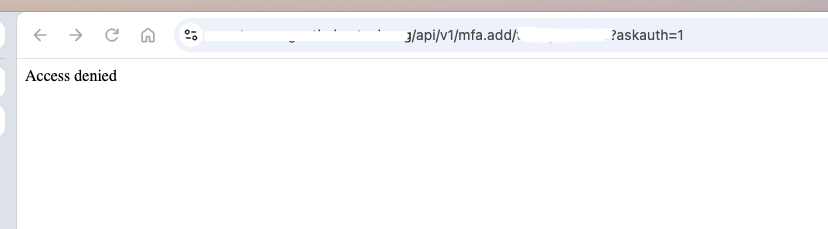
Using the above ACL works, but it enables access via proxy also. If I use
source_ip: 192.168.1.0/24, then it doesn't work either locally or remotely. So I'm kinda lost what should I use assource_ipin this case? -
Show me your request URL (local network)
Author of Multi-system Reactor and Reactor, DelayLight, Switchboard, and about a dozen other plugins that run on Vera and openLuup.
-
Show me your request URL (local network)
@toggledbits here you go:
http://192.168.1.12:8111/api/v1/log -
OK. Whatever the docker container on your NAS is doing is different from my test environment (Linux/Ubuntu). With the network set to bridge mode, the only time I see the container's internal address is when a request is made to 127.0.0.1 on the docker host into the Reactor container. Otherwise, I'm seeing real host addresses (LAN or external), not the container internal address.
I assume 192.168.1.12 is your NAS host address, not some other assigned address?
I would try reconfiguring your container's networking for host mode.
-
OK. I asked an AI friend if Synology works differently, and it reports that yes, indeed, Synology's Docker package does not handle network routing the same as the docker standard (Ubuntu, Debian, Raspberry Pi OS, etc.). It offered the following as a workaround:
Yes. Synology’s Docker / Container Manager implementation has a well-known difference from standard Docker Engine on Linux.
On a normal Docker install (Ubuntu, Debian, Raspberry Pi OS, etc.), published-port traffic that arrives via pure iptables DNAT usually preserves the original client source IP (or at least behaves in the ways we discussed earlier). On Synology DSM, the default setup for bridge-mode containers is different: inbound connections almost always appear inside the container as coming from the Docker bridge gateway (typically something like
172.17.0.1or the gateway of whatever network the container is on).What people actually observe on Synology
Multiple independent reports (Synology Community, Reddit, blogs about AdGuard Home, Pi-hole, Stalwart, etc.) describe the same behavior:
- Client on the LAN connects to
NAS-IP:published-port. - The application inside the container logs the source as
172.17.0.1(or the equivalent gateway), not the real client IP and not the NAS’s LAN IP.
Your customer describing it as “the container’s internal IP” is very likely referring to this same phenomenon (they may simply be seeing a
172.xaddress and calling it the container’s IP). It is extremely common on Synology and uncommon on vanilla Docker.Why Synology behaves differently
Synology’s Docker package does not install (or does not keep) the same
PREROUTING→DOCKERjump rules that stock Docker uses. As a result, traffic is handled more like a userland proxy that rewrites the source address to the bridge gateway before it reaches the container. Disabling IP masquerading alone does not fix it.The classic one-line workaround that many Synology users apply (via SSH) is:
sudo iptables -t nat -A PREROUTING -m addrtype --dst-type LOCAL -j DOCKER
sudo iptables -t nat -A PREROUTING -m addrtype --dst-type LOCAL ! --dst 127.0.0.0/8 -j DOCKER
After adding these rules, the real client IP usually starts appearing. The change is not permanent across reboots, so people typically put it in a Task Scheduler script that runs at boot. Note that it can interact with DSM’s own firewall, so it must be tested carefully.
Other Synology-specific factors
- DSM’s built-in reverse proxy is frequently used in front of containers. In that case you also need to configure “Trusted Proxies” and ensure
X-Forwarded-For/X-Real-IPare set, otherwise the container (or DSM itself) still sees the proxy’s IP. - Host network mode or a macvlan network bypasses the problem entirely (the container sees real client IPs), which is why many Synology users switch to those for apps that require accurate source IPs (DNS filters, rate-limiting, geolocation, etc.).
In short: this is a known Synology Docker quirk caused by missing/different iptables handling of published ports. The customer’s observation matches the widely reported default behavior on DSM.
-- end of response --
Following the advice above is entirely at your own risk. I obviously can't vouch for the accuracy or effects (including undesirable side-effects) of what it suggests.
Another approach here would be to use LLATs for your local access to the API, and write your ACLs accordingly.
- Client on the LAN connects to
-
OK. I asked an AI friend if Synology works differently, and it reports that yes, indeed, Synology's Docker package does not handle network routing the same as the docker standard (Ubuntu, Debian, Raspberry Pi OS, etc.). It offered the following as a workaround:
Yes. Synology’s Docker / Container Manager implementation has a well-known difference from standard Docker Engine on Linux.
On a normal Docker install (Ubuntu, Debian, Raspberry Pi OS, etc.), published-port traffic that arrives via pure iptables DNAT usually preserves the original client source IP (or at least behaves in the ways we discussed earlier). On Synology DSM, the default setup for bridge-mode containers is different: inbound connections almost always appear inside the container as coming from the Docker bridge gateway (typically something like
172.17.0.1or the gateway of whatever network the container is on).What people actually observe on Synology
Multiple independent reports (Synology Community, Reddit, blogs about AdGuard Home, Pi-hole, Stalwart, etc.) describe the same behavior:
- Client on the LAN connects to
NAS-IP:published-port. - The application inside the container logs the source as
172.17.0.1(or the equivalent gateway), not the real client IP and not the NAS’s LAN IP.
Your customer describing it as “the container’s internal IP” is very likely referring to this same phenomenon (they may simply be seeing a
172.xaddress and calling it the container’s IP). It is extremely common on Synology and uncommon on vanilla Docker.Why Synology behaves differently
Synology’s Docker package does not install (or does not keep) the same
PREROUTING→DOCKERjump rules that stock Docker uses. As a result, traffic is handled more like a userland proxy that rewrites the source address to the bridge gateway before it reaches the container. Disabling IP masquerading alone does not fix it.The classic one-line workaround that many Synology users apply (via SSH) is:
sudo iptables -t nat -A PREROUTING -m addrtype --dst-type LOCAL -j DOCKER
sudo iptables -t nat -A PREROUTING -m addrtype --dst-type LOCAL ! --dst 127.0.0.0/8 -j DOCKER
After adding these rules, the real client IP usually starts appearing. The change is not permanent across reboots, so people typically put it in a Task Scheduler script that runs at boot. Note that it can interact with DSM’s own firewall, so it must be tested carefully.
Other Synology-specific factors
- DSM’s built-in reverse proxy is frequently used in front of containers. In that case you also need to configure “Trusted Proxies” and ensure
X-Forwarded-For/X-Real-IPare set, otherwise the container (or DSM itself) still sees the proxy’s IP. - Host network mode or a macvlan network bypasses the problem entirely (the container sees real client IPs), which is why many Synology users switch to those for apps that require accurate source IPs (DNS filters, rate-limiting, geolocation, etc.).
In short: this is a known Synology Docker quirk caused by missing/different iptables handling of published ports. The customer’s observation matches the widely reported default behavior on DSM.
-- end of response --
Following the advice above is entirely at your own risk. I obviously can't vouch for the accuracy or effects (including undesirable side-effects) of what it suggests.
Another approach here would be to use LLATs for your local access to the API, and write your ACLs accordingly.
@toggledbits thanks, this is exactly the behavior I'm seeing. Not going to go that
iptablesroute, but need to check if thatX-Forwarded-Foris the answer. - Client on the LAN connects to
-
The X-Forwarded-For header is only handled for the
trusted_proxylist IPs.