





MFA
-
See edit above
-
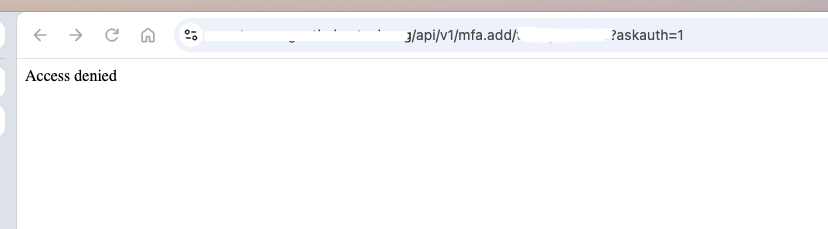
Still no joy. I'm still getting Access Denied after entering my username and password
[latest-26298]2026-10-30T11:39:27.726Z <wsapi:5:wsapi.js:169> (event handler): sending data
[latest-26298]2026-10-30T11:39:27.735Z <wsapi:5:wsapi.js:152> (event handler) sending update for 5 entities
[latest-26298]2026-10-30T11:39:27.982Z <httpapi:5:httpapi.js:1122> httpapi#1 starting request from "192.168.1.127" via ::ffff:192.168.1.127 for GET /api/v1/mfa.add/tmorgenthaler?askauth=1 lang en-US,en;q=0.9 (TLSv1.3)
[latest-26298]2026-10-30T11:39:27.982Z <httpapi:5:httpapi.js:1154> httpapi#1 auth header Basic dG1vcmdlbnRoYWxlcjohUjNicjNhdGgzciE=
[latest-26298]2026-10-30T11:39:27.990Z <httpapi:5:httpapi.js:1161> httpapi#1 auth accepted via HTTP Basic user tmorgenthaler
[latest-26298]2026-10-30T11:39:27.991Z <httpapi:INFO> httpapi#1 API request from ::ffff:192.168.1.127 (TLSv1.3): GET /api/v1/mfa.add/tmorgenthaler
[latest-26298]2026-10-30T11:39:27.991Z <httpapi:INFO> httpapi#1 request for /api/v1/mfa.add/tmorgenthaler from ::ffff:192.168.1.127 user tmorgenthaler auth basic matches / ACL (#6): { "url": "/", "allow": false, "index": 6 }
[latest-26298]2026-10-30T11:39:28.264Z <wsapi:5:wsapi.js:169> (event handler): sending data
[latest-26298]2026-10-30T11:39:28.265Z <wsapi:5:wsapi.js:169> (event handler): sending data
[latest-26298]2026-10-30T11:39:28.265Z <wsapi:5:wsapi.js:169> (event handler): sending data
groups: api_allowed: users: - admin - tmorgenthaler api_acls: - url: "/api/" group: api_allowed source_ip: 192.168.1.1/24 allow: true -
Still no joy. I'm still getting Access Denied after entering my username and password
[latest-26298]2026-10-30T11:39:27.726Z <wsapi:5:wsapi.js:169> (event handler): sending data
[latest-26298]2026-10-30T11:39:27.735Z <wsapi:5:wsapi.js:152> (event handler) sending update for 5 entities
[latest-26298]2026-10-30T11:39:27.982Z <httpapi:5:httpapi.js:1122> httpapi#1 starting request from "192.168.1.127" via ::ffff:192.168.1.127 for GET /api/v1/mfa.add/tmorgenthaler?askauth=1 lang en-US,en;q=0.9 (TLSv1.3)
[latest-26298]2026-10-30T11:39:27.982Z <httpapi:5:httpapi.js:1154> httpapi#1 auth header Basic dG1vcmdlbnRoYWxlcjohUjNicjNhdGgzciE=
[latest-26298]2026-10-30T11:39:27.990Z <httpapi:5:httpapi.js:1161> httpapi#1 auth accepted via HTTP Basic user tmorgenthaler
[latest-26298]2026-10-30T11:39:27.991Z <httpapi:INFO> httpapi#1 API request from ::ffff:192.168.1.127 (TLSv1.3): GET /api/v1/mfa.add/tmorgenthaler
[latest-26298]2026-10-30T11:39:27.991Z <httpapi:INFO> httpapi#1 request for /api/v1/mfa.add/tmorgenthaler from ::ffff:192.168.1.127 user tmorgenthaler auth basic matches / ACL (#6): { "url": "/", "allow": false, "index": 6 }
[latest-26298]2026-10-30T11:39:28.264Z <wsapi:5:wsapi.js:169> (event handler): sending data
[latest-26298]2026-10-30T11:39:28.265Z <wsapi:5:wsapi.js:169> (event handler): sending data
[latest-26298]2026-10-30T11:39:28.265Z <wsapi:5:wsapi.js:169> (event handler): sending data
groups: api_allowed: users: - admin - tmorgenthaler api_acls: - url: "/api/" group: api_allowed source_ip: 192.168.1.1/24 allow: true -
@toggledbits said in MFA:
- url: "/api/"
Remove the trailing slash.
Just getting back to this.
I removed the trailing slash, and I'm still getting the same result. I get prompted for my user name and password (same as before), but as soon as I put it in, I get Access Denied. I'm using Chrome incognito mode.

[latest-26298]2026-11-02T16:22:39.572Z <wsapi:5:wsapi.js:169> (event handler): sending data
[latest-26298]2026-11-02T16:22:39.596Z <wsapi:5:wsapi.js:152> (event handler) sending update for 1 entities
[latest-26298]2026-11-02T16:22:39.983Z <httpapi:5:httpapi.js:1122> httpapi#1 starting request from "192.168.1.123" via ::ffff:192.168.1.123 for GET /api/v1/mfa.add/tmorgenthaler?askauth=1 lang en-US,en;q=0.9 (TLSv1.3)
[latest-26298]2026-11-02T16:22:39.984Z <httpapi:5:httpapi.js:1154> httpapi#1 auth header Basic dG1vcmdlbnRoYWxlcjohUjNicjNhdGgzciE=
[latest-26298]2026-11-02T16:22:39.995Z <httpapi:5:httpapi.js:1161> httpapi#1 auth accepted via HTTP Basic user tmorgenthaler
[latest-26298]2026-11-02T16:22:39.995Z <httpapi:INFO> httpapi#1 API request from ::ffff:192.168.1.123 (TLSv1.3): GET /api/v1/mfa.add/tmorgenthaler
[latest-26298]2026-11-02T16:22:39.995Z <httpapi:INFO> httpapi#1 request for /api/v1/mfa.add/tmorgenthaler from ::ffff:192.168.1.123 user tmorgenthaler auth basic matches / ACL (#6): { "url": "/", "allow": false, "index": 6 }
[latest-26298]2026-11-02T16:22:41.549Z <wsapi:5:wsapi.js:169> (event handler): sending data
[latest-26298]2026-11-02T16:22:41.550Z <wsapi:5:wsapi.js:169> (event handler): sending data
groups: api_allowed: users: - admin - tmorgenthaler api_acls: - url: "/api" group: api_allowed source_ip: 192.168.1.1/24 allow: true -
Turn on ACL debug. The log will then show why your ACL isn't matched.
Also look in your startup messages for any errors (specifically, search for "ignoring config").
-
Turn on ACL debug. The log will then show why your ACL isn't matched.
Also look in your startup messages for any errors (specifically, search for "ignoring config").
@toggledbits
I changed the debug to true, this is what I'm seeing in the logs now:[latest-26298]2026-11-03T16:31:21.448Z <wsapi:5:wsapi.js:169> (event handler): sending data [latest-26298]2026-11-03T16:31:21.448Z <wsapi:5:wsapi.js:169> (event handler): sending data [latest-26298]2026-11-03T16:31:21.449Z <wsapi:5:wsapi.js:169> (event handler): sending data [latest-26298]2026-11-03T16:31:21.472Z <wsapi:5:wsapi.js:152> (event handler) sending update for 5 entities [latest-26298]2026-11-03T16:31:21.820Z <httpapi:5:httpapi.js:1122> httpapi#1 starting request from "69.255.234.254" via ::ffff:192.168.1.73 for GET /api/v1/mfa.add/tmorgenthaler?askauth=1 lang en-US,en;q=0.9 (TLSv1.3) [latest-26298]2026-11-03T16:31:21.820Z <httpapi:5:httpapi.js:1135> httpapi#1 pass_all_proxy is set, passing proxy req from "69.255.234.254" via ::ffff:192.168.1.73 [latest-26298]2026-11-03T16:31:21.820Z <httpapi:5:httpapi.js:1154> httpapi#1 auth header Basic dG1vcmdlbnRoYWxlcjohUjNicjNhdGgzciE= [latest-26298]2026-11-03T16:31:21.829Z <httpapi:5:httpapi.js:1161> httpapi#1 auth accepted via HTTP Basic user tmorgenthaler [latest-26298]2026-11-03T16:31:21.830Z <httpapi:INFO> httpapi#1 API request from "69.255.234.254" (TLSv1.3): GET /api/v1/mfa.add/tmorgenthaler [latest-26298]2026-11-03T16:31:21.830Z <httpapi:INFO> httpapi#1 request for /api/v1/mfa.add/tmorgenthaler from "69.255.234.254" user tmorgenthaler auth basic matches / ACL (#6): { "url": "/", "allow": false, "index": 6 } [latest-26298]2026-11-03T16:31:21.834Z <wsapi:5:wsapi.js:169> (event handler): sending data [latest-26298]2026-11-03T16:31:21.834Z <wsapi:5:wsapi.js:169> (event handler): sending data [latest-26298]2026-11-03T16:31:21.835Z <wsapi:5:wsapi.js:169> (event handler): sending data [latest-26298]2026-11-03T16:31:21.835Z <wsapi:5:wsapi.js:169> (event handler): sending data [latest-26298]2026-11-03T16:31:21.836Z <wsapi:5:wsapi.js:169> (event handler): sending data [latest-26298]2026-11-03T16:31:21.836Z <wsapi:5:wsapi.js:169> (event handler): sending dataI tried again using my local IP, and not using the Cloudflared tunnel
[latest-26298]2026-11-03T16:34:36.924Z <wsapi:5:wsapi.js:169> (event handler): sending data [latest-26298]2026-11-03T16:34:36.924Z <wsapi:5:wsapi.js:169> (event handler): sending data [latest-26298]2026-11-03T16:34:36.949Z <wsapi:5:wsapi.js:152> (event handler) sending update for 5 entities [latest-26298]2026-11-03T16:34:36.987Z <httpapi:5:httpapi.js:1122> httpapi#1 starting request from "192.168.1.127" via ::ffff:192.168.1.127 for GET /api/v1/mfa.add/tmorgenthaler?askauth=1 lang en-US,en;q=0.9 (TLSv1.3) [latest-26298]2026-11-03T16:34:36.987Z <httpapi:5:httpapi.js:1154> httpapi#1 auth header Basic dG1vcmdlbnRoYWxlcjohUjNicjNhdGgzciE= [latest-26298]2026-11-03T16:34:36.996Z <httpapi:5:httpapi.js:1161> httpapi#1 auth accepted via HTTP Basic user tmorgenthaler [latest-26298]2026-11-03T16:34:36.996Z <httpapi:INFO> httpapi#1 API request from ::ffff:192.168.1.127 (TLSv1.3): GET /api/v1/mfa.add/tmorgenthaler [latest-26298]2026-11-03T16:34:36.996Z <httpapi:INFO> httpapi#1 request for /api/v1/mfa.add/tmorgenthaler from ::ffff:192.168.1.127 user tmorgenthaler auth basic matches / ACL (#6): { "url": "/", "allow": false, "index": 6 } [latest-26298]2026-11-03T16:34:36.997Z <wsapi:5:wsapi.js:169> (event handler): sending data [latest-26298]2026-11-03T16:34:36.998Z <wsapi:5:wsapi.js:169> (event handler): sending data [latest-26298]2026-11-03T16:34:36.998Z <wsapi:5:wsapi.js:169> (event handler): sending data [latest-26298]2026-11-03T16:34:36.999Z <wsapi:5:wsapi.js:169> (event handler): sending data [latest-26298]2026-11-03T16:34:37.023Z <wsapi:5:wsapi.js:152> (event handler) sending update for 2 entities [latest-26298]2026-11-03T16:34:37.099Z <httpapi:5:httpapi.js:1122> httpapi#1 starting request from "192.168.1.127" via ::ffff:192.168.1.127 for GET /favicon.ico lang en-US,en;q=0.9 (TLSv1.3) [latest-26298]2026-11-03T16:34:37.237Z <wsapi:5:wsapi.js:169> (event handler): sending data [latest-26298]2026-11-03T16:34:37.237Z <wsapi:5:wsapi.js:169> (event handler): sending data [latest-26298]2026-11-03T16:34:37.238Z <wsapi:5:wsapi.js:169> (event handler): sending data [latest-26298]2026-11-03T16:34:37.238Z <wsapi:5:wsapi.js:169> (event handler): sending data [latest-26298]2026-11-03T16:34:37.238Z <wsapi:5:wsapi.js:169> (event handler): sending data [latest-26298]2026-11-03T16:34:37.239Z <wsapi:5:wsapi.js:169> (event handler): sending data -
As part of startup, you have two log messages:
httpapi#1 ACLsandhttpapi#1 ACL index, one after the other, both with additional data on the same line. Please post those. It looks like your custom ACL is not even being loaded. I would check yourusers.yamlfile against yamllint.com or similar tool... I'm betting you have another error in the file and it's preventing the file from being loaded at all, so the last-known-good version of the configuration (without your ACL change) is being loaded. -
As part of startup, you have two log messages:
httpapi#1 ACLsandhttpapi#1 ACL index, one after the other, both with additional data on the same line. Please post those. It looks like your custom ACL is not even being loaded. I would check yourusers.yamlfile against yamllint.com or similar tool... I'm betting you have another error in the file and it's preventing the file from being loaded at all, so the last-known-good version of the configuration (without your ACL change) is being loaded.@toggledbits
Okay, that was helpful. There was an error, and now I'm getting more information. I'm still getting Access Denied, for two separate reasons I think.[latest-26298]2026-11-03T16:50:01.487Z <wsapi:5:wsapi.js:169> (event handler): sending data [latest-26298]2026-11-03T16:50:01.488Z <wsapi:5:wsapi.js:169> (event handler): sending data [latest-26298]2026-11-03T16:50:01.510Z <wsapi:5:wsapi.js:152> (event handler) sending update for 5 entities [latest-26298]2026-11-03T16:50:01.669Z <httpapi:5:httpapi.js:1122> httpapi#1 starting request from "69.255.234.254" via ::ffff:192.168.1.73 for GET /api/v1/mfa.add/tmorgenthaler?askauth=1 lang en-US,en;q=0.9 (TLSv1.3) [latest-26298]2026-11-03T16:50:01.669Z <httpapi:5:httpapi.js:1135> httpapi#1 pass_all_proxy is set, passing proxy req from "69.255.234.254" via ::ffff:192.168.1.73 [latest-26298]2026-11-03T16:50:01.669Z <httpapi:5:httpapi.js:1154> httpapi#1 auth header Basic dG1vcmdlbnRoYWxlcjohUjNicjNhdGgzciE= [latest-26298]2026-11-03T16:50:01.684Z <httpapi:5:httpapi.js:1161> httpapi#1 auth accepted via HTTP Basic user tmorgenthaler [latest-26298]2026-11-03T16:50:01.685Z <httpapi:INFO> httpapi#1 API request from "69.255.234.254" (TLSv1.3): GET /api/v1/mfa.add/tmorgenthaler [latest-26298]2026-11-03T16:50:01.685Z <httpapi:null> httpapi#1 checking ACLs for /api/v1/mfa.add/tmorgenthaler user tmorgenthaler authorization basic [latest-26298]2026-11-03T16:50:01.685Z <httpapi:null> httpapi#1 no ACLs matched for /api/v1/mfa.add/tmorgenthaler; reducing path [latest-26298]2026-11-03T16:50:01.685Z <httpapi:null> httpapi#1 no ACLs matched for /api/v1/mfa.add; reducing path [latest-26298]2026-11-03T16:50:01.685Z <httpapi:null> httpapi#1 no ACLs matched for /api/v1; reducing path [latest-26298]2026-11-03T16:50:01.685Z <httpapi:null> httpapi#1 checking /api/v1/mfa.add/tmorgenthaler against /api ACL { "url": "/api", "group": "api_allowed", "source_ip": "192.168.1.1/24", "allow": true, "index": 0 } [latest-26298]2026-11-03T16:50:01.685Z <httpapi:null> httpapi#1 ACL no match: user tmorgenthaler to group:api_allowed [latest-26298]2026-11-03T16:50:01.685Z <httpapi:null> httpapi#1 checking /api/v1/mfa.add/tmorgenthaler against /api ACL { "url": "/api", "source_ip": "127/8", "allow": true, "index": 6 } [latest-26298]2026-11-03T16:50:01.686Z <httpapi:null> httpapi#1 ACL no match: IP "69.255.234.254" to source_ip:"127/8" [latest-26298]2026-11-03T16:50:01.686Z <httpapi:null> httpapi#1 no ACLs matched for /api; reducing path [latest-26298]2026-11-03T16:50:01.686Z <httpapi:null> httpapi#1 checking /api/v1/mfa.add/tmorgenthaler against / ACL { "url": "/", "allow": false, "index": 7 } [latest-26298]2026-11-03T16:50:01.686Z <httpapi:INFO> httpapi#1 request for /api/v1/mfa.add/tmorgenthaler from "69.255.234.254" user tmorgenthaler auth basic matches / ACL (#7): { "url": "/", "allow": false, "index": 7 } [latest-26298]2026-11-03T16:50:01.841Z <wsapi:5:wsapi.js:169> (event handler): sending data [latest-26298]2026-11-03T16:50:01.842Z <wsapi:5:wsapi.js:169> (event handler): sending dataOne, it looks like it's seeing my proxy address. I know I set up proxy access in the lastest version of the reactor.yaml file, but it looks like I may need to do the same here.
From reactor.yaml
# baseurl - The base URL to access the Reactor system. If you want to use
#           HTTPS, please see the How-To section of the docs.
baseurl: "https://192.168.1.70:8554"
trusted_proxy: "192.168.1.73"
proxy_baseurl: "https://reactor.notmydomain.com:443"
pass_all_proxy: true
Do I need to put a proxy_baseurl and pass all proxy tag in the users.yaml as well?
The users.yaml file contains the user, so I'm guessing it's hitting the trusted IP filter first?
groups:
  # This section defines your user groups. Optionally, it defines application
  # and API access restrictions (ACLs) for the group. Users may belong to
  # more than one group. Again, no required or special groups here.
  admin:
    users:
      - admin
      - tmorgenthaler
    applications: true  # special form allows access to ALL applications
    api:
      default: allow
    api_allowed:
      users:
        - admin
        - tmorgenthaler

api_acls:
  - url: "/api"
    group: api_allowed
    source_ip: 192.168.1.1/24
    allow: true