






Skip to content
  • Categories
  • Recent
  • Tags
  • Popular
  • Unsolved
Collapse
Discussion Forum to share and further the development of home control and automation, independent of platforms.
  1. Home
  2. Software
  3. Multi-System Reactor
  4. Multi-System Reactor Developer Preview AVAILABLE
[SOLVED] Conflicting Set Reaction Groups Appear to Fire Simultaneously in Single Rule Evaluation
G
Topic thumbnail image
Multi-System Reactor
[SOLVED] Question regarding "in" vs "contains" vs contents of the string
G
Topic thumbnail image
Multi-System Reactor
Reactor (Multi-System/Multi-Hub) Announcements
toggledbitsT
Build 21228 has been released. Docker images available from DockerHub as usual, and bare-metal packages here. Home Assistant up to version 2021.8.6 supported; the online version of the manual will now state the current supported versions; Fix an error in OWMWeatherController that could cause it to stop updating; Unify the approach to entity filtering on all hub interface classes (controllers); this works for device entities only; it may be extended to other entities later; Improve error detail in messages for EzloController during auth phase; Add isRuleSet() and isRuleEnabled() functions to expressions extensions; Implement set action for lock and passage capabilities (makes them more easily scriptable in some cases); Fix a place in the UI where 24-hour time was not being displayed.
Multi-System Reactor
Upgrade Issues
T
Topic thumbnail image
Multi-System Reactor
Logon screen timeout
G
Noticing since 170 that the lock screen doesn't switch to the logon prompt but, rather, stays on the active UI until such time as you go to click something within it. Then it jumps to the login screen. Brave browser Brave 1.92.139 (Official Build) (arm64) Chromium: 150.0.7871.114
Multi-System Reactor
[MSR] Copy&past of actions and/or drag&drop between set/reset
therealdbT
Hey @toggledbits One thing that bothers me while doing work on new systems/new features, is that I cannot copy&paste actions, and I cannot drag&drop between set and resets. #1 is for when I want to copy an action between different rules opened in two separate browser windows, while #2 is when I just need to flip a bunch of actions in the reset, or move some logic back and forth. Both will be appreciated, but I understand the technical challenges. Thanks!
Multi-System Reactor
Upgrade advice - upgrade from aarch64 to ARM64 image
T
I'm currently on version 26011. I understand that the aarch64 image is no longer supported. So, I therefore need to update to the ARM64 image. Can anyone possibly suggest how I update my docker compose.yaml file (see below). Ideally I'd like to keep my existing reactions etc. rather than start from scratch. # Multi-System Reactor template docker-compose.yml (version 22160) # # Change the lines indicated by "DO"... # services: reactor: container_name: reactor environment: # DO change the TZ: line to set your local time zone. # See valid TZ list: https://en.wikipedia.org/wiki/List_of_tz_database_time_zones TZ: GB # # DO NOT change this path. Your directory location is in "source" below. REACTOR_DATA_PREFIX: /var/reactor # DO change the image below to the one you are using (e.g. armv7l or aarch64 for RPi 4) image: toggledbits/reactor:latest-aarch64 restart: "always" expose: - 8111 ports: - 8111:8111 volumes: # DO change the /home/username/reactor below to the directory you created for # your local data; DO NOT change the /var/reactor part - /home/pi/docker/reactor:/var/reactor - /etc/localtime:/etc/localtime:ro tmpfs: /tmp
Multi-System Reactor
Alexa for MSR, any interest?
MikeReadingtonM
Topic thumbnail image
Multi-System Reactor
[RESOLVED] Telegram notification broke with latest update
3
Topic thumbnail image
Multi-System Reactor
[RESOLVED] Phantom device, “INFO” appears
wmarcolinW
Topic thumbnail image
Multi-System Reactor
[RESOLVED] Mode Status NULL
wmarcolinW
Topic thumbnail image
Multi-System Reactor
[RESOLVED] HTTP query failing after version 26177
wmarcolinW
Topic thumbnail image
Multi-System Reactor
Question about the find function
wmarcolinW
Topic thumbnail image
Multi-System Reactor
[Answered] OK to remove old json files?
3
Topic thumbnail image
Multi-System Reactor
Deprecation Announcement: 32-bit ARM *docker* images
toggledbitsT
If you are using the armv7l docker image, the OpenJS Foundation that publishes node is no longer producing 32-bit builds as of v24. That means the last supported LTS version of node for armv7l is v22, which will go End-of-Life in May 2027. Therefore, the Reactor armv7l image is now deprecated and will only be produced until node v22 goes EOL, and I will not publish armv7l images beyond that date. If you are running an RPi 3 or earlier with Reactor, you are on this image, and will need to upgrade hardware to a 64-bit model and use the arm64 image. If you need help getting it done, ask in this category.
Multi-System Reactor
[Solved] build 26150 - engine not starting
G
@toggledbits I pulled the image (well, Watchtower did) and within minutes the whole system went offline. The log looks like it ends with 26143. [latest-26143]2026-05-31T15:23:44.547Z <default:INFO> Closing container Container#Predicate#rule-mkahsmgf/26qq82mw-cons [latest-26143]2026-05-31T15:23:44.547Z <default:INFO> Closing container Container#Predicate#rule-lqyfljfi/22f8on0t-cons [latest-26143]2026-05-31T15:23:44.547Z <default:INFO> Closing container Container#Predicate#rule-lsb61rw8/24oenqi2-cons [latest-26143]2026-05-31T15:23:44.547Z <default:INFO> Closing container Container#Predicate#rule-lrh58he0/rule-lrh58he0:S-1c00gfib-cons [latest-26143]2026-05-31T15:23:44.547Z <default:INFO> Closing container Container#Predicate#rule-lrh58he0/1c00dylr-cons [latest-26143]2026-05-31T15:23:44.547Z <default:INFO> Closing container Container#Predicate#rule-lrh58he0/1nam9w5u-cons [latest-26143]2026-05-31T15:23:44.547Z <default:INFO> Closing container Container#Predicate#rule-miuh2qqi/22ls4lql-cons [latest-26143]2026-05-31T15:23:44.547Z <default:INFO> Closing container Container#Predicate#rule-kwc6rmci/rule-kwc6rmci:S-1vj8sdfc-cons [latest-26143]2026-05-31T15:23:44.547Z <default:INFO> Closing container Container#Predicate#rule-kwc6rmci/rule-kwc6rmci:S-1qanz01x-cons [latest-26143]2026-05-31T15:23:44.547Z <default:INFO> Closing container Container#Predicate#rule-ladyja6a/24lq19p6-cons [latest-26143]2026-05-31T15:23:44.547Z <default:INFO> Closing container Container#Predicate#rule-mk0o8iox/23oy468y-cons [latest-26143]2026-05-31T15:23:44.547Z <default:INFO> Closing container Container#Predicate#rule-miscg2h3/rule-miscg2h3:S-22gmbq1c-cons [latest-26143]2026-05-31T15:23:44.547Z <default:INFO> Closing container Container#Predicate#re-kxgrfjke/238p0old-cons [latest-26143]2026-05-31T15:23:44.547Z <default:INFO> Closing container Container#Predicate#re-m7ccsso5/re-m7ccsso5-1r0myjxa-cons [latest-26143]2026-05-31T15:23:44.547Z <default:INFO> Closing container Container#Predicate#rule-ladyja6a/19nl9wq2-cons [latest-26143]2026-05-31T15:23:44.547Z <default:INFO> Closing container Container#Predicate#rule-ladyja6a/rule-ladyja6a:S-yl3xk9t-cons [latest-26143]2026-05-31T15:23:44.547Z <default:INFO> Closing container Container#Predicate#rule-ladyja6a/rule-ladyja6a:S-yl3vv5m-cons [latest-26143]2026-05-31T15:23:44.547Z <default:INFO> Closing container Container#Predicate#re-ln7j2nqp/re-ln7j2nqp-22mx9lzd-cons [latest-26143]2026-05-31T15:23:44.547Z <default:INFO> Closing container Container#Predicate#re-ln7j2nqp/22mx87c8-cons [latest-26143]2026-05-31T15:23:44.547Z <default:INFO> Closing container Container#Predicate#rule-licneppy/1mzwe7ht-cons [latest-26143]2026-05-31T15:23:44.547Z <default:INFO> Closing container Container#Predicate#rule-ml3194ih/25jqt1j4-cons [latest-26143]2026-05-31T15:23:44.547Z <default:INFO> Closing container Container#Predicate#re-kxgrg7kf/227hshak-cons [latest-26143]2026-05-31T15:23:44.547Z <default:INFO> Closing container Container#Predicate#rule-reactorexmachina/13ua1p95-cons [latest-26143]2026-05-31T15:23:44.547Z <default:INFO> Closing container Container#Predicate#rule-reactorexmachina/13uagam7-cons [latest-26143]2026-05-31T15:23:44.547Z <default:INFO> Closing container Container#Predicate#rule-grpvl9oypg/rule-grpvl9oypg:R-134x4cbv-cons [latest-26143]2026-05-31T15:23:44.547Z <default:INFO> Closing container Container#Predicate#rule-grpvl9oypg/rule-grpvl9oypg:R-134x2fyl-cons [latest-26143]2026-05-31T15:23:44.547Z <default:INFO> Closing container Container#Predicate#re-lscjrws1/238p5c22-cons [latest-26143]2026-05-31T15:23:44.547Z <default:INFO> Closing container Container#Predicate#rule-lbwr0jvq/1xkczf03-cons [latest-26143]2026-05-31T15:23:44.547Z <Structure:NOTICE> Structure Structure#1 stopped [latest-26143]2026-05-31T15:23:44.547Z <app:NOTICE> Closing APIs... [latest-26143]2026-05-31T15:23:44.547Z <wsapi:NOTICE> wsapi: closing... [latest-26143]2026-05-31T15:23:44.547Z <wsapi:NOTICE> wsapi: disconnecting from "192.168.1.23#82" (1001 service closing) [latest-26143]2026-05-31T15:23:44.548Z <httpapi:NOTICE> HTTP API closing... [latest-26143]2026-05-31T15:23:44.549Z <wsapi:NOTICE> wsapi: server closed [latest-26143]2026-05-31T15:23:44.549Z <httpapi:INFO> HTTP server closed. [latest-26143]2026-05-31T15:23:44.549Z <app:NOTICE> Stopping timers... [latest-26143]2026-05-31T15:23:44.551Z <app:null> Shutdown complete, process ID 1 [latest-26143]2026-05-31T15:23:44.551Z <app:null> Closing logs... [latest-26143]2026-05-31T15:23:44.551Z <default:null> Closing log I can SSH to the VM. Alas, I do not have the previous image for 26143 as I'm a little too quick sometimes on housekeeping.
Multi-System Reactor
http request action & digest auth
tunnusT
I’m using the HTTP Request action in MSR and need to authenticate against an endpoint that uses HTTP Digest authentication. Now that endpoint was changed to use SHA-256 in digest auth, so I would like to know if MSR supports it, or is it limited to MD5-based digest auth?
Multi-System Reactor
Cloning actions in reactions does not work
tunnusT
With build 26140 (on Docker) I'm not able to clone any actions in reactions. Using Chrome if it has any relevance.
Multi-System Reactor
Has ping command been removed?
tunnusT
Topic thumbnail image
Multi-System Reactor
ReferenceError with Home Assistant data & build 26140
tunnusT
Topic thumbnail image
Multi-System Reactor

Multi-System Reactor Developer Preview AVAILABLE

Scheduled Pinned Locked Moved Multi-System Reactor
124 Posts 12 Posters 81.9k Views 14 Watching
  • Oldest to Newest
  • Newest to Oldest
  • Most Votes
Reply
  • Reply as topic
Log in to reply
This topic has been deleted. Only users with topic management privileges can see it.
  • toggledbitsT Offline
    toggledbitsT Offline
    toggledbits
    wrote on last edited by toggledbits
    #101

    Build 21092:

    No PRs addressed today; several remain open with fixes in 21091 or earlier, waiting for OPs to verify.

    Ongoing work on status and chasing reports that didn't end up as PRs today. I think everything under discussion is understood, if not yet completely resolved. A new notifier type "Alert" has been added, so you can add your own alerts to the system Status from your reactions (see below). Work ongoing getting more alerts where needed.


    To configure the "Alert" notification type, see the "Alert" configuration addition (one line) in dist-config/notification.yaml or just add this line (the notification type currently has no configuration options):

    notification:
      Alert: {}           <--- add this line
    
      # SMTP (Simple Mail Transfer Protocol, for sending email)
      SMTP:
        # et cetera
    

    Author of Multi-system Reactor and Reactor, DelayLight, Switchboard, and about a dozen other plugins that run on Vera and openLuup.

    1 Reply Last reply
    0
    • toggledbitsT Offline
      toggledbitsT Offline
      toggledbits
      wrote on last edited by
      #102

      Build 21093:

      No PRs.

      This release primarily addresses a failure on Hass caused by a breaking change in their WebSocket API between versions 2020.12.13 and 2021.3.4.

      Author of Multi-system Reactor and Reactor, DelayLight, Switchboard, and about a dozen other plugins that run on Vera and openLuup.

      1 Reply Last reply
      0
      • toggledbitsT Offline
        toggledbitsT Offline
        toggledbits
        wrote on last edited by
        #103

        Build 21095:

        No PRs.

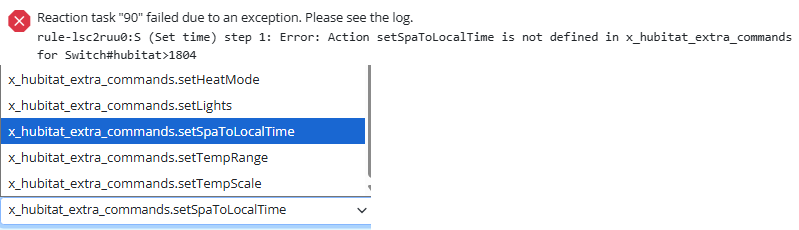
        But... this build addresses an issue on Hubitat that created a problem setting modes, updates lexpjs with some minor fixes. I was going to release a fix for 0000133 (need to save rule after creating expression to be able to use expression in condition or action) as well, but the changes snowballed into a bunch of other code cleanups and tweaks and I don't feel good about releasing them yet.

        Also, with respect to the "Reset Latched" action (which is not implemented in MSR as an explicit action)... I'm opening that for debate, but if there are no compelling arguments for, I'm going to close the two related PRs (39 and 160) and move on.

        Author of Multi-system Reactor and Reactor, DelayLight, Switchboard, and about a dozen other plugins that run on Vera and openLuup.

        1 Reply Last reply
        0
        • toggledbitsT Offline
          toggledbitsT Offline
          toggledbits
          wrote on last edited by toggledbits
          #104

          Build 21096:

          • 0000133 Must save rule to get newly-created rule expression to appear in "Expression Value" condition or "Set Variable" action pickers.

          This version also has the first attempt at reaction status. You'd better have good eyes; most reactions that don't have delays or HTTP requests will finish in a few milliseconds, so they appear and disappear in a flash. The house mode entity on Vera now has a primary value.

          EDIT: @LibraSun reminded me of something I forgot to mention. The rules editor (triggers and conditions) was not correctly storing the rule ID on Expression Value conditions and Set Variable expressions. If you had a global variable with the same name as a rule-based variable, and you had selected the global, a later edit would incorrectly load the selector with the rule-based name, rather than the global name. This is now fixed, but it has the effect of breaking existing conditions on local variables. You can fix this just by selecting the correct variable again and saving the rule, and it will be fixed forever more. As part of this fix, you can now also select variables in any rule (in addition to globals), where previously, you could only select those variables that were local to the rule you were editing. This should make some expression and rule forms much easier to write and maintain.

          Author of Multi-system Reactor and Reactor, DelayLight, Switchboard, and about a dozen other plugins that run on Vera and openLuup.

          1 Reply Last reply
          1
          • toggledbitsT Offline
            toggledbitsT Offline
            toggledbits
            wrote on last edited by
            #105

            Build 21101:

            • 0000164: Rules watching variables in other Rules not triggering

            A number of UI cleanups and fixes, as well as some internal cleanups. Lots of time on longer-term items, so the pace of new builds will be reduced to only when PR fixes or new features are ready for release (still not more frequently than daily, but also not less than weekly, going forward).

            Author of Multi-system Reactor and Reactor, DelayLight, Switchboard, and about a dozen other plugins that run on Vera and openLuup.

            1 Reply Last reply
            1
            • toggledbitsT Offline
              toggledbitsT Offline
              toggledbits
              wrote on last edited by
              #106

              Build 21104

              • 0000166 Hubitat: extra state for Tibber energy (example) not available
              • 0000167 Interval with days not editable
              • 0000168 Exiting edit of global reaction jumps to status display

              Home Assistant is supported up to new version 2021.4.4. The "period" attribute for the Sun Information entity has been added ("day" or "night"; primary attribute). The expressions now support urlencode() and urldecode() functions. A UI error thrown when attempting to add a ruleset has been fixed (no PR). Ongoing code and documentation work.

              Author of Multi-system Reactor and Reactor, DelayLight, Switchboard, and about a dozen other plugins that run on Vera and openLuup.

              1 Reply Last reply
              0
              • toggledbitsT Offline
                toggledbitsT Offline
                toggledbits
                wrote on last edited by toggledbits
                #107

                Build 21105:

                • 0000174 Reaction that contains only comment should stop counter-reaction
                • 0000173 Importer crashes on trange condition "between" op
                • 0000170 Exception when running Hubitat action (native, it turns out)
                • 0000165 Provide support for Hubitat custom actions from drivers

                NOTE: Just discovered an issue. I'm going to respin this build. Stay tuned. If you haven't upgraded yet, don't. False alarm! All OK. Upgrade when ready!

                Author of Multi-system Reactor and Reactor, DelayLight, Switchboard, and about a dozen other plugins that run on Vera and openLuup.

                1 Reply Last reply
                1
                • toggledbitsT Offline
                  toggledbitsT Offline
                  toggledbits
                  wrote on last edited by
                  #108

                  Build 21106:

                  • 0000177 Hubitat modes broken in 21105

                  Fixed an issue with (non-)presentation of the entity picker when clicked; fixed the bell click (broken by 0000168 fix); removed unused packages from configuration.

                  PLEASE RUN npm update --nosave AFTER UPDATING.

                  Author of Multi-system Reactor and Reactor, DelayLight, Switchboard, and about a dozen other plugins that run on Vera and openLuup.

                  1 Reply Last reply
                  1
                  • toggledbitsT Offline
                    toggledbitsT Offline
                    toggledbits
                    wrote on last edited by toggledbits
                    #109

                    Build 21117

                    This build represents a significant update from previous builds. Principally, this build provides action groups in reactions, and action groups support constraints. So it now possible for the SET or RESET reactions in your rules to have conditionally-executed actions. This feature applies to rule-based reactions only; it is not a feature of global reactions (and for the removal of doubt, will not be in future). In addition, the following PRs are addressed:

                    • 0000186 Add quick-selects for weekends and weekdays to Week Day condition type.
                    • 0000184 Pushover now supports "device" parameter correctly.
                    • 0000180 Using left nav when active editor has no changes pending is now allowed.
                    • 0000179 Catch-all for a number of lexpjs (expression) fixes and enhancements.

                    This version also incorporates a lot of UI enhancements and cleanups; still much to do, though.

                    Also new, there are now three "official" Docker image builds available on DockerHub:

                    • toggledbits/reactor:latest-generic-amd64 -- Generic Intel/AMD Linux
                    • toggledbits/reactor:latest-synology-amd64 -- Synology-specific (see more below)
                    • toggledbuts/reactor:latest-raspbian-armv7l -- Raspian Buster (Raspberry Pi)

                    These Docker images can be downloaded using the usual docker pull <imagename> syntax.

                    For all images, when creating the container you must map /var/reactor to a local directory in which your Reactor configuration and storage files are located. You should also bind /etc/localtime to the same-path file on your local system to get the correct timezone in the container. If this is not possible or does not correctly set the timezone for your container, the TZ environment variable should be set.

                    Typical to run:

                    # For generic:
                    docker run -d -p 8111:8111 -v /my/reactor/data:/var/reactor --mount type=bind,src=/etc/localtime,target=/etc/localtime toggledbits/reactor:latest-generic-amd64
                    
                    # For Raspian:
                    docker run -d -p 8111:8111 -v /my/reactor/data:/var/reactor -e TZ=America/New_York toggledbits/reactor:latest-raspbian-armv7l
                    

                    SPECIAL INSTRUCTIONS FOR SYNOLOGY DOCKER IMAGE UPGRADE (ONLY):

                    I will no longer be making the manual-download image available for Synology. Upgrading from the previous manual-download image is not a straight line, but can be done pretty quickly and without losing your configuration and other data. It's basically a redo of the original install. The steps are as follows:

                    1. Stop the existing container (under Containers in the Synology Docker app).
                    2. Make a note of where your current config/storage data is stored on the NAS. You can find this by clicking on the container row, then clicking the "Details" button. Click the "Volume" tab on the details dialog, and note the path associated with /var/reactor. Copy-paste this to a safe location or write it down. Close the dialog.
                    3. Click on the container row and choose "Delete" from the Actions dropdown menu.
                    4. Go to the Image tab and delete the toggledbits/reactor:latest image.
                    5. Go to the Repository tab and search for "toggledbits". The toggledbits/reactor entry should be listed in the results.
                    6. Click the entry row and then click "Download".
                    7. Once the image has downloaded, select the image in the Image tab and click "Launch".
                    8. Leave the defaults on the "General Settings" dialog, and click the "Advanced Settings" button.
                    9. On the Advanced Settings dialog, click "Enable auto-restart".
                    10. Click the "Volume" tab, and then "Add Folder". Select the directory you saved in step 2 above (where your data and config files are stored); for the mount path, enter exactly /var/reactor.
                    11. Click the "Port Settings" tab, and change the "Auto" to 8111 under "Local Port".
                    12. Click the "Environment" tab, and then "+" to add an environment variable. Name it "TZ" (caps), and then set the value to the name of your local time zone. Typically these are "Area/Locale", like "America/New_York". A full list is here: https://en.wikipedia.org/wiki/List_of_tz_database_time_zones
                    13. Hit the Apply button and it will put you back on the General Settings dialog. Hit "Next" and then "Apply" (the checkbox to start the container should be checked already), and the container should start.
                    14. Access the container via your NAS' IP address on port 8111.

                    USING DOCKER-COMPOSE TO RUN CONTAINERS

                    Here's a sample docker-compose file. You'll need to modify it to have the correct image tag and directory where your data are stored.

                    # Multi-System Reactor template docker-compose.yml
                    version: '3'
                    
                    services:
                      web:
                        container_name: reactor
                        environment:
                          REACTOR_DATA_PREFIX: /var/reactor
                    
                        # Change the image below to the one you are using, if necessary.
                        image: toggledbits/reactor:latest-generic-amd64
                        restart: always
                        network_mode: "bridge"
                        expose:
                          - 8111
                        ports:
                          - 8111:8111
                        # Modify the first entry below (only before the colon; do not modify the rest) 
                        # to the path where you want config/data stored. Make sure the directory
                        # exists before starting the container.
                        volumes:
                          - /my/reactor/data:/var/reactor
                          - type: bind
                            source: /etc/localtime
                            target: /etc/localtime
                            read_only: true
                        tmpfs: /tmp
                        logging:
                          driver: "json-file"
                          options:
                            max-file: 5
                            max-size: 2m
                    

                    Author of Multi-system Reactor and Reactor, DelayLight, Switchboard, and about a dozen other plugins that run on Vera and openLuup.

                    toggledbitsT 1 Reply Last reply
                    3
                    • toggledbitsT toggledbits

                      Build 21117

                      This build represents a significant update from previous builds. Principally, this build provides action groups in reactions, and action groups support constraints. So it now possible for the SET or RESET reactions in your rules to have conditionally-executed actions. This feature applies to rule-based reactions only; it is not a feature of global reactions (and for the removal of doubt, will not be in future). In addition, the following PRs are addressed:

                      • 0000186 Add quick-selects for weekends and weekdays to Week Day condition type.
                      • 0000184 Pushover now supports "device" parameter correctly.
                      • 0000180 Using left nav when active editor has no changes pending is now allowed.
                      • 0000179 Catch-all for a number of lexpjs (expression) fixes and enhancements.

                      This version also incorporates a lot of UI enhancements and cleanups; still much to do, though.

                      Also new, there are now three "official" Docker image builds available on DockerHub:

                      • toggledbits/reactor:latest-generic-amd64 -- Generic Intel/AMD Linux
                      • toggledbits/reactor:latest-synology-amd64 -- Synology-specific (see more below)
                      • toggledbuts/reactor:latest-raspbian-armv7l -- Raspian Buster (Raspberry Pi)

                      These Docker images can be downloaded using the usual docker pull <imagename> syntax.

                      For all images, when creating the container you must map /var/reactor to a local directory in which your Reactor configuration and storage files are located. You should also bind /etc/localtime to the same-path file on your local system to get the correct timezone in the container. If this is not possible or does not correctly set the timezone for your container, the TZ environment variable should be set.

                      Typical to run:

                      # For generic:
                      docker run -d -p 8111:8111 -v /my/reactor/data:/var/reactor --mount type=bind,src=/etc/localtime,target=/etc/localtime toggledbits/reactor:latest-generic-amd64
                      
                      # For Raspian:
                      docker run -d -p 8111:8111 -v /my/reactor/data:/var/reactor -e TZ=America/New_York toggledbits/reactor:latest-raspbian-armv7l
                      

                      SPECIAL INSTRUCTIONS FOR SYNOLOGY DOCKER IMAGE UPGRADE (ONLY):

                      I will no longer be making the manual-download image available for Synology. Upgrading from the previous manual-download image is not a straight line, but can be done pretty quickly and without losing your configuration and other data. It's basically a redo of the original install. The steps are as follows:

                      1. Stop the existing container (under Containers in the Synology Docker app).
                      2. Make a note of where your current config/storage data is stored on the NAS. You can find this by clicking on the container row, then clicking the "Details" button. Click the "Volume" tab on the details dialog, and note the path associated with /var/reactor. Copy-paste this to a safe location or write it down. Close the dialog.
                      3. Click on the container row and choose "Delete" from the Actions dropdown menu.
                      4. Go to the Image tab and delete the toggledbits/reactor:latest image.
                      5. Go to the Repository tab and search for "toggledbits". The toggledbits/reactor entry should be listed in the results.
                      6. Click the entry row and then click "Download".
                      7. Once the image has downloaded, select the image in the Image tab and click "Launch".
                      8. Leave the defaults on the "General Settings" dialog, and click the "Advanced Settings" button.
                      9. On the Advanced Settings dialog, click "Enable auto-restart".
                      10. Click the "Volume" tab, and then "Add Folder". Select the directory you saved in step 2 above (where your data and config files are stored); for the mount path, enter exactly /var/reactor.
                      11. Click the "Port Settings" tab, and change the "Auto" to 8111 under "Local Port".
                      12. Click the "Environment" tab, and then "+" to add an environment variable. Name it "TZ" (caps), and then set the value to the name of your local time zone. Typically these are "Area/Locale", like "America/New_York". A full list is here: https://en.wikipedia.org/wiki/List_of_tz_database_time_zones
                      13. Hit the Apply button and it will put you back on the General Settings dialog. Hit "Next" and then "Apply" (the checkbox to start the container should be checked already), and the container should start.
                      14. Access the container via your NAS' IP address on port 8111.

                      USING DOCKER-COMPOSE TO RUN CONTAINERS

                      Here's a sample docker-compose file. You'll need to modify it to have the correct image tag and directory where your data are stored.

                      # Multi-System Reactor template docker-compose.yml
                      version: '3'
                      
                      services:
                        web:
                          container_name: reactor
                          environment:
                            REACTOR_DATA_PREFIX: /var/reactor
                      
                          # Change the image below to the one you are using, if necessary.
                          image: toggledbits/reactor:latest-generic-amd64
                          restart: always
                          network_mode: "bridge"
                          expose:
                            - 8111
                          ports:
                            - 8111:8111
                          # Modify the first entry below (only before the colon; do not modify the rest) 
                          # to the path where you want config/data stored. Make sure the directory
                          # exists before starting the container.
                          volumes:
                            - /my/reactor/data:/var/reactor
                            - type: bind
                              source: /etc/localtime
                              target: /etc/localtime
                              read_only: true
                          tmpfs: /tmp
                          logging:
                            driver: "json-file"
                            options:
                              max-file: 5
                              max-size: 2m
                      
                      toggledbitsT Offline
                      toggledbitsT Offline
                      toggledbits
                      wrote on last edited by
                      #110

                      Build 21118

                      • 0000190 Validation sync issue between group and children on reaction with constraint
                      • 0000191 Two or more groups with constraints will stomp on each other

                      Install/Upgrade Instructions

                      Author of Multi-system Reactor and Reactor, DelayLight, Switchboard, and about a dozen other plugins that run on Vera and openLuup.

                      1 Reply Last reply
                      1
                      • toggledbitsT Offline
                        toggledbitsT Offline
                        toggledbits
                        wrote on last edited by toggledbits
                        #111

                        Build 21120

                        • 0000193 Rule and expression state problem can cause reset reaction run on edit/save
                        • 0000195 Reload of expression value condition in action group constraint fails with JS error
                        • 0000198 (Vera) Siren1 device type doesn't have MSR power_switch capability

                        Docker users can pull the updated images from DockerHub.

                        Synology Docker users, you can either upgrade using the Docker app, which I find a bit cumbersome (there's no "Update/Download Again" for existing images in the app), or do the following:

                        1. Stop the container in the Docker app.
                        2. Log in to your NAS via SSH.
                        3. Pull the new image by running sudo docker pull toggledbits/reaction:latest-synology-amd64
                        4. Clear the container (in the Docker app, select the container, then "Clear" from "Actions").
                        5. Start the container.
                          .

                        Author of Multi-system Reactor and Reactor, DelayLight, Switchboard, and about a dozen other plugins that run on Vera and openLuup.

                        1 Reply Last reply
                        1
                        • toggledbitsT Offline
                          toggledbitsT Offline
                          toggledbits
                          wrote on last edited by
                          #112

                          Build 21123

                          • 0000084 Ruleset click-to-expand needs visual cue (also done for reactions and entities with similar behavior)
                          • 0000199 (Hass) Cover device missing position MSR capability/attribute (Hass-native was available, however)

                          The range operator '..' (e.g. 1..10) is now available in expressions and produces an array.

                          Author of Multi-system Reactor and Reactor, DelayLight, Switchboard, and about a dozen other plugins that run on Vera and openLuup.

                          1 Reply Last reply
                          1
                          • toggledbitsT Offline
                            toggledbitsT Offline
                            toggledbits
                            wrote on last edited by
                            #113

                            Build 21130

                            • 0000202 Duplicate IDs assigned to cloned groups and other actions
                            • 0000201 Allow renaming of outermost group constraints

                            The new performAction() function allows an action to be performed on an entity from within an expression. Additional UI tweaks.

                            Author of Multi-system Reactor and Reactor, DelayLight, Switchboard, and about a dozen other plugins that run on Vera and openLuup.

                            1 Reply Last reply
                            1
                            • toggledbitsT Offline
                              toggledbitsT Offline
                              toggledbits
                              wrote on last edited by toggledbits
                              #114

                              Reactor 21138

                              • 0000208 Cloning action in group clones group rather than action;
                              • 0000206 Restrict sun condition offset results to current day (prevents overrun and state lock when very large offsets are used);
                              • 0000204 Button text and color consistency on editors;

                              Documentatation (Installation) updates; IP filtering for API access; code refactoring/cleanup; bless Hass to 2021.5.4; UI improvements (autogrow input fields, improve expand/collapse aesthetics); log message cleanup.

                              Docker images are available on DockerHub as (now) usual. Generic package downloadable via Download button in the bug tracker.

                              Author of Multi-system Reactor and Reactor, DelayLight, Switchboard, and about a dozen other plugins that run on Vera and openLuup.

                              1 Reply Last reply
                              0
                              • toggledbitsT Offline
                                toggledbitsT Offline
                                toggledbits
                                wrote on last edited by
                                #115

                                Build 21139:

                                • 0000211 Injection caused while fixing Sun conditions for 206.
                                • 0000209 Cloning rule leaves "Set Variable" actions tied to source rule's expressions.

                                Author of Multi-system Reactor and Reactor, DelayLight, Switchboard, and about a dozen other plugins that run on Vera and openLuup.

                                1 Reply Last reply
                                0
                                • toggledbitsT Offline
                                  toggledbitsT Offline
                                  toggledbits
                                  wrote on last edited by
                                  #116

                                  Build 21140

                                  • 0000213 Timer change causes queue stall on Vera actions (seen as stalled reactions in Status panel)

                                  Author of Multi-system Reactor and Reactor, DelayLight, Switchboard, and about a dozen other plugins that run on Vera and openLuup.

                                  1 Reply Last reply
                                  0
                                  • toggledbitsT Offline
                                    toggledbitsT Offline
                                    toggledbits
                                    wrote on last edited by
                                    #117

                                    Build 21146

                                    • 0000214 Fix "each" examples in documentation
                                    • 0000144 Feature: per-entity overrides/exceptions for Vera
                                    • 0000143 Feature: per-device overrides on name, capabilities, primary attribute

                                    Documentation updates; UI usability/consistency tweaks.

                                    Author of Multi-system Reactor and Reactor, DelayLight, Switchboard, and about a dozen other plugins that run on Vera and openLuup.

                                    1 Reply Last reply
                                    0
                                    • toggledbitsT Offline
                                      toggledbitsT Offline
                                      toggledbits
                                      wrote on last edited by toggledbits
                                      #118

                                      Build 21153

                                      • 0000215 Hubitat connections may stall after hub reboot when "Hub Login Security" is enabled. See #215 for details.

                                      Also: updates to lexpjs to allow min()/max() of array arguments; fix to pushbutton attributes for Hubitat; installation doc updates.

                                      BARE-METAL (NOT DOCKER) USERS -- PLEASE RUN npm update --no-save IN YOUR REACTOR DIRECTORY AFTER UPDATING/BEFORE RESTARTING.

                                      SYNOLOGY DOCKER USERS: Build 21160 (next week) will be the last build of the Synology-specific image (latest-synology-amd64). After that, Synology will be supported exclusively via the generic-amd64 image. If you are currently using the latest-synology-amd64 image, you will need to rebuild your container using the latest-generic-amd64 image (soon).

                                      Author of Multi-system Reactor and Reactor, DelayLight, Switchboard, and about a dozen other plugins that run on Vera and openLuup.

                                      1 Reply Last reply
                                      1
                                      • toggledbitsT Offline
                                        toggledbitsT Offline
                                        toggledbits
                                        wrote on last edited by
                                        #119

                                        Build 21158

                                        • 0000217 Fix path handling for Windows causing error loading Notifiers. This only applies to Windows

                                        Documentation tweaks; header now shows both host (MSR server) and browser time.

                                        Author of Multi-system Reactor and Reactor, DelayLight, Switchboard, and about a dozen other plugins that run on Vera and openLuup.

                                        1 Reply Last reply
                                        0
                                        • toggledbitsT Offline
                                          toggledbitsT Offline
                                          toggledbits
                                          wrote on last edited by toggledbits
                                          #120

                                          Build 21163

                                          • Fix 0000219 On Weekday conditions, the quick-set links for Weekday and Weekend don't stick unless you do other edits.
                                          • (No PR fix) The UI's host time display now shows the "engine" time, which is the host time unless test_time is in effect, in which case the current test time is shown.

                                          Debug log level 5 messages for Engine have been enhanced to more clearly show actions in reactions as they execute, and in particular, can now be more easily used to tell what rule or reaction is causing another reaction to run (i.e. if a global reaction can be run by several different rules, you'll be able to tell which started it). Support for Telegram notification is now native and this no longer requires the Vera plugin (or a Vera, for that matter); please see the dist-config/notification.yaml for configuration information. There is also a new Shell Command action in reactions, but since it carries with it some potential security risks (e.g. arbitrary code execution), its use requires that you add allow_shell_action: true to the engine section of your reactor.yaml configuration file. By default, shell actions will not be run (although you can still put them in your reactions; they just won't run).

                                          Other things to note:

                                          • As previously advertised, the Synology-specific docker container latest-synology-amd64 is no longer being updated. Please switch to latest-generic-amd64.
                                          • All docker images have grown a bit in size as a result of best-practice recommendations for stable builds of docker images. As part of these changes, all containers now run nodejs version 14.17 (current LTS) on Alpine 3.13 (except the RPI image, where 3.12 is used due to certificate issues). Additional changes are coming! Currently, the service runs as root within the docker container, and while running in a container has to-date constrained the risk normally associated with privileged services, the addition of the Shell Command action changes the risk potential dramatically. As a result, likely starting with the first build in July, all containers will run the service as a non-privileged user. I'm still pondering all of this, and there are several potential paths to consider.

                                          Author of Multi-system Reactor and Reactor, DelayLight, Switchboard, and about a dozen other plugins that run on Vera and openLuup.

                                          1 Reply Last reply
                                          0
                                          Reply
                                          • Reply as topic
                                          Log in to reply
                                          • Oldest to Newest
                                          • Newest to Oldest
                                          • Most Votes


                                          Recent Topics

                                          • [SOLVED] Conflicting Set Reaction Groups Appear to Fire Simultaneously in Single Rule Evaluation
                                            toggledbitsT
                                            toggledbits
                                            0
                                            10
                                            58

                                          • [SOLVED] Question regarding "in" vs "contains" vs contents of the string
                                            G
                                            gwp1
                                            0
                                            5
                                            22

                                          • Reactor (Multi-System/Multi-Hub) Announcements
                                            toggledbitsT
                                            toggledbits
                                            5
                                            147
                                            127.1k

                                          • Upgrade Issues
                                            toggledbitsT
                                            toggledbits
                                            0
                                            8
                                            92

                                          • openLuup console disappeared - 500 - Internal Server Error
                                            A
                                            a-lurker
                                            0
                                            2
                                            144

                                          • Logon screen timeout
                                            G
                                            gwp1
                                            0
                                            5
                                            171

                                          • [MSR] Copy&past of actions and/or drag&drop between set/reset
                                            toggledbitsT
                                            toggledbits
                                            0
                                            9
                                            317

                                          • Upgrade advice - upgrade from aarch64 to ARM64 image
                                            toggledbitsT
                                            toggledbits
                                            0
                                            4
                                            185

                                          • Alexa for MSR, any interest?
                                            CatmanV2C
                                            CatmanV2
                                            2
                                            4
                                            318

                                          • Ezlo Paid Subscription for Vera Cloud Services
                                            therealdbT
                                            therealdb
                                            4
                                            2
                                            446

                                          • [RESOLVED] Telegram notification broke with latest update
                                            CatmanV2C
                                            CatmanV2
                                            0
                                            11
                                            778
                                          Powered by NodeBB | Contributors
                                          Hosted freely by 10RUPTiV - Solutions Technologiques | Contact us
                                          • Login

                                          • Don't have an account? Register

                                          • Login or register to search.
                                          • First post
                                            Last post
                                          0
                                          • Categories
                                          • Recent
                                          • Tags
                                          • Popular
                                          • Unsolved