





Skip to content
  • Categories
  • Recent
  • Tags
  • Popular
  • Unsolved
Collapse
Discussion Forum to share and further the development of home control and automation, independent of platforms.
  1. Home
  2. Software
  3. Multi-System Reactor
  4. Having trouble with http and basic auth
Upgrade advice - upgrade from aarch64 to ARM64 image
T
I'm currently on version 26011. I understand that the aarch64 image is no longer supported. So, I therefore need to update to the ARM64 image. Can anyone possibly suggest how I update my docker compose.yaml file (see below). Ideally I'd like to keep my existing reactions etc. rather than start from scratch. # Multi-System Reactor template docker-compose.yml (version 22160) # # Change the lines indicated by "DO"... # services: reactor: container_name: reactor environment: # DO change the TZ: line to set your local time zone. # See valid TZ list: https://en.wikipedia.org/wiki/List_of_tz_database_time_zones TZ: GB # # DO NOT change this path. Your directory location is in "source" below. REACTOR_DATA_PREFIX: /var/reactor # DO change the image below to the one you are using (e.g. armv7l or aarch64 for RPi 4) image: toggledbits/reactor:latest-aarch64 restart: "always" expose: - 8111 ports: - 8111:8111 volumes: # DO change the /home/username/reactor below to the directory you created for # your local data; DO NOT change the /var/reactor part - /home/pi/docker/reactor:/var/reactor - /etc/localtime:/etc/localtime:ro tmpfs: /tmp
Multi-System Reactor
[MSR] Copy&past of actions and/or drag&drop between set/reset
therealdbT
Hey @toggledbits One thing that bothers me while doing work on new systems/new features, is that I cannot copy&paste actions, and I cannot drag&drop between set and resets. #1 is for when I want to copy an action between different rules opened in two separate browser windows, while #2 is when I just need to flip a bunch of actions in the reset, or move some logic back and forth. Both will be appreciated, but I understand the technical challenges. Thanks!
Multi-System Reactor
Alexa for MSR, any interest?
MikeReadingtonM
Topic thumbnail image
Multi-System Reactor
[RESOLVED] Telegram notification broke with latest update
3
Topic thumbnail image
Multi-System Reactor
[RESOLVED] Phantom device, “INFO” appears
wmarcolinW
Topic thumbnail image
Multi-System Reactor
[RESOLVED] Mode Status NULL
wmarcolinW
Topic thumbnail image
Multi-System Reactor
Reactor (Multi-System/Multi-Hub) Announcements
toggledbitsT
Build 21228 has been released. Docker images available from DockerHub as usual, and bare-metal packages here. Home Assistant up to version 2021.8.6 supported; the online version of the manual will now state the current supported versions; Fix an error in OWMWeatherController that could cause it to stop updating; Unify the approach to entity filtering on all hub interface classes (controllers); this works for device entities only; it may be extended to other entities later; Improve error detail in messages for EzloController during auth phase; Add isRuleSet() and isRuleEnabled() functions to expressions extensions; Implement set action for lock and passage capabilities (makes them more easily scriptable in some cases); Fix a place in the UI where 24-hour time was not being displayed.
Multi-System Reactor
[RESOLVED] HTTP query failing after version 26177
wmarcolinW
Topic thumbnail image
Multi-System Reactor
Question about the find function
wmarcolinW
Topic thumbnail image
Multi-System Reactor
[Answered] OK to remove old json files?
3
Topic thumbnail image
Multi-System Reactor
Deprecation Announcement: 32-bit ARM *docker* images
toggledbitsT
If you are using the armv7l docker image, the OpenJS Foundation that publishes node is no longer producing 32-bit builds as of v24. That means the last supported LTS version of node for armv7l is v22, which will go End-of-Life in May 2027. Therefore, the Reactor armv7l image is now deprecated and will only be produced until node v22 goes EOL, and I will not publish armv7l images beyond that date. If you are running an RPi 3 or earlier with Reactor, you are on this image, and will need to upgrade hardware to a 64-bit model and use the arm64 image. If you need help getting it done, ask in this category.
Multi-System Reactor
[Solved] build 26150 - engine not starting
G
@toggledbits I pulled the image (well, Watchtower did) and within minutes the whole system went offline. The log looks like it ends with 26143. [latest-26143]2026-05-31T15:23:44.547Z <default:INFO> Closing container Container#Predicate#rule-mkahsmgf/26qq82mw-cons [latest-26143]2026-05-31T15:23:44.547Z <default:INFO> Closing container Container#Predicate#rule-lqyfljfi/22f8on0t-cons [latest-26143]2026-05-31T15:23:44.547Z <default:INFO> Closing container Container#Predicate#rule-lsb61rw8/24oenqi2-cons [latest-26143]2026-05-31T15:23:44.547Z <default:INFO> Closing container Container#Predicate#rule-lrh58he0/rule-lrh58he0:S-1c00gfib-cons [latest-26143]2026-05-31T15:23:44.547Z <default:INFO> Closing container Container#Predicate#rule-lrh58he0/1c00dylr-cons [latest-26143]2026-05-31T15:23:44.547Z <default:INFO> Closing container Container#Predicate#rule-lrh58he0/1nam9w5u-cons [latest-26143]2026-05-31T15:23:44.547Z <default:INFO> Closing container Container#Predicate#rule-miuh2qqi/22ls4lql-cons [latest-26143]2026-05-31T15:23:44.547Z <default:INFO> Closing container Container#Predicate#rule-kwc6rmci/rule-kwc6rmci:S-1vj8sdfc-cons [latest-26143]2026-05-31T15:23:44.547Z <default:INFO> Closing container Container#Predicate#rule-kwc6rmci/rule-kwc6rmci:S-1qanz01x-cons [latest-26143]2026-05-31T15:23:44.547Z <default:INFO> Closing container Container#Predicate#rule-ladyja6a/24lq19p6-cons [latest-26143]2026-05-31T15:23:44.547Z <default:INFO> Closing container Container#Predicate#rule-mk0o8iox/23oy468y-cons [latest-26143]2026-05-31T15:23:44.547Z <default:INFO> Closing container Container#Predicate#rule-miscg2h3/rule-miscg2h3:S-22gmbq1c-cons [latest-26143]2026-05-31T15:23:44.547Z <default:INFO> Closing container Container#Predicate#re-kxgrfjke/238p0old-cons [latest-26143]2026-05-31T15:23:44.547Z <default:INFO> Closing container Container#Predicate#re-m7ccsso5/re-m7ccsso5-1r0myjxa-cons [latest-26143]2026-05-31T15:23:44.547Z <default:INFO> Closing container Container#Predicate#rule-ladyja6a/19nl9wq2-cons [latest-26143]2026-05-31T15:23:44.547Z <default:INFO> Closing container Container#Predicate#rule-ladyja6a/rule-ladyja6a:S-yl3xk9t-cons [latest-26143]2026-05-31T15:23:44.547Z <default:INFO> Closing container Container#Predicate#rule-ladyja6a/rule-ladyja6a:S-yl3vv5m-cons [latest-26143]2026-05-31T15:23:44.547Z <default:INFO> Closing container Container#Predicate#re-ln7j2nqp/re-ln7j2nqp-22mx9lzd-cons [latest-26143]2026-05-31T15:23:44.547Z <default:INFO> Closing container Container#Predicate#re-ln7j2nqp/22mx87c8-cons [latest-26143]2026-05-31T15:23:44.547Z <default:INFO> Closing container Container#Predicate#rule-licneppy/1mzwe7ht-cons [latest-26143]2026-05-31T15:23:44.547Z <default:INFO> Closing container Container#Predicate#rule-ml3194ih/25jqt1j4-cons [latest-26143]2026-05-31T15:23:44.547Z <default:INFO> Closing container Container#Predicate#re-kxgrg7kf/227hshak-cons [latest-26143]2026-05-31T15:23:44.547Z <default:INFO> Closing container Container#Predicate#rule-reactorexmachina/13ua1p95-cons [latest-26143]2026-05-31T15:23:44.547Z <default:INFO> Closing container Container#Predicate#rule-reactorexmachina/13uagam7-cons [latest-26143]2026-05-31T15:23:44.547Z <default:INFO> Closing container Container#Predicate#rule-grpvl9oypg/rule-grpvl9oypg:R-134x4cbv-cons [latest-26143]2026-05-31T15:23:44.547Z <default:INFO> Closing container Container#Predicate#rule-grpvl9oypg/rule-grpvl9oypg:R-134x2fyl-cons [latest-26143]2026-05-31T15:23:44.547Z <default:INFO> Closing container Container#Predicate#re-lscjrws1/238p5c22-cons [latest-26143]2026-05-31T15:23:44.547Z <default:INFO> Closing container Container#Predicate#rule-lbwr0jvq/1xkczf03-cons [latest-26143]2026-05-31T15:23:44.547Z <Structure:NOTICE> Structure Structure#1 stopped [latest-26143]2026-05-31T15:23:44.547Z <app:NOTICE> Closing APIs... [latest-26143]2026-05-31T15:23:44.547Z <wsapi:NOTICE> wsapi: closing... [latest-26143]2026-05-31T15:23:44.547Z <wsapi:NOTICE> wsapi: disconnecting from "192.168.1.23#82" (1001 service closing) [latest-26143]2026-05-31T15:23:44.548Z <httpapi:NOTICE> HTTP API closing... [latest-26143]2026-05-31T15:23:44.549Z <wsapi:NOTICE> wsapi: server closed [latest-26143]2026-05-31T15:23:44.549Z <httpapi:INFO> HTTP server closed. [latest-26143]2026-05-31T15:23:44.549Z <app:NOTICE> Stopping timers... [latest-26143]2026-05-31T15:23:44.551Z <app:null> Shutdown complete, process ID 1 [latest-26143]2026-05-31T15:23:44.551Z <app:null> Closing logs... [latest-26143]2026-05-31T15:23:44.551Z <default:null> Closing log I can SSH to the VM. Alas, I do not have the previous image for 26143 as I'm a little too quick sometimes on housekeeping.
Multi-System Reactor
http request action & digest auth
tunnusT
I’m using the HTTP Request action in MSR and need to authenticate against an endpoint that uses HTTP Digest authentication. Now that endpoint was changed to use SHA-256 in digest auth, so I would like to know if MSR supports it, or is it limited to MD5-based digest auth?
Multi-System Reactor
Cloning actions in reactions does not work
tunnusT
With build 26140 (on Docker) I'm not able to clone any actions in reactions. Using Chrome if it has any relevance.
Multi-System Reactor
Has ping command been removed?
tunnusT
Topic thumbnail image
Multi-System Reactor
ReferenceError with Home Assistant data & build 26140
tunnusT
Topic thumbnail image
Multi-System Reactor
Integrations and 'Loaded'
CatmanV2C
Thanks again for the recent release. One thing I wanted to ask about integrations and their 'loaded' condition: Is there something similar that applies to the entire controller? So if I have (for example) a helper in HA that is used to trigger an automation in MSR, is it possible to effectively exclude it until MSR is 'happy' that HA is stable and its values can be trusted? This, actually goes back to the issue I had. I've got a use case where a 30 second delay from triggering is a bit of a PITA (sustained for...) and was just wondering if there's a way of knowing that 'native' HA functions are working correctly. Probably asking wrong, or it's hideously obvious, but... TIA C
Multi-System Reactor
Possible mismatch between binary_sensor in HA and MSR
CatmanV2C
Hi. First off this is an unsupported version of HS 2026.5.2 so happy to be told it's that. Currently running latest-26130-3d2a489a on a Debian Buster bare metal VM. I've been working on moving away from OpenLuup completely and up until now have been using some virtual switches t manage things like 'Is there anyone home' I have a binary sensor in HA that provides the same thing binary_sensor.someone_home which appears in MSR as hass>binary_sensor_someone_home HA shows on or off. MSR shows true or false All fine. The odd thing happened after an update of HA and a restart. From HA 13:07:04 it turned off 13:07:11 it turned on However that does not appear to have been reflected in MSR which turned all the heating and so on off as it is supposed to do, and I got all my notifications as I should. Here's a huge log section (sorry) as I wanted to show how MSR identifies that HA is up and running at 12:07:08 (Zulu) but triggers the 'There's no one here' at 12:07:17 some 6 seconds after HA updated to on. Checking in the interface MSR said the status was 'False' while HA stated 'On' rule-mkwk2fwa.dval:[{"id":1,"container":2,"value":3,"serial":92,"tss":93,"tsc":93},"rule-mkwk2fwa","rules",{"id":1,"serial":4,"triggers":5,"constraints":21,"expressions":24,"name":25,"react_set":26,"react_reset":88,"ruleset":91},16,{"type":6,"id":7,"op":8,"conditions":9,"editor_version":20},"group","trig","and",[10],{"id":11,"type":12,"data":13},"condmkwk2fwa","entity",{"entity":14,"attribute":15,"op":16,"value":17},"hass>person_rachel_matthews","x_hass.state","change",[18,19],null,"not_home",25351,{"type":6,"id":22,"op":8,"conditions":23},"cons",[],{},"Rachel is on the move",{"id":27,"actions":28,"rule":1,"editor_version":87,"set":61},"rule-mkwk2fwa:S",[29,35,62,83],{"id":30,"type":31,"data":32},"24kv27go","setvar",{"var":33,"value":34},"g_CurrentHour","${{int(strftime(\"%H\", time()))}}",{"id":36,"type":6,"actions":37,"constraints":46},"rule-mkwk2fwa:S-24kv7qgg",[38],{"id":39,"type":12,"data":40},"24kv4y1v",{"entity":41,"action":42,"args":43},"hass>system","x_hass_system.call_service",{"service":44,"data":45},"notify.alexa_media","{\n\"message\":\"Good ${{g_Greeting}} Chris. , Rachel has left the ${{g_rachel_last_area}} zone and is in transit \",\n\"data\":{\"type\":\"announce\", \"method\":\"speak\"},\n\"target\":[\"media_player.everywhere\"]\n}",{"id":47,"name":48,"type":6,"op":8,"conditions":49,"editor_version":20},"rule-mkwk2fwa:S-24kv7qgg-cons","Group Constraints Copy",[50,55],{"id":51,"type":52,"data":53},"cond24kv89zv","comment",{"comment":54},"Should speak only when I'm home",{"id":56,"type":12,"data":57},"cond24kv7qgh",{"entity":58,"attribute":59,"op":60,"value":61},"mqqt>catman_iphone","binary_sensor.state","=",true,{"id":63,"type":6,"actions":64,"constraints":72},"rule-mkwk2fwa:S-24kv2lon",[65],{"id":66,"type":67,"data":68},"28xz6paf","notify",{"method":69,"message":70,"profile":71},"Telegram","Rachel has left the ${{g_rachel_last_area}} zone and is in transit","default",{"id":73,"name":48,"type":6,"op":8,"conditions":74,"editor_version":20},"rule-mkwk2fwa:S-24kv2lon-cons",[75,79],{"id":76,"type":52,"data":77},"cond24kvlpae",{"comment":78},"Should telegram while I am away",{"id":80,"type":12,"data":81},"cond24kvkyz7",{"entity":58,"attribute":59,"op":60,"value":82},false,{"id":84,"type":52,"data":85},"24kv7hvk",{"comment":86},"Enter comment text",25314,{"id":89,"actions":90,"rule":1,"set":82},"rule-mkwk2fwa:R",[],"rs-l5sdq41x",2,1779017869959] rule-mkwk2fwa.json:{"id":"rule-mkwk2fwa","container":"rules","value":{"id":"rule-mkwk2fwa","serial":16,"triggers":{"type":"group","id":"trig","op":"and","conditions":[{"id":"condmkwk2fwa","type":"entity","data":{"entity":"hass>person_rachel_matthews","attribute":"x_hass.state","op":"change","value":[null,"not_home"]}}],"editor_version":25351},"constraints":{"type":"group","id":"cons","op":"and","conditions":[]},"expressions":{},"name":"Rachel is on the move","react_set":{"id":"rule-mkwk2fwa:S","actions":[{"id":"24kv27go","type":"setvar","data":{"var":"g_CurrentHour","value":"${{int(strftime(\"%H\", time()))}}"}},{"id":"rule-mkwk2fwa:S-24kv7qgg","type":"group","actions":[{"id":"24kv4y1v","type":"entity","data":{"entity":"hass>system","action":"x_hass_system.call_service","args":{"service":"notify.alexa_media","data":"{\n\"message\":\"Good ${{g_Greeting}} Chris. , Rachel has left the ${{g_rachel_last_area}} zone and is in transit \",\n\"data\":{\"type\":\"announce\", \"method\":\"speak\"},\n\"target\":[\"media_player.everywhere\"]\n}"}}}],"constraints":{"id":"rule-mkwk2fwa:S-24kv7qgg-cons","name":"Group Constraints Copy","type":"group","op":"and","conditions":[{"id":"cond24kv89zv","type":"comment","data":{"comment":"Should speak only when I'm home"}},{"id":"cond24kv7qgh","type":"entity","data":{"entity":"mqqt>catman_iphone","attribute":"binary_sensor.state","op":"=","value":true}}],"editor_version":25351}},{"id":"rule-mkwk2fwa:S-24kv2lon","type":"group","actions":[{"id":"28xz6paf","type":"notify","data":{"method":"Telegram","message":"Rachel has left the ${{g_rachel_last_area}} zone and is in transit","profile":"default"}}],"constraints":{"id":"rule-mkwk2fwa:S-24kv2lon-cons","name":"Group Constraints Copy","type":"group","op":"and","conditions":[{"id":"cond24kvlpae","type":"comment","data":{"comment":"Should telegram while I am away"}},{"id":"cond24kvkyz7","type":"entity","data":{"entity":"mqqt>catman_iphone","attribute":"binary_sensor.state","op":"=","value":false}}],"editor_version":25351}},{"id":"24kv7hvk","type":"comment","data":{"comment":"Enter comment text"}}],"rule":"rule-mkwk2fwa","editor_version":25314,"set":true},"react_reset":{"id":"rule-mkwk2fwa:R","actions":[],"rule":"rule-mkwk2fwa","set":false},"ruleset":"rs-l5sdq41x"},"serial":2,"tss":1779017869959,"tsc":1779017869959} rule-mkwlg11o.dval:[{"id":1,"container":2,"value":3,"serial":92,"tss":93,"tsc":93},"rule-mkwlg11o","rules",{"id":1,"serial":4,"triggers":5,"constraints":20,"expressions":23,"name":24,"react_set":25,"react_reset":88,"ruleset":91},5,{"type":6,"id":7,"op":8,"conditions":9,"editor_version":19},"group","trig","and",[10],{"id":11,"type":12,"data":13},"condmkwk2fwa","entity",{"entity":14,"attribute":15,"op":16,"value":17},"hass>person_rachel_matthews","x_hass.state","change",[18],"not_home",25351,{"type":6,"id":21,"op":8,"conditions":22},"cons",[],{},"Rachel has arrived",{"id":26,"actions":27,"rule":1,"editor_version":87,"set":65},"rule-mkwlg11o:S",[28,33,39,66,83],{"id":29,"type":30,"data":31},"24kvboht","script",{"expr":32},"g_rachel_last_area = getEntity(\"hass>person_rachel_matthews\").attributes['x_hass'].state",{"id":34,"type":35,"data":36},"24kvbohu","setvar",{"var":37,"value":38},"g_CurrentHour","${{int(strftime(\"%H\", time()))}}",{"id":40,"type":6,"actions":41,"constraints":50},"rule-mkwlg11o:S-rule-mkwlg11o-24kvbohv",[42],{"id":43,"type":12,"data":44},"24kvbohw",{"entity":45,"action":46,"args":47},"hass>system","x_hass_system.call_service",{"service":48,"data":49},"notify.alexa_media","{\n\"message\":\"Good ${{g_Greeting}} Chris. , Rachel has arrived in the ${{g_rachel_last_area}} zone.\",\n\"data\":{\"type\":\"announce\", \"method\":\"speak\"},\n\"target\":[\"media_player.everywhere\"]\n}",{"id":51,"name":52,"type":6,"op":8,"conditions":53,"editor_version":19},"24kvbohv-cons","Group Constraints Copy",[54,59],{"id":55,"type":56,"data":57},"cond24kv89zv","comment",{"comment":58},"Should speak only when I'm home",{"id":60,"type":12,"data":61},"cond24kv7qgh",{"entity":62,"attribute":63,"op":64,"value":65},"mqqt>catman_iphone","binary_sensor.state","=",true,{"id":67,"type":6,"actions":68,"constraints":76},"rule-mkwlg11o:S-rule-mkwlg11o-24kvbohx",[69],{"id":70,"type":71,"data":72},"24kvbohy","notify",{"method":73,"message":74,"profile":75},"Telegram","Rachel has arrived in the ${{g_rachel_last_area}} zone.","default",{"id":77,"name":52,"type":6,"op":8,"conditions":78,"editor_version":19},"24kvbohx-cons",[79],{"id":80,"type":12,"data":81},"cond24kvmzfp",{"entity":62,"attribute":63,"op":64,"value":82},false,{"id":84,"type":56,"data":85},"24kvbohz",{"comment":86},"Enter comment text",25314,{"id":89,"actions":90,"rule":1,"set":82},"rule-mkwlg11o:R",[],"rs-l5sdq41x",1,1770023368433] rule-mkwlg11o.json:{"id":"rule-mkwlg11o","container":"rules","value":{"id":"rule-mkwlg11o","serial":5,"triggers":{"type":"group","id":"trig","op":"and","conditions":[{"id":"condmkwk2fwa","type":"entity","data":{"entity":"hass>person_rachel_matthews","attribute":"x_hass.state","op":"change","value":["not_home"]}}],"editor_version":25351},"constraints":{"type":"group","id":"cons","op":"and","conditions":[]},"expressions":{},"name":"Rachel has arrived","react_set":{"id":"rule-mkwlg11o:S","actions":[{"id":"24kvboht","type":"script","data":{"expr":"g_rachel_last_area = getEntity(\"hass>person_rachel_matthews\").attributes['x_hass'].state"}},{"id":"24kvbohu","type":"setvar","data":{"var":"g_CurrentHour","value":"${{int(strftime(\"%H\", time()))}}"}},{"id":"rule-mkwlg11o:S-rule-mkwlg11o-24kvbohv","type":"group","actions":[{"id":"24kvbohw","type":"entity","data":{"entity":"hass>system","action":"x_hass_system.call_service","args":{"service":"notify.alexa_media","data":"{\n\"message\":\"Good ${{g_Greeting}} Chris. , Rachel has arrived in the ${{g_rachel_last_area}} zone.\",\n\"data\":{\"type\":\"announce\", \"method\":\"speak\"},\n\"target\":[\"media_player.everywhere\"]\n}"}}}],"constraints":{"id":"24kvbohv-cons","name":"Group Constraints Copy","type":"group","op":"and","conditions":[{"id":"cond24kv89zv","type":"comment","data":{"comment":"Should speak only when I'm home"}},{"id":"cond24kv7qgh","type":"entity","data":{"entity":"mqqt>catman_iphone","attribute":"binary_sensor.state","op":"=","value":true}}],"editor_version":25351}},{"id":"rule-mkwlg11o:S-rule-mkwlg11o-24kvbohx","type":"group","actions":[{"id":"24kvbohy","type":"notify","data":{"method":"Telegram","message":"Rachel has arrived in the ${{g_rachel_last_area}} zone.","profile":"default"}}],"constraints":{"id":"24kvbohx-cons","name":"Group Constraints Copy","type":"group","op":"and","conditions":[{"id":"cond24kvmzfp","type":"entity","data":{"entity":"mqqt>catman_iphone","attribute":"binary_sensor.state","op":"=","value":false}}],"editor_version":25351}},{"id":"24kvbohz","type":"comment","data":{"comment":"Enter comment text"}}],"rule":"rule-mkwlg11o","editor_version":25314,"set":true},"react_reset":{"id":"rule-mkwlg11o:R","actions":[],"rule":"rule-mkwlg11o","set":false},"ruleset":"rs-l5sdq41x"},"serial":1,"tss":1770023368433,"tsc":1770023368433} catman@openluup:~/reactor/storage/rules$ exit logout Connection to 192.168.70.249 closed. catman@ChrisMBP2021 ~ % ./NotVera ** WARNING: connection is not using a post-quantum key exchange algorithm. ** This session may be vulnerable to "store now, decrypt later" attacks. ** The server may need to be upgraded. See https://openssh.com/pq.html Linux openluup 4.19.0-20-amd64 #1 SMP Debian 4.19.235-1 (2022-03-17) x86_64 The programs included with the Debian GNU/Linux system are free software; the exact distribution terms for each program are described in the individual files in /usr/share/doc/*/copyright. Debian GNU/Linux comes with ABSOLUTELY NO WARRANTY, to the extent permitted by applicable law. Last login: Mon May 18 12:13:38 2026 from 192.168.70.69 cdcatman@openluup:~$ cd reactor/lo locales/ logs/ catman@openluup:~$ cd reactor/logs/ catman@openluup:~/reactor/logs$ ls console.log hass_config.json hass_services-2025-11-1.json hass_services-2026-1-0.json hass_services-2026-5-2.json reactor.log reactor.log.4 vera-user_data-initial.json device_32 hass_device_registry.json hass_services-2025-11-2.json hass_services-2026-1-1.json hass_services.json reactor.log.1 reactor.log.5 e hass_entity_registry.json hass_services-2025-11-3.json hass_services-2026-4-2.json hass_sources.json reactor.log.2 unhandled.json hass_area_registry.json hass_integrations.json hass_services-2025-7-2.json hass_services-2026-4-4.json hass_states.json reactor.log.3 vera-status-initial.json catman@openluup:~/reactor/logs$ less reactor.log catman@openluup:~/reactor/logs$ tail reactor.log [latest-26130]2026-05-19T12:20:08.296Z <httpapi:INFO> httpapi#1 API request from ::ffff:192.168.70.249: GET /api/v1/netstatus [latest-26130]2026-05-19T12:21:03.391Z <httpapi:INFO> httpapi#1 API request from ::ffff:192.168.70.249: GET /api/v1/netstatus [latest-26130]2026-05-19T12:21:08.729Z <Rule:INFO> Rule#rule-mova0cpn re-evaluating local variable L_Cinema_Light_Level for dependency notification from ValueSensor#hass>sensor_cinema_multi_sensor_illuminance [latest-26130]2026-05-19T12:21:08.734Z <Rule:INFO> Rule#rule-mova0cpn requesting eval for changed dependent locals Array(1) ["L_Cinema_Light_Level"] [latest-26130]2026-05-19T12:22:03.501Z <httpapi:INFO> httpapi#1 API request from ::ffff:192.168.70.249: GET /api/v1/netstatus [latest-26130]2026-05-19T12:22:08.614Z <Rule:INFO> Rule#rule-mova0cpn re-evaluating local variable L_Cinema_Light_Level for dependency notification from ValueSensor#hass>sensor_cinema_multi_sensor_illuminance [latest-26130]2026-05-19T12:22:08.624Z <Rule:INFO> Rule#rule-mova0cpn requesting eval for changed dependent locals Array(1) ["L_Cinema_Light_Level"] [latest-26130]2026-05-19T12:23:03.590Z <httpapi:INFO> httpapi#1 API request from ::ffff:192.168.70.249: GET /api/v1/netstatus [latest-26130]2026-05-19T12:23:08.503Z <Rule:INFO> Rule#rule-mova0cpn re-evaluating local variable L_Cinema_Light_Level for dependency notification from ValueSensor#hass>sensor_cinema_multi_sensor_illuminance [latest-26130]2026-05-19T12:23:08.506Z <Rule:INFO> Rule#rule-mova0cpn requesting eval for changed dependent locals Array(1) ["L_Cinema_Light_Level"] catman@openluup:~/reactor/logs$ less reactor.log [latest-26130]2026-05-19T12:07:17.946Z <Rule:INFO> Cyrus Stream Vol+ (rule-ml9yjy9z in Living Room) starting rule state evaluation; because predicate-state-changed Predicate#rule-ml9yjy9z/trig [latest-26130]2026-05-19T12:07:17.947Z <Rule:INFO> Cyrus Stream Vol+ (rule-ml9yjy9z in Living Room) evaluated; rule state transition from RESET to 'SET' [latest-26130]2026-05-19T12:07:17.961Z <Rule:INFO> Cyrus Stream Vol- (rule-ml9ylxw3 in Living Room) starting rule state evaluation; because predicate-state-changed Predicate#rule-ml9ylxw3/trig [latest-26130]2026-05-19T12:07:17.962Z <Rule:INFO> Cyrus Stream Vol- (rule-ml9ylxw3 in Living Room) evaluated; rule state transition from RESET to 'SET' [latest-26130]2026-05-19T12:07:17.995Z <Engine:INFO> Enqueueing "Heating Control Mode is Home<RESET>" (rule-l680lif2:R) [latest-26130]2026-05-19T12:07:17.996Z <Engine:INFO> Enqueueing "House Mode is Home<RESET>" (rule-l5sdqazh:R) [latest-26130]2026-05-19T12:07:17.997Z <Engine:INFO> Enqueueing "Cyrus Stream Play / Pause<SET>" (rule-ml9y0xqo:S) [latest-26130]2026-05-19T12:07:17.997Z <Engine:INFO> Enqueueing "Cyrus Stream Vol+<SET>" (rule-ml9yjy9z:S) [latest-26130]2026-05-19T12:07:17.998Z <Engine:INFO> Enqueueing "Cyrus Stream Vol-<SET>" (rule-ml9ylxw3:S) [latest-26130]2026-05-19T12:07:18.000Z <Engine:NOTICE> Starting reaction Heating Control Mode is Home<RESET> (rule-l680lif2:R) [latest-26130]2026-05-19T12:07:18.000Z <Engine:INFO> Engine#1 perform power_switch.off on Entity#hass>input_boolean_heating_mode with { } by reaction Heating Control Mode is Home<RESET> (rule-l680lif2:R) step 1 [latest-26130]2026-05-19T12:07:18.000Z <HassController:INFO> HassController#hass perform power_switch.off on Entity#hass>input_boolean_heating_mode with { } [latest-26130]2026-05-19T12:07:18.001Z <HassController:INFO> HassController#hass service homeassistant.turn_off target data is { } (empty), assuming default entity target [latest-26130]2026-05-19T12:07:18.001Z <HassController:INFO> HassController#hass: sending payload for power_switch.off on Entity#hass>input_boolean_heating_mode action: { "type": "call_service", "service_data": { }, "domain": "homeassistant", "service": "turn_off", "target": { "entity_id": "input_boolean.heating_mode" } } [latest-26130]2026-05-19T12:07:18.017Z <Engine:NOTICE> Starting reaction House Mode is Home<RESET> (rule-l5sdqazh:R) [latest-26130]2026-05-19T12:07:18.018Z <Engine:INFO> House Mode is Home<RESET> all actions completed. [latest-26130]2026-05-19T12:07:18.074Z <Engine:NOTICE> Starting reaction Cyrus Stream Play / Pause<SET> (rule-ml9y0xqo:S) [latest-26130]2026-05-19T12:07:18.076Z <Engine:INFO> Engine#1 perform x_hass.call_service on Entity#hass>text_living_room_remote_ir_code_to_send with { "service": "text.set_value", "data": "{ \"value\": \"BfcG9wZ8A+ABAeABDRP3BvcGfAN8A/cG9wb///cG9wZ8A+ABAeABDRP3BvcGfAN8A/cG9wb///cG9wZ8A+ABAeABDQv3BvcGfAN8A/cG9wY=\" }" } by reaction Cyrus Stream Play / Pause<SET> (rule-ml9y0xqo:S) step 1 [latest-26130]2026-05-19T12:07:18.076Z <HassController:INFO> HassController#hass perform x_hass.call_service on Entity#hass>text_living_room_remote_ir_code_to_send with { "service": "text.set_value", "data": "{ \"value\": \"BfcG9wZ8A+ABAeABDRP3BvcGfAN8A/cG9wb///cG9wZ8A+ABAeABDRP3BvcGfAN8A/cG9wb///cG9wZ8A+ABAeABDQv3BvcGfAN8A/cG9wY=\" }" } [latest-26130]2026-05-19T12:07:18.077Z <HassController:INFO> HassController#hass: sending payload for x_hass.call_service on Entity#hass>text_living_room_remote_ir_code_to_send action: { "type": "call_service", "service_data": { "value": "BfcG9wZ8A+ABAeABDRP3BvcGfAN8A/cG9wb///cG9wZ8A+ABAeABDRP3BvcGfAN8A/cG9wb///cG9wZ8A+ABAeABDQv3BvcGfAN8A/cG9wY=" }, "domain": "text", "service": "set_value", "target": { "entity_id": "text.living_room_remote_ir_code_to_send" } } [latest-26130]2026-05-19T12:07:18.090Z <Engine:NOTICE> Starting reaction Cyrus Stream Vol+<SET> (rule-ml9yjy9z:S) [latest-26130]2026-05-19T12:07:18.091Z <Engine:INFO> Engine#1 perform x_hass.call_service on Entity#hass>text_living_room_remote_ir_code_to_send with { "service": "text.set_value", "data": "{ \"value\": \"BXsDewP3BkABAXsD4AUBBfcG9wZ7A+ABAQf//3sDewP3BkABAXsD4AUBBfcG9wZ7A+ABAQf//3sDewP3BkABAXsD4AUBD/cG9wZ7A3sDewN7A3sDewM=\" }" } by reaction Cyrus Stream Vol+<SET> (rule-ml9yjy9z:S) step 1 [latest-26130]2026-05-19T12:07:18.092Z <HassController:INFO> HassController#hass perform x_hass.call_service on Entity#hass>text_living_room_remote_ir_code_to_send with { "service": "text.set_value", "data": "{ \"value\": \"BXsDewP3BkABAXsD4AUBBfcG9wZ7A+ABAQf//3sDewP3BkABAXsD4AUBBfcG9wZ7A+ABAQf//3sDewP3BkABAXsD4AUBD/cG9wZ7A3sDewN7A3sDewM=\" }" } [latest-26130]2026-05-19T12:07:18.092Z <HassController:INFO> HassController#hass: sending payload for x_hass.call_service on Entity#hass>text_living_room_remote_ir_code_to_send action: { "type": "call_service", "service_data": { "value": "BXsDewP3BkABAXsD4AUBBfcG9wZ7A+ABAQf//3sDewP3BkABAXsD4AUBBfcG9wZ7A+ABAQf//3sDewP3BkABAXsD4AUBD/cG9wZ7A3sDewN7A3sDewM=" }, "domain": "text", "service": "set_value", "target": { "entity_id": "text.living_room_remote_ir_code_to_send" } } [latest-26130]2026-05-19T12:07:18.093Z <Engine:NOTICE> Starting reaction Cyrus Stream Vol-<SET> (rule-ml9ylxw3:S) [latest-26130]2026-05-19T12:07:18.093Z <Engine:INFO> Engine#1 perform x_hass.call_service on Entity#hass>text_living_room_remote_ir_code_to_send with { "service": "text.set_value", "data": "{ \"value\": \"AXoD4AEBA/EGegPgBQEF8QbxBnoDgAFACQP//3oD4AEBQBHgBQEP8QbxBnoDegN6A3oD8QZ6Aw==\" }" } by reaction Cyrus Stream Vol-<SET> (rule-ml9ylxw3:S) step 1 [latest-26130]2026-05-19T12:07:18.094Z <HassController:INFO> HassController#hass perform x_hass.call_service on Entity#hass>text_living_room_remote_ir_code_to_send with { "service": "text.set_value", "data": "{ \"value\": \"AXoD4AEBA/EGegPgBQEF8QbxBnoDgAFACQP//3oD4AEBQBHgBQEP8QbxBnoDegN6A3oD8QZ6Aw==\" }" } [latest-26130]2026-05-19T12:07:18.111Z <HassController:INFO> HassController#hass: sending payload for x_hass.call_service on Entity#hass>text_living_room_remote_ir_code_to_send action: { "type": "call_service", "service_data": { "value": "AXoD4AEBA/EGegPgBQEF8QbxBnoDgAFACQP//3oD4AEBQBHgBQEP8QbxBnoDegN6A3oD8QZ6Aw==" }, "domain": "text", "service": "set_value", "target": { "entity_id": "text.living_room_remote_ir_code_to_send" } } [latest-26130]2026-05-19T12:07:18.113Z <Rule:INFO> Rule#rule-l5sdqazh reaction rule-l5sdqazh:R completed This is hardly the end of the world as HA restarting is rare and I simply hit refresh on the entity in MSR but is this some kind of race condition or something that needs addressing? Hoping I've given enough data to make it sensible C
Multi-System Reactor
[Solved] Rulesets with multiple groups in Set Reaction not working post-26116
G
Topic thumbnail image
Multi-System Reactor
Reactor build 26116: empty group reaction
therealdbT
I have a couple of rules that has group reactions with empty conditions. I notice, in particular on one that's called every 5 secs, that it was not working. I added an empty comment as condition and it started working again. I don't know if saving was enough to "reset" it, but I'm reporting anyway. No errors in the logs, but the MQTT message was not published, so I had an easy path to check the rule. I have others like these, but not easy to test. @toggledbits maybe some stuck status data? (I restarted a couple of times after the last update). Thanks.
Multi-System Reactor

Having trouble with http and basic auth

Scheduled Pinned Locked Moved Multi-System Reactor
9 Posts 3 Posters 1.6k Views 3 Watching
  • Oldest to Newest
  • Newest to Oldest
  • Most Votes
Reply
  • Reply as topic
Log in to reply
This topic has been deleted. Only users with topic management privileges can see it.
  • A Offline
    A Offline
    Alan_F
    wrote on last edited by
    #1

    I'm trying to move a Vera scene over to MSR and having trouble getting the authentication to work. The use case is to send http commands to a Dahua camera twice a day to change its mode.

    In Vera it works by simply using the username and password in the URL. e.g. luup.inet.wget("user:password@IPaddress/configManager.cgi?action=..." , 5)

    This format didn't work from a reactor http call, resulting in a 401 error. I tried moving the username and password to the http request headers section (Authentication: Basic base64encoded-user:password) and still am getting a 401 response.

    I have another rule that is successfully using basic authentication and the formats look the same, so I'm not sure what is different about this one. I logged into the camera and changed the logon method from digest to basic (although it was working for the Vera requests when it was set to digest).

    This is the last thing that is running from my Vera. Before I try to implement this in Node-Red, does anyone have any suggestions for other things I could try in MSR to get it to work?

    toggledbitsT 1 Reply Last reply
    0
    • tunnusT Offline
      tunnusT Offline
      tunnus
      wrote on last edited by tunnus
      #2

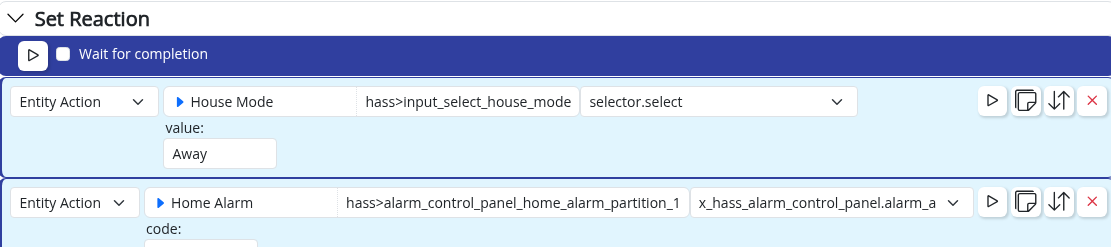
      You should be able to use Run lua -action

      Screenshot 2021-11-02 at 10.06.13.png

      Using MSR on Docker (Synology NAS), having InfluxDB, Grafana & Home Assistant, Zigbee2MQTT & ZWA-2

      1 Reply Last reply
      0
      • A Alan_F

        I'm trying to move a Vera scene over to MSR and having trouble getting the authentication to work. The use case is to send http commands to a Dahua camera twice a day to change its mode.

        In Vera it works by simply using the username and password in the URL. e.g. luup.inet.wget("user:password@IPaddress/configManager.cgi?action=..." , 5)

        This format didn't work from a reactor http call, resulting in a 401 error. I tried moving the username and password to the http request headers section (Authentication: Basic base64encoded-user:password) and still am getting a 401 response.

        I have another rule that is successfully using basic authentication and the formats look the same, so I'm not sure what is different about this one. I logged into the camera and changed the logon method from digest to basic (although it was working for the Vera requests when it was set to digest).

        This is the last thing that is running from my Vera. Before I try to implement this in Node-Red, does anyone have any suggestions for other things I could try in MSR to get it to work?

        toggledbitsT Offline
        toggledbitsT Offline
        toggledbits
        wrote on last edited by toggledbits
        #3

        @alan_f said in Having trouble with http and basic auth:

        This format didn't work from a reactor http call, resulting in a 401 error. I tried moving the username and password to the http request headers section (Authentication: Basic base64encoded-user:password) and still am getting a 401 response.

        Please show us exactly what you did here.

        Also, did you look at the logs to see what the request was finally sending?

        Author of Multi-system Reactor and Reactor, DelayLight, Switchboard, and about a dozen other plugins that run on Vera and openLuup.

        1 Reply Last reply
        0
        • A Offline
          A Offline
          Alan_F
          wrote on last edited by
          #4

          I took the UserName and Password, used a base 64 encoder and input "UserName:Password" into the encoder. I took the output of the encoder ("ABCDEFGXXX") and entered (no quotes) "Authentication: Basic ABCDEFGXXX" into the http headers field. I have another http request in another rule that hits an API to control my thermostat and it work correctly using exactly the same process.

          The logs don't appear to make any reference to the http header:

          [latest-21297]2021-11-01T22:21:55.816Z Engine:INFO Set PTZ Camera to Day Mode rule<SET> all actions completed.
          [latest-21297]2021-11-01T22:21:55.845Z Engine:ERR Engine#1 reaction Set PTZ Camera to Day Mode rule<SET> step 3 HTTP request to http://xxx.xxx.xxx.xxx/cgi-bin/ptz.cgi?action=start&channel=0&code=GotoPreset&arg1=0&arg2=18&arg3=0 failed: 401 Unauthorized
          [latest-21297]2021-11-01T22:21:55.854Z Engine:ERR Engine#1 reaction Set PTZ Camera to Day Mode rule<SET> step 1 HTTP request to http://xxx.xxx.xxx.xxx/cgi-bin/configManager.cgi?action=setConfig&VideoInMode[0].Config[0]=0 failed: 401 Unauthorized

          Prior to attempting to use the http header field I had tried the below format, with the username and password in front of the URL:

          [latest-21297]2021-11-01T12:58:08.125Z Engine:ERR Engine#1 reaction Set PTZ Camera to Night Mode rule<SET> step 3 HTTP request to http://UserName:Password@xxx.xxx.xxx.xxx/cgi-bin/configManager.cgi?action=setConfig&VideoInExposure[0][1].Value1=1000&VideoInExposure[0][1].Value2=1000 failed: 401 Unauthorized

          I did get this working in Node-Red using digest authentication in a http-request node, so it probably isn't worth too much of everyone's time to track it down. I would prefer to have it in MSR because it is so much more user-friendly for me, but I can leave it in Node-Red if I can't figure out how to do it in MSR.

          @toggledbits - Long overdue additional donation on its way. Thanks for all your efforts and the end-user support.

          tunnusT toggledbitsT 2 Replies Last reply
          1
          • A Alan_F

            I took the UserName and Password, used a base 64 encoder and input "UserName:Password" into the encoder. I took the output of the encoder ("ABCDEFGXXX") and entered (no quotes) "Authentication: Basic ABCDEFGXXX" into the http headers field. I have another http request in another rule that hits an API to control my thermostat and it work correctly using exactly the same process.

            The logs don't appear to make any reference to the http header:

            [latest-21297]2021-11-01T22:21:55.816Z Engine:INFO Set PTZ Camera to Day Mode rule<SET> all actions completed.
            [latest-21297]2021-11-01T22:21:55.845Z Engine:ERR Engine#1 reaction Set PTZ Camera to Day Mode rule<SET> step 3 HTTP request to http://xxx.xxx.xxx.xxx/cgi-bin/ptz.cgi?action=start&channel=0&code=GotoPreset&arg1=0&arg2=18&arg3=0 failed: 401 Unauthorized
            [latest-21297]2021-11-01T22:21:55.854Z Engine:ERR Engine#1 reaction Set PTZ Camera to Day Mode rule<SET> step 1 HTTP request to http://xxx.xxx.xxx.xxx/cgi-bin/configManager.cgi?action=setConfig&VideoInMode[0].Config[0]=0 failed: 401 Unauthorized

            Prior to attempting to use the http header field I had tried the below format, with the username and password in front of the URL:

            [latest-21297]2021-11-01T12:58:08.125Z Engine:ERR Engine#1 reaction Set PTZ Camera to Night Mode rule<SET> step 3 HTTP request to http://UserName:Password@xxx.xxx.xxx.xxx/cgi-bin/configManager.cgi?action=setConfig&VideoInExposure[0][1].Value1=1000&VideoInExposure[0][1].Value2=1000 failed: 401 Unauthorized

            I did get this working in Node-Red using digest authentication in a http-request node, so it probably isn't worth too much of everyone's time to track it down. I would prefer to have it in MSR because it is so much more user-friendly for me, but I can leave it in Node-Red if I can't figure out how to do it in MSR.

            @toggledbits - Long overdue additional donation on its way. Thanks for all your efforts and the end-user support.

            tunnusT Offline
            tunnusT Offline
            tunnus
            wrote on last edited by
            #5

            @alan_f, as said, you could try 'run lua' action, although direct http request is by far the most optimum solution (and would not depend on Vera's existence...)

            Using MSR on Docker (Synology NAS), having InfluxDB, Grafana & Home Assistant, Zigbee2MQTT & ZWA-2

            1 Reply Last reply
            0
            • A Alan_F

              I took the UserName and Password, used a base 64 encoder and input "UserName:Password" into the encoder. I took the output of the encoder ("ABCDEFGXXX") and entered (no quotes) "Authentication: Basic ABCDEFGXXX" into the http headers field. I have another http request in another rule that hits an API to control my thermostat and it work correctly using exactly the same process.

              The logs don't appear to make any reference to the http header:

              [latest-21297]2021-11-01T22:21:55.816Z Engine:INFO Set PTZ Camera to Day Mode rule<SET> all actions completed.
              [latest-21297]2021-11-01T22:21:55.845Z Engine:ERR Engine#1 reaction Set PTZ Camera to Day Mode rule<SET> step 3 HTTP request to http://xxx.xxx.xxx.xxx/cgi-bin/ptz.cgi?action=start&channel=0&code=GotoPreset&arg1=0&arg2=18&arg3=0 failed: 401 Unauthorized
              [latest-21297]2021-11-01T22:21:55.854Z Engine:ERR Engine#1 reaction Set PTZ Camera to Day Mode rule<SET> step 1 HTTP request to http://xxx.xxx.xxx.xxx/cgi-bin/configManager.cgi?action=setConfig&VideoInMode[0].Config[0]=0 failed: 401 Unauthorized

              Prior to attempting to use the http header field I had tried the below format, with the username and password in front of the URL:

              [latest-21297]2021-11-01T12:58:08.125Z Engine:ERR Engine#1 reaction Set PTZ Camera to Night Mode rule<SET> step 3 HTTP request to http://UserName:Password@xxx.xxx.xxx.xxx/cgi-bin/configManager.cgi?action=setConfig&VideoInExposure[0][1].Value1=1000&VideoInExposure[0][1].Value2=1000 failed: 401 Unauthorized

              I did get this working in Node-Red using digest authentication in a http-request node, so it probably isn't worth too much of everyone's time to track it down. I would prefer to have it in MSR because it is so much more user-friendly for me, but I can leave it in Node-Red if I can't figure out how to do it in MSR.

              @toggledbits - Long overdue additional donation on its way. Thanks for all your efforts and the end-user support.

              toggledbitsT Offline
              toggledbitsT Offline
              toggledbits
              wrote on last edited by
              #6

              @alan_f said in Having trouble with http and basic auth:

              took the UserName and Password, used a base 64 encoder and input "UserName:Password" into the encoder. I took the output of the encoder ("ABCDEFGXXX") and entered (no quotes) "Authentication: Basic ABCDEFGXXX" into the http headers field. I have another http request in another rule that hits an API to control my thermostat and it work correctly using exactly the same process.

              And can you detail that exactly, please? If you used a command line tool, for example, with an echo statement, then you would likely have a newline added to the byte string and that would spoil the encoding. If you used a web encoder, that also may accidentally encode a newline depending on how you pasted the data, and there are a few that give incorrect results, especially if any Unicode characters are involved in the password.

              You can do this directly in the Headers of your request:

              Authorization: Basic ${{urlencode(username + ':' + password)}}
              

              Now, you go on to say that you got it working with Digest authentication on NR. Many sites do not allow HTTP Basic auth any more, and require you to use Digest. When you include a header like that above, you are specifically sending Basic, not Digest, and the target site may not be allowing it. Likewise, when you place the username and password in the URL, that's Basic, not Digest. So I suspect your site only allows Digest. I can add separate username and password fields to the HTTP Request action so that Reactor can more fully negotiate the authentication on the request.

              Author of Multi-system Reactor and Reactor, DelayLight, Switchboard, and about a dozen other plugins that run on Vera and openLuup.

              1 Reply Last reply
              0
              • A Offline
                A Offline
                Alan_F
                wrote on last edited by Alan_F
                #7

                Still 401 unauthorized using

                Authorization: Basic ${{urlencode('username' + ':' + 'password')}}

                (I added single quotes around username and password because it couldn't evaluate it without them)

                I just tried it using basic auth in NR and it failed with 401, so the issue appears to be that the camera won't accept basic authentication. There is a setting to allow it, but it doesn't seem to make a difference when I change it.

                When I was calling the command from the Vera luup it was using the http://username;password@IP?command syntax. I was sure that meant that it was using basic authentication all along. I don't understand enough about the different authentication methods to know whether it was really doing digest authentication based off of that URL format.

                So while I'm good for now with using NR, it would be useful to figure out how to handle digest authentication for http requests in MSR. Is it just a matter of setting the right headers or does it require enhancements to MSR itself?

                (The thread title should probably be "Having trouble with http and digest auth")

                toggledbitsT 1 Reply Last reply
                0
                • A Alan_F

                  Still 401 unauthorized using

                  Authorization: Basic ${{urlencode('username' + ':' + 'password')}}

                  (I added single quotes around username and password because it couldn't evaluate it without them)

                  I just tried it using basic auth in NR and it failed with 401, so the issue appears to be that the camera won't accept basic authentication. There is a setting to allow it, but it doesn't seem to make a difference when I change it.

                  When I was calling the command from the Vera luup it was using the http://username;password@IP?command syntax. I was sure that meant that it was using basic authentication all along. I don't understand enough about the different authentication methods to know whether it was really doing digest authentication based off of that URL format.

                  So while I'm good for now with using NR, it would be useful to figure out how to handle digest authentication for http requests in MSR. Is it just a matter of setting the right headers or does it require enhancements to MSR itself?

                  (The thread title should probably be "Having trouble with http and digest auth")

                  toggledbitsT Offline
                  toggledbitsT Offline
                  toggledbits
                  wrote on last edited by toggledbits
                  #8

                  Still 401 unauthorized using

                  That's expected. The server want's digest auth.

                  @alan_f said in Having trouble with http and basic auth:

                  When I was calling the command from the Vera luup it was using the http://username;password@IP?command syntax. I was sure that meant that it was using basic authentication all along.

                  No, wget was helping you. The initial request went with Basic authentication, and the server rejected it with a 401 asking for Digest, so wget took the username and password from the URL and used it for digest authentication. That behavior is easy to confirm using one of the many digest echo-back/test sites available:

                  wget https://anybody:anywhere@httpbin.org/digest-auth/auth/anybody/anywhere
                  

                  If you run this on a Linux command line, you'll see wget get a 401 and re-ask with digest:

                  pi@rpi4-1:~/Documents/MSR $ wget  https://anybody:anywhere@httpbin.org/digest-auth/auth/anybody/anywhere
                  --2021-11-02 13:46:06--  https://anybody:*password*@httpbin.org/digest-auth/auth/anybody/anywhere
                  Resolving httpbin.org (httpbin.org)... 34.192.79.103, 18.232.227.86, 54.156.165.4, ...
                  Connecting to httpbin.org (httpbin.org)|34.192.79.103|:443... connected.
                  HTTP request sent, awaiting response... 401 UNAUTHORIZED
                  Authentication selected: Digest realm="me@kennethreitz.com", nonce="901f9613ed31b5946d70e2c9c48e5b55", qop="auth", opaque="0e8c62a78c3b807801aed4341e958d57", algorithm=MD5, stale=FALSE
                  Reusing existing connection to httpbin.org:443.
                  HTTP request sent, awaiting response... 200 OK
                  Length: 50 [application/json]
                  Saving to: ‘anywhere’
                  
                  anywhere                            100%[=================================================================>]      50  --.-KB/s    in 0s
                  
                  2021-11-02 13:46:06 (28.3 MB/s) - ‘anywhere’ saved [50/50]
                  

                  Authorization: Basic ${{urlencode('username' + ':' + 'password')}}
                  (I added single quotes around username and password because it couldn't evaluate it without them)

                  Strings always have to be quoted. I gave the structure as variables. If you're hard-coding them you can just do "username:password" as a single string with no concatenation (no + operators).

                  Author of Multi-system Reactor and Reactor, DelayLight, Switchboard, and about a dozen other plugins that run on Vera and openLuup.

                  1 Reply Last reply
                  1
                  • A Offline
                    A Offline
                    Alan_F
                    wrote on last edited by
                    #9

                    I updated to the latest version and it is working with Digest auth and the new username / password fields. You are going to spoil us with this pace of development 😃

                    1 Reply Last reply
                    3
                    • toggledbitsT toggledbits locked this topic on
                    Reply
                    • Reply as topic
                    Log in to reply
                    • Oldest to Newest
                    • Newest to Oldest
                    • Most Votes


                    Recent Topics

                    • Upgrade advice - upgrade from aarch64 to ARM64 image
                      toggledbitsT
                      toggledbits
                      0
                      4
                      36

                    • [MSR] Copy&past of actions and/or drag&drop between set/reset
                      therealdbT
                      therealdb
                      0
                      7
                      78

                    • Alexa for MSR, any interest?
                      CatmanV2C
                      CatmanV2
                      2
                      4
                      216

                    • openLuup console disappeared - 500 - Internal Server Error
                      A
                      a-lurker
                      0
                      1
                      43

                    • Ezlo Paid Subscription for Vera Cloud Services
                      therealdbT
                      therealdb
                      4
                      2
                      181

                    • [RESOLVED] Telegram notification broke with latest update
                      CatmanV2C
                      CatmanV2
                      0
                      11
                      485

                    • [RESOLVED] Phantom device, “INFO” appears
                      toggledbitsT
                      toggledbits
                      0
                      2
                      90

                    • [RESOLVED] Mode Status NULL
                      wmarcolinW
                      wmarcolin
                      0
                      18
                      278

                    • Reactor (Multi-System/Multi-Hub) Announcements
                      toggledbitsT
                      toggledbits
                      5
                      144
                      120.4k

                    • [RESOLVED] HTTP query failing after version 26177
                      wmarcolinW
                      wmarcolin
                      0
                      3
                      128

                    • Question about the find function
                      wmarcolinW
                      wmarcolin
                      0
                      3
                      85
                    Powered by NodeBB | Contributors
                    Hosted freely by 10RUPTiV - Solutions Technologiques | Contact us
                    • Login

                    • Don't have an account? Register

                    • Login or register to search.
                    • First post
                      Last post
                    0
                    • Categories
                    • Recent
                    • Tags
                    • Popular
                    • Unsolved