
J
JMK
@JMK

Edit: Fixed in re-spun 26328.
(I just gave my old Ezlo Plus a new chance so it's running my z-wave devices in my garage, for evaluation, as my even older Vera Secure had issues reaching that far when some router nodes gave up).
Bare metal latest-26328
Issue 1: Nodes don't update in Reactor after update from 26318.
Issue 2: Also present in earlier builds, rooms don't add to DGC and throws error at start.
Notice: No device mapping matches Intrusion Sensor.
I don't know if you still support EzloController but seems like an easy fix?
Let me know if you need more info!
[latest-26328]2026-11-25T11:18:31.310Z <Controller:NOTICE> Controller HassController#hass is now online.
[latest-26328]2026-11-25T11:18:31.313Z <EzloController:ERR> [TypeError] Cannot read properties of undefined (reading 'clear') [-] failed to process rooms: [undefined2]
[latest-26328]2026-11-25T11:18:31.313Z <EzloController:CRIT> TypeError: Cannot read properties of undefined (reading 'clear') [-]
TypeError: Cannot read properties of undefined (reading 'clear')
at EzloController._process_hub_rooms (/home/homebridge/reactor/server/lib/EzloController.js:1558:153)
at /home/homebridge/reactor/server/lib/EzloController.js:1388:48
at process.processTicksAndRejections (node:internal/process/task_queues:104:5)
[latest-26328]2026-11-25T11:18:31.314Z <wsapi:INFO> wsapi: connection from "192.168.1.2"
[latest-26328]2026-11-25T11:18:31.452Z <wsapi:INFO> wsapi: connection from "192.168.1.2"
[latest-26328]2026-11-25T11:18:31.585Z <EzloController:ERR> EzloController#ezlo error creating entity Switch#ezlo>device_6b02d1d9129e0715b720f005: [TypeError] _0xf38820[_0x376e98(...)].update is not a function [-]
[latest-26328]2026-11-25T11:18:31.585Z <EzloController:CRIT> TypeError: _0xf38820[_0x376e98(...)].update is not a function [-]
TypeError: _0xf38820[_0x376e98(...)].update is not a function
at /home/homebridge/reactor/server/lib/EzloController.js:1649:58
at Array.forEach (<anonymous>)
at EzloController._process_hub_devices (/home/homebridge/reactor/server/lib/EzloController.js:1597:226)
at /home/homebridge/reactor/server/lib/EzloController.js:1418:54
at process.processTicksAndRejections (node:internal/process/task_queues:104:5)
[latest-26328]2026-11-25T11:18:31.588Z <EzloController:ERR> EzloController#ezlo error creating entity SecuritySensor#ezlo>device_6b02d41d129e0715b720f012: [TypeError] _0xf38820[_0x376e98(...)].update is not a function [-]
[latest-26328]2026-11-25T11:18:31.588Z <EzloController:CRIT> TypeError: _0xf38820[_0x376e98(...)].update is not a function [-]
TypeError: _0xf38820[_0x376e98(...)].update is not a function
at /home/homebridge/reactor/server/lib/EzloController.js:1649:58
at Array.forEach (<anonymous>)
at EzloController._process_hub_devices (/home/homebridge/reactor/server/lib/EzloController.js:1597:226)
at /home/homebridge/reactor/server/lib/EzloController.js:1418:54
at process.processTicksAndRejections (node:internal/process/task_queues:104:5)
[latest-26328]2026-11-25T11:18:31.590Z <EzloController:ERR> EzloController#ezlo no device mapping matches Intrusion Sensor ("6b02d41e129e0715b720f01c") -- skipped
[latest-26328]2026-11-25T11:18:31.591Z <EzloController:ERR> EzloController#ezlo error creating entity SecuritySensor#ezlo>device_6b02d9d9129e0715b720f01f: [TypeError] _0xf38820[_0x376e98(...)].update is not a function [-]
[latest-26328]2026-11-25T11:18:31.591Z <EzloController:CRIT> TypeError: _0xf38820[_0x376e98(...)].update is not a function [-]
TypeError: _0xf38820[_0x376e98(...)].update is not a function
at /home/homebridge/reactor/server/lib/EzloController.js:1649:58
at Array.forEach (<anonymous>)
at EzloController._process_hub_devices (/home/homebridge/reactor/server/lib/EzloController.js:1597:226)
at /home/homebridge/reactor/server/lib/EzloController.js:1418:54
at process.processTicksAndRejections (node:internal/process/task_queues:104:5)
[latest-26328]2026-11-25T11:18:31.591Z <EzloController:ERR> EzloController#ezlo no device mapping matches Intrusion Sensor ("6b02d9da129e0715b720f029") -- skipped
[latest-26328]2026-11-25T11:18:31.682Z <EzloController:INFO> EzloController#ezlo hub inventory complete/successful; 2159ms
[latest-26328]2026-11-25T11:18:31.684Z <Controller:NOTICE> Controller EzloController#ezlo is now online.
Edit: Fixed in 26328.
Bare metal latest-26318.
I tried to add the group "ArmedSensors" but it would not show in UI.
"ArmedSensors":
name: Armed Sensors
select:
- include_capability: arming
filter_expression: entity.attributes.arming.state
The log:
[latest-26318]2026-11-24T14:15:20.412Z <DynamicGroupController:ERR> DynamicGroupController#groups error updating dynamic group ArmedSensors: [TypeError] Cannot read properties of undefined (reading 'extendCapability') [-]
[latest-26318]2026-11-24T14:15:20.412Z <DynamicGroupController:CRIT> TypeError: Cannot read properties of undefined (reading 'extendCapability') [-]
TypeError: Cannot read properties of undefined (reading 'extendCapability')
at DynamicGroupController._update_group (/home/homebridge/reactor/server/lib/DynamicGroupController.js:128:18)
at DynamicGroupController._update (/home/homebridge/reactor/server/lib/DynamicGroupController.js:483:43)
at process.processTicksAndRejections (node:internal/process/task_queues:104:5)
at async DynamicGroupController.start (/home/homebridge/reactor/server/lib/DynamicGroupController.js:60:13)
at async Promise.allSettled (index 3)
Nothing related before or after that I could find.
I then copied an existing group to exclude type errors in the new group.
"OKforLarm":
name: OK för Larm
select:
- include_capability: door_sensor
filter_expression: entity.attributes.door_sensor.state
"OKforLarm2":
name: "OK för Larm 2"
select:
- include_capability: door_sensor
filter_expression: entity.attributes.door_sensor.state
Same error in log.
[latest-26318]2026-11-24T14:18:29.793Z <DynamicGroupController:ERR> DynamicGroupController#groups error updating dynamic group OKforLarm2: [TypeError] Cannot read properties of undefined (reading 'extendCapability') [-]
[latest-26318]2026-11-24T14:18:29.793Z <DynamicGroupController:CRIT> TypeError: Cannot read properties of undefined (reading 'extendCapability') [-]
TypeError: Cannot read properties of undefined (reading 'extendCapability')
at DynamicGroupController._update_group (/home/homebridge/reactor/server/lib/DynamicGroupController.js:128:18)
at DynamicGroupController._update (/home/homebridge/reactor/server/lib/DynamicGroupController.js:483:43)
at process.processTicksAndRejections (node:internal/process/task_queues:104:5)
at async DynamicGroupController.start (/home/homebridge/reactor/server/lib/DynamicGroupController.js:60:13)
at async Promise.allSettled (index 3)
[latest-26318]2026-11-24T14:18:29.806Z <DynamicGroupController:ERR> DynamicGroupController#groups error updating dynamic group ArmedSensors: [TypeError] Cannot read properties of undefined (reading 'extendCapability') [-]
[latest-26318]2026-11-24T14:18:29.806Z <DynamicGroupController:CRIT> TypeError: Cannot read properties of undefined (reading 'extendCapability') [-]
TypeError: Cannot read properties of undefined (reading 'extendCapability')
at DynamicGroupController._update_group (/home/homebridge/reactor/server/lib/DynamicGroupController.js:128:18)
at DynamicGroupController._update (/home/homebridge/reactor/server/lib/DynamicGroupController.js:483:43)
at process.processTicksAndRejections (node:internal/process/task_queues:104:5)
at async DynamicGroupController.start (/home/homebridge/reactor/server/lib/DynamicGroupController.js:60:13)
at async Promise.allSettled (index 3)
Let me know if I missed something or you need more info.

Build 21228 has been released. Docker images available from DockerHub as usual, and bare-metal packages here.
Home Assistant up to version 2021.8.6 supported; the online version of the manual will now state the current supported versions;
Fix an error in OWMWeatherController that could cause it to stop updating;
Unify the approach to entity filtering on all hub interface classes (controllers); this works for device entities only; it may be extended to other entities later;
Improve error detail in messages for EzloController during auth phase;
Add isRuleSet() and isRuleEnabled() functions to expressions extensions;
Implement set action for lock and passage capabilities (makes them more easily scriptable in some cases);
Fix a place in the UI where 24-hour time was not being displayed.

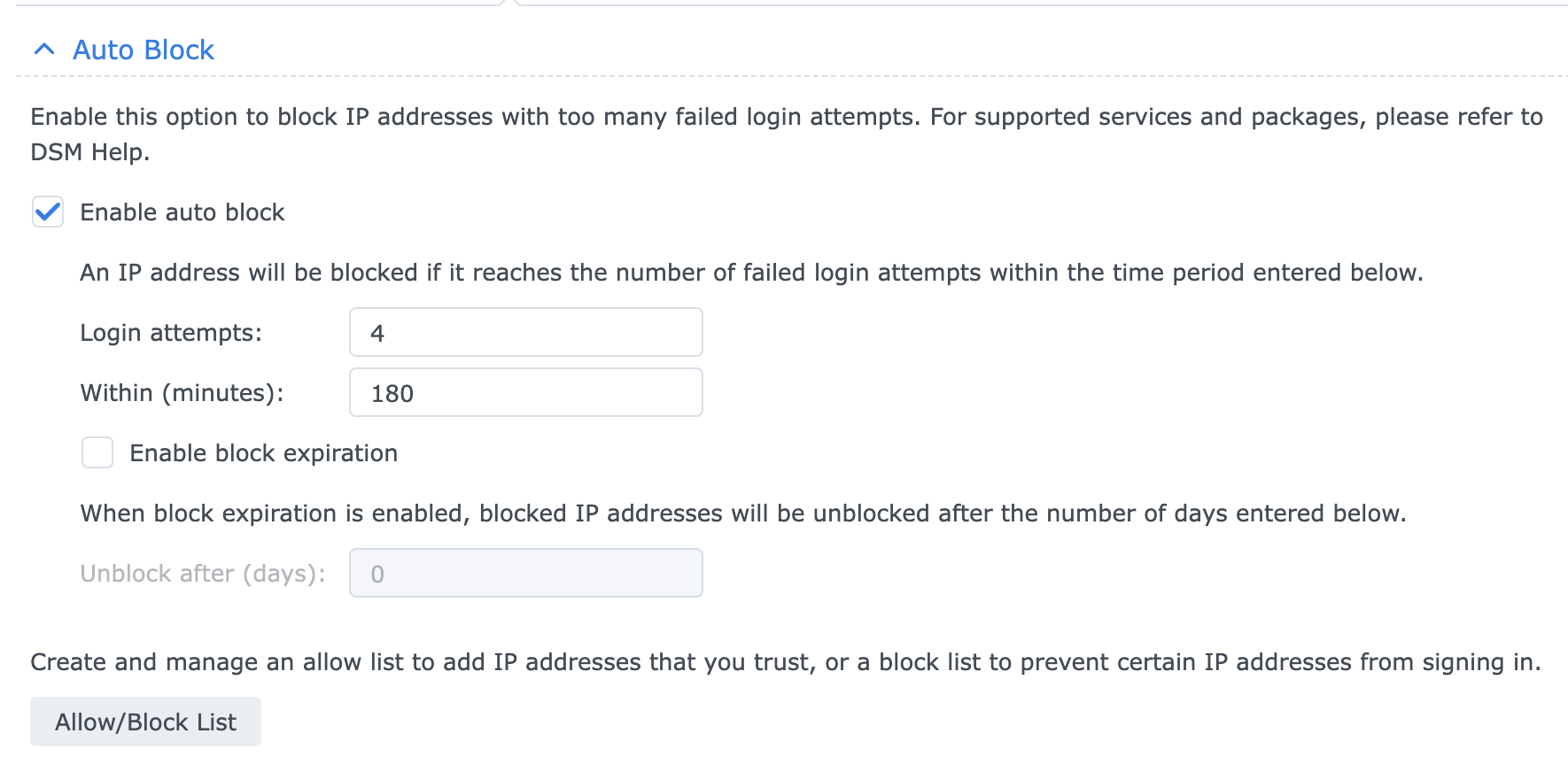
Sorry for a hasty post, will update some details later, but the scenario is that I managed to type a wrong password for too many times and had the following users.yaml section:
authtrack:
max_attempts: 4
within_minutes: 180 # 180 minutes = 3 hrs
block_expiration_minutes: 10080 # 7 days
At this time I used build 26298. Then noticed there's a new build with a bypass blocking feature (and yes, it said it won't remove existing block). Anyway, went ahead and upgraded to 26318, but the problem now is that UI is not loading at all (page does not answer). This also means that I cannot use "http://reactor_host:port/diag/clear_authtrack?askauth" command to clear the block (or use any other source IP for login). Docker container stays up & running and does not exit. I'll try to dig up some logs, but anything that I could immediately try out (could I delete a particular file for example)?
EDIT: some logs
[latest-26318]2026-11-17T20:42:32.337Z <Rule:INFO> MSR startup (rule-lculfnhm in Miscellaneous) started
[latest-26318]2026-11-17T20:42:32.343Z <httpapi:NOTICE> httpapi#1 HTTP server listening on :::8111
[latest-26318]2026-11-17T20:42:32.347Z <httpapi:INFO> httpapi#1 local docs found in /opt/reactor/docs/html; setting up static service
[latest-26318]2026-11-17T20:42:32.354Z <app:NOTICE> Starting WSAPI...
[latest-26318]2026-11-17T20:42:32.355Z <wsapi:NOTICE> wsapi: starting version 26298 protocol
[latest-26318]2026-11-17T20:42:32.523Z <Engine:INFO> Engine#1 master timer tick, local time "17/11/2026 22:42:32" (TZ offset 120 mins from UTC)
[latest-26318]2026-11-17T20:42:32.542Z <Engine:NOTICE> Starting reaction MSR startup<SET> (rule-lculfnhm:S)
[latest-26318]2026-11-17T20:42:32.545Z <Notifier:null> Module Notifier v26186
[latest-26318]2026-11-17T20:42:32.545Z <Engine:INFO> MSR startup<SET> all actions completed.
[latest-26318]2026-11-17T20:42:32.557Z <Rule:INFO> Rule#rule-lculfnhm reaction rule-lculfnhm:S completed
[latest-26318]2026-11-17T20:42:32.558Z <default:null> Module NotifyTelegram v26177


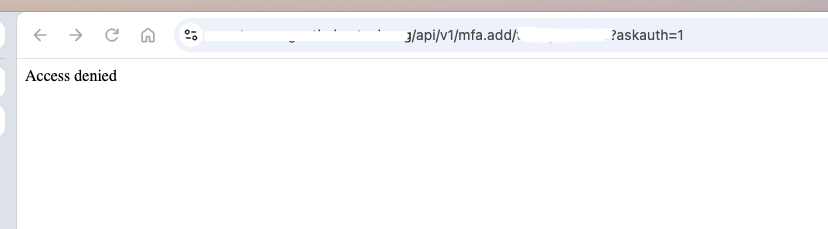
I'm trying to allow anonymous access from a local network to /api/v1/log, but the problem now with the reverse proxy configuration is that this access is open via proxy to the internet. At least I wasn't able to configure ACL so that only an access from a local network would be permitted.
reactor.yaml:
baseurl: "http://192.168.1.12:8111"
proxy_baseurl: "https://external.com:30000"
trusted_proxy: "192.168.1.12"
Local traffic would originate from 192.168.1.0/24 network. Synology is acting as a reverse proxy and hosting MSR as a docker container (which has its own network and IP 172.18.0.5). MSR build is latest-26298-fbb75fb8
users.yaml:
- url: "/api/v1/log"
method: "GET"
source_ip: 172.18.0.0/24
allow: true
Using the above ACL works, but it enables access via proxy also. If I use source_ip: 192.168.1.0/24, then it doesn't work either locally or remotely. So I'm kinda lost what should I use as source_ip in this case?
I've seen many of you using Dynamic Group Controller. I'm using it myself for monitoring device battery levels. I've read and re-read the Dynamic Group Controller docs and still cannot come to an answer for my question so let me paint my scenario:
I've migrated from EchoSpeaks in Hubitat ('cause borked and seemingly unmaintained) to Alexa Devices in Home Assistant ('cause not borked in 2026.11.0) to be able to send TTS to my Echo devices.
In EchoSpeaks I could create groups. Sweet.
In Alexa Devices I don't seem to be able to do so. As such, my thought was "wait - isn't there a way in MSR?"
Is this an effective scenario that Dynamic Group Controller can be used for?
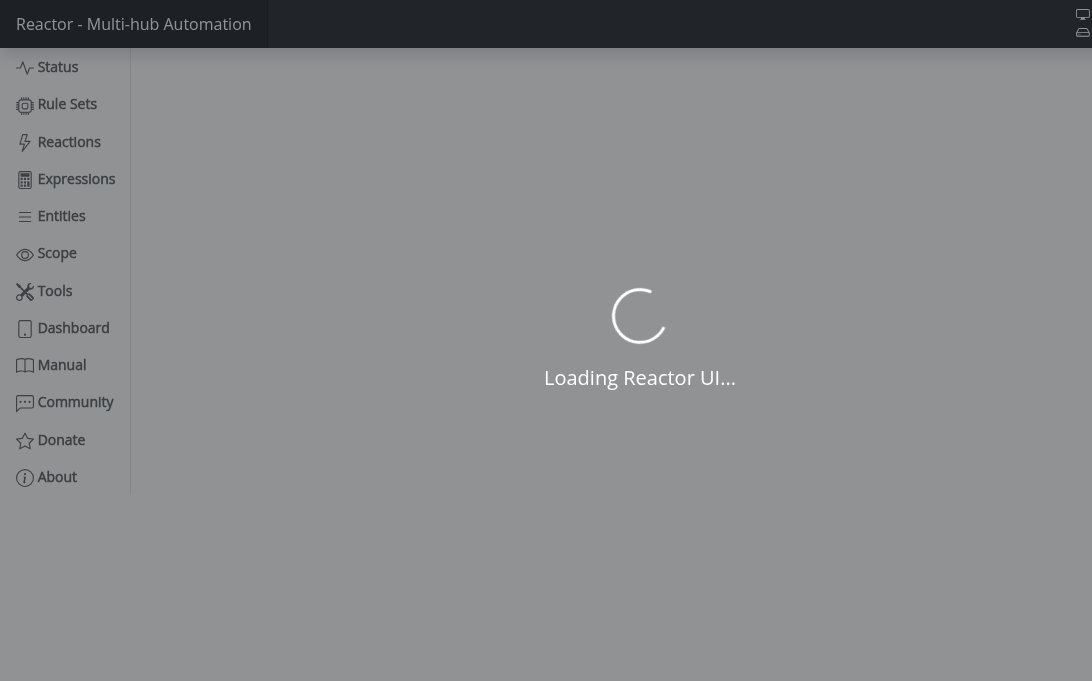
I'm trying to use MSR via reserve proxy in Synology DSM, but MSR page does not load
https://<public ip>:30000/reactor/en-US/
At the same time logging page loads normally
https://<public ip>:30000/api/v1/log
I thought maybe authentication was messing it up, but there was no deny entries in the log, and also disabling authentication did not make any difference. For this use case VPN is not an option (that works, but as said not an option for this particular use case).
Any ideas what could cause this? MSR build latest-26242-28d69aa8, Chrome browser
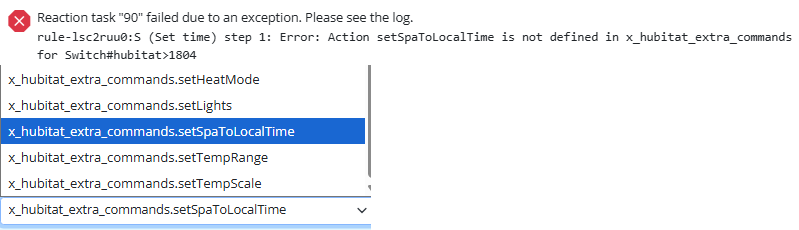
I may be late to the AI party on this, but I recently ran into difficulty installing and configuring the Nexia Thermostat Manager on my Hubitat C8 Pro. Hoping for some immediate help I performed a Google search on my problem. I was a bit surprised to see Gemini jump into assist. Gemini walked me through the steps to clean up the failed install, followed by a script for successful installation and configuration. I would not have expected Gemini to "know" this much about Hubitat. Next I sought assistance MSR with the Entity Actions needed to set up the desired controls. I was unclear which of the attribute fields I should to set the cooling an heating temperatures. Once again, Gemini came back not with just a link to a possible explanation, but an easy to follow explanation instead. Once again, I did not expect Gemini to provide such detailed assistance with MSR. Gemini will be a key tool in my HA toolkit in the future.

Nothing more to add. I see we have hvac_blower, but, anyway, maybe a native fan on the same assumptions of the fan from HASS could be reasonable.
I have a couple of them. ie, this is from ESPHome via HASS.
x_hass.domain="fan"
x_hass.entity_id="fan.kitchen_seashell_hood_ventilation_fan"
x_hass.floor_id=null
x_hass.services=["fan","esphome"]
x_hass.source="esphome"
x_hass.state="off"
x_hass_attr.friendly_name="Seashell Hood Ventilation Fan"
x_hass_attr.percentage=50
x_hass_attr.percentage_step=25
x_hass_attr.preset_mode=""
x_hass_attr.preset_modes=[]
x_hass_attr.supported_features=49
Thanks.
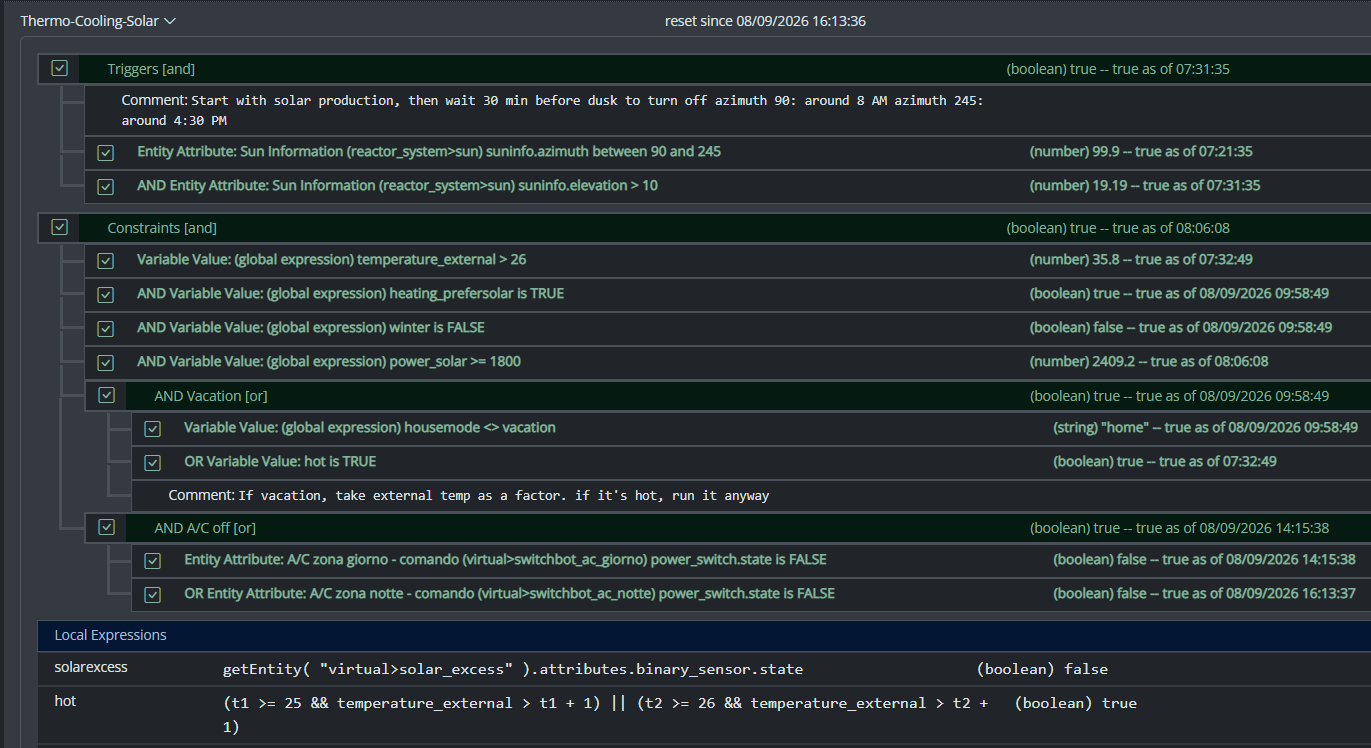
Build: latest-26221-b25bb3e3, Docker on Synology.
Hi, I have a Rule whose Trigger/Constraints reference other Rules via Rule State ... is TRUE. At some point it stops firing.
Expanding the rule's condition tree in the UI shows every Trigger and Constraint condition green/TRUE — confirmed live by walking into the room and watching Motion go true in real time. Rule History shows no new SET, just old reset entries.
Tried, on the same rule, same evening: recreating the trigger conditions with fresh IDs, recreating the constraint conditions with fresh IDs (flat and wrapped in a new Group — wrapping in a Group produced one SET, but it didn't reproduce on repeat attempts with the same structure), and finally a full container restart with a verified-correct saved rule. Still no SET, even with a fresh live motion event right after the restart.
Separately, I found that this rule (and its 10 per-room clones) share identical internal condition/group IDs with each other — leftover from a batch clone done months ago, never regenerated. Not sure if that's related, since fixing the IDs didn't reliably fix the symptom either.
Has anyone seen a Rule State condition show TRUE in the UI without the Rule ever producing a SET, surviving a clean restart?
Thanks in advance
Hey @toggledbits I'm back to trying to optimize a couple of things based on dynamic group.
First of all, I think I found a typo in the doc:
primary_attribute: "binary_sensor.state"
primary_attribute_value: |
d = false;
each id in members: d = getEntity(id)?.attributes?.power_switch?.state or d,
d
I think the correct code snippet is d = false,
All that said, my use case for dynamic groups is to group 3 different climate devices, so I could easily command them at the same time. Commands are good, but sometimes I want to check if any of the devices are on, and that's easily done with a similar snippet as the one you have in the docs. But this is limited to the primary attribute, while I want to have any of the attributes in the group to be driven by a similar logic (while all are null in the group). ie, access hvac_control.mode and see if any of the unit is set to cool, or heat. Is that possible, without re-defining an expression in each of my rules? Thanks!
As there are statements about compatibility for home assistant versions in MSR new version announcements (e.g. "HassController: Bless Hass to 2025.7.3"), I thought it would be good idea to track other controllers as well.
As an example, I can confirm that build "latest-25208-c53e8513" works with Hubitat Elevation C-8 platform version 2.4.2.134 using Maker API.
Updates: (the latest versions first in the list)
OK: build "latest-25264-2fbe9217" with Hubitat C-8 platform v. 2.4.3.123
Posts
-
Z-Wave.me forum.W: An error occurred during the signature verification. The repository is not updated and the previous index files will be used. GPG error: https://repo.z-wave.me/z-way/raspbian buster InRelease: The following signatures were invalid: EXPKEYSIG E5958C31C0AFD761 Z-Wave.Me info@z-wave.me
-
Z-Wave.me forum. -
Z-Wave.me forum.Is there anyone out there that has contact with the admin(s) at the Z-wave.me forum? I registered about three weeks or so ago and did not get a authorization email and I have tried contacting the admin several times with no response. I have a question about my RaZberry I need to post.
Regards.
-
Help with Z-Way pluginSettled for 0755, seems to be OK. Thanks everyone.
-
Help with Z-Way pluginSorry more... I also notice that when I execute openLuup_reload I get these messages...
mkdir: cannot create directory ‘/www’: Permission denied
rm: cannot remove '/www/altui/altui*': No such file or directory -
Help with Z-Way pluginI had a disaster yesterday - my Raspberry Pi SD died and looking at it i think it may have been a Sandisk fake, the labeling and fonts just do not look right. Anyway, I had to re-install Z-Way, openLuup... and this time I decided to put cmh-ludl in etc rather than in my home directory. I noticed that in the manual it says "be careful with permissions". So what are the 'correct' permissions? As you can see I am not too familiar with Linux

-
openLuup log files - LuaUPnP.log and LuaUPnP_startup.logTried a second restart - still not working. I will try the above suggestion tomorrow.
-
openLuup log files - LuaUPnP.log and LuaUPnP_startup.logTried luup.attr_set ("openLuup.Logfile.Name", "/path/to/wherever/your_file_name.log" in the startup - no effect. I have tried symlinks and that didn't work either. The only thing that comes to mind is that I have cmh-ludl in my home directory rather than in /etc.
-
openLuup log files - LuaUPnP.log and LuaUPnP_startup.logTo try and minimized the frequency of writing to the SD card I want to move these log files to a RAM drive, like I already do with /var/log. Is there an 'official' way of doing this?
_John.
-
ALTUI newbie help with scenesSorry my mistake - I did use a timer.
-
ALTUI newbie help with scenesOK, I think I figured it out although I did not use the "Timer" tab at all. Is there any documentation that can help me with this?
-
ALTUI newbie help with scenesI just got my ALTUI/openLuup system working but I am again stuck.
I want to create a scene that is triggered every hour and turns on a Z-wave switch, delays 1 minute, then turns the switch off again. I cannot seem to get this working and I can find no documentation that helps me.
Regards.
-
Help with Z-Way pluginYes, I can see the Fibaro switch and I am able to toggle it. The reason I am going through all this is I also have just about had enough of Vera. I had small configurations (10-15 devices) at two locations that had worked flawlessly for 6 years on Vera3s when it looked like support for the Vera3 would end because of EOL I decided to migrate to VeraPlus. Big mistake. Devices dropping offline, scenes behaving strangely (triggering when they shouldn't, not triggering when they should). At the remote location I had to spend over $200 dollars to replace devices that had worked perfectly on the Vera3, and so on...
Because I cannot afford to loose the automation here locally I am transferring one device at a time from the VeraPlus to the openLuup system - that's my plan anyway.
-
Help with Z-Way pluginIt worked...at last.Thanks for your patience.
-
Help with Z-Way pluginDone, version was v20.4.5 - did you typo?
-
Help with Z-Way pluginDone, sucessful
-
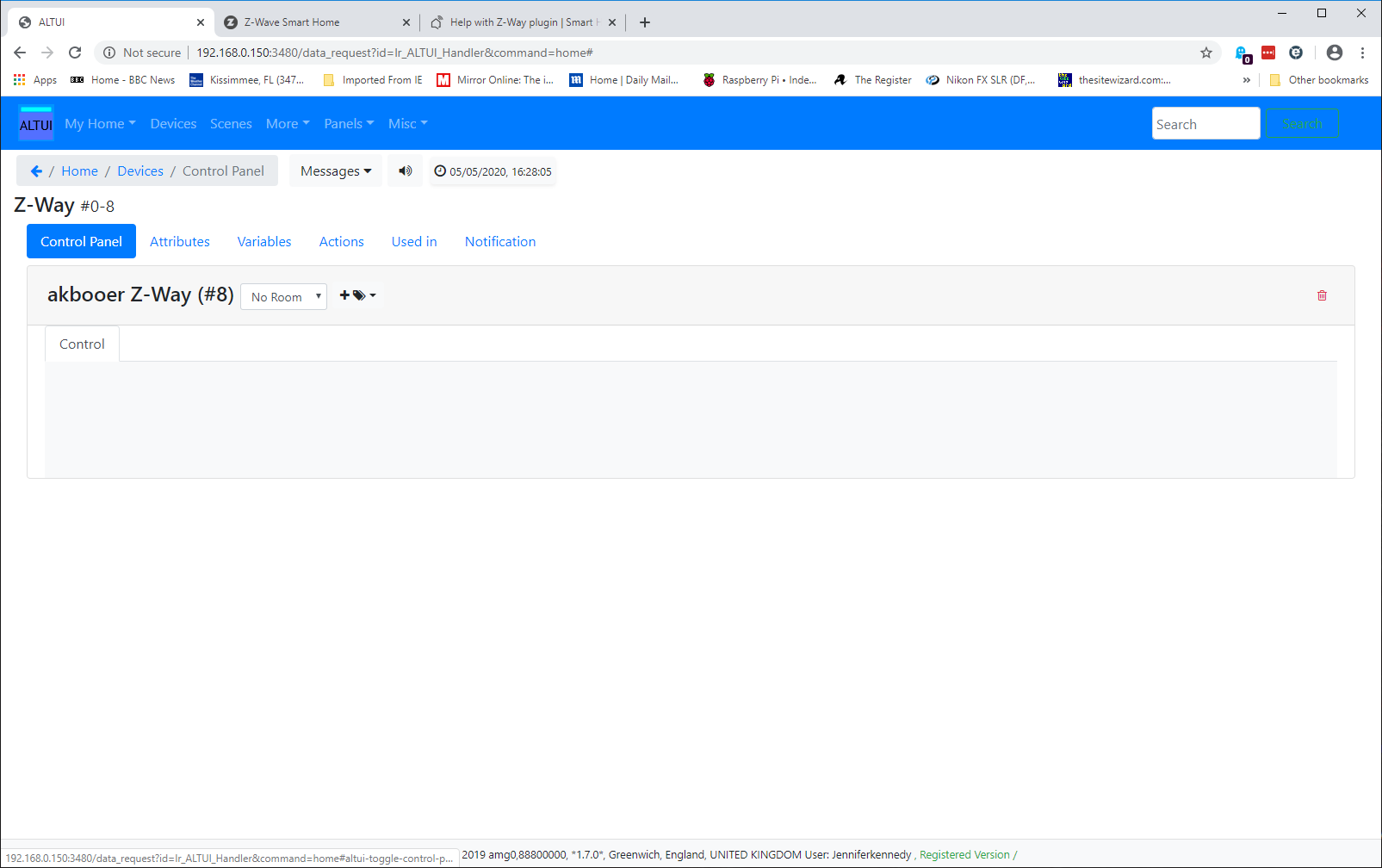
Help with Z-Way plugin- I have 19.12.27
- Deleted Razberry device, deleted Z-way device
- Cannot see any "Room 101"
- Installed ZWay
- ???Where is the Startup log???
6.???Where is the "Login action of the plugin"???
Sorry if I am being thick.
-
Help with Z-Way pluginHere is a suggestion. If you can tell me how to completely un-install the openLuup software so that you can give me instructions on how to install it from scratch properly, maybe that would be a way forward?
-
Help with Z-Way pluginDid as you said, now no version number...
Attributes...
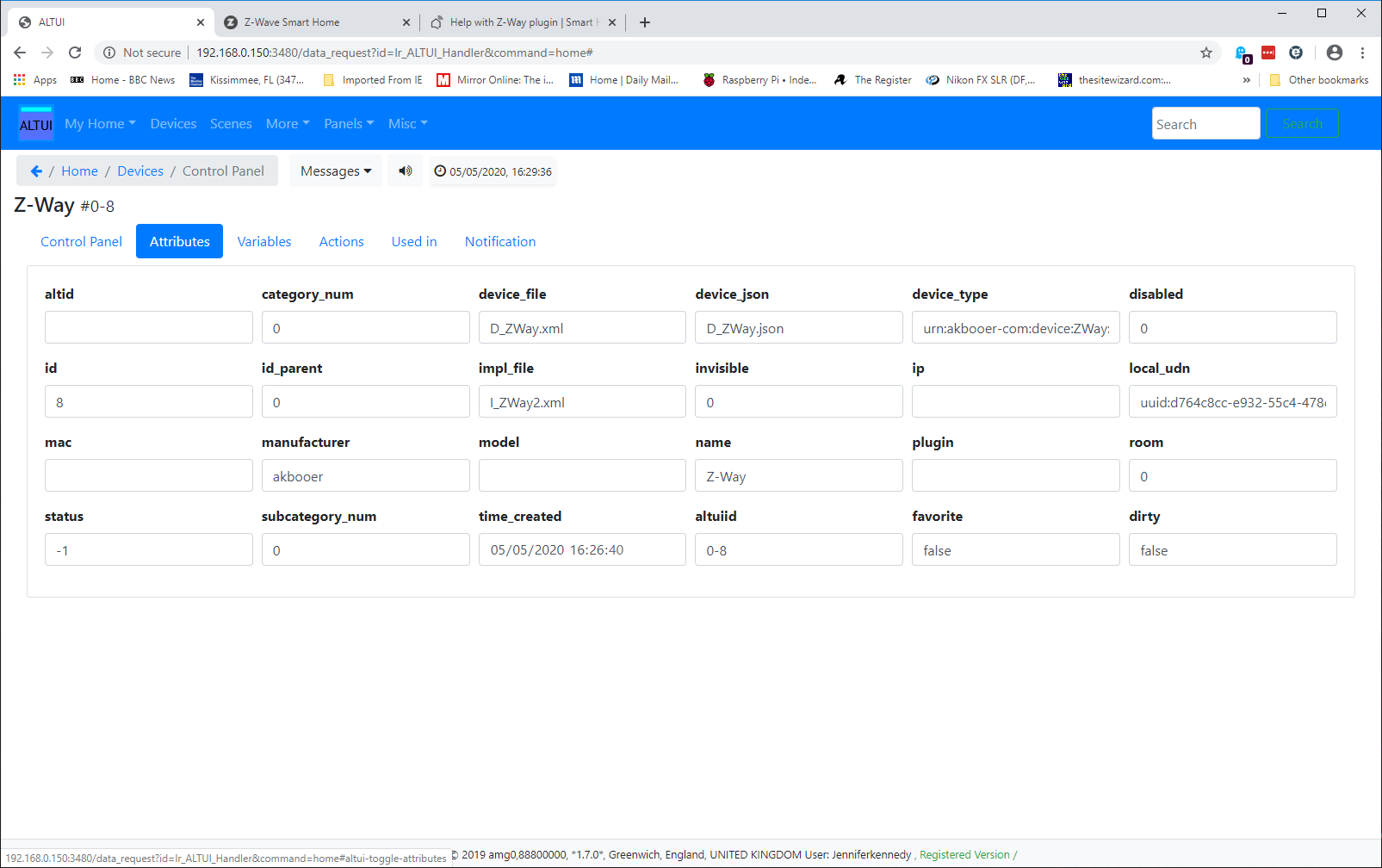
I can't help feeling there is something fundamentally wrong here but I have insufficient knowledge to identify what it is.
