





Skip to content
  • Categories
  • Recent
  • Tags
  • Popular
  • Unsolved
Collapse
Discussion Forum to share and further the development of home control and automation, independent of platforms.
  1. Home
  2. Software
  3. Multi-System Reactor
  4. MSR Not Recognizing Old HASS on New VM
Rule condition shows TRUE in UI but Rule never transitions to SET — survives full restart
N
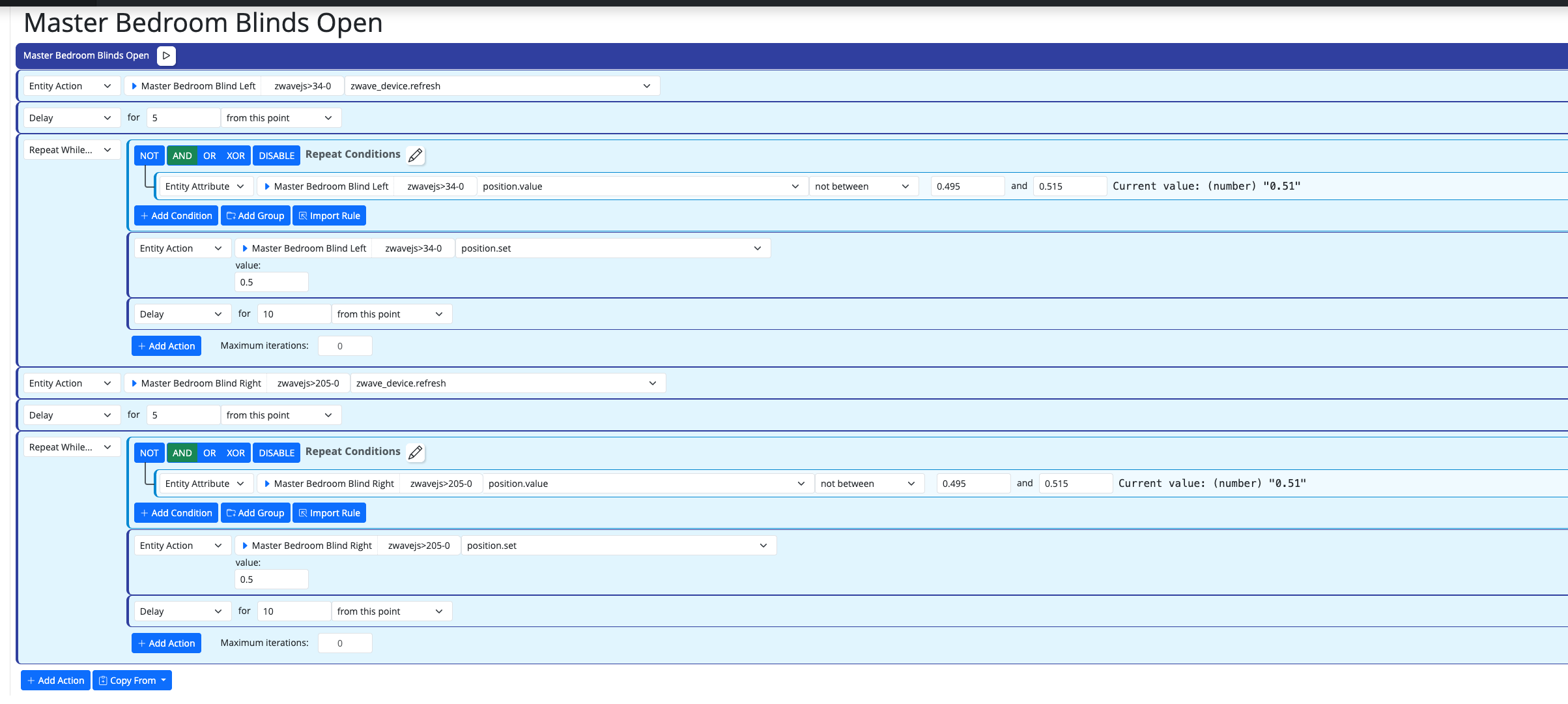
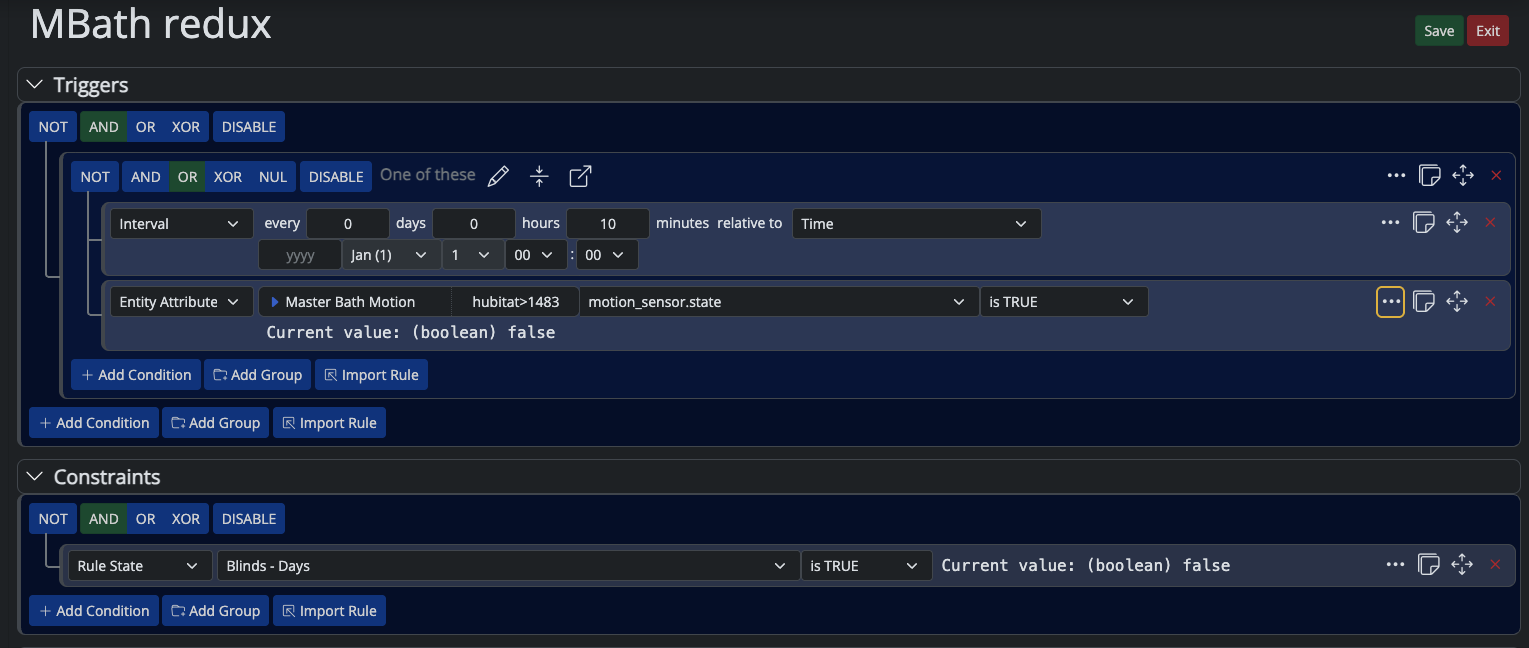
Build: latest-26221-b25bb3e3, Docker on Synology. Hi, I have a Rule whose Trigger/Constraints reference other Rules via Rule State ... is TRUE. At some point it stops firing. Expanding the rule's condition tree in the UI shows every Trigger and Constraint condition green/TRUE — confirmed live by walking into the room and watching Motion go true in real time. Rule History shows no new SET, just old reset entries. Tried, on the same rule, same evening: recreating the trigger conditions with fresh IDs, recreating the constraint conditions with fresh IDs (flat and wrapped in a new Group — wrapping in a Group produced one SET, but it didn't reproduce on repeat attempts with the same structure), and finally a full container restart with a verified-correct saved rule. Still no SET, even with a fresh live motion event right after the restart. Separately, I found that this rule (and its 10 per-room clones) share identical internal condition/group IDs with each other — leftover from a batch clone done months ago, never regenerated. Not sure if that's related, since fixing the IDs didn't reliably fix the symptom either. Has anyone seen a Rule State condition show TRUE in the UI without the Rule ever producing a SET, surviving a clean restart? Thanks in advance
Multi-System Reactor
DynamicGroupController and attributes
therealdbT
Hey @toggledbits I'm back to trying to optimize a couple of things based on dynamic group. First of all, I think I found a typo in the doc: primary_attribute: "binary_sensor.state" primary_attribute_value: | d = false; each id in members: d = getEntity(id)?.attributes?.power_switch?.state or d, d I think the correct code snippet is d = false, All that said, my use case for dynamic groups is to group 3 different climate devices, so I could easily command them at the same time. Commands are good, but sometimes I want to check if any of the devices are on, and that's easily done with a similar snippet as the one you have in the docs. But this is limited to the primary attribute, while I want to have any of the attributes in the group to be driven by a similar logic (while all are null in the group). ie, access hvac_control.mode and see if any of the unit is set to cool, or heat. Is that possible, without re-defining an expression in each of my rules? Thanks!
Multi-System Reactor
Reactor (Multi-System/Multi-Hub) Announcements
toggledbitsT
Build 21228 has been released. Docker images available from DockerHub as usual, and bare-metal packages here. Home Assistant up to version 2021.8.6 supported; the online version of the manual will now state the current supported versions; Fix an error in OWMWeatherController that could cause it to stop updating; Unify the approach to entity filtering on all hub interface classes (controllers); this works for device entities only; it may be extended to other entities later; Improve error detail in messages for EzloController during auth phase; Add isRuleSet() and isRuleEnabled() functions to expressions extensions; Implement set action for lock and passage capabilities (makes them more easily scriptable in some cases); Fix a place in the UI where 24-hour time was not being displayed.
Multi-System Reactor
Unofficial thread for compatibility
tunnusT
As there are statements about compatibility for home assistant versions in MSR new version announcements (e.g. "HassController: Bless Hass to 2025.7.3"), I thought it would be good idea to track other controllers as well. As an example, I can confirm that build "latest-25208-c53e8513" works with Hubitat Elevation C-8 platform version 2.4.2.134 using Maker API. Updates: (the latest versions first in the list) OK: build "latest-25264-2fbe9217" with Hubitat C-8 platform v. 2.4.3.123
Multi-System Reactor
Ooops - Deleted Reactor Ex Machina II
R
I accidentally deleted Reactor Ex Machina II (REM II) from my Reactor rules. I tried to recover it by deleting the .json and .dval in the Rules subdirectory and then recreating it from Togglebits original posting, but that did not work. Does anyone know how to recover REM ll ?
Multi-System Reactor
Bail out of failed reaction?
T
Topic thumbnail image
Multi-System Reactor
Arming Envisalink panel from MSR
T
Topic thumbnail image
Multi-System Reactor
[Solved] DynamicGroupController updating members issue
CrilleC
Edit: Solved in latest-26221. Bare-metal latest-26193 I have this group: "OKforLarm": name: OK för Larm select: - include_controller: vera - include_capability: door_sensor filter_expression: entity.attributes.door_sensor.state It contains the entities I expect but behaves a bit odd. When I open vera>device_10097 the entity attribute door_sensor.state changes to true but it won't show up as member in the group, when I also open vera>device_10095 they both shows as members and when I close vera>device_10095 it disappear from the group but when I close vera>device_10097 it lingers in the group until I restart Reactor.
Multi-System Reactor
Upgrade Issues
T
Topic thumbnail image
Multi-System Reactor
[SOLVED] Conflicting Set Reaction Groups Appear to Fire Simultaneously in Single Rule Evaluation
G
Topic thumbnail image
Multi-System Reactor
[SOLVED] Question regarding "in" vs "contains" vs contents of the string
G
Topic thumbnail image
Multi-System Reactor
Logon screen timeout
G
Noticing since 170 that the lock screen doesn't switch to the logon prompt but, rather, stays on the active UI until such time as you go to click something within it. Then it jumps to the login screen. Brave browser Brave 1.92.139 (Official Build) (arm64) Chromium: 150.0.7871.114
Multi-System Reactor
[MSR] Copy&past of actions and/or drag&drop between set/reset
therealdbT
Hey @toggledbits One thing that bothers me while doing work on new systems/new features, is that I cannot copy&paste actions, and I cannot drag&drop between set and resets. #1 is for when I want to copy an action between different rules opened in two separate browser windows, while #2 is when I just need to flip a bunch of actions in the reset, or move some logic back and forth. Both will be appreciated, but I understand the technical challenges. Thanks!
Multi-System Reactor
Upgrade advice - upgrade from aarch64 to ARM64 image
T
I'm currently on version 26011. I understand that the aarch64 image is no longer supported. So, I therefore need to update to the ARM64 image. Can anyone possibly suggest how I update my docker compose.yaml file (see below). Ideally I'd like to keep my existing reactions etc. rather than start from scratch. # Multi-System Reactor template docker-compose.yml (version 22160) # # Change the lines indicated by "DO"... # services: reactor: container_name: reactor environment: # DO change the TZ: line to set your local time zone. # See valid TZ list: https://en.wikipedia.org/wiki/List_of_tz_database_time_zones TZ: GB # # DO NOT change this path. Your directory location is in "source" below. REACTOR_DATA_PREFIX: /var/reactor # DO change the image below to the one you are using (e.g. armv7l or aarch64 for RPi 4) image: toggledbits/reactor:latest-aarch64 restart: "always" expose: - 8111 ports: - 8111:8111 volumes: # DO change the /home/username/reactor below to the directory you created for # your local data; DO NOT change the /var/reactor part - /home/pi/docker/reactor:/var/reactor - /etc/localtime:/etc/localtime:ro tmpfs: /tmp
Multi-System Reactor
Alexa for MSR, any interest?
MikeReadingtonM
Topic thumbnail image
Multi-System Reactor
[RESOLVED] Telegram notification broke with latest update
3
Topic thumbnail image
Multi-System Reactor
[RESOLVED] Phantom device, “INFO” appears
wmarcolinW
Topic thumbnail image
Multi-System Reactor
[RESOLVED] Mode Status NULL
wmarcolinW
Topic thumbnail image
Multi-System Reactor
[RESOLVED] HTTP query failing after version 26177
wmarcolinW
Topic thumbnail image
Multi-System Reactor
Question about the find function
wmarcolinW
Topic thumbnail image
Multi-System Reactor

MSR Not Recognizing Old HASS on New VM

Scheduled Pinned Locked Moved Multi-System Reactor
20 Posts 2 Posters 2.8k Views 2 Watching
  • Oldest to Newest
  • Newest to Oldest
  • Most Votes
Reply
  • Reply as topic
Log in to reply
This topic has been deleted. Only users with topic management privileges can see it.
  • toggledbitsT Offline
    toggledbitsT Offline
    toggledbits
    wrote on last edited by toggledbits
    #5

    Try adding ignore_cert: true in the config section for HassController (after source and same indent level). You may additionally need to change the ws:// in the source to wss://. If that works, SSL/TLS is enabled in Hass and you are on a self-signed or invalid certificate (but no changes to Hass needed).

    Also, if your Hass http component configuration has ssl_certificate then SSL/TLS is enabled. That's another way to tell.

    Author of Multi-system Reactor and Reactor, DelayLight, Switchboard, and about a dozen other plugins that run on Vera and openLuup.

    PablaP 1 Reply Last reply
    0
    • toggledbitsT toggledbits

      Try adding ignore_cert: true in the config section for HassController (after source and same indent level). You may additionally need to change the ws:// in the source to wss://. If that works, SSL/TLS is enabled in Hass and you are on a self-signed or invalid certificate (but no changes to Hass needed).

      Also, if your Hass http component configuration has ssl_certificate then SSL/TLS is enabled. That's another way to tell.

      PablaP Offline
      PablaP Offline
      Pabla
      wrote on last edited by Pabla
      #6

      @toggledbits tried setting ignore_cert: true and this is what came up in the logs tried both ws:// and wss//. I do not have the http component in my HA config file

      [latest-22258]2022-09-21T02:52:29.492Z <HassController:NOTICE> HassController#hass connecting to ws://192.168.8.113:8123/api/websocket
      [latest-22258]2022-09-21T02:52:29.493Z <HassController:WARN> HassController#hass failed to connect/initialize communication: [TypeError]TypeError [ERR_INVALID_PROTOCOL]: Protocol "http:" not supported. Expected "https:"
      [latest-22258]2022-09-21T02:53:29.501Z <HassController:NOTICE> HassController#hass connecting to ws://192.168.8.113:8123/api/websocket
      [latest-22258]2022-09-21T02:53:29.502Z <HassController:WARN> HassController#hass failed to connect/initialize communication: [TypeError]TypeError [ERR_INVALID_PROTOCOL]: Protocol "http:" not supported. Expected "https:"
      [latest-22258]2022-09-21T02:54:29.507Z <HassController:NOTICE> HassController#hass connecting to ws://192.168.8.113:8123/api/websocket
      [latest-22258]2022-09-21T02:54:29.509Z <HassController:WARN> HassController#hass failed to connect/initialize communication: [TypeError]TypeError [ERR_INVALID_PROTOCOL]: Protocol "http:" not supported. Expected "https:"
      [latest-22258]2022-09-21T02:55:29.519Z <HassController:NOTICE> HassController#hass connecting to ws://192.168.8.113:8123/api/websocket
      [latest-22258]2022-09-21T02:55:29.519Z <HassController:WARN> HassController#hass failed to connect/initialize communication: [TypeError]TypeError [ERR_INVALID_PROTOCOL]: Protocol "http:" not supported. Expected "https:"
      [latest-22258]2022-09-21T02:56:21.052Z <VeraController:INFO> VeraController#vera 0 dead entities older than 86400000s purged
      [latest-22258]2022-09-21T02:56:29.528Z <HassController:NOTICE> HassController#hass connecting to ws://192.168.8.113:8123/api/websocket
      [latest-22258]2022-09-21T02:56:29.529Z <HassController:WARN> HassController#hass failed to connect/initialize communication: [TypeError]TypeError [ERR_INVALID_PROTOCOL]: Protocol "http:" not supported. Expected "https:"
      [latest-22258]2022-09-21T02:57:29.530Z <HassController:NOTICE> HassController#hass connecting to ws://192.168.8.113:8123/api/websocket
      [latest-22258]2022-09-21T02:57:29.531Z <HassController:WARN> HassController#hass failed to connect/initialize communication: [TypeError]TypeError [ERR_INVALID_PROTOCOL]: Protocol "http:" not supported. Expected "https:"
      [latest-22258]2022-09-21T02:58:20.106Z <Rule:INFO> "10 Min Light Polling" (Rule#rule-grpqldnna5) starting evaluation; because timer-trigger Timer#rule-grpqldnna5
      [latest-22258]2022-09-21T02:58:20.107Z <Rule:INFO> "10 Min Light Polling" (Rule#rule-grpqldnna5) evaluated; rule state transition from RESET to SET!
      [latest-22258]2022-09-21T02:58:20.124Z <Rule:INFO> "45 Min Light Polling" (Rule#rule-l6whyfqd) starting evaluation; because data-changed Data#states:cs-rule-grpqldnna5
      [latest-22258]2022-09-21T02:58:20.124Z <Rule:INFO> "10 Min Light Polling" (Rule#rule-grpqldnna5) evaluation complete
      [latest-22258]2022-09-21T02:58:20.125Z <Rule:INFO> "45 Min Light Polling" (Rule#rule-l6whyfqd) evaluated; trigger state unchanged (false); rule state remains RESET
      [latest-22258]2022-09-21T02:58:20.126Z <Rule:INFO> "45 Min Light Polling" (Rule#rule-l6whyfqd) evaluation complete
      [latest-22258]2022-09-21T02:58:20.126Z <Engine:INFO> Enqueueing ""10 Min Light Polling<SET>"" (rule-grpqldnna5:S)
      [latest-22258]2022-09-21T02:58:20.139Z <Engine:NOTICE> Starting reaction "10 Min Light Polling<SET>" (rule-grpqldnna5:S)
      [latest-22258]2022-09-21T02:58:20.140Z <HassController:null> HassController#hass: sending payload for x_hass_system.call_service on System#hass>system action: [Object]{ "type": "call_service", "service_data": { "entity_id": "light.island_lights" }, "domain": "zwave_js", "service": "refresh_value" }
      [latest-22258]2022-09-21T02:58:20.141Z <HassController:ERR> HassController#hass request 1663729100140<2022-09-20, 7:58:20 p.m.> (call_service) failed: [Error]Error: WebSocket not connected
      [latest-22258]2022-09-21T02:58:20.143Z <Engine:INFO> Resuming reaction "10 Min Light Polling<SET>" (rule-grpqldnna5:S) from step 1"
      

      Not sure if this is useful but here are some logs pertaining to web socket from HA Supervisor

      22-09-20 19:39:48 INFO (MainThread) [supervisor.homeassistant.api] Updated Home Assistant API token
      22-09-20 19:58:33 INFO (MainThread) [supervisor.api.proxy] Home Assistant WebSocket API request initialize
      22-09-20 19:58:33 INFO (MainThread) [supervisor.api.proxy] WebSocket access from a0d7b954_vscode
      22-09-20 19:58:33 INFO (MainThread) [supervisor.api.proxy] Home Assistant WebSocket API request running
      22-09-20 19:58:38 INFO (MainThread) [supervisor.api.proxy] Home Assistant WebSocket API connection is closed
      
      1 Reply Last reply
      0
      • toggledbitsT Offline
        toggledbitsT Offline
        toggledbits
        wrote on last edited by
        #7

        The log snippet shows the ws:// result but no wss:// result. I'd like to see that, because it's probably a different message and maybe more useful. The messages you are showing clearly indicate it wants you to use wss://.

        Author of Multi-system Reactor and Reactor, DelayLight, Switchboard, and about a dozen other plugins that run on Vera and openLuup.

        PablaP 1 Reply Last reply
        0
        • toggledbitsT toggledbits

          The log snippet shows the ws:// result but no wss:// result. I'd like to see that, because it's probably a different message and maybe more useful. The messages you are showing clearly indicate it wants you to use wss://.

          PablaP Offline
          PablaP Offline
          Pabla
          wrote on last edited by
          #8

          @toggledbits logs attached using wss://

          [latest-22258]2022-09-21T02:38:34.723Z <HassController:WARN> HassController#hass websocket error during open/negotation: [Error]Error: Opening handshake has timed out
          [latest-22258]2022-09-21T02:38:34.723Z <HassController:NOTICE> HassController#hass websocket to wss://192.168.8.113:8123/api/websocket closed during open/negotiation
          [latest-22258]2022-09-21T02:38:34.723Z <HassController:WARN> HassController#hass failed to connect/initialize communication: [Error]Error: Opening handshake has timed out
          [latest-22258]2022-09-21T02:38:39.737Z <HassController:NOTICE> HassController#hass connecting to wss://192.168.8.113:8123/api/websocket
          [latest-22258]2022-09-21T02:38:54.745Z <HassController:WARN> HassController#hass websocket error during open/negotation: [Error]Error: Opening handshake has timed out
          [latest-22258]2022-09-21T02:38:54.745Z <HassController:NOTICE> HassController#hass websocket to wss://192.168.8.113:8123/api/websocket closed during open/negotiation
          [latest-22258]2022-09-21T02:38:54.746Z <HassController:WARN> HassController#hass failed to connect/initialize communication: [Error]Error: Opening handshake has timed out
          [latest-22258]2022-09-21T02:38:59.748Z <HassController:NOTICE> HassController#hass connecting to wss://192.168.8.113:8123/api/websocket
          [latest-22258]2022-09-21T02:39:14.751Z <HassController:WARN> HassController#hass websocket error during open/negotation: [Error]Error: Opening handshake has timed out
          [latest-22258]2022-09-21T02:39:14.752Z <HassController:NOTICE> HassController#hass websocket to wss://192.168.8.113:8123/api/websocket closed during open/negotiation
          [latest-22258]2022-09-21T02:39:14.752Z <HassController:WARN> HassController#hass failed to connect/initialize communication: [Error]Error: Opening handshake has timed out
          [latest-22258]2022-09-21T02:39:19.759Z <HassController:NOTICE> HassController#hass connecting to wss://192.168.8.113:8123/api/websocket
          [latest-22258]2022-09-21T02:39:28.763Z <VeraController:INFO> VeraController#vera 0 dead entities older than 86400000s purged
          [latest-22258]2022-09-21T02:39:34.765Z <HassController:WARN> HassController#hass websocket error during open/negotation: [Error]Error: Opening handshake has timed out
          [latest-22258]2022-09-21T02:39:34.765Z <HassController:NOTICE> HassController#hass websocket to wss://192.168.8.113:8123/api/websocket closed during open/negotiation
          [latest-22258]2022-09-21T02:39:34.765Z <HassController:WARN> HassController#hass failed to connect/initialize communication: [Error]Error: Opening handshake has timed out
          [latest-22258]2022-09-21T02:39:39.771Z <HassController:NOTICE> HassController#hass connecting to wss://192.168.8.113:8123/api/websocket
          [latest-22258]2022-09-21T02:39:54.776Z <HassController:WARN> HassController#hass websocket error during open/negotation: [Error]Error: Opening handshake has timed out
          [latest-22258]2022-09-21T02:39:54.777Z <HassController:NOTICE> HassController#hass websocket to wss://192.168.8.113:8123/api/websocket closed during open/negotiation
          [latest-22258]2022-09-21T02:39:54.777Z <HassController:WARN> HassController#hass failed to connect/initialize communication: [Error]Error: Opening handshake has timed out
          [latest-22258]2022-09-21T02:40:04.779Z <HassController:NOTICE> HassController#hass connecting to wss://192.168.8.113:8123/api/websocket
          [latest-22258]2022-09-21T02:40:19.786Z <HassController:WARN> HassController#hass websocket error during open/negotation: [Error]Error: Opening handshake has timed out
          [latest-22258]2022-09-21T02:40:19.787Z <HassController:NOTICE> HassController#hass websocket to wss://192.168.8.113:8123/api/websocket closed during open/negotiation
          [latest-22258]2022-09-21T02:40:19.788Z <HassController:WARN> HassController#hass failed to connect/initialize communication: [Error]Error: Opening handshake has timed out
          [latest-22258]2022-09-21T02:40:34.791Z <HassController:NOTICE> HassController#hass connecting to wss://192.168.8.113:8123/api/websocket
          [latest-22258]2022-09-21T02:40:49.796Z <HassController:WARN> HassController#hass websocket error during open/negotation: [Error]Error: Opening handshake has timed out
          [latest-22258]2022-09-21T02:40:49.797Z <HassController:NOTICE> HassController#hass websocket to wss://192.168.8.113:8123/api/websocket closed during open/negotiation
          [latest-22258]2022-09-21T02:40:49.798Z <HassController:WARN> HassController#hass failed to connect/initialize communication: [Error]Error: Opening handshake has timed out
          [latest-22258]2022-09-21T02:41:00.728Z <Rule:INFO> Inside Light Polling (Rule#rule-grpqlebtkk) starting evaluation; because timer-trigger Timer#rule-grpqlebtkk
          
          1 Reply Last reply
          0
          • toggledbitsT Offline
            toggledbitsT Offline
            toggledbits
            wrote on last edited by
            #9

            And that's also with ignore_cert: true, correct?

            Author of Multi-system Reactor and Reactor, DelayLight, Switchboard, and about a dozen other plugins that run on Vera and openLuup.

            PablaP 1 Reply Last reply
            0
            • toggledbitsT toggledbits

              And that's also with ignore_cert: true, correct?

              PablaP Offline
              PablaP Offline
              Pabla
              wrote on last edited by
              #10

              @toggledbits correct

              1 Reply Last reply
              0
              • toggledbitsT Offline
                toggledbitsT Offline
                toggledbits
                wrote on last edited by toggledbits
                #11

                OK. All I can suggest at this point is that maybe you have the old IP address of the previous system in Hass' configuration somewhere and it's messing things up. Beyond that, I'm out of ideas. Maybe shut down that VM, create a new one, install Hass fresh and clean without restoring the prior configuration, just use a default configuration, and see if you can connect to it. If you can, it's definitely something in the old config/restored install. If you can't, maybe something in the VM configuration... I don't know. This usually isn't much of a challenge, and HassController isn't doing anything tricky, it uses a standard Websocket library in wide use for its connections, so I'm doubtful there's suddenly some bug or incompatibility there.

                Author of Multi-system Reactor and Reactor, DelayLight, Switchboard, and about a dozen other plugins that run on Vera and openLuup.

                PablaP 1 Reply Last reply
                0
                • toggledbitsT toggledbits

                  OK. All I can suggest at this point is that maybe you have the old IP address of the previous system in Hass' configuration somewhere and it's messing things up. Beyond that, I'm out of ideas. Maybe shut down that VM, create a new one, install Hass fresh and clean without restoring the prior configuration, just use a default configuration, and see if you can connect to it. If you can, it's definitely something in the old config/restored install. If you can't, maybe something in the VM configuration... I don't know. This usually isn't much of a challenge, and HassController isn't doing anything tricky, it uses a standard Websocket library in wide use for its connections, so I'm doubtful there's suddenly some bug or incompatibility there.

                  PablaP Offline
                  PablaP Offline
                  Pabla
                  wrote on last edited by
                  #12

                  @toggledbits Will try creating a new Hass install and see if I can get MSR to work. In terms of the existing config, none of the entities will get auto deleted since the controller is offline right? Also if I clear out he Hass config completely from MSR, restart MSR then reconfigure as if its the first time entering a Hass config in will this overwrite all my existing Hass entities?

                  1 Reply Last reply
                  0
                  • toggledbitsT Offline
                    toggledbitsT Offline
                    toggledbits
                    wrote on last edited by
                    #13

                    Just use a different ID for the new HassController instance... so if you had id: hass in the first config, use hass2 in the second.

                    It probably won't matter anyway, as the IDs should be stable... the new entities would have the same IDs as the old, be of the same type, etc.

                    Author of Multi-system Reactor and Reactor, DelayLight, Switchboard, and about a dozen other plugins that run on Vera and openLuup.

                    PablaP 1 Reply Last reply
                    0
                    • toggledbitsT toggledbits

                      Just use a different ID for the new HassController instance... so if you had id: hass in the first config, use hass2 in the second.

                      It probably won't matter anyway, as the IDs should be stable... the new entities would have the same IDs as the old, be of the same type, etc.

                      PablaP Offline
                      PablaP Offline
                      Pabla
                      wrote on last edited by
                      #14

                      @toggledbits Just quickly set up a new Hass VM and am seeing the same errors. Tried with both ignore_cert: true and false no luck. This seems to be a VMware issue, I did do look through settings but couldn't really see anything that would stop MSR from connecting.

                      1 Reply Last reply
                      0
                      • toggledbitsT Offline
                        toggledbitsT Offline
                        toggledbits
                        wrote on last edited by
                        #15

                        To be specific, you need to try ws:// (ignore_cert does not matter for this case), and wss:// with ignore_cert: true. Both cases.

                        Beyond that, I'm at a loss. Are you running Hass in docker? Are you running Reactor in docker? I'd look at all of that, too...

                        Author of Multi-system Reactor and Reactor, DelayLight, Switchboard, and about a dozen other plugins that run on Vera and openLuup.

                        PablaP 1 Reply Last reply
                        0
                        • toggledbitsT toggledbits

                          To be specific, you need to try ws:// (ignore_cert does not matter for this case), and wss:// with ignore_cert: true. Both cases.

                          Beyond that, I'm at a loss. Are you running Hass in docker? Are you running Reactor in docker? I'd look at all of that, too...

                          PablaP Offline
                          PablaP Offline
                          Pabla
                          wrote on last edited by
                          #16

                          @toggledbits Neither are running in docker, both run on their own VM on the same host. Just the difference now is Reactor is running on a VirutalBox VM and MSR is on a VMware VM

                          toggledbitsT 1 Reply Last reply
                          0
                          • PablaP Pabla

                            @toggledbits Neither are running in docker, both run on their own VM on the same host. Just the difference now is Reactor is running on a VirutalBox VM and MSR is on a VMware VM

                            toggledbitsT Offline
                            toggledbitsT Offline
                            toggledbits
                            wrote on last edited by
                            #17

                            @pabla said in MSR Not Recognizing Old HASS on New VM:

                            Just the difference now is Reactor is running on a VirutalBox VM and MSR is on a VMware VM

                            Huh?

                            Author of Multi-system Reactor and Reactor, DelayLight, Switchboard, and about a dozen other plugins that run on Vera and openLuup.

                            PablaP 1 Reply Last reply
                            0
                            • toggledbitsT toggledbits

                              @pabla said in MSR Not Recognizing Old HASS on New VM:

                              Just the difference now is Reactor is running on a VirutalBox VM and MSR is on a VMware VM

                              Huh?

                              PablaP Offline
                              PablaP Offline
                              Pabla
                              wrote on last edited by
                              #18

                              @toggledbit Lol whoops meant to say MSR is running on a VirtualBox VM and Hass is running on a WMware VM

                              1 Reply Last reply
                              0
                              • PablaP Offline
                                PablaP Offline
                                Pabla
                                wrote on last edited by
                                #19

                                So did a little research and it looks like Websocket is not supported in VMware workstation 16.. I just bought an ODROID cause I am tired of tinkering with all these issues I have had with VMs

                                1 Reply Last reply
                                0
                                • PablaP Offline
                                  PablaP Offline
                                  Pabla
                                  wrote on last edited by
                                  #20

                                  Just to close this thread up, it was a VMware issue as stated above. Moved over to an ODROID and MSR connected no problem.

                                  1 Reply Last reply
                                  1
                                  • toggledbitsT toggledbits locked this topic on
                                  Reply
                                  • Reply as topic
                                  Log in to reply
                                  • Oldest to Newest
                                  • Newest to Oldest
                                  • Most Votes


                                  Recent Topics

                                  • Rule condition shows TRUE in UI but Rule never transitions to SET — survives full restart
                                    N
                                    noelab
                                    0
                                    8
                                    78

                                  • DynamicGroupController and attributes
                                    toggledbitsT
                                    toggledbits
                                    1
                                    9
                                    253

                                  • Reactor (Multi-System/Multi-Hub) Announcements
                                    toggledbitsT
                                    toggledbits
                                    5
                                    149
                                    135.8k

                                  • Unofficial thread for compatibility
                                    tunnusT
                                    tunnus
                                    2
                                    2
                                    715

                                  • Ooops - Deleted Reactor Ex Machina II
                                    toggledbitsT
                                    toggledbits
                                    0
                                    2
                                    65

                                  • Bail out of failed reaction?
                                    T
                                    tamorgen
                                    0
                                    3
                                    110

                                  • Arming Envisalink panel from MSR
                                    T
                                    tamorgen
                                    0
                                    7
                                    335

                                  • [Solved] DynamicGroupController updating members issue
                                    CrilleC
                                    Crille
                                    0
                                    5
                                    243

                                  • Upgrade Issues
                                    T
                                    tbully
                                    0
                                    9
                                    358

                                  • [SOLVED] Conflicting Set Reaction Groups Appear to Fire Simultaneously in Single Rule Evaluation
                                    toggledbitsT
                                    toggledbits
                                    0
                                    10
                                    474

                                  • [SOLVED] Question regarding "in" vs "contains" vs contents of the string
                                    G
                                    gwp1
                                    0
                                    5
                                    235

                                  • openLuup console disappeared - 500 - Internal Server Error
                                    A
                                    a-lurker
                                    0
                                    2
                                    253
                                  Powered by NodeBB | Contributors
                                  Hosted freely by 10RUPTiV - Solutions Technologiques | Contact us
                                  • Login

                                  • Don't have an account? Register

                                  • Login or register to search.
                                  • First post
                                    Last post
                                  0
                                  • Categories
                                  • Recent
                                  • Tags
                                  • Popular
                                  • Unsolved