





Skip to content
  • Categories
  • Recent
  • Tags
  • Popular
  • Unsolved
Collapse
Discussion Forum to share and further the development of home control and automation, independent of platforms.
  1. Home
  2. Hardware
  3. Vera
  4. Power monitoring options
Oh the joy of pairing
CatmanV2C
When I remember the old days Just added a new Tuya plug (OK so it's cloud) Start to finish, visible in HA and MSR < 30 seconds... C
Vera
Vera PushOver notification with image
D
After the veralert service was shut down and Richard confirmed that it will not be available again, I searched for a new notification service to use in my vere secure. I signed up for the PushOver service. I want to take a snapshot from a camera with camera snapshot address “192.168.4.37/img/snapshot.cgi?size=4&quality=1” and video address “192.168.4.37/img/video.mjpeg” according to a trigger. Actually, someone (Tlex) did a work about this years ago on the vera forum, but I couldn't understand that script. I also wrote to him to be more descriptive, but I didn't get an answer. Can you help me with this?
Vera
Free to a new home
3
I have an older Vera Plus controller that has been collecting dust for a little while. I know the hardware is no longer supported but I would prefer it to go to a good home vs the eWaste center. No charge, just pay for shipping and it's yours. If you are interested, let me know.
Vera
MiOS is Winning the X10 Wars
LibraSunL
Topic thumbnail image
Vera
Z-Wave.Me UZB stick version mapped to the Zwave version displayed by Vera.
A
Let's assume you have done the following: Downloaded and installed Z-Way following these instructions. No Zway license is required to do the following. The software is now all up and running with your UZB stick (whole other post). Dial up this Zway web page: http://<Zway_server_IP_address>:8083/expert/#/network/controller Under the heading "Firmware" take note of the "SDK version" and the "Serial API Version". Say they equal 6.71.01 & 05.23 respectively like it shows here. Now on to Vera: Go to the Vera UI --> Z-Wave Settings and taken note of the "Version" shown for Vera's internal Zwave IC. For example purposes, say it equals "6.01". You plug your UZB stick into Vera. In the Z-Wave Settings you set the port to "/dev/ttyACM0" You've rebooted Vera, so that it starts using the UZB stick. OK, so what "Version" will Vera now display and the version of what? The version shown by Vera is the "Z-Wave protocol" version or the "Serial API" version - it's unclear which but I suspect the former. However on most occasions the numbers are the same. It's not the Software Developers Kit (SDK) version number. Knowing the UZB firmware version you can identify what Vera will show with the following table. From the example above: Zway stated the version as 5.23. It will show in Vera as version 4.61 - see table. However the Vera internals showed up as 6.01. So using this method to copy the Zwave configuration to the stick will not work, as the stick represents a downgrade and you can only do same to same or upgrades. So in this case you need to update the stick firmware from 5.23 to 5.32 as a minimum. Then the stick will show up in Vera with version of 6.01. Which is great. So you then use the Zway software to upgrade the stick firmware. And that's the last you hear from it because this happens: "Sorry to inform you, but there is a known issue in some UZB manufactured by our partners on license base that after upgrade they become bricked." And you have to do this to unbrick it. So time to try someone else's stick. Sigh. ZWay UZB version Vera version SDK version 5.39 6.09 6.82.01 6.08 6.82.00 6.07 6.81.06 6.06 6.81.05 6.05 6.81.04 6.04 6.81.03 6.03 6.81.02 5.37 6.02 6.81.01 5.36 6.02??? 6.81.00 ???? 5.33 6.02??? 6.81.00 ???? 5.32 6.01 6.81.00 5.03 6.71.03 5.02 6.71.02 5.27 BL 48059 4.61 6.71.0? 5.26 4.61 6.71.0? 5.23 4.61 6.71.01 4.6 6.71.00 5.2 4.6? 6.7?.00 5.16 4.6? 6.70.00 4.62 6.61.01 4.33 6.61.00 4.54 6.51.10 5.07 4.38 6.51.09 4.34 6.51.08 4.24 6.51.07 4.05 6.51.06 5.06 4.01 6.51.04 3.99 6.51.03 3.95 6.51.02 3.92 6.51.01 3.83 6.51.00 3.79 6.50.01 3.71 6.50.00 3.67 3.35 6.10.00 3.41 6.02.00 3.37 6.01.03 2.78 The table is based on page 434 of silabs app INS13954 and the UZB firmware revision information found here. The table may have errors!
Vera
Using the vera with external usb zwave or zigbee dongle
rafale77R
The vera can run both its zwave and zigbee network off of external USB radios instead of the onboard ones. This could have advantages in terms of portability, facilitating migrations or recoveries in case the vera craps out. It could also enable testing of newer radio firmwares. Zwave is pretty straightforward as its serial API is standardized and the protocol is the same regardless of what brand of USB stick you use. I have run my vera off of USB sticks of various brands for years going from Aeotec, Zooz, Homeseer and even the most generic silabs/Sigma Design. You just insert the stick in the usb port, find out which serial port it created (under the /dev/ folder) and use that port (ie. /dev/ttyACM0, /dev/ttyUSB0 etc) in the zwave advance menu. Zigbee is a little trickier as the protocol and chipset was not quite as standardized as zwave. The vera only works with ember Znet protocol and you will need to find a usb stick with an EM35x chip in it which already has an ember zigbee firmware loaded. One example of such a stick is the Go Control HUSBZB1 (dual zwave-zigbee stick). The port is not readily accessible on the vera UI but can be accessed either through editing of the /etc/cmh/user-data.json or through ALTUI by going into the hidden zigbee radio device through the "table devices " menu and changing modifying the port variable there. You can also upgrade the onboard zwave and zigbee radio firmwares from the command line SSH...
Vera
floor heating automation
G
Topic thumbnail image
Vera
Nuke Vera Script
rafale77R
Script to disable all the mios/vera proprietary program and broadcast its zwave and zigbee radio serial ports in your network so it can be picked up by another controller... For example z-way. https://github.com/rafale77/Nuke-Vera
Vera
Another Vera --> Home Assistant migration question
T
Good morning all, I've got a stable Home Assistant running on a RPI 4 with a Aeotec Z-Stick 7 Plus, and of course the Z-wave JS integration. I've manually moved a handful of devices, and I'm overall much happier with the HA z-wave capability than I am with Vera. There are still some things I'm trying to figure out that I have in Vera that I'm not sure how they'll work in HA, but no deal breakers. I've got all of my automation on MSR and off of luup Reactor, so really the only thing left for me is to migrate my Z-wave network. I saw @rafale77's post about using a Zwave.me UZB1 to Zway, but of course that's not what I'm using. Is there a similar method that I can use my Aeotec Z-Stick 7 plus to Home Assistant? I have around 70 Z-wave devices (give or take devices that generate multiple instances in Vera), so manual unpairing, including, etc, would be quite a chore.
Vera
(Problem) Migration Z-Wave NW from Vera to UZB1 dongle
T
So ... I am trying to do the following: Current setup: Vera Plus (1.7.4955) Zwave only -> HASSIO VM (full control via Vera Integration) Future Target: HASSIO VM (leveraging zwave.me UZB1 dongle via USB) I have done the following so far: Updated UZB1 dongle (via RPi SmartHome) to latest 5.39 Firmware I followed the following steps to try and migrate my existing Z-Wave NW (currently on Vera) onto the UZB1 dongle following the steps listed here: Migrate from Vera to Z-way Problem: Steps 1-3: went fine (although the dumps are labeled as dongle.6.1.dump.x) Step 4: went fine and the UZB1 was recognized as it should be (per dmesg) Step 5: updating the port to /dev/ttyACM0 went fine, although I didn't see any indication of luup reload (or a save button for that matter when updating the port mapping) Step 6: I did the touch for dongle.restore, but wasn't sure where to trigger a luup reload (I assumed it was Z-Wave Settings > Advanced > Reload Engine). I believe I got an error message when trying to do that step Step 7: verify dongle.restore.go I don't recall being in the directions when I was going the test, but I rebooted Post Reboot: None of my previous z-wave devices were listed. I also checked dmesg via ssh and noticed the following items: [ 4.328000] Unsupported Device! [ 4.328000] Vendor=658 ProdID=200 [ 4.328000] Manufacturer= Product= I saw that item a couple times which almost seems like Vera is blocking the UZB1 or at least complaining about it. I ended up switching the Z-Wave back to the embedded controller, and restoring configuration from backup. Any suggestions what I did wrong??
Vera
Vera 3 with a Z-Wave.Me UZB stick
A
Having trouble getting a Vera 3 to recognise a Z-Wave.Me UZB stick. WinSCP indicates it's mounted at /dev/ttyACM0, so the Vera Z-Wave settings were adjusted to match. On a Luup engine reload Vera UI states: "ZWave : Failed To Start". Ditto for a complete Vera reboot. Has anyone successfully used a UZB stick with a Vera 3?
Vera
iPhone locator or alternative.
MikeReadingtonM
Hello Everyone, I am using iPhone locator on Vera, and yesterday it stopped working. Looking at the logs, I can see the connection is refused, but nothing on my end changed. iPhone locator is really important in my particular setup, so I guess I have two questions. Is it broken, or is it me? I don't see anyone else saying there is an issue, but I am not sure how many people are still using it (or Vera for location) at this point. I installed it on a blank Vera test controller, same issue. It might be something with the iCloud account, but it works everywhere else. Is there something similar on another platform? Mainly what I would like is the ability to force a poll of iCloud location on demand. I have a bunch of triggers setup, including magnetic sensors in my driveway to sense vehicles and determine if the motion is egress or ingress. These triggers in conjunction with MSR have been a great way to double check phone location, and I would hate to lose this functionality. It looks like HA might have something with "iCloud3". Is anyone using it? Thanks, Mike
Vera
Power monitoring options
therealdbT
@akbooer said in The only thing left on Vera is now electricity meter readers, and I simply can't find any suitable WiFi replacement. My hem stopped reporting this august and I’ve replaced it with a Shelly EM. I’m using another one on my solar and they’re amazing fast to report and quite precise. They’re WiFi, and mqtt based. Recommended!
Vera
Getting FW version from Vera's FirmwareInfo
therealdbT
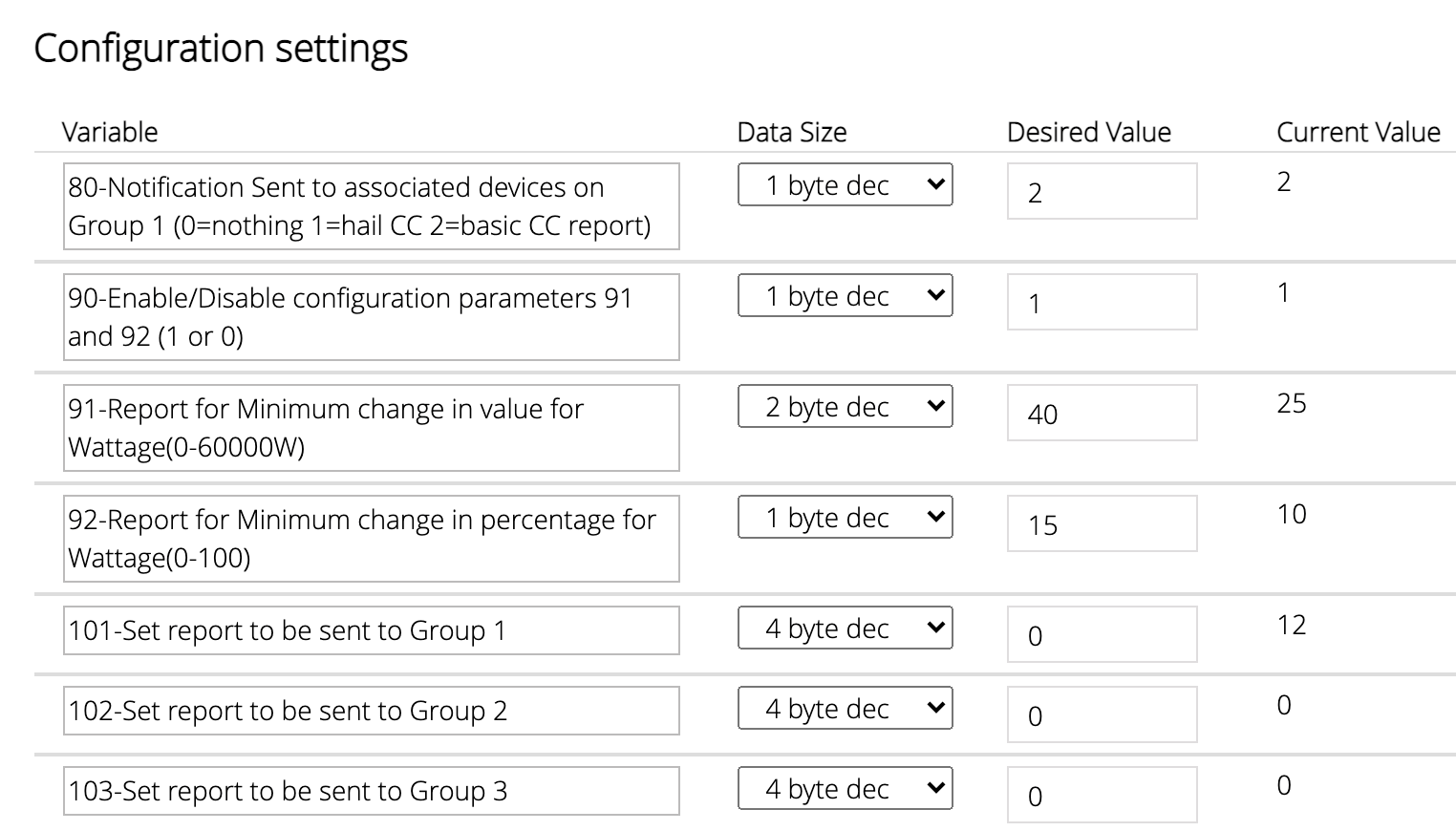
Long story short: I need to tweak some parameters for Fibaro Plugs, to remove frequent notifications about watts (I just need a very good approximation, in order to detect the cycle of washer/dryer), but the parameters depend on the firmware version, and I have: 271,1554,21554 and the other one has: 271,4102,0 Any help is apprreciated.
Vera
Vera to zwavejs
S
Hi all! I am almost relieved from Vera . Around 65 decices to go. Of which some are on very hard places (under floor etc.). Is there any way to easily get the vera devices on the zwave network without repairing them per piece? I think I knowthe answer, but I am asking
Vera
Vera firmware 7.32 beta
LibraSunL
Anyone installed the new beta f/w on their Vera unit and liking it? Read https://community.ezlo.com/t/7-32-vera-firmware-beta-release/217060
Vera
[Solved] Aeotec Smart Switch 6 configuration not updating
tunnusT
Topic thumbnail image
Vera
Method to get the security key from Vera?
H
Hi there, I know this was floating around on the other forum but just hoping someone can post the steps as I’m finally biting the bullet and moving to a USB stick and Zwave JS in home assistant. Thanks!
Vera
Why is VERA+ making calls to facebook.com?
?
So, I recently added Pi-Hole (pi-hole.net) to my networked clients for its open-sourced Ad and Tracker Blocking. Essentially, it’s a DNS Blacklisting solution and it can display the Domains being accessed. To my dismay I’m seeing the VERA+ attempting calls to facebook.com on a regular basis between 20 – 70 minutes each. The Active apps on VERA are Sercomm IP Camera, Amazon Alexa Helper, Garage Door, Foscam HD, Reator, SiteSensor and Ezlo Cameras. I just recently removed AltUI before disconnecting from the cloud services. Any ideas on how I could track down the culprit caller? Thanks for your consideration.
Vera
Can I connect a Nokia/Withings scale to Vera?
LibraSunL
I've got a Nokia/Withings bathroom scale on which I weigh myself daily. I used to use IFTTT to push every weighing result into a Google Spreadsheet in the cloud, but now that I use MSR, I'm more interested in integrating this data into that workflow. Has anyone figured out a way to move data from a WiFi-connected scale into the Vera environment? I don't mind trying something indirect, as for instance I've already linked the weights over to my Google Fit app. Open to suggestions!
Vera

Power monitoring options

Scheduled Pinned Locked Moved Vera
9 Posts 6 Posters 1.5k Views 4 Watching
  • Oldest to Newest
  • Newest to Oldest
  • Most Votes
Reply
  • Reply as topic
Log in to reply
This topic has been deleted. Only users with topic management privileges can see it.
  • akbooerA akbooer

    @tamorgen said in Another Vera --> Home Assistant migration question:

    The biggest headache was waiting for Vera to reload itself every time I removed a node

    I've just removed a bunch of devices from an old VeraLite, running UI5. On that system, at least, it allowed you to select the option to remove multiple devices before rebooting. But too late now!!

    @tamorgen said in Another Vera --> Home Assistant migration question:

    At this point, I've pretty much migrated off of Vera. It's kind of bittersweet.

    Yes, absolutely. Feeling the same thing here, been running with them (or, rather, falling over) for around a decade. My current configuration is as described here.

    The only thing left on Vera is now electricity meter readers, and I simply can't find any suitable WiFi replacement. Have applied for a smart meter installation and hoping that I can get ethernet access to the Consumer Device Interface.

    therealdbT Offline
    therealdbT Offline
    therealdb
    wrote on last edited by
    #1

    @akbooer said in

    The only thing left on Vera is now electricity meter readers, and I simply can't find any suitable WiFi replacement.

    My hem stopped reporting this august and I’ve replaced it with a Shelly EM. I’m using another one on my solar and they’re amazing fast to report and quite precise. They’re WiFi, and mqtt based. Recommended!

    --
    On a mission to automate everything.

    My MS Reactor contrib
    My Luup Plug-ins

    1 Reply Last reply
    1
    • akbooerA Offline
      akbooerA Offline
      akbooer
      wrote on last edited by
      #2

      I’ve replaced it with a Shelly EM

      … that would be nice, but I need a “whole house” solution and can’t see that I can get this connected in to the main power feed.

      I’m also keen to have a result which mirrors the actual utility meter reading.

      But I’ll think this through again with the Shelly in mind. .

      Thanks

      therealdbT 1 Reply Last reply
      0
      • toggledbitsT Offline
        toggledbitsT Offline
        toggledbits
        wrote on last edited by
        #3

        I've been looking at this:

        Apr 15, 2019

        Expandable 6 Channel ESP32 Energy Meter Main Board

        Expandable 6 Channel ESP32 Energy Meter Main Board

        Introducing the CircuitSetup Expandable 6 Channel Energy Meter – the ultimate tool for monitoring and analyzing energy consumption in your home or workspace. This cutting-edge meter provides …

        Trying to get them to answer if my 200A CTs will work with it, so far no reply. But it looks interesting.

        Author of Multi-system Reactor and Reactor, DelayLight, Switchboard, and about a dozen other plugins that run on Vera and openLuup.

        1 Reply Last reply
        1
        • R Offline
          R Offline
          RogerO
          wrote on last edited by
          #4

          Here is another interesting option. He says it supports MQTT though haven't installed it yet. https://lanternpowermonitor.com/

          1 Reply Last reply
          0
          • akbooerA akbooer

            I’ve replaced it with a Shelly EM

            … that would be nice, but I need a “whole house” solution and can’t see that I can get this connected in to the main power feed.

            I’m also keen to have a result which mirrors the actual utility meter reading.

            But I’ll think this through again with the Shelly in mind. .

            Thanks

            therealdbT Offline
            therealdbT Offline
            therealdb
            wrote on last edited by
            #5

            @akbooer they’re clamp based, so you could attach them to anything. As I’ve said, I’m into 9 months with Shelly em monitoring my solar and two for the main line. I’ve added them to my Vera to keep some automations regarding the electricity that I had before, but I’m using MSR for the logic. It truly was a plug & play change.

            I’ve stopped to pollute my Zwave network with frequent updates and my mesh is more reliable. Give it a try: https://shelly.cloud/products/shelly-em-smart-home-automation-device/

            --
            On a mission to automate everything.

            My MS Reactor contrib
            My Luup Plug-ins

            akbooerA 1 Reply Last reply
            1
            • therealdbT therealdb

              @akbooer they’re clamp based, so you could attach them to anything. As I’ve said, I’m into 9 months with Shelly em monitoring my solar and two for the main line. I’ve added them to my Vera to keep some automations regarding the electricity that I had before, but I’m using MSR for the logic. It truly was a plug & play change.

              I’ve stopped to pollute my Zwave network with frequent updates and my mesh is more reliable. Give it a try: https://shelly.cloud/products/shelly-em-smart-home-automation-device/

              akbooerA Offline
              akbooerA Offline
              akbooer
              wrote on last edited by
              #6

              @therealdb

              You know I’m a Shelly fan! I am really after a total KWH reading, which you could approximate by integrating Watts, but it will always diverge from the actual meter reading. If I can’t find anything else (or get a smart meter) then I’ll give it a go.

              CrilleC therealdbT 2 Replies Last reply
              0
              • akbooerA akbooer

                @therealdb

                You know I’m a Shelly fan! I am really after a total KWH reading, which you could approximate by integrating Watts, but it will always diverge from the actual meter reading. If I can’t find anything else (or get a smart meter) then I’ll give it a go.

                CrilleC Offline
                CrilleC Offline
                Crille
                wrote on last edited by
                #7

                I'm using an older version of this https://www.zuidwijk.com/product/slimmelezer-plus/ flashed with this firmware https://github.com/Beaky2000/esphome-p1mini connected to the HAN/P1 consumer port of the meter. The meter outputs data every 10s and the values are published over MQTT.

                1 Reply Last reply
                1
                • akbooerA akbooer

                  @therealdb

                  You know I’m a Shelly fan! I am really after a total KWH reading, which you could approximate by integrating Watts, but it will always diverge from the actual meter reading. If I can’t find anything else (or get a smart meter) then I’ll give it a go.

                  therealdbT Offline
                  therealdbT Offline
                  therealdb
                  wrote on last edited by
                  #8

                  @akbooer in my case it’s really near the exact value, so I’m happy. I’m using influxdb to query and aggregate data. It’s more accurate than my aeotec hem. We don’t have data ports on the meter, so that’s the only way for me in Italy to measure kWh and watts.

                  --
                  On a mission to automate everything.

                  My MS Reactor contrib
                  My Luup Plug-ins

                  1 Reply Last reply
                  0
                  • A Offline
                    A Offline
                    ArcherS
                    wrote on last edited by
                    #9

                    Like @Crille I have an electrical meter with a P1 data port. I use a DIY ESP8266 reader that I described some time ago in this thread. Since writing my post I have changed the software on the ESP, the version I am using now publishes the meter data approx every 10s as a json.

                    A good wifi solution for the whole house if lacking a dataport is to use a Shelly 3EM. It is a three clamp meter that can measure all three incoming phases, assuming you have that. I have a few of these for measuring both single and multiple phase consumers, e.g. a two-phase water heater. It reports both energy, power, voltage and current per phase.
                    The only downside I can see is that the clamps are a bit big, so some space is required to get them in place around the incoming power lines.


                    1 Reply Last reply
                    2
                    Reply
                    • Reply as topic
                    Log in to reply
                    • Oldest to Newest
                    • Newest to Oldest
                    • Most Votes


                    Recent Topics

                    • Any thoughts on which is better
                      CatmanV2C
                      CatmanV2
                      0
                      7
                      85

                    • Reactor Loading Screen Safari
                      S
                      SweetGenius
                      0
                      10
                      85

                    • Constraints states visually do not match actual
                      S
                      SweetGenius
                      0
                      3
                      37

                    • Oh the joy of pairing
                      CatmanV2C
                      CatmanV2
                      2
                      1
                      31

                    • HDMI oddness
                      CatmanV2C
                      CatmanV2
                      0
                      1
                      29

                    • Home Assistant Connect ZWA-2 & ZBT-2
                      therealdbT
                      therealdb
                      4
                      14
                      608

                    • [MSR] Feature request: For Each action on arrays/groups
                      therealdbT
                      therealdb
                      0
                      7
                      185

                    • [Solved] Error: Command timeout
                      toggledbitsT
                      toggledbits
                      0
                      10
                      474

                    • Issue with MSR UI becoming unresponsive
                      S
                      sethlampman
                      0
                      7
                      183

                    • Date/time condition
                      tunnusT
                      tunnus
                      0
                      3
                      132

                    • Is there a way to turn this section (image in post) off?
                      toggledbitsT
                      toggledbits
                      0
                      1
                      91
                    Powered by NodeBB | Contributors
                    Hosted freely by 10RUPTiV - Solutions Technologiques | Contact us
                    • Login

                    • Don't have an account? Register

                    • Login or register to search.
                    • First post
                      Last post
                    0
                    • Categories
                    • Recent
                    • Tags
                    • Popular
                    • Unsolved
