
J
jeffreybrown
@jeffreybrown

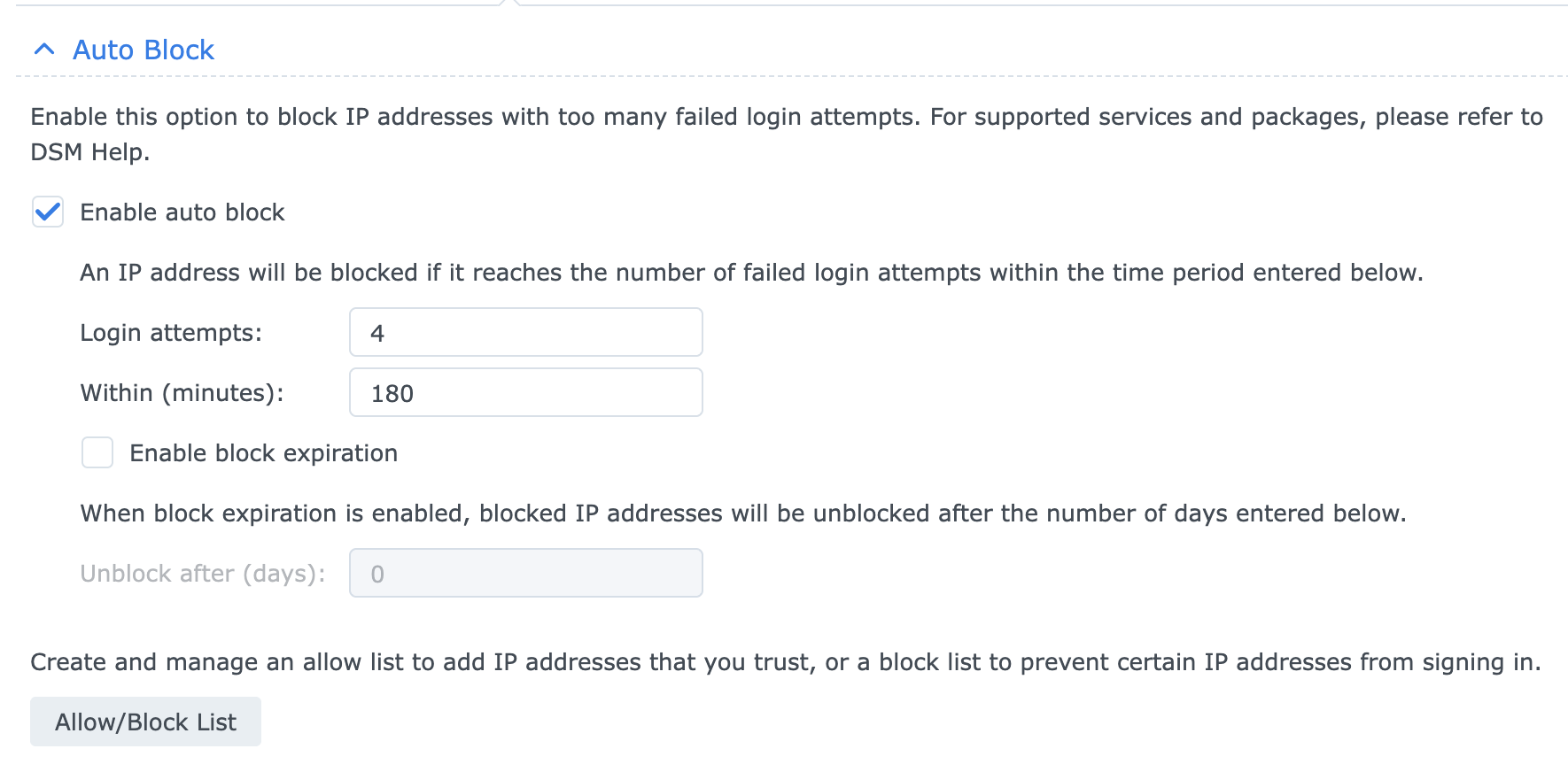

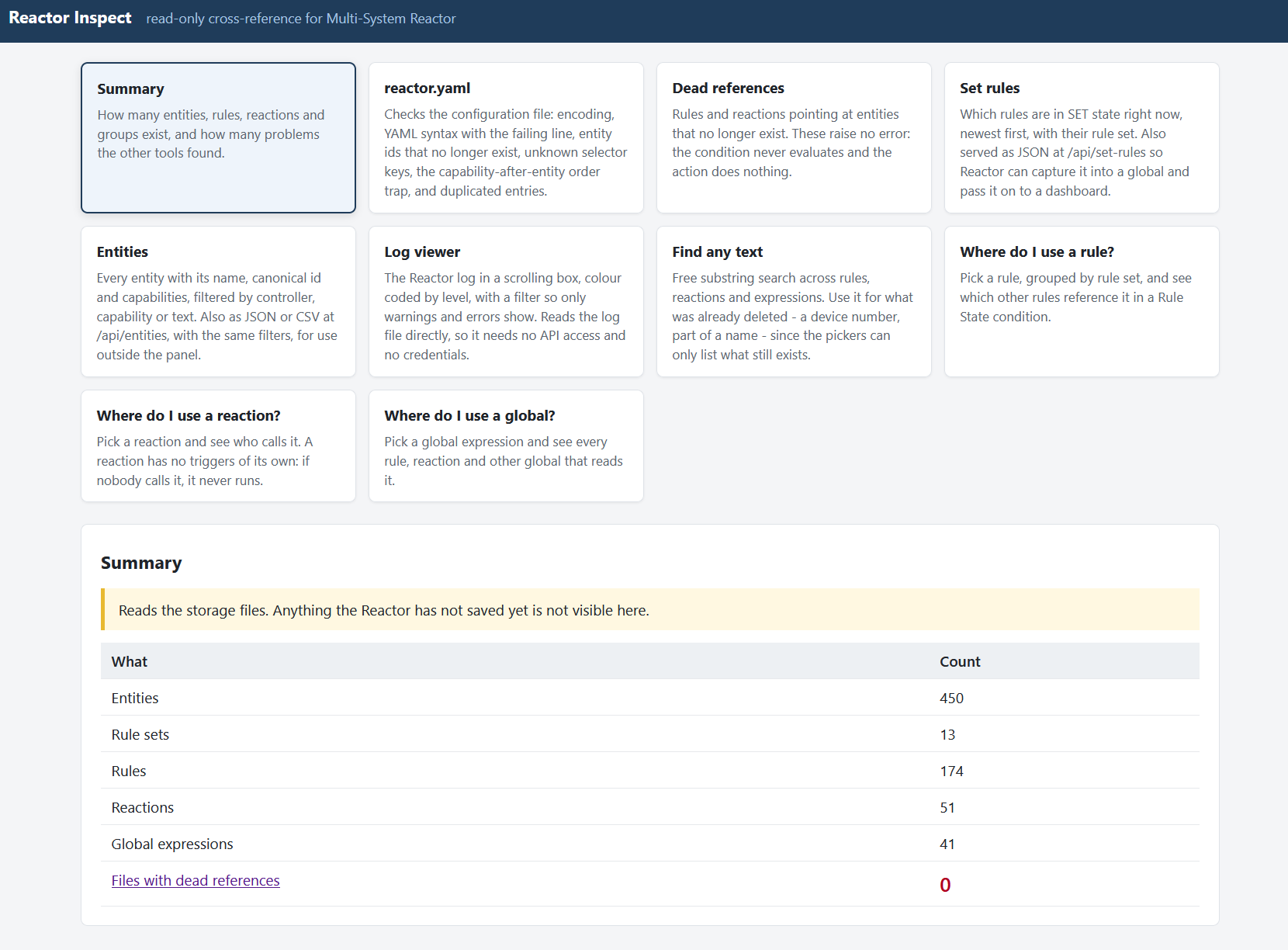

I'm trying to use MSR via reserve proxy in Synology DSM, but MSR page does not load
https://<public ip>:30000/reactor/en-US/
At the same time logging page loads normally
https://<public ip>:30000/api/v1/log
I thought maybe authentication was messing it up, but there was no deny entries in the log, and also disabling authentication did not make any difference. For this use case VPN is not an option (that works, but as said not an option for this particular use case).
Any ideas what could cause this? MSR build latest-26242-28d69aa8, Chrome browser


Build 21228 has been released. Docker images available from DockerHub as usual, and bare-metal packages here.
Home Assistant up to version 2021.8.6 supported; the online version of the manual will now state the current supported versions;
Fix an error in OWMWeatherController that could cause it to stop updating;
Unify the approach to entity filtering on all hub interface classes (controllers); this works for device entities only; it may be extended to other entities later;
Improve error detail in messages for EzloController during auth phase;
Add isRuleSet() and isRuleEnabled() functions to expressions extensions;
Implement set action for lock and passage capabilities (makes them more easily scriptable in some cases);
Fix a place in the UI where 24-hour time was not being displayed.
I may be late to the AI party on this, but I recently ran into difficulty installing and configuring the Nexia Thermostat Manager on my Hubitat C8 Pro. Hoping for some immediate help I performed a Google search on my problem. I was a bit surprised to see Gemini jump into assist. Gemini walked me through the steps to clean up the failed install, followed by a script for successful installation and configuration. I would not have expected Gemini to "know" this much about Hubitat. Next I sought assistance MSR with the Entity Actions needed to set up the desired controls. I was unclear which of the attribute fields I should to set the cooling an heating temperatures. Once again, Gemini came back not with just a link to a possible explanation, but an easy to follow explanation instead. Once again, I did not expect Gemini to provide such detailed assistance with MSR. Gemini will be a key tool in my HA toolkit in the future.

Nothing more to add. I see we have hvac_blower, but, anyway, maybe a native fan on the same assumptions of the fan from HASS could be reasonable.
I have a couple of them. ie, this is from ESPHome via HASS.
x_hass.domain="fan"
x_hass.entity_id="fan.kitchen_seashell_hood_ventilation_fan"
x_hass.floor_id=null
x_hass.services=["fan","esphome"]
x_hass.source="esphome"
x_hass.state="off"
x_hass_attr.friendly_name="Seashell Hood Ventilation Fan"
x_hass_attr.percentage=50
x_hass_attr.percentage_step=25
x_hass_attr.preset_mode=""
x_hass_attr.preset_modes=[]
x_hass_attr.supported_features=49
Thanks.

Build: latest-26221-b25bb3e3, Docker on Synology.
Hi, I have a Rule whose Trigger/Constraints reference other Rules via Rule State ... is TRUE. At some point it stops firing.
Expanding the rule's condition tree in the UI shows every Trigger and Constraint condition green/TRUE — confirmed live by walking into the room and watching Motion go true in real time. Rule History shows no new SET, just old reset entries.
Tried, on the same rule, same evening: recreating the trigger conditions with fresh IDs, recreating the constraint conditions with fresh IDs (flat and wrapped in a new Group — wrapping in a Group produced one SET, but it didn't reproduce on repeat attempts with the same structure), and finally a full container restart with a verified-correct saved rule. Still no SET, even with a fresh live motion event right after the restart.
Separately, I found that this rule (and its 10 per-room clones) share identical internal condition/group IDs with each other — leftover from a batch clone done months ago, never regenerated. Not sure if that's related, since fixing the IDs didn't reliably fix the symptom either.
Has anyone seen a Rule State condition show TRUE in the UI without the Rule ever producing a SET, surviving a clean restart?
Thanks in advance
Hey @toggledbits I'm back to trying to optimize a couple of things based on dynamic group.
First of all, I think I found a typo in the doc:
primary_attribute: "binary_sensor.state"
primary_attribute_value: |
d = false;
each id in members: d = getEntity(id)?.attributes?.power_switch?.state or d,
d
I think the correct code snippet is d = false,
All that said, my use case for dynamic groups is to group 3 different climate devices, so I could easily command them at the same time. Commands are good, but sometimes I want to check if any of the devices are on, and that's easily done with a similar snippet as the one you have in the docs. But this is limited to the primary attribute, while I want to have any of the attributes in the group to be driven by a similar logic (while all are null in the group). ie, access hvac_control.mode and see if any of the unit is set to cool, or heat. Is that possible, without re-defining an expression in each of my rules? Thanks!
As there are statements about compatibility for home assistant versions in MSR new version announcements (e.g. "HassController: Bless Hass to 2025.7.3"), I thought it would be good idea to track other controllers as well.
As an example, I can confirm that build "latest-25208-c53e8513" works with Hubitat Elevation C-8 platform version 2.4.2.134 using Maker API.
Updates: (the latest versions first in the list)
OK: build "latest-25264-2fbe9217" with Hubitat C-8 platform v. 2.4.3.123



Edit: Solved in latest-26221.
Bare-metal latest-26193
I have this group:
"OKforLarm":
name: OK för Larm
select:
- include_controller: vera
- include_capability: door_sensor
filter_expression: entity.attributes.door_sensor.state
It contains the entities I expect but behaves a bit odd. When I open vera>device_10097 the entity attribute door_sensor.state changes to true but it won't show up as member in the group, when I also open vera>device_10095 they both shows as members and when I close vera>device_10095 it disappear from the group but when I close vera>device_10097 it lingers in the group until I restart Reactor.



Love openLuup - it just keeps working perfectly.
I started looking at trying to add a gen4 Shelly device to the Shelly plugin via L_ShellyBridge.lua. The plugin is a little uncooked (no rudeness intended), so a bit of a rabbit hole for me.
All of a sudden no console pages available in either Firefox or Chrome. AltUI works perfectly and all the log files indicate no errors. openLuup still running everything works as it should - just no console pages.
I possibly screwed something up but any recently changes files show no problems. The original/ backup of L_ShellyBridge.lua was reinstated but still no console.
Bit stumped on this one. Not sure how to debug. Any ideas?
I am the owner of home security talk an upcoming home security forum https://homesecuritytalk.com/