












Logic Assistance: Exterior Lights on when Illuminance Below Threshold
-
Hello all and happy holidays! I recently picked up a Zooz ZSE70, an outdoor multi sensor with an light sensor. The goal was to have my outdoor lights trigger once it got dark enough.
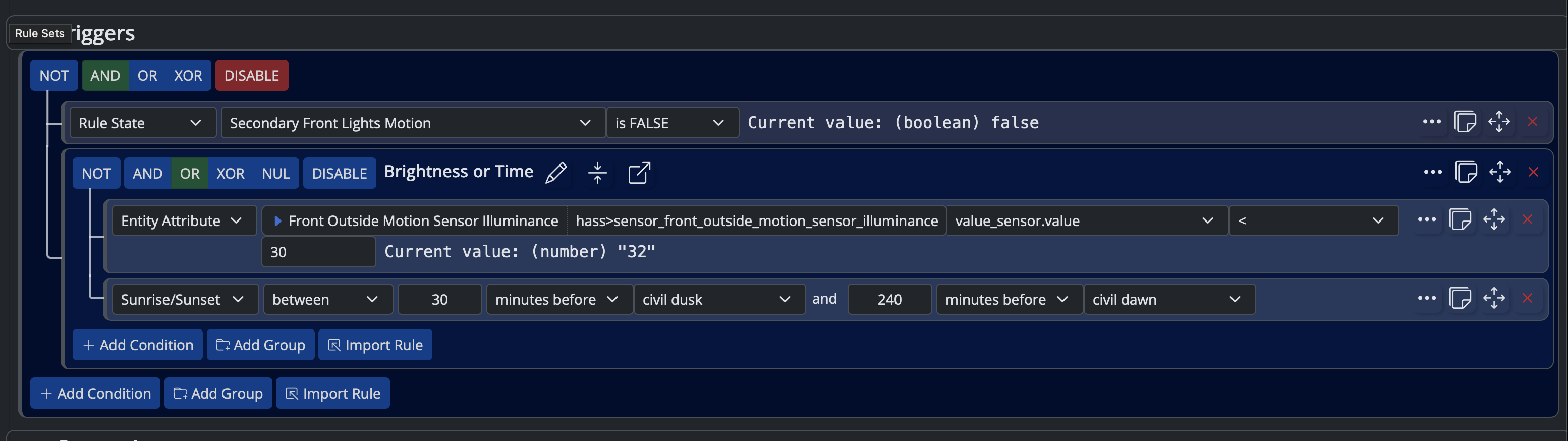
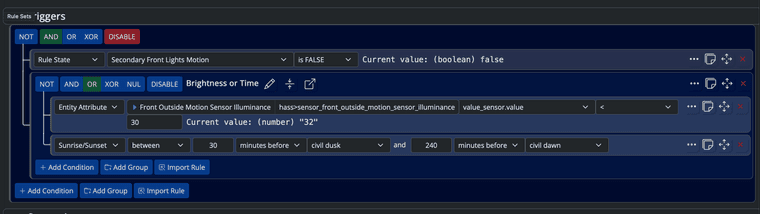
Today was the first day I was trialing my updated logic (screenshot below) soon after it got dark enough I observed the lights began to turn on and off every few seconds. Taking a look at the sensor history in HA it looks like once the light got below the threshold (35lx in my case) the lights would turn on great! However a few seconds later the sensor would update and the measured light would go above the threshold and the lights would turn off. After that the cycle would continually repeat every handful of seconds.
I need to think of a way to trigger the rule, but ignore the spike in the reading once the lights turn on. I could pulse the trigger to remain true for an hour ish so that as the light naturally fades in the evening it hopefully remains under the threshold. However that's a less than elegant solution in my case, so any tips would be appreciated!
One note: I cannot move the sensor so that the lights don't affect the readings.
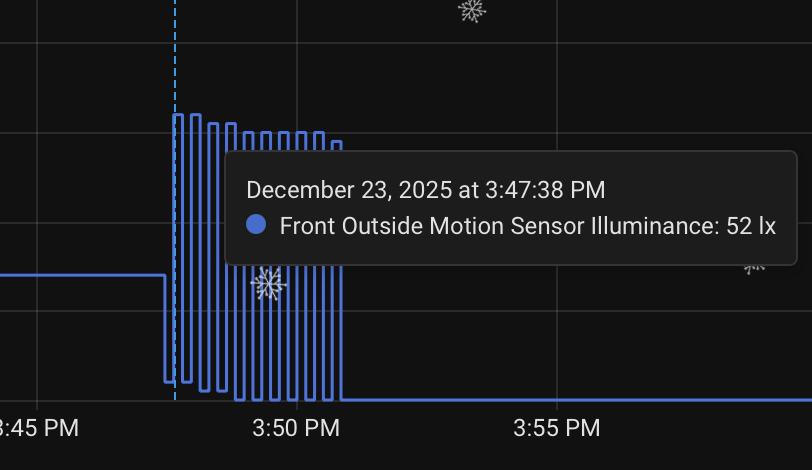
Note: in the screenshot above, at the ~3:53pm mark where the levels flatten out, it was because I disabled the rule.
-
Back in the days I used an illuminance binary sensor to do this (linked to a fibaro relay), but now I’m using civil dawn/dusk and called it a day.
All that said, I’m still using an illuminance sensor indoor in my office to drive my blinds.
My logic is like the one you mentioned: once triggered, the low light state stays true for at least two hours. When driving lights/blinds, hysteresis is fundamental.
I was toying with the idea of using a time series, so I could get let’s say a trend and/or the avg in the latest 15 minutes or so, but it seemed overkill for this simple situation.
-
I have a local variable as trigger for cases like this. When
lightsOnistruethe rule sets.
lightsOn =do lux = getEntity( "mosquitto-mqtt>rorelse_hallen" ).attributes.light_sensor.value, lights = getEntity( "mosquitto-mqtt>hallen1" ).attributes.power_switch.state, case when lux <= 17 : bool(true) when lights and lux >= 18 and lux <= 25 : bool(true) else bool(false) end done -
That sounds very clever @Crille !. Does the light level actually increase in your case? I'd have more expected it to be constant once the lights are on? @Pabla is there actually a spike, or is the sensor reading the (one would expect) increased light level? This is assuming the sensor is within the zone of the lights....
C
The Ex-Vera abuser know as CatmanV2.....
-
That sounds very clever @Crille !. Does the light level actually increase in your case? I'd have more expected it to be constant once the lights are on? @Pabla is there actually a spike, or is the sensor reading the (one would expect) increased light level? This is assuming the sensor is within the zone of the lights....
C
@CatmanV2 This is from my hallway and the sensor is placed near a light source so the level goes up when lights are on. This is to handle cloudy days and the hallway is a bit dark and needs artificial light but when the sun finds its way in, the lights turn off.
-
Hello all and happy holidays! I recently picked up a Zooz ZSE70, an outdoor multi sensor with an light sensor. The goal was to have my outdoor lights trigger once it got dark enough.
Today was the first day I was trialing my updated logic (screenshot below) soon after it got dark enough I observed the lights began to turn on and off every few seconds. Taking a look at the sensor history in HA it looks like once the light got below the threshold (35lx in my case) the lights would turn on great! However a few seconds later the sensor would update and the measured light would go above the threshold and the lights would turn off. After that the cycle would continually repeat every handful of seconds.
I need to think of a way to trigger the rule, but ignore the spike in the reading once the lights turn on. I could pulse the trigger to remain true for an hour ish so that as the light naturally fades in the evening it hopefully remains under the threshold. However that's a less than elegant solution in my case, so any tips would be appreciated!
One note: I cannot move the sensor so that the lights don't affect the readings.
Note: in the screenshot above, at the ~3:53pm mark where the levels flatten out, it was because I disabled the rule.
@Pabla I put a
Conditionon my rule:
This prevents the flapping you're seeing. Essentially this says "ok, it's
<=35lx- please wait :90 to ensure it persists."I use it for my temperatures and light levels in my Shared Rules ("It's too dark", It's too cold", etc.) In some cases the hold time is 300 seconds.
-
@CatmanV2 This is from my hallway and the sensor is placed near a light source so the level goes up when lights are on. This is to handle cloudy days and the hallway is a bit dark and needs artificial light but when the sun finds its way in, the lights turn off.
-
-
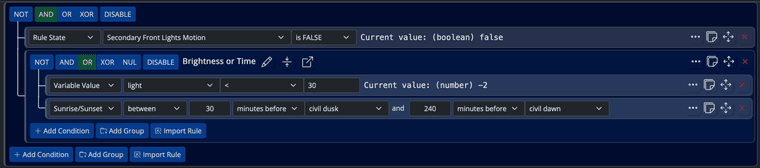
After spending some time I think I got it figured out. Thanks to @Crille for the Inspo expression. I created a similar one that would basically deduct the extra light that is added when the lights are on. Basically when the lights are off, the expression gives the true value of the light sensor, and when they're on it deducts the 30lx from the true value. 30lx is probably too much but It seems to work now. The sunrise/sunset trigger is just temporarily there to ensure the lights still turn on and off as back up.

-
After spending some time I think I got it figured out. Thanks to @Crille for the Inspo expression. I created a similar one that would basically deduct the extra light that is added when the lights are on. Basically when the lights are off, the expression gives the true value of the light sensor, and when they're on it deducts the 30lx from the true value. 30lx is probably too much but It seems to work now. The sunrise/sunset trigger is just temporarily there to ensure the lights still turn on and off as back up.
-
After spending some time I think I got it figured out. Thanks to @Crille for the Inspo expression. I created a similar one that would basically deduct the extra light that is added when the lights are on. Basically when the lights are off, the expression gives the true value of the light sensor, and when they're on it deducts the 30lx from the true value. 30lx is probably too much but It seems to work now. The sunrise/sunset trigger is just temporarily there to ensure the lights still turn on and off as back up.