






Skip to content
  • Categories
  • Recent
  • Tags
  • Popular
  • Unsolved
Collapse
Discussion Forum to share and further the development of home control and automation, independent of platforms.
  1. Home
  2. Software
  3. Multi-System Reactor
  4. Updated to latest MSR 21243 and no entities are being executed I Hubitat
EzloController throws error in latest-26328
CrilleC
(I just gave my old Ezlo Plus a new chance so it's running my z-wave devices in my garage, for evaluation, as my even older Vera Secure had issues reaching that far when some router nodes gave up). Bare metal latest-26328 Issue 1: Nodes don't update in Reactor after update from 26318. Issue 2: Also present in earlier builds, rooms don't add to DGC and throws error at start. Notice: No device mapping matches Intrusion Sensor. I don't know if you still support EzloController but seems like an easy fix? Let me know if you need more info! [latest-26328]2026-11-25T11:18:31.310Z <Controller:NOTICE> Controller HassController#hass is now online. [latest-26328]2026-11-25T11:18:31.313Z <EzloController:ERR> [TypeError] Cannot read properties of undefined (reading 'clear') [-] failed to process rooms: [undefined2] [latest-26328]2026-11-25T11:18:31.313Z <EzloController:CRIT> TypeError: Cannot read properties of undefined (reading 'clear') [-] TypeError: Cannot read properties of undefined (reading 'clear') at EzloController._process_hub_rooms (/home/homebridge/reactor/server/lib/EzloController.js:1558:153) at /home/homebridge/reactor/server/lib/EzloController.js:1388:48 at process.processTicksAndRejections (node:internal/process/task_queues:104:5) [latest-26328]2026-11-25T11:18:31.314Z <wsapi:INFO> wsapi: connection from "192.168.1.2" [latest-26328]2026-11-25T11:18:31.452Z <wsapi:INFO> wsapi: connection from "192.168.1.2" [latest-26328]2026-11-25T11:18:31.585Z <EzloController:ERR> EzloController#ezlo error creating entity Switch#ezlo>device_6b02d1d9129e0715b720f005: [TypeError] _0xf38820[_0x376e98(...)].update is not a function [-] [latest-26328]2026-11-25T11:18:31.585Z <EzloController:CRIT> TypeError: _0xf38820[_0x376e98(...)].update is not a function [-] TypeError: _0xf38820[_0x376e98(...)].update is not a function at /home/homebridge/reactor/server/lib/EzloController.js:1649:58 at Array.forEach (<anonymous>) at EzloController._process_hub_devices (/home/homebridge/reactor/server/lib/EzloController.js:1597:226) at /home/homebridge/reactor/server/lib/EzloController.js:1418:54 at process.processTicksAndRejections (node:internal/process/task_queues:104:5) [latest-26328]2026-11-25T11:18:31.588Z <EzloController:ERR> EzloController#ezlo error creating entity SecuritySensor#ezlo>device_6b02d41d129e0715b720f012: [TypeError] _0xf38820[_0x376e98(...)].update is not a function [-] [latest-26328]2026-11-25T11:18:31.588Z <EzloController:CRIT> TypeError: _0xf38820[_0x376e98(...)].update is not a function [-] TypeError: _0xf38820[_0x376e98(...)].update is not a function at /home/homebridge/reactor/server/lib/EzloController.js:1649:58 at Array.forEach (<anonymous>) at EzloController._process_hub_devices (/home/homebridge/reactor/server/lib/EzloController.js:1597:226) at /home/homebridge/reactor/server/lib/EzloController.js:1418:54 at process.processTicksAndRejections (node:internal/process/task_queues:104:5) [latest-26328]2026-11-25T11:18:31.590Z <EzloController:ERR> EzloController#ezlo no device mapping matches Intrusion Sensor ("6b02d41e129e0715b720f01c") -- skipped [latest-26328]2026-11-25T11:18:31.591Z <EzloController:ERR> EzloController#ezlo error creating entity SecuritySensor#ezlo>device_6b02d9d9129e0715b720f01f: [TypeError] _0xf38820[_0x376e98(...)].update is not a function [-] [latest-26328]2026-11-25T11:18:31.591Z <EzloController:CRIT> TypeError: _0xf38820[_0x376e98(...)].update is not a function [-] TypeError: _0xf38820[_0x376e98(...)].update is not a function at /home/homebridge/reactor/server/lib/EzloController.js:1649:58 at Array.forEach (<anonymous>) at EzloController._process_hub_devices (/home/homebridge/reactor/server/lib/EzloController.js:1597:226) at /home/homebridge/reactor/server/lib/EzloController.js:1418:54 at process.processTicksAndRejections (node:internal/process/task_queues:104:5) [latest-26328]2026-11-25T11:18:31.591Z <EzloController:ERR> EzloController#ezlo no device mapping matches Intrusion Sensor ("6b02d9da129e0715b720f029") -- skipped [latest-26328]2026-11-25T11:18:31.682Z <EzloController:INFO> EzloController#ezlo hub inventory complete/successful; 2159ms [latest-26328]2026-11-25T11:18:31.684Z <Controller:NOTICE> Controller EzloController#ezlo is now online.
Multi-System Reactor
[Solved] Unable to add new groups in DGC, Reactor latest-26318
CrilleC
Edit: Fixed in 26328. Bare metal latest-26318. I tried to add the group "ArmedSensors" but it would not show in UI. "ArmedSensors": name: Armed Sensors select: - include_capability: arming filter_expression: entity.attributes.arming.state The log: [latest-26318]2026-11-24T14:15:20.412Z <DynamicGroupController:ERR> DynamicGroupController#groups error updating dynamic group ArmedSensors: [TypeError] Cannot read properties of undefined (reading 'extendCapability') [-] [latest-26318]2026-11-24T14:15:20.412Z <DynamicGroupController:CRIT> TypeError: Cannot read properties of undefined (reading 'extendCapability') [-] TypeError: Cannot read properties of undefined (reading 'extendCapability') at DynamicGroupController._update_group (/home/homebridge/reactor/server/lib/DynamicGroupController.js:128:18) at DynamicGroupController._update (/home/homebridge/reactor/server/lib/DynamicGroupController.js:483:43) at process.processTicksAndRejections (node:internal/process/task_queues:104:5) at async DynamicGroupController.start (/home/homebridge/reactor/server/lib/DynamicGroupController.js:60:13) at async Promise.allSettled (index 3) Nothing related before or after that I could find. I then copied an existing group to exclude type errors in the new group. "OKforLarm": name: OK för Larm select: - include_capability: door_sensor filter_expression: entity.attributes.door_sensor.state "OKforLarm2": name: "OK för Larm 2" select: - include_capability: door_sensor filter_expression: entity.attributes.door_sensor.state Same error in log. [latest-26318]2026-11-24T14:18:29.793Z <DynamicGroupController:ERR> DynamicGroupController#groups error updating dynamic group OKforLarm2: [TypeError] Cannot read properties of undefined (reading 'extendCapability') [-] [latest-26318]2026-11-24T14:18:29.793Z <DynamicGroupController:CRIT> TypeError: Cannot read properties of undefined (reading 'extendCapability') [-] TypeError: Cannot read properties of undefined (reading 'extendCapability') at DynamicGroupController._update_group (/home/homebridge/reactor/server/lib/DynamicGroupController.js:128:18) at DynamicGroupController._update (/home/homebridge/reactor/server/lib/DynamicGroupController.js:483:43) at process.processTicksAndRejections (node:internal/process/task_queues:104:5) at async DynamicGroupController.start (/home/homebridge/reactor/server/lib/DynamicGroupController.js:60:13) at async Promise.allSettled (index 3) [latest-26318]2026-11-24T14:18:29.806Z <DynamicGroupController:ERR> DynamicGroupController#groups error updating dynamic group ArmedSensors: [TypeError] Cannot read properties of undefined (reading 'extendCapability') [-] [latest-26318]2026-11-24T14:18:29.806Z <DynamicGroupController:CRIT> TypeError: Cannot read properties of undefined (reading 'extendCapability') [-] TypeError: Cannot read properties of undefined (reading 'extendCapability') at DynamicGroupController._update_group (/home/homebridge/reactor/server/lib/DynamicGroupController.js:128:18) at DynamicGroupController._update (/home/homebridge/reactor/server/lib/DynamicGroupController.js:483:43) at process.processTicksAndRejections (node:internal/process/task_queues:104:5) at async DynamicGroupController.start (/home/homebridge/reactor/server/lib/DynamicGroupController.js:60:13) at async Promise.allSettled (index 3) Let me know if I missed something or you need more info.
Multi-System Reactor
Reactor (Multi-System/Multi-Hub) Announcements
toggledbitsT
Build 21228 has been released. Docker images available from DockerHub as usual, and bare-metal packages here. Home Assistant up to version 2021.8.6 supported; the online version of the manual will now state the current supported versions; Fix an error in OWMWeatherController that could cause it to stop updating; Unify the approach to entity filtering on all hub interface classes (controllers); this works for device entities only; it may be extended to other entities later; Improve error detail in messages for EzloController during auth phase; Add isRuleSet() and isRuleEnabled() functions to expressions extensions; Implement set action for lock and passage capabilities (makes them more easily scriptable in some cases); Fix a place in the UI where 24-hour time was not being displayed.
Multi-System Reactor
UI not loading after upgrading to 26318
tunnusT
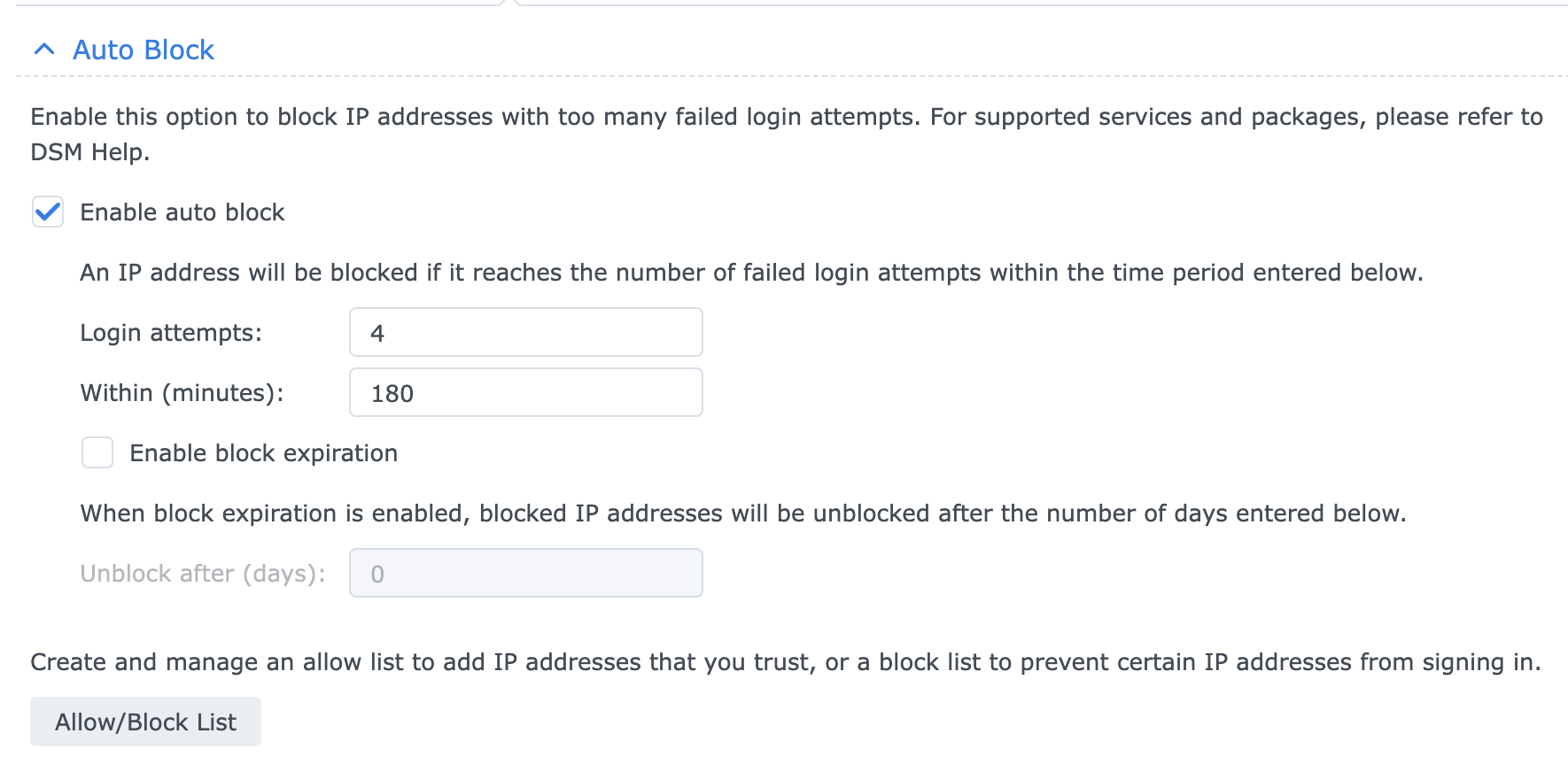
Sorry for a hasty post, will update some details later, but the scenario is that I managed to type a wrong password for too many times and had the following users.yaml section: authtrack: max_attempts: 4 within_minutes: 180 # 180 minutes = 3 hrs block_expiration_minutes: 10080 # 7 days At this time I used build 26298. Then noticed there's a new build with a bypass blocking feature (and yes, it said it won't remove existing block). Anyway, went ahead and upgraded to 26318, but the problem now is that UI is not loading at all (page does not answer). This also means that I cannot use "http://reactor_host:port/diag/clear_authtrack?askauth" command to clear the block (or use any other source IP for login). Docker container stays up & running and does not exit. I'll try to dig up some logs, but anything that I could immediately try out (could I delete a particular file for example)? EDIT: some logs [latest-26318]2026-11-17T20:42:32.337Z <Rule:INFO> MSR startup (rule-lculfnhm in Miscellaneous) started [latest-26318]2026-11-17T20:42:32.343Z <httpapi:NOTICE> httpapi#1 HTTP server listening on :::8111 [latest-26318]2026-11-17T20:42:32.347Z <httpapi:INFO> httpapi#1 local docs found in /opt/reactor/docs/html; setting up static service [latest-26318]2026-11-17T20:42:32.354Z <app:NOTICE> Starting WSAPI... [latest-26318]2026-11-17T20:42:32.355Z <wsapi:NOTICE> wsapi: starting version 26298 protocol [latest-26318]2026-11-17T20:42:32.523Z <Engine:INFO> Engine#1 master timer tick, local time "17/11/2026 22:42:32" (TZ offset 120 mins from UTC) [latest-26318]2026-11-17T20:42:32.542Z <Engine:NOTICE> Starting reaction MSR startup<SET> (rule-lculfnhm:S) [latest-26318]2026-11-17T20:42:32.545Z <Notifier:null> Module Notifier v26186 [latest-26318]2026-11-17T20:42:32.545Z <Engine:INFO> MSR startup<SET> all actions completed. [latest-26318]2026-11-17T20:42:32.557Z <Rule:INFO> Rule#rule-lculfnhm reaction rule-lculfnhm:S completed [latest-26318]2026-11-17T20:42:32.558Z <default:null> Module NotifyTelegram v26177
Multi-System Reactor
[Resolved] Hubitat upgrade 2.5.3.123 may have broken login
3
Topic thumbnail image
Multi-System Reactor
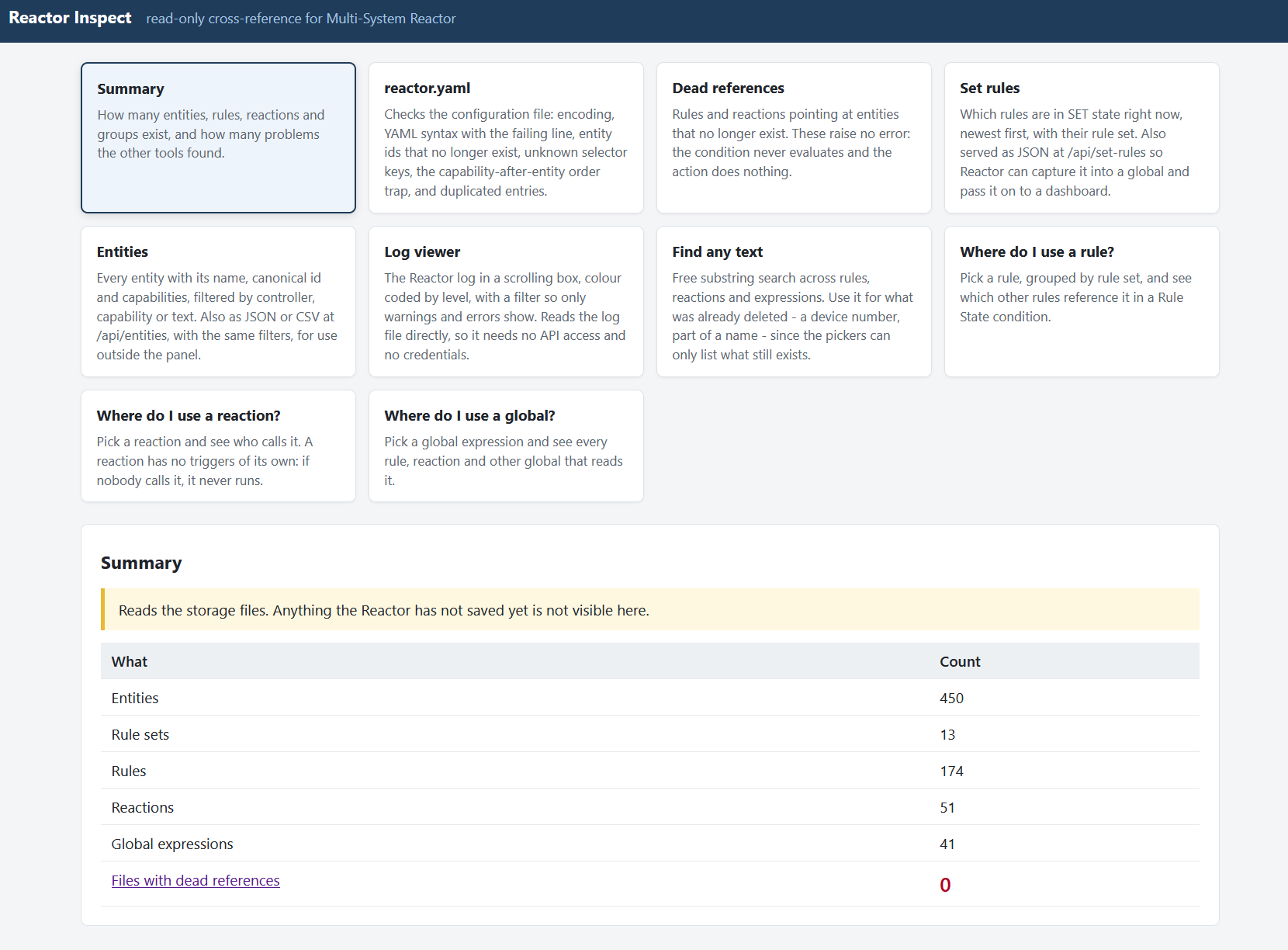
Reactor Inspect - a small read-only helper panel for MSR
wmarcolinW
Topic thumbnail image
Multi-System Reactor
Reverse proxy & API ACL
tunnusT
I'm trying to allow anonymous access from a local network to /api/v1/log, but the problem now with the reverse proxy configuration is that this access is open via proxy to the internet. At least I wasn't able to configure ACL so that only an access from a local network would be permitted. reactor.yaml: baseurl: "http://192.168.1.12:8111" proxy_baseurl: "https://external.com:30000" trusted_proxy: "192.168.1.12" Local traffic would originate from 192.168.1.0/24 network. Synology is acting as a reverse proxy and hosting MSR as a docker container (which has its own network and IP 172.18.0.5). MSR build is latest-26298-fbb75fb8 users.yaml: - url: "/api/v1/log" method: "GET" source_ip: 172.18.0.0/24 allow: true Using the above ACL works, but it enables access via proxy also. If I use source_ip: 192.168.1.0/24, then it doesn't work either locally or remotely. So I'm kinda lost what should I use as source_ip in this case?
Multi-System Reactor
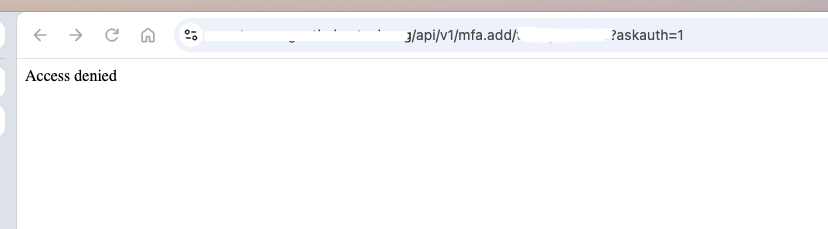
MFA
T
Topic thumbnail image
Multi-System Reactor
Grouped devices
G
I've seen many of you using Dynamic Group Controller. I'm using it myself for monitoring device battery levels. I've read and re-read the Dynamic Group Controller docs and still cannot come to an answer for my question so let me paint my scenario: I've migrated from EchoSpeaks in Hubitat ('cause borked and seemingly unmaintained) to Alexa Devices in Home Assistant ('cause not borked in 2026.11.0) to be able to send TTS to my Echo devices. In EchoSpeaks I could create groups. Sweet. In Alexa Devices I don't seem to be able to do so. As such, my thought was "wait - isn't there a way in MSR?" Is this an effective scenario that Dynamic Group Controller can be used for?
Multi-System Reactor
Login protections
tunnusT
Topic thumbnail image
Multi-System Reactor
Reactor Build 26284 stuck at Loading Reactor UI
T
Topic thumbnail image
Multi-System Reactor
MSR with reverse proxy
tunnusT
I'm trying to use MSR via reserve proxy in Synology DSM, but MSR page does not load https://<public ip>:30000/reactor/en-US/ At the same time logging page loads normally https://<public ip>:30000/api/v1/log I thought maybe authentication was messing it up, but there was no deny entries in the log, and also disabling authentication did not make any difference. For this use case VPN is not an option (that works, but as said not an option for this particular use case). Any ideas what could cause this? MSR build latest-26242-28d69aa8, Chrome browser
Multi-System Reactor
Missing attribute after upgrade
3
Topic thumbnail image
Multi-System Reactor
[MSR] Native fan capabilty
therealdbT
Nothing more to add. I see we have hvac_blower, but, anyway, maybe a native fan on the same assumptions of the fan from HASS could be reasonable. I have a couple of them. ie, this is from ESPHome via HASS. x_hass.domain="fan" x_hass.entity_id="fan.kitchen_seashell_hood_ventilation_fan" x_hass.floor_id=null x_hass.services=["fan","esphome"] x_hass.source="esphome" x_hass.state="off" x_hass_attr.friendly_name="Seashell Hood Ventilation Fan" x_hass_attr.percentage=50 x_hass_attr.percentage_step=25 x_hass_attr.preset_mode="" x_hass_attr.preset_modes=[] x_hass_attr.supported_features=49 Thanks.
Multi-System Reactor
[MSR] Rule do not fire
therealdbT
Topic thumbnail image
Multi-System Reactor
Rule condition shows TRUE in UI but Rule never transitions to SET — survives full restart
N
Build: latest-26221-b25bb3e3, Docker on Synology. Hi, I have a Rule whose Trigger/Constraints reference other Rules via Rule State ... is TRUE. At some point it stops firing. Expanding the rule's condition tree in the UI shows every Trigger and Constraint condition green/TRUE — confirmed live by walking into the room and watching Motion go true in real time. Rule History shows no new SET, just old reset entries. Tried, on the same rule, same evening: recreating the trigger conditions with fresh IDs, recreating the constraint conditions with fresh IDs (flat and wrapped in a new Group — wrapping in a Group produced one SET, but it didn't reproduce on repeat attempts with the same structure), and finally a full container restart with a verified-correct saved rule. Still no SET, even with a fresh live motion event right after the restart. Separately, I found that this rule (and its 10 per-room clones) share identical internal condition/group IDs with each other — leftover from a batch clone done months ago, never regenerated. Not sure if that's related, since fixing the IDs didn't reliably fix the symptom either. Has anyone seen a Rule State condition show TRUE in the UI without the Rule ever producing a SET, surviving a clean restart? Thanks in advance
Multi-System Reactor
DynamicGroupController and attributes
therealdbT
Hey @toggledbits I'm back to trying to optimize a couple of things based on dynamic group. First of all, I think I found a typo in the doc: primary_attribute: "binary_sensor.state" primary_attribute_value: | d = false; each id in members: d = getEntity(id)?.attributes?.power_switch?.state or d, d I think the correct code snippet is d = false, All that said, my use case for dynamic groups is to group 3 different climate devices, so I could easily command them at the same time. Commands are good, but sometimes I want to check if any of the devices are on, and that's easily done with a similar snippet as the one you have in the docs. But this is limited to the primary attribute, while I want to have any of the attributes in the group to be driven by a similar logic (while all are null in the group). ie, access hvac_control.mode and see if any of the unit is set to cool, or heat. Is that possible, without re-defining an expression in each of my rules? Thanks!
Multi-System Reactor
Unofficial thread for compatibility
tunnusT
As there are statements about compatibility for home assistant versions in MSR new version announcements (e.g. "HassController: Bless Hass to 2025.7.3"), I thought it would be good idea to track other controllers as well. As an example, I can confirm that build "latest-25208-c53e8513" works with Hubitat Elevation C-8 platform version 2.4.2.134 using Maker API. Updates: (the latest versions first in the list) OK: build "latest-25264-2fbe9217" with Hubitat C-8 platform v. 2.4.3.123
Multi-System Reactor
Ooops - Deleted Reactor Ex Machina II
R
I accidentally deleted Reactor Ex Machina II (REM II) from my Reactor rules. I tried to recover it by deleting the .json and .dval in the Rules subdirectory and then recreating it from Togglebits original posting, but that did not work. Does anyone know how to recover REM ll ?
Multi-System Reactor
Bail out of failed reaction?
T
Topic thumbnail image
Multi-System Reactor

Updated to latest MSR 21243 and no entities are being executed I Hubitat

Scheduled Pinned Locked Moved Multi-System Reactor
47 Posts 6 Posters 18.8k Views 6 Watching
  • Oldest to Newest
  • Newest to Oldest
  • Most Votes
Reply
  • Reply as topic
Log in to reply
This topic has been deleted. Only users with topic management privileges can see it.
  • M Matteburk

    Hi Sorry.. my bad....

    Im on RPi4 with ssd

    2021-09-02T04:01:04.708Z Rule:5:980:Rule.js Rule#rule-koqsgr9w._evaluate() mutex acquired, evaluating
    2021-09-02T04:01:04.709Z Rule:5:984:Rule.js Rule#rule-koqsgr9w update rate is 1/min limit 60/min
    2021-09-02T04:01:04.710Z Rule:5:904:Rule.js Rule#rule-koqsgr9w evaluateExpressions() with 0 expressions
    2021-09-02T04:01:04.712Z Rule:CRIT Error: Cannot find module 'common/util'
    Require stack:

    • /home/pi/reactor/server/lib/Engine.js
    • /home/pi/reactor/server/lib/httpapi.js
    • /home/pi/reactor/app.js
      Error: Cannot find module 'common/util'
      Require stack:
    • /home/pi/reactor/server/lib/Engine.js
    • /home/pi/reactor/server/lib/httpapi.js
    • /home/pi/reactor/app.js
      at Function.Module._resolveFilename (internal/modules/cjs/loader.js:880:15)
      at Function.Module._load (internal/modules/cjs/loader.js:725:27)
      at Module.require (internal/modules/cjs/loader.js:952:19)
      at require (internal/modules/cjs/helpers.js:88:18)
      at Engine._get_lexp_extensions (/home/pi/reactor/server/lib/Engine.js:862:25)
      at Rule.evaluateExpressions (/home/pi/reactor/server/lib/Rule.js:904:330)
      at Rule._evaluate (/home/pi/reactor/server/lib/Rule.js:994:344)
      at runMicrotasks (<anonymous>)
      at processTicksAndRejections (internal/process/task_queues.js:93:5)
      at async /home/pi/reactor/server/lib/Rule.js:963:17
      Error: Cannot find module 'common/util'
      Require stack:
    • /home/pi/reactor/server/lib/Engine.js
    • /home/pi/reactor/server/lib/httpapi.js
    • /home/pi/reactor/app.js
      at Function.Module._resolveFilename (internal/modules/cjs/loader.js:880:15)
      at Function.Module._load (internal/modules/cjs/loader.js:725:27)
      at Module.require (internal/modules/cjs/loader.js:952:19)
      at require (internal/modules/cjs/helpers.js:88:18)
      at Engine._get_lexp_extensions (/home/pi/reactor/server/lib/Engine.js:862:25)
      at Rule.evaluateExpressions (/home/pi/reactor/server/lib/Rule.js:904:330)
      at Rule._evaluate (/home/pi/reactor/server/lib/Rule.js:994:344)
      at runMicrotasks (<anonymous>)
      at processTicksAndRejections (internal/process/task_queues.js:93:5)
      at async /home/pi/reactor/server/lib/Rule.js:963:17 {
      code: 'MODULE_NOT_FOUND',
      requireStack: [
      '/home/pi/reactor/server/lib/Engine.js',
      '/home/pi/reactor/server/lib/httpapi.js',
      '/home/pi/reactor/app.js'
      ]
      }
      2021-09-02T04:01:04.715Z Rule:5:980:Rule.js Rule#rule-knhvm6nr._evaluate() mutex acquired, evaluating
      2021-09-02T04:01:04.716Z Rule:5:984:Rule.js Rule#rule-knhvm6nr update rate is 1/min limit 60/min
      2021-09-02T04:01:04.717Z Rule:5:904:Rule.js Rule#rule-knhvm6nr evaluateExpressions() with 0 expressions
      2021-09-02T04:01:04.719Z Rule:CRIT Error: Cannot find module 'common/util'
      Require stack:
    • /home/pi/reactor/server/lib/Engine.js
    • /home/pi/reactor/server/lib/httpapi.js
    • /home/pi/reactor/app.js
      Error: Cannot find module 'common/util'
      Require stack:
    • /home/pi/reactor/server/lib/Engine.js
    • /home/pi/reactor/server/lib/httpapi.js
    • /home/pi/reactor/app.js
      at Function.Module._resolveFilename (internal/modules/cjs/loader.js:880:15)
      at Function.Module._load (internal/modules/cjs/loader.js:725:27)
      at Module.require (internal/modules/cjs/loader.js:952:19)
      at require (internal/modules/cjs/helpers.js:88:18)
      at Engine._get_lexp_extensions (/home/pi/reactor/server/lib/Engine.js:862:25)
      at Rule.evaluateExpressions (/home/pi/reactor/server/lib/Rule.js:904:330)
      at Rule._evaluate (/home/pi/reactor/server/lib/Rule.js:994:344)
      at runMicrotasks (<anonymous>)
      at processTicksAndRejections (internal/process/task_queues.js:93:5)
      at async /home/pi/reactor/server/lib/Rule.js:963:17
      Error: Cannot find module 'common/util'
      Require stack:
    • /home/pi/reactor/server/lib/Engine.js
    • /home/pi/reactor/server/lib/httpapi.js
    • /home/pi/reactor/app.js
      at Function.Module._resolveFilename (internal/modules/cjs/loader.js:880:15)
      at Function.Module._load (internal/modules/cjs/loader.js:725:27)
      at Module.require (internal/modules/cjs/loader.js:952:19)
      at require (internal/modules/cjs/helpers.js:88:18)
      at Engine._get_lexp_extensions (/home/pi/reactor/server/lib/Engine.js:862:25)
      at Rule.evaluateExpressions (/home/pi/reactor/server/lib/Rule.js:904:330)
      at Rule._evaluate (/home/pi/reactor/server/lib/Rule.js:994:344)
      at runMicrotasks (<anonymous>)
      at processTicksAndRejections (internal/process/task_queues.js:93:5)
      at async /home/pi/reactor/server/lib/Rule.js:963:17 {
      code: 'MODULE_NOT_FOUND',
      requireStack: [
      '/home/pi/reactor/server/lib/Engine.js',
      '/home/pi/reactor/server/lib/httpapi.js',
      '/home/pi/reactor/app.js'
      ]
      }
    tunnusT Offline
    tunnusT Offline
    tunnus
    wrote on last edited by
    #4

    @matteburk could check this post, although you probably have some other issue

    Using MSR on Docker (Synology NAS), having InfluxDB, Grafana & Home Assistant, Zigbee2MQTT & ZWA-2

    tunnusT 1 Reply Last reply
    0
    • toggledbitsT toggledbits

      When posting error messages, please don't (a) edit the error message down to what you think is relevant, and (b) not post context for the error -- several lines, ideally a dozen or two at least, before the error occurred.

      Also I need to know what platform you are on (e.g. are you bare metal, docker, etc. -- don't assume I remember from the last discussion we had, whenever that was).

      CrilleC Online
      CrilleC Online
      Crille
      wrote on last edited by
      #5

      Looks like the same issue I'm having in this post which I haven't been able to solve yet.

      1 Reply Last reply
      0
      • J Offline
        J Offline
        Jaggz
        wrote on last edited by
        #6

        Had the same issue. Reaction as a group would not fire but entities within the Reaction would when manually selecting them (hit the little play button next to them). Everything else looked normal from a Status perspective (i.e. motion detected sending the rule into green status, etc). I fixed the problem by installing a fresh copy (leaving the reactor-data folder untouched).

        1 Reply Last reply
        0
        • toggledbitsT Offline
          toggledbitsT Offline
          toggledbits
          wrote on last edited by
          #7

          Make sure you are on the latest version, and NODE_PATH (environment variable) is defined correctly (how that is done depends on how you run Reactor).

          Author of Multi-system Reactor and Reactor, DelayLight, Switchboard, and about a dozen other plugins that run on Vera and openLuup.

          M 1 Reply Last reply
          0
          • toggledbitsT toggledbits

            Make sure you are on the latest version, and NODE_PATH (environment variable) is defined correctly (how that is done depends on how you run Reactor).

            M Offline
            M Offline
            Matteburk
            wrote on last edited by
            #8

            @toggledbits I run it with Node app.js

            toggledbitsT 1 Reply Last reply
            0
            • M Matteburk

              @toggledbits I run it with Node app.js

              toggledbitsT Offline
              toggledbitsT Offline
              toggledbits
              wrote on last edited by
              #9

              @matteburk OK. So the direct solution to your problem is to run it this way: NODE_PATH=$(pwd) node app.js

              You really should be running it from systemd on the RPi, though. The command line startup is only for initial validation and setup, it's not meant to be the way to run MSR long term.

              In the tools subdirectory, you'll find a file called reactor.service-example. To install MSR under systemd, do the following:

              1. Copy the above-named file into your /etc/systemd/system directory and rename it to drop the -example part. For example:

                 sudo cp tools/reactor.service-example /etc/systemd/system/reactor.service
                
              2. Edit the new file and change the pathnames to match your install directory. Remember that the file is installed in a restricted directory, so you need to use sudo with your editor:

                 sudo nano /etc/systemd/system/reactor.service
                
              3. Once you have the file edited with correct names/parameters, stop your existing Reactor process.

              4. Make systemd aware of the changed configuration file:

                 sudo systemctl daemon-reload
                
              5. Start Reactor under systemd:

                 sudo systemctl start reactor
                

              If you need to stop Reactor later, that's systemctl stop reactor. You can also restart a running Reactor with systemctl restart reactor.

              Running Reactor under systemd will automatically restart it if it crashes, and start it up automatically when your RPi boots up.

              Author of Multi-system Reactor and Reactor, DelayLight, Switchboard, and about a dozen other plugins that run on Vera and openLuup.

              M 1 Reply Last reply
              0
              • toggledbitsT toggledbits

                @matteburk OK. So the direct solution to your problem is to run it this way: NODE_PATH=$(pwd) node app.js

                You really should be running it from systemd on the RPi, though. The command line startup is only for initial validation and setup, it's not meant to be the way to run MSR long term.

                In the tools subdirectory, you'll find a file called reactor.service-example. To install MSR under systemd, do the following:

                1. Copy the above-named file into your /etc/systemd/system directory and rename it to drop the -example part. For example:

                   sudo cp tools/reactor.service-example /etc/systemd/system/reactor.service
                  
                2. Edit the new file and change the pathnames to match your install directory. Remember that the file is installed in a restricted directory, so you need to use sudo with your editor:

                   sudo nano /etc/systemd/system/reactor.service
                  
                3. Once you have the file edited with correct names/parameters, stop your existing Reactor process.

                4. Make systemd aware of the changed configuration file:

                   sudo systemctl daemon-reload
                  
                5. Start Reactor under systemd:

                   sudo systemctl start reactor
                  

                If you need to stop Reactor later, that's systemctl stop reactor. You can also restart a running Reactor with systemctl restart reactor.

                Running Reactor under systemd will automatically restart it if it crashes, and start it up automatically when your RPi boots up.

                M Offline
                M Offline
                Matteburk
                wrote on last edited by
                #10

                @toggledbits@
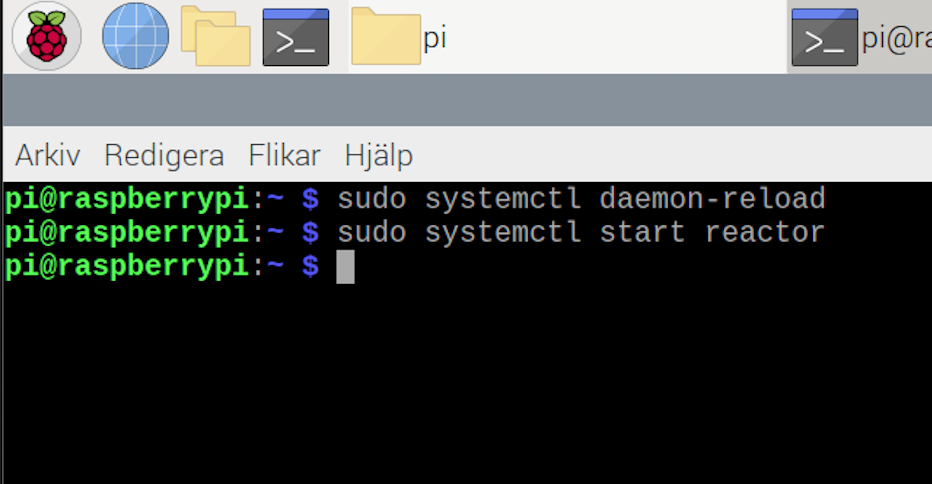
                Followed your instructions to run it under systemd but when i do nr 4 and 5 reactor won't start...
                Should I write sudo systemctl start reactor under pi@raspberrypi as in picture?

                /Mattias

                Skärmavbild 2021-09-04 kl. 10.39.40.png

                1 Reply Last reply
                0
                • toggledbitsT Offline
                  toggledbitsT Offline
                  toggledbits
                  wrote on last edited by
                  #11

                  This is correct. Check /var/log/syslog for startup errors.

                  Author of Multi-system Reactor and Reactor, DelayLight, Switchboard, and about a dozen other plugins that run on Vera and openLuup.

                  1 Reply Last reply
                  0
                  • M Offline
                    M Offline
                    Matteburk
                    wrote on last edited by
                    #12

                    This is what the log says:
                    Sep 5 00:00:00 raspberrypi rsyslogd: [origin software="rsyslogd" swVersion="8.1901.0" x-pid="383" x-info="https://www.rsyslog.com"] rsyslogd was HUPed
                    Sep 5 00:00:00 raspberrypi rsyslogd: [origin software="rsyslogd" swVersion="8.1901.0" x-pid="383" x-info="https://www.rsyslog.com"] rsyslogd was HUPed
                    Sep 5 00:00:00 raspberrypi systemd[1]: logrotate.service: Succeeded.
                    Sep 5 00:00:00 raspberrypi systemd[1]: Started Rotate log files.
                    Sep 5 00:00:00 raspberrypi systemd[1]: man-db.service: Succeeded.
                    Sep 5 00:00:00 raspberrypi systemd[1]: Started Daily man-db regeneration.
                    Sep 5 00:00:02 raspberrypi colord[955]: failed to get session [pid 17774]: Inga data tillg\u00e4ngliga
                    Sep 5 00:00:05 raspberrypi systemd[1]: reactor.service: Service RestartSec=5s expired, scheduling restart.
                    Sep 5 00:00:05 raspberrypi systemd[1]: reactor.service: Scheduled restart job, restart counter is at 9474.
                    Sep 5 00:00:05 raspberrypi systemd[1]: Stopped Multi System Reactor.
                    Sep 5 00:00:05 raspberrypi systemd[1]: Started Multi System Reactor.
                    Sep 5 00:00:05 raspberrypi systemd[17799]: reactor.service: Failed to determine user credentials: No such process
                    Sep 5 00:00:05 raspberrypi systemd[17799]: reactor.service: Failed at step USER spawning /usr/local/lib/nodejs/bin/node: No such process
                    Sep 5 00:00:05 raspberrypi systemd[1]: reactor.service: Main process exited, code=exited, status=217/USER
                    Sep 5 00:00:05 raspberrypi systemd[1]: reactor.service: Failed with result 'exit-code'.
                    Sep 5 00:00:10 raspberrypi systemd[1]: reactor.service: Service RestartSec=5s expired, scheduling restart.
                    Sep 5 00:00:10 raspberrypi systemd[1]: reactor.service: Scheduled restart job, restart counter is at 9475.
                    Sep 5 00:00:10 raspberrypi systemd[1]: Stopped Multi System Reactor.
                    Sep 5 00:00:10 raspberrypi systemd[1]: Started Multi System Reactor.
                    Sep 5 00:00:10 raspberrypi systemd[17800]: reactor.service: Failed to determine user credentials: No such process
                    Sep 5 00:00:10 raspberrypi systemd[17800]: reactor.service: Failed at step USER spawning /usr/local/lib/nodejs/bin/node: No such process
                    Sep 5 00:00:10 raspberrypi systemd[1]: reactor.service: Main process exited, code=exited, status=217/USER
                    Sep 5 00:00:10 raspberrypi systemd[1]: reactor.service: Failed with result 'exit-code'.
                    Sep 5 00:00:15 raspberrypi systemd[1]: reactor.service: Service RestartSec=5s expired, scheduling restart.
                    Sep 5 00:00:15 raspberrypi systemd[1]: reactor.service: Scheduled restart job, restart counter is at 9476.
                    Sep 5 00:00:15 raspberrypi systemd[1]: Stopped Multi System Reactor.
                    Sep 5 00:00:15 raspberrypi systemd[1]: Started Multi System Reactor.
                    Sep 5 00:00:15 raspberrypi systemd[17801]: reactor.service: Failed to determine user credentials: No such process
                    Sep 5 00:00:15 raspberrypi systemd[17801]: reactor.service: Failed at step USER spawning /usr/local/lib/nodejs/bin/node: No such process
                    Sep 5 00:00:15 raspberrypi systemd[1]: reactor.service: Main process exited, code=exited, status=217/USER
                    Sep 5 00:00:15 raspberrypi systemd[1]: reactor.service: Failed with result 'exit-code'.
                    Sep 5 00:00:21 raspberrypi systemd[1]: reactor.service: Service RestartSec=5s expired, scheduling restart.
                    Sep 5 00:00:21 raspberrypi systemd[1]: reactor.service: Scheduled restart job, restart counter is at 9477.
                    Sep 5 00:00:21 raspberrypi systemd[1]: Stopped Multi System Reactor.
                    Sep 5 00:00:21 raspberrypi systemd[1]: Started Multi System Reactor.
                    Sep 5 00:00:21 raspberrypi systemd[17802]: reactor.service: Failed to determine user credentials: No such process
                    Sep 5 00:00:21 raspberrypi systemd[17802]: reactor.service: Failed at step USER spawning /usr/local/lib/nodejs/bin/node: No such process
                    Sep 5 00:00:21 raspberrypi systemd[1]: reactor.service: Main process exited, code=exited, status=217/USER
                    Sep 5 00:00:21 raspberrypi systemd[1]: reactor.service: Failed with result 'exit-code'.
                    Sep 5 00:00:26 raspberrypi systemd[1]: reactor.service: Service RestartSec=5s expired, scheduling restart.
                    Sep 5 00:00:26 raspberrypi systemd[1]: reactor.service: Scheduled restart job, restart counter is at 9478.

                    1 Reply Last reply
                    0
                    • toggledbitsT Offline
                      toggledbitsT Offline
                      toggledbits
                      wrote on last edited by
                      #13

                      Looks like you haven't set the User= line correctly in the reactor.service file. It should be the name of the user that owns the directory in which Reactor is installed. While you are at it, check the pathname to the Reactor install (in the WorkingDirectory and Environment keys), and the pathname to the node executable used in the ExecStart key. If you're not sure where your node lives, just type which node on the command line and it will tell you.

                      Author of Multi-system Reactor and Reactor, DelayLight, Switchboard, and about a dozen other plugins that run on Vera and openLuup.

                      1 Reply Last reply
                      0
                      • M Offline
                        M Offline
                        Matteburk
                        wrote on last edited by
                        #14

                        I checked and changed the lines to this ( I guess something is wrong there)
                        [Unit]
                        Description=Multi System Reactor
                        After=network.target

                        [Service]
                        Type=simple
                        User=pi
                        WorkingDirectory=/home/pi/reactor
                        Environment=NODE_PATH=/home/pi/reactor
                        ExecStart=/home/pi/.local/lib/nodejs/node-v14.15.4-linux-armv7l/bin/node

                        Restart=on-failure
                        RestartSec=5s

                        [Install]
                        WantedBy=multi-user.target

                        and restarted reactor....... then I see this in log.....

                        Sep 5 15:26:16 raspberrypi systemd[9870]: reactor.service: Failed to determine user credentials: No such process
                        Sep 5 15:26:16 raspberrypi systemd[9870]: reactor.service: Failed at step USER spawning /usr/local/lib/nodejs/bin/node: No such process
                        Sep 5 15:26:16 raspberrypi systemd[1]: reactor.service: Main process exited, code=exited, status=217/USER
                        Sep 5 15:26:16 raspberrypi systemd[1]: reactor.service: Failed with result 'exit-code'.
                        Sep 5 15:26:21 raspberrypi systemd[1]: reactor.service: Service RestartSec=5s expired, scheduling restart.
                        Sep 5 15:26:21 raspberrypi systemd[1]: reactor.service: Scheduled restart job, restart counter is at 20060.
                        Sep 5 15:26:21 raspberrypi systemd[1]: Stopped Multi System Reactor.
                        Sep 5 15:26:21 raspberrypi systemd[1]: Started Multi System Reactor.
                        Sep 5 15:26:21 raspberrypi systemd[9871]: reactor.service: Failed to determine user credentials: No such process
                        Sep 5 15:26:21 raspberrypi systemd[9871]: reactor.service: Failed at step USER spawning /usr/local/lib/nodejs/bin/node: No such process
                        Sep 5 15:26:21 raspberrypi systemd[1]: reactor.service: Main process exited, code=exited, status=217/USER
                        Sep 5 15:26:21 raspberrypi systemd[1]: reactor.service: Failed with result 'exit-code'.
                        Sep 5 15:26:22 raspberrypi systemd[1]: Reloading.
                        Sep 5 15:26:22 raspberrypi systemd[1]: /etc/systemd/system/teamviewerd.service:8: PIDFile= references path below legacy directory /var/run/, updating /var/run/teamviewerd.pid \u2192 /run/teamviewerd.pid; please update the unit file accordingly.
                        Sep 5 15:26:26 raspberrypi systemd[1]: reactor.service: Service RestartSec=5s expired, scheduling restart.
                        Sep 5 15:26:26 raspberrypi systemd[1]: reactor.service: Scheduled restart job, restart counter is at 20061.
                        Sep 5 15:26:26 raspberrypi systemd[1]: Stopped Multi System Reactor.
                        Sep 5 15:26:26 raspberrypi systemd[1]: Started Multi System Reactor.
                        Sep 5 15:26:27 raspberrypi systemd[1]: reactor.service: Succeeded.
                        Sep 5 15:26:42 raspberrypi systemd[1]: Started Multi System Reactor.
                        Sep 5 15:26:43 raspberrypi systemd[1]: reactor.service: Succeeded.
                        Sep 5 15:34:06 raspberrypi systemd[1]: Started Multi System Reactor.
                        Sep 5 15:34:06 raspberrypi systemd[1]: reactor.service: Succeeded.

                        1 Reply Last reply
                        0
                        • toggledbitsT Offline
                          toggledbitsT Offline
                          toggledbits
                          wrote on last edited by
                          #15

                          It looks like it's referring to a different pathname for nodejs than you have configured in the service file. Did you make a change to that value somewhere along the way? If you make any changes to the config file, you need to do sudo systemctl daemon-reload to get systemd to read the updated config file. So the first step is to try sudo systemctl daemon-reload followed by sudo systemctl restart reactor.

                          If that doesn't work, it is reported elsewhere that sudo systemctl daemon-reexec may resolve this (or perhaps simply rebooting the whole system).

                          Then step three, if you're still not successful, is to see if Reactor is logging anything in its own log files.

                          Author of Multi-system Reactor and Reactor, DelayLight, Switchboard, and about a dozen other plugins that run on Vera and openLuup.

                          M 1 Reply Last reply
                          0
                          • toggledbitsT toggledbits

                            It looks like it's referring to a different pathname for nodejs than you have configured in the service file. Did you make a change to that value somewhere along the way? If you make any changes to the config file, you need to do sudo systemctl daemon-reload to get systemd to read the updated config file. So the first step is to try sudo systemctl daemon-reload followed by sudo systemctl restart reactor.

                            If that doesn't work, it is reported elsewhere that sudo systemctl daemon-reexec may resolve this (or perhaps simply rebooting the whole system).

                            Then step three, if you're still not successful, is to see if Reactor is logging anything in its own log files.

                            M Offline
                            M Offline
                            Matteburk
                            wrote on last edited by
                            #16

                            @toggledbits

                            I have followed your instructions but no success.

                            Dont no what to do..... Here is the log from msr
                            /Mattias

                            Require stack:

                            • /home/pi/reactor/server/lib/Engine.js
                            • /home/pi/reactor/server/lib/httpapi.js
                            • /home/pi/reactor/app.js
                              Error: Cannot find module 'common/util'
                              Require stack:
                            • /home/pi/reactor/server/lib/Engine.js
                            • /home/pi/reactor/server/lib/httpapi.js
                            • /home/pi/reactor/app.js
                              at Function.Module._resolveFilename (internal/modules/cjs/loader.js:880:15)
                              at Function.Module._load (internal/modules/cjs/loader.js:725:27)
                              at Module.require (internal/modules/cjs/loader.js:952:19)
                              at require (internal/modules/cjs/helpers.js:88:18)
                              at Engine._get_lexp_extensions (/home/pi/reactor/server/lib/Engine.js:862:25)
                              at Rule.evaluateExpressions (/home/pi/reactor/server/lib/Rule.js:904:330)
                              at Rule._evaluate (/home/pi/reactor/server/lib/Rule.js:994:344)
                              at runMicrotasks (<anonymous>)
                              at processTicksAndRejections (internal/process/task_queues.js:93:5)
                              at async /home/pi/reactor/server/lib/Rule.js:963:17
                              2021-09-06T16:19:30.352Z Rule:5:980:Rule.js Rule#rule-ksn5u2pn._evaluate() mutex acquired, evaluating
                              2021-09-06T16:19:30.352Z Rule:5:984:Rule.js Rule#rule-ksn5u2pn update rate is 0/min limit 60/min
                              2021-09-06T16:19:30.353Z Rule:5:904:Rule.js Rule#rule-ksn5u2pn evaluateExpressions() with 0 expressions
                              2021-09-06T16:19:30.354Z Rule:CRIT Error: Cannot find module 'common/util'
                              Require stack:
                            • /home/pi/reactor/server/lib/Engine.js
                            • /home/pi/reactor/server/lib/httpapi.js
                            • /home/pi/reactor/app.js
                              Error: Cannot find module 'common/util'
                              Require stack:
                            • /home/pi/reactor/server/lib/Engine.js
                            • /home/pi/reactor/server/lib/httpapi.js
                            • /home/pi/reactor/app.js
                              at Function.Module._resolveFilename (internal/modules/cjs/loader.js:880:15)
                              at Function.Module._load (internal/modules/cjs/loader.js:725:27)
                              at Module.require (internal/modules/cjs/loader.js:952:19)
                              at require (internal/modules/cjs/helpers.js:88:18)
                              at Engine._get_lexp_extensions (/home/pi/reactor/server/lib/Engine.js:862:25)
                              at Rule.evaluateExpressions (/home/pi/reactor/server/lib/Rule.js:904:330)
                              at Rule._evaluate (/home/pi/reactor/server/lib/Rule.js:994:344)
                              at runMicrotasks (<anonymous>)
                              at processTicksAndRejections (internal/process/task_queues.js:93:5)
                              at async /home/pi/reactor/server/lib/Rule.js:963:17
                              2021-09-06T16:19:30.356Z Rule:5:980:Rule.js Rule#rule-ksm11ihr._evaluate() mutex acquired, evaluating
                              2021-09-06T16:19:30.356Z Rule:5:984:Rule.js Rule#rule-ksm11ihr update rate is 0/min limit 60/min
                              2021-09-06T16:19:30.357Z Rule:5:904:Rule.js Rule#rule-ksm11ihr evaluateExpressions() with 0 expressions
                              2021-09-06T16:19:30.358Z Rule:CRIT Error: Cannot find module 'common/util'
                              Require stack:
                            • /home/pi/reactor/server/lib/Engine.js
                            • /home/pi/reactor/server/lib/httpapi.js
                            • /home/pi/reactor/app.js
                              Error: Cannot find module 'common/util'
                              Require stack:
                            • /home/pi/reactor/server/lib/Engine.js
                            • /home/pi/reactor/server/lib/httpapi.js
                            • /home/pi/reactor/app.js
                              at Function.Module._resolveFilename (internal/modules/cjs/loader.js:880:15)
                              at Function.Module._load (internal/modules/cjs/loader.js:725:27)
                              at Module.require (internal/modules/cjs/loader.js:952:19)
                              at require (internal/modules/cjs/helpers.js:88:18)
                              at Engine._get_lexp_extensions (/home/pi/reactor/server/lib/Engine.js:862:25)
                              at Rule.evaluateExpressions (/home/pi/reactor/server/lib/Rule.js:904:330)
                              at Rule._evaluate (/home/pi/reactor/server/lib/Rule.js:994:344)
                              at runMicrotasks (<anonymous>)
                              at processTicksAndRejections (internal/process/task_queues.js:93:5)
                              at async /home/pi/reactor/server/lib/Rule.js:963:17
                            CrilleC 1 Reply Last reply
                            0
                            • M Matteburk

                              @toggledbits

                              I have followed your instructions but no success.

                              Dont no what to do..... Here is the log from msr
                              /Mattias

                              Require stack:

                              • /home/pi/reactor/server/lib/Engine.js
                              • /home/pi/reactor/server/lib/httpapi.js
                              • /home/pi/reactor/app.js
                                Error: Cannot find module 'common/util'
                                Require stack:
                              • /home/pi/reactor/server/lib/Engine.js
                              • /home/pi/reactor/server/lib/httpapi.js
                              • /home/pi/reactor/app.js
                                at Function.Module._resolveFilename (internal/modules/cjs/loader.js:880:15)
                                at Function.Module._load (internal/modules/cjs/loader.js:725:27)
                                at Module.require (internal/modules/cjs/loader.js:952:19)
                                at require (internal/modules/cjs/helpers.js:88:18)
                                at Engine._get_lexp_extensions (/home/pi/reactor/server/lib/Engine.js:862:25)
                                at Rule.evaluateExpressions (/home/pi/reactor/server/lib/Rule.js:904:330)
                                at Rule._evaluate (/home/pi/reactor/server/lib/Rule.js:994:344)
                                at runMicrotasks (<anonymous>)
                                at processTicksAndRejections (internal/process/task_queues.js:93:5)
                                at async /home/pi/reactor/server/lib/Rule.js:963:17
                                2021-09-06T16:19:30.352Z Rule:5:980:Rule.js Rule#rule-ksn5u2pn._evaluate() mutex acquired, evaluating
                                2021-09-06T16:19:30.352Z Rule:5:984:Rule.js Rule#rule-ksn5u2pn update rate is 0/min limit 60/min
                                2021-09-06T16:19:30.353Z Rule:5:904:Rule.js Rule#rule-ksn5u2pn evaluateExpressions() with 0 expressions
                                2021-09-06T16:19:30.354Z Rule:CRIT Error: Cannot find module 'common/util'
                                Require stack:
                              • /home/pi/reactor/server/lib/Engine.js
                              • /home/pi/reactor/server/lib/httpapi.js
                              • /home/pi/reactor/app.js
                                Error: Cannot find module 'common/util'
                                Require stack:
                              • /home/pi/reactor/server/lib/Engine.js
                              • /home/pi/reactor/server/lib/httpapi.js
                              • /home/pi/reactor/app.js
                                at Function.Module._resolveFilename (internal/modules/cjs/loader.js:880:15)
                                at Function.Module._load (internal/modules/cjs/loader.js:725:27)
                                at Module.require (internal/modules/cjs/loader.js:952:19)
                                at require (internal/modules/cjs/helpers.js:88:18)
                                at Engine._get_lexp_extensions (/home/pi/reactor/server/lib/Engine.js:862:25)
                                at Rule.evaluateExpressions (/home/pi/reactor/server/lib/Rule.js:904:330)
                                at Rule._evaluate (/home/pi/reactor/server/lib/Rule.js:994:344)
                                at runMicrotasks (<anonymous>)
                                at processTicksAndRejections (internal/process/task_queues.js:93:5)
                                at async /home/pi/reactor/server/lib/Rule.js:963:17
                                2021-09-06T16:19:30.356Z Rule:5:980:Rule.js Rule#rule-ksm11ihr._evaluate() mutex acquired, evaluating
                                2021-09-06T16:19:30.356Z Rule:5:984:Rule.js Rule#rule-ksm11ihr update rate is 0/min limit 60/min
                                2021-09-06T16:19:30.357Z Rule:5:904:Rule.js Rule#rule-ksm11ihr evaluateExpressions() with 0 expressions
                                2021-09-06T16:19:30.358Z Rule:CRIT Error: Cannot find module 'common/util'
                                Require stack:
                              • /home/pi/reactor/server/lib/Engine.js
                              • /home/pi/reactor/server/lib/httpapi.js
                              • /home/pi/reactor/app.js
                                Error: Cannot find module 'common/util'
                                Require stack:
                              • /home/pi/reactor/server/lib/Engine.js
                              • /home/pi/reactor/server/lib/httpapi.js
                              • /home/pi/reactor/app.js
                                at Function.Module._resolveFilename (internal/modules/cjs/loader.js:880:15)
                                at Function.Module._load (internal/modules/cjs/loader.js:725:27)
                                at Module.require (internal/modules/cjs/loader.js:952:19)
                                at require (internal/modules/cjs/helpers.js:88:18)
                                at Engine._get_lexp_extensions (/home/pi/reactor/server/lib/Engine.js:862:25)
                                at Rule.evaluateExpressions (/home/pi/reactor/server/lib/Rule.js:904:330)
                                at Rule._evaluate (/home/pi/reactor/server/lib/Rule.js:994:344)
                                at runMicrotasks (<anonymous>)
                                at processTicksAndRejections (internal/process/task_queues.js:93:5)
                                at async /home/pi/reactor/server/lib/Rule.js:963:17
                              CrilleC Online
                              CrilleC Online
                              Crille
                              wrote on last edited by
                              #17

                              @matteburk Try installing 21200 just to see if you get MSR running again.

                              M 1 Reply Last reply
                              0
                              • toggledbitsT Offline
                                toggledbitsT Offline
                                toggledbits
                                wrote on last edited by toggledbits
                                #18

                                The messages in the log you posted indicate that NODE_PATH is incorrectly set, so I now cannot be sure if we're back at your original problem because you have tried to run it from the command line and this log is from that, or if this log is from an attempted systemd startup, which makes no sense because the service file you published earlier sets the environment variable correctly.

                                I've given you everything you need to get going again. I'm not sure what else to do. You need to figure it out, though, because this is how this and all future builds will be working, and right now, you're the only person I know of that isn't running, so I'm assuming its a local configuration issue and not a package/software issue.

                                Can you stop any local startup, start again with systemd, and post the startup portion of the log file? I don't want to see the error message again, I need to see all the messages from a Reactor startup under systemd. That will start with the string Reactor <version> starting on <nodejs version> and give me everything up to Startup complete.

                                Author of Multi-system Reactor and Reactor, DelayLight, Switchboard, and about a dozen other plugins that run on Vera and openLuup.

                                M 2 Replies Last reply
                                0
                                • toggledbitsT toggledbits

                                  The messages in the log you posted indicate that NODE_PATH is incorrectly set, so I now cannot be sure if we're back at your original problem because you have tried to run it from the command line and this log is from that, or if this log is from an attempted systemd startup, which makes no sense because the service file you published earlier sets the environment variable correctly.

                                  I've given you everything you need to get going again. I'm not sure what else to do. You need to figure it out, though, because this is how this and all future builds will be working, and right now, you're the only person I know of that isn't running, so I'm assuming its a local configuration issue and not a package/software issue.

                                  Can you stop any local startup, start again with systemd, and post the startup portion of the log file? I don't want to see the error message again, I need to see all the messages from a Reactor startup under systemd. That will start with the string Reactor <version> starting on <nodejs version> and give me everything up to Startup complete.

                                  M Offline
                                  M Offline
                                  Matteburk
                                  wrote on last edited by
                                  #19

                                  @toggledbits ok... yes for sure it is me setting something up wrong... will struggle some more... 🙂

                                  1 Reply Last reply
                                  0
                                  • CrilleC Crille

                                    @matteburk Try installing 21200 just to see if you get MSR running again.

                                    M Offline
                                    M Offline
                                    Matteburk
                                    wrote on last edited by
                                    #20

                                    @crille tried .....

                                    1 Reply Last reply
                                    0
                                    • toggledbitsT toggledbits

                                      The messages in the log you posted indicate that NODE_PATH is incorrectly set, so I now cannot be sure if we're back at your original problem because you have tried to run it from the command line and this log is from that, or if this log is from an attempted systemd startup, which makes no sense because the service file you published earlier sets the environment variable correctly.

                                      I've given you everything you need to get going again. I'm not sure what else to do. You need to figure it out, though, because this is how this and all future builds will be working, and right now, you're the only person I know of that isn't running, so I'm assuming its a local configuration issue and not a package/software issue.

                                      Can you stop any local startup, start again with systemd, and post the startup portion of the log file? I don't want to see the error message again, I need to see all the messages from a Reactor startup under systemd. That will start with the string Reactor <version> starting on <nodejs version> and give me everything up to Startup complete.

                                      M Offline
                                      M Offline
                                      Matteburk
                                      wrote on last edited by Matteburk
                                      #21

                                      @toggledbits
                                      I dont see the string reactor version starting on XXXX as you wrote.

                                      From the var/log syslog I get this after stopped and started reactor via systemctl restart reactor

                                      Sep 6 20:58:49 raspberrypi systemd[1]: Started Multi System Reactor.
                                      Sep 6 20:58:50 raspberrypi systemd[1]: reactor.service: Succeeded.
                                      Sep 6 21:00:41 raspberrypi dbus-daemon[402]: [system] Activating via systemd: service name='org.freedesktop.hostname1' unit='dbus-org.freedesktop.hostname1.service' requested by ':1.57' (uid=1000 pid=1071 comm="/usr/lib/chromium-browser/chromium-browser-v7 --fo")
                                      Sep 6 21:00:41 raspberrypi systemd[1]: Starting Hostname Service...
                                      Sep 6 21:00:41 raspberrypi dbus-daemon[402]: [system] Successfully activated service 'org.freedesktop.hostname1'
                                      Sep 6 21:00:41 raspberrypi systemd[1]: Started Hostname Service.

                                      1 Reply Last reply
                                      0
                                      • toggledbitsT Offline
                                        toggledbitsT Offline
                                        toggledbits
                                        wrote on last edited by
                                        #22

                                        In reactor.log

                                        Author of Multi-system Reactor and Reactor, DelayLight, Switchboard, and about a dozen other plugins that run on Vera and openLuup.

                                        M 1 Reply Last reply
                                        0
                                        • toggledbitsT toggledbits

                                          In reactor.log

                                          M Offline
                                          M Offline
                                          Matteburk
                                          wrote on last edited by
                                          #23

                                          @toggledbits
                                          hmmm nothing is being logged there after stop ,start. the log file has not been updated since I tried node app.js for a couple of hours ago
                                          1 Reply Last reply
                                          0
                                          Reply
                                          • Reply as topic
                                          Log in to reply
                                          • Oldest to Newest
                                          • Newest to Oldest
                                          • Most Votes


                                          Recent Topics

                                          • EzloController throws error in latest-26328
                                            CrilleC
                                            Crille
                                            0
                                            1
                                            1

                                          • [Solved] Unable to add new groups in DGC, Reactor latest-26318
                                            CrilleC
                                            Crille
                                            0
                                            3
                                            32

                                          • Reactor (Multi-System/Multi-Hub) Announcements
                                            toggledbitsT
                                            toggledbits
                                            5
                                            154
                                            164.5k

                                          • UI not loading after upgrading to 26318
                                            toggledbitsT
                                            toggledbits
                                            0
                                            6
                                            225

                                          • [Resolved] Hubitat upgrade 2.5.3.123 may have broken login
                                            toggledbitsT
                                            toggledbits
                                            0
                                            8
                                            357

                                          • Reactor Inspect - a small read-only helper panel for MSR
                                            G
                                            gwp1
                                            2
                                            8
                                            664

                                          • Reverse proxy & API ACL
                                            tunnusT
                                            tunnus
                                            0
                                            9
                                            595

                                          • MFA
                                            T
                                            tamorgen
                                            0
                                            28
                                            1.6k

                                          • Grouped devices
                                            G
                                            gwp1
                                            0
                                            3
                                            229

                                          • Login protections
                                            toggledbitsT
                                            toggledbits
                                            0
                                            2
                                            263

                                          • Reactor Build 26284 stuck at Loading Reactor UI
                                            T
                                            tamorgen
                                            0
                                            16
                                            1.9k

                                          • MSR with reverse proxy
                                            tunnusT
                                            tunnus
                                            0
                                            12
                                            939
                                          Powered by NodeBB | Contributors
                                          Hosted freely by 10RUPTiV - Solutions Technologiques | Contact us
                                          • Login

                                          • Don't have an account? Register

                                          • Login or register to search.
                                          • First post
                                            Last post
                                          0
                                          • Categories
                                          • Recent
                                          • Tags
                                          • Popular
                                          • Unsolved