




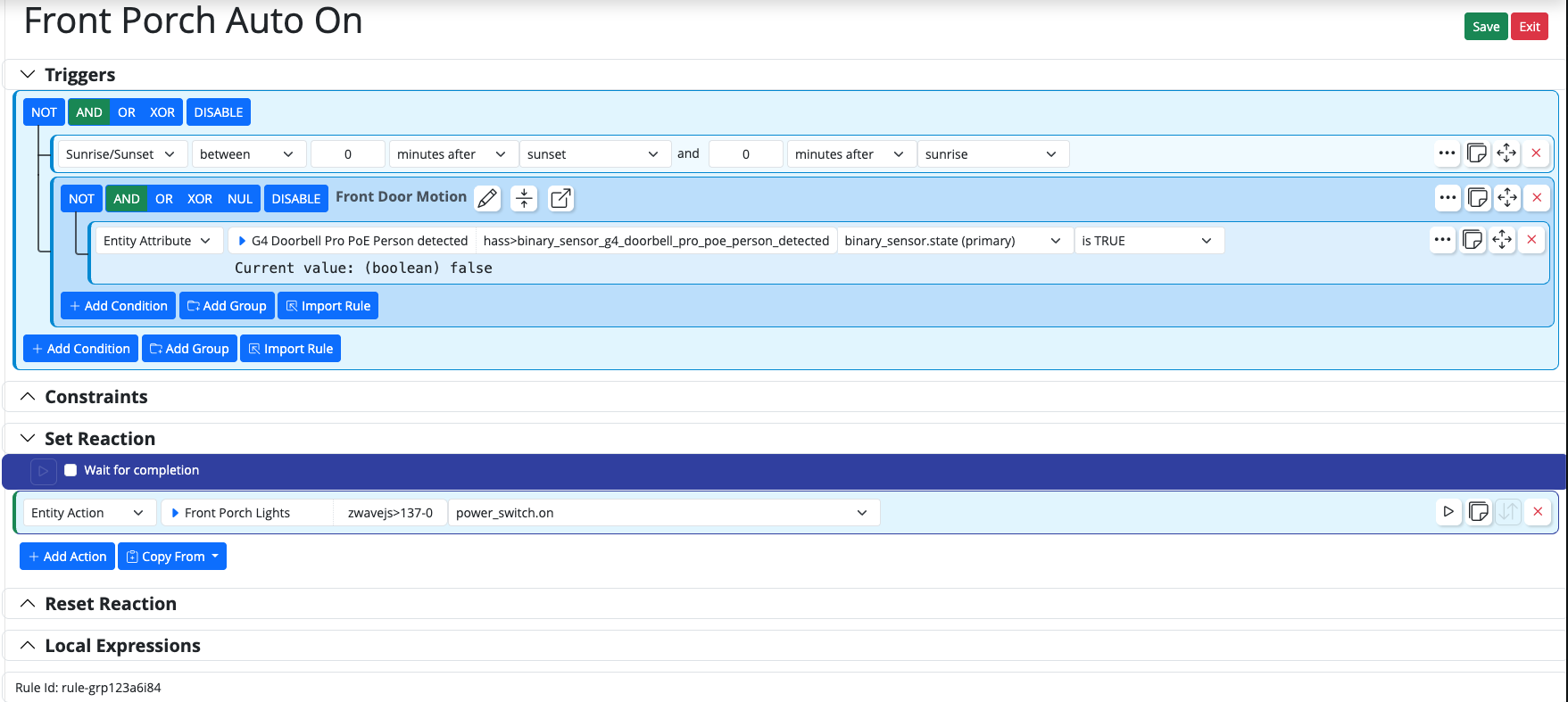
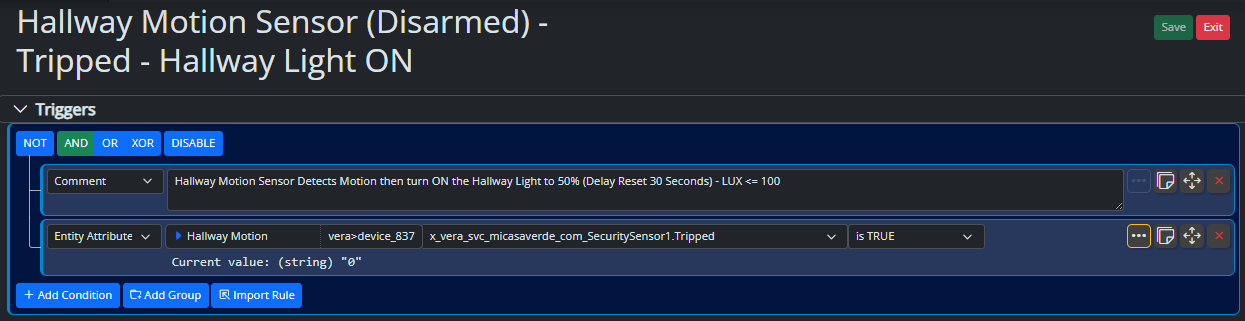
Rulesets with multiple groups in Set Reaction not working post-26116
-
I have some rules that have multiple Groups as the
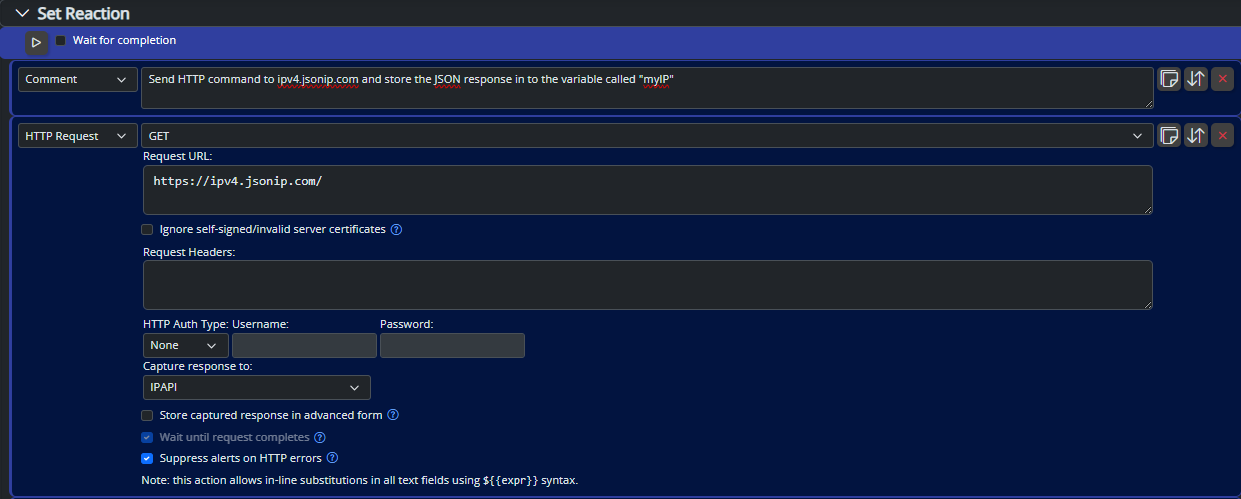
Set Reactionbased on different scenarios. In one instance, it's a bedroom light that has three possible "outcomes": morning, evening, and rainstormers. If I break out the ruleset into three unique rulesets each works fine.Here's another instance that I caught tonight: porch lights that are supposed to react differently - but this time it's the
Reset Reactionthat's being ignored: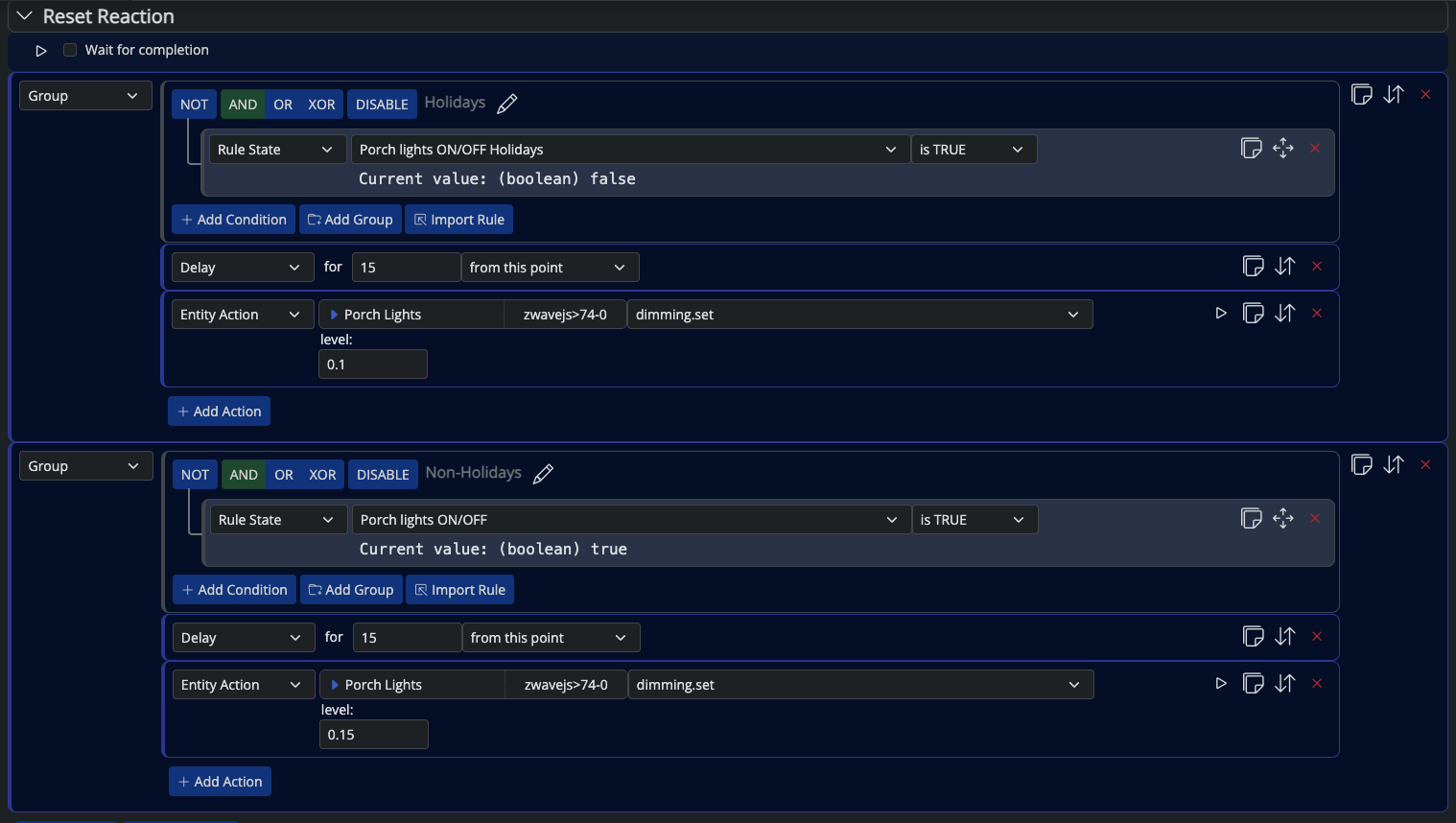
Here are the log entries directly tied to this but I will upload the entire log to you @toggledbits
[latest-26120]2026-05-02T01:17:35.641Z <Rule:INFO> Porch lights:  brighten for guests (rule-grpvl9oypg in Outdoor Lighting, Nightly) evaluated; rule state transition from SET to 'RESET'
[latest-26120]2026-05-02T01:17:35.644Z <Engine:INFO> Enqueueing "Porch lights:  brighten for guests<RESET>" (rule-grpvl9oypg:R)
[latest-26120]2026-05-02T01:17:35.655Z <Engine:NOTICE> Starting reaction Porch lights:  brighten for guests<RESET> (rule-grpvl9oypg:R)
[latest-26120]2026-05-02T01:17:35.655Z <Engine:INFO> Porch lights:  brighten for guests<RESET> all actions completed.
The
Set Reactionfor the bedroom light looks like this: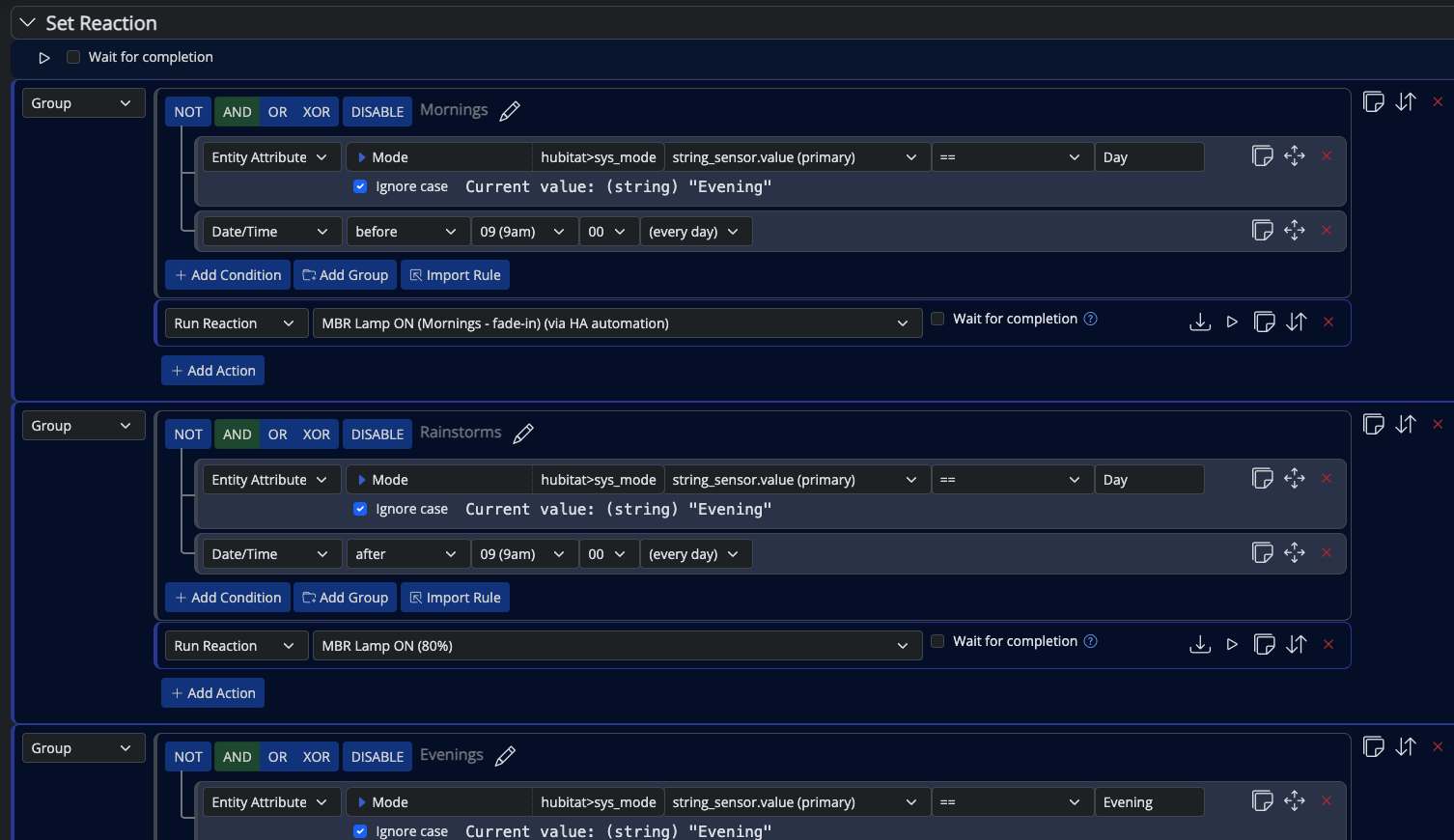
I've not had a chance to re-enable that ruleset and grab logs from it yet.
-
Again, if you're not posting 20 or more lines of logs around what you think is interesting, it's not enough. You're also not showing the conditions for this Rule (a Ruleset is a collection of Rules).
It's suspicious to me that you have both Set and Reset reactions here... do you remember contra-reactions? If the rule is Set, the Set reaction starts running. While it's running, if the rule Resets and the Reset reaction is not empty, the Set reaction will be stopped (pre-empted) before the Reset reaction is started. The same is true the other way... the Reset reaction can be pre-empted by the rule Setting while the Reset reaction is running.
This very much comes into play when the rule's conditions look at an entity that is also controlled by either reaction (i.e. condition to see if the light is off with a reaction that turns it on), and any condition that produces pulse output (i.e. by using pulse output in condition options, or using the changes operator in a condition). The former instantly changes the rule conditions and possibly the rule state. The latter (pulse) happens very fast when no reset delay is configured, and can easily pre-empt the Set reaction before it even has a chance to start.
-
Again, if you're not posting 20 or more lines of logs around what you think is interesting, it's not enough. You're also not showing the conditions for this Rule (a Ruleset is a collection of Rules).
It's suspicious to me that you have both Set and Reset reactions here... do you remember contra-reactions? If the rule is Set, the Set reaction starts running. While it's running, if the rule Resets and the Reset reaction is not empty, the Set reaction will be stopped (pre-empted) before the Reset reaction is started. The same is true the other way... the Reset reaction can be pre-empted by the rule Setting while the Reset reaction is running.
This very much comes into play when the rule's conditions look at an entity that is also controlled by either reaction (i.e. condition to see if the light is off with a reaction that turns it on), and any condition that produces pulse output (i.e. by using pulse output in condition options, or using the changes operator in a condition). The former instantly changes the rule conditions and possibly the rule state. The latter (pulse) happens very fast when no reset delay is configured, and can easily pre-empt the Set reaction before it even has a chance to start.
@toggledbits That's why I uploaded the full
reactor.logto your Dropbox.These are two different rules. Here they are in full:
Porch lights (logs provided last night)
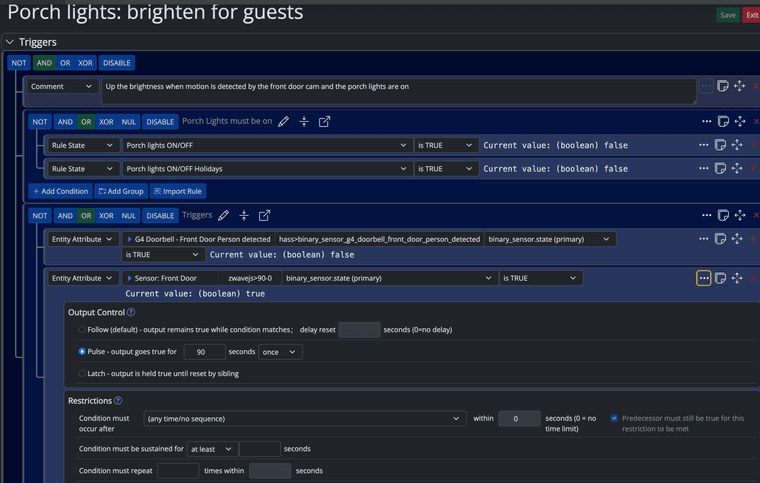
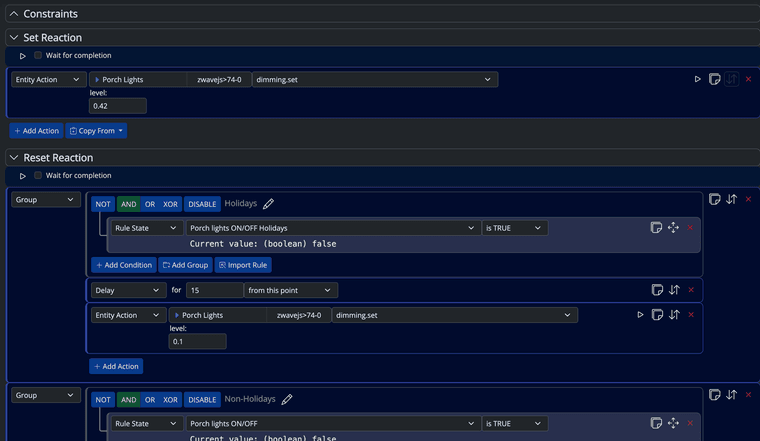
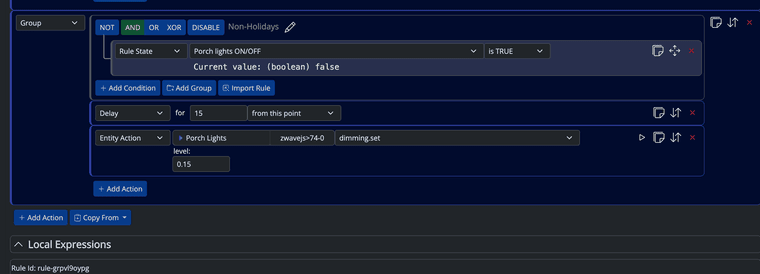
Bedroom lamp (no logs yet)
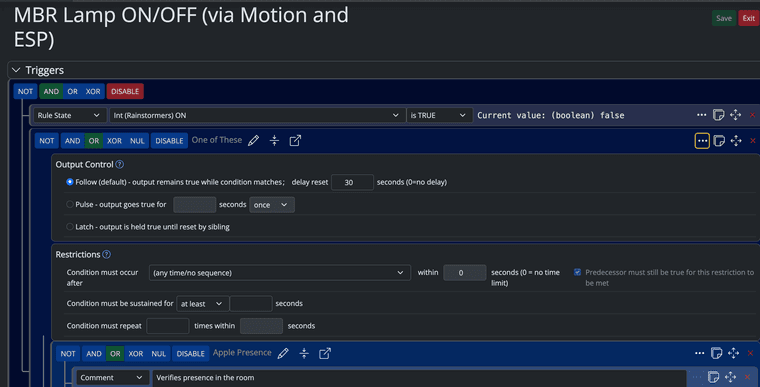
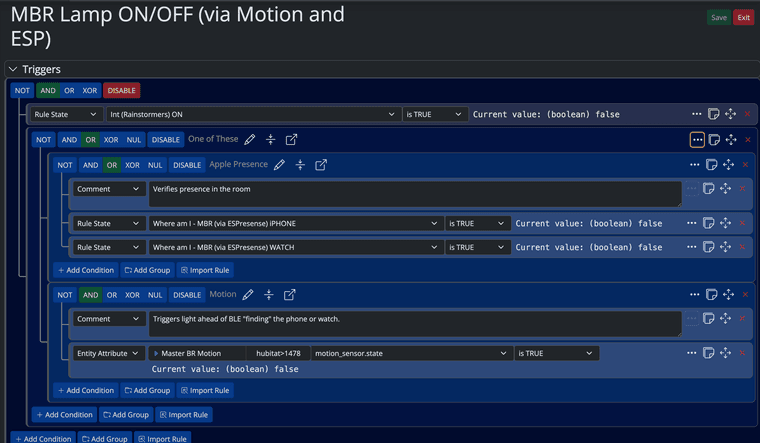
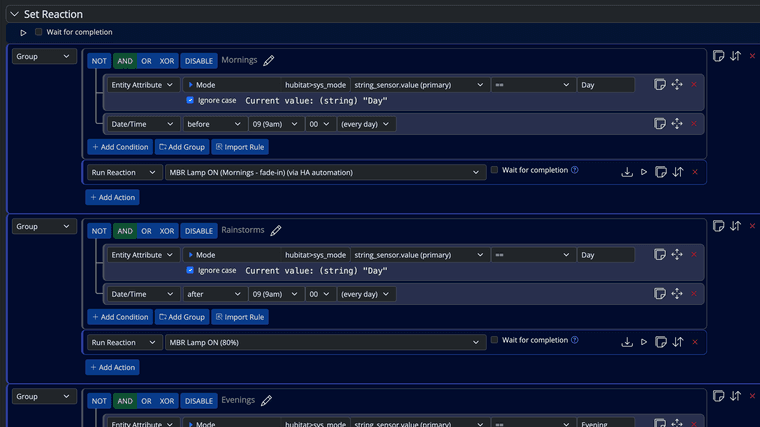
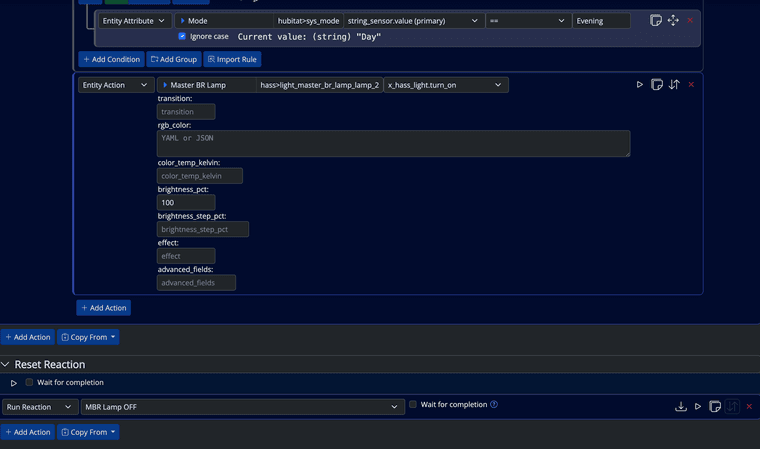
I'll try to grab logs on the second one today and put in the same Dropbox folder.
-
Enable logging at level 5 just for that rule. Anything else is going to generate too much information/distraction.
Edit: I'm not finding any issues yet in focused testing on this. I obvious don't know what the dependent rules do in your conditions (what conditions they have), but basic functional tests of groups with true and false constraints are working fine for me.
Since you have delays in your groups (or can easily add them), that's one way to slow things down so you can watch the "Running Reactions" status widget, which also may give us a clue why it's not working the way you expect.
-
Enable logging at level 5 just for that rule. Anything else is going to generate too much information/distraction.
Edit: I'm not finding any issues yet in focused testing on this. I obvious don't know what the dependent rules do in your conditions (what conditions they have), but basic functional tests of groups with true and false constraints are working fine for me.
Since you have delays in your groups (or can easily add them), that's one way to slow things down so you can watch the "Running Reactions" status widget, which also may give us a clue why it's not working the way you expect.
@toggledbits logging enabled for both rules.
The deep rules are simply presence rules. When I isolate each group into it's own rule and change nothing else, they work fine.
-
Enable logging at level 5 just for that rule. Anything else is going to generate too much information/distraction.
Edit: I'm not finding any issues yet in focused testing on this. I obvious don't know what the dependent rules do in your conditions (what conditions they have), but basic functional tests of groups with true and false constraints are working fine for me.
Since you have delays in your groups (or can easily add them), that's one way to slow things down so you can watch the "Running Reactions" status widget, which also may give us a clue why it's not working the way you expect.
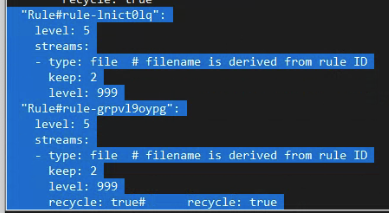
@toggledbits Is this not correct?
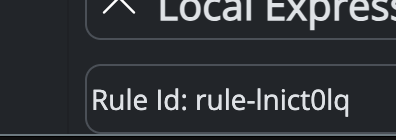
"Rule#rule-lnict0lq":
    level: 5
    streams:
    - type: file  # filename is derived from rule ID
      keep: 2
      level: 999
  "Rule#rule-grpvl9oypg":
    level: 5
    streams:
    - type: file  # filename is derived from rule ID
      keep: 2
      level: 999
      recycle: true#      recycle: true
(It is in line...)
-
Looks OK. Check your IDs if you are not getting logs. The files will be named
Logger#Rule#<ruleid>.log. -
Looks OK. Check your IDs if you are not getting logs. The files will be named
Logger#Rule#<ruleid>.log.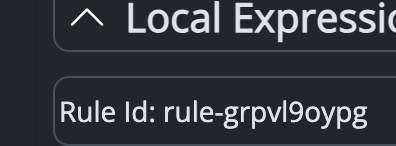
I copy-pasted the ruleID... restarted MSR. I know this worked previously, I had older rule-specific logs in my
logsdirectory that I've since deleted and in fairness to me, I'd just commented out the prior entry from logging.yaml and reused it lol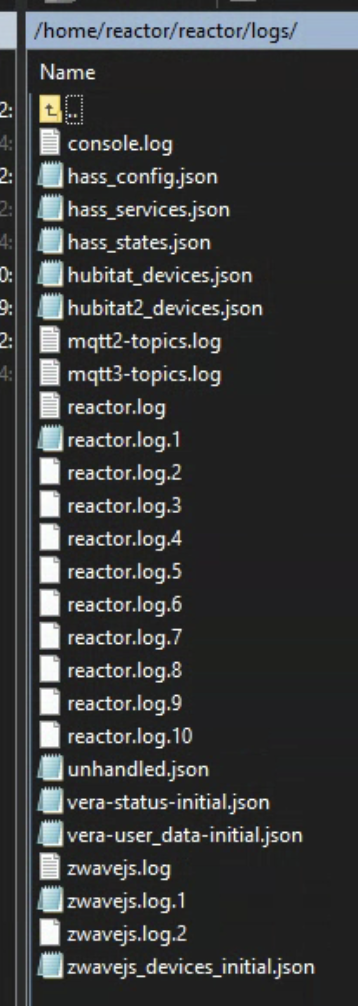
What obvious thing am I missing here?