












How to upgrade from an old version of MSR?
-
It should be fine. Take a backup of your
storagedirectory in its entirety before the upgrade, along withconfigand any other directories where you may have customizations (perhaps alsoextif you have add-in Controllers). Then go. Make sure you do anpm run depsin the install directory before starting the new version of Reactor, to upgrade package dependencies, or Reactor will likely not start. Post if you have any problems.Edit: Oh! And very important... make sure you are running nodejs version 18 or higher. If you have to upgrade, install a current LTS (Long-Term Support) version (either 22 or 24). Stick to even-numbered releases.
@toggledbits ok many thanks. I will check everything out that you have suggested.
I am also now looking to ditch Vera / Ezlo. I've mainly been using my old Vera Plus hub fine the new Ezlo hubs and software is a bit crappy.
Thinking of getting a Hubitat hub to just act as a Z-Wave radio and still use MSR.
Main thing is I may lose my current "Home Remote" dashboard app and would have to use what ever dashboard solution Hubitat provide. Not checked that out yet.
-
@toggledbits ok many thanks. I will check everything out that you have suggested.
I am also now looking to ditch Vera / Ezlo. I've mainly been using my old Vera Plus hub fine the new Ezlo hubs and software is a bit crappy.
Thinking of getting a Hubitat hub to just act as a Z-Wave radio and still use MSR.
Main thing is I may lose my current "Home Remote" dashboard app and would have to use what ever dashboard solution Hubitat provide. Not checked that out yet.
@cw-kid,
I ditched my Vera Plus several years ago. I started just by migrating to a Raspberry Pi 4 and Home Assistant, and MSR. Hubitat just for a Z-Wave radio is overkill. I used a Z-Wave USB dongle from Aeotec, but there are others out there (Zooz is inexpensive and actively develops Z-Wave).Now I use a Mini PC, run HA and MSR as VMs on Proxmox, and still use the z-wave dongle. Might want to look into something like that, rather lock yourself into a proprietary ecosystem like Habitat.
-
Another vote. Moved off Vera years ago. Ran OpenLuup on a Zwave.me stick. Minimised my Z-wave network this last month. I have two thermostats, a fibaro smart module with three temperature sensors that I don't need, and some virtual switches that I'm migrating into HA / Reactor.
Once I can settle on replacements for the thermostats, it'll all go, and I'll be HA / MSR only / MQTT onlyC
-
Thanks guys for the suggestions. You are right Home Assistant would be better. I just don't have a lot of time or energy to build a whole system from the ground up myself, which is why I was thinking about Hubitat. I think you can buy some ready made Home Assistant boxes, I've seen some on ebay here in the UK. Might do that or if I can be bothered just build my own etc.
-
It should be fine. Take a backup of your
storagedirectory in its entirety before the upgrade, along withconfigand any other directories where you may have customizations (perhaps alsoextif you have add-in Controllers). Then go. Make sure you do anpm run depsin the install directory before starting the new version of Reactor, to upgrade package dependencies, or Reactor will likely not start. Post if you have any problems.Edit: Oh! And very important... make sure you are running nodejs version 18 or higher. If you have to upgrade, install a current LTS (Long-Term Support) version (either 22 or 24). Stick to even-numbered releases.
@toggledbits said in How to upgrade from an old version of MSR?:
Edit: Oh! And very important... make sure you are running nodejs version 18 or higher. If you have to upgrade, install a current LTS (Long-Term Support) version (either 22 or 24). Stick to even-numbered releases.
OK having a go at doing this today. I just updated Linux Debian on my little HP Thin Client box that runs MSR. Ran this command etc
sudo apt update && sudo apt upgrade -yI then managed to update Nodejs from version 20.20.0 to version 24.13.0.
I checked the node path first
which node
/usr/bin/nodeAnd checked what the current version was?
node -vAnd to update nodejs I ran these commands
curl -fsSL https://deb.nodesource.com/setup_24.x | sudo -E bash -
sudo apt-get install -y nodejsTook a backup of all the MSR folders and files to my PC and then I followed the regular way I have always updated MSR via the command line.
cd /home/myusername
pkill -QUIT node
tar xzvf /home/myusername/reactor-latest-26011-c621bbc7.tar.gzAnd then ran
npm run depsbefore starting MSR again,sudo systemctl start reactorAfter that is stated "added 28 packages, removed 44 packages, changed 47 packages, and audited 102 packages in 27s"
MSR now appears to be running latest-26011-c621bbc7
I am current moving all the Z-Wave devices off the Ezlo hubs back to my old Vera Plus hub, there is only a handful of those to do (kept most of my Z-Wave devices on the Vera hub). Will get everything running back on the Vera hub and then look at migrating to something like Home Assistant etc. Just wanting to get rid of the new Ezlo hubs initially and turn them OFF.
-
Now actually looking at MSR more closely, I went into the rulesets menu item and I could not see any of my rules. I then refreshed the browser (Brave) and its stuck on Loading Reactor now. So maybe things didn't go so well, after all.
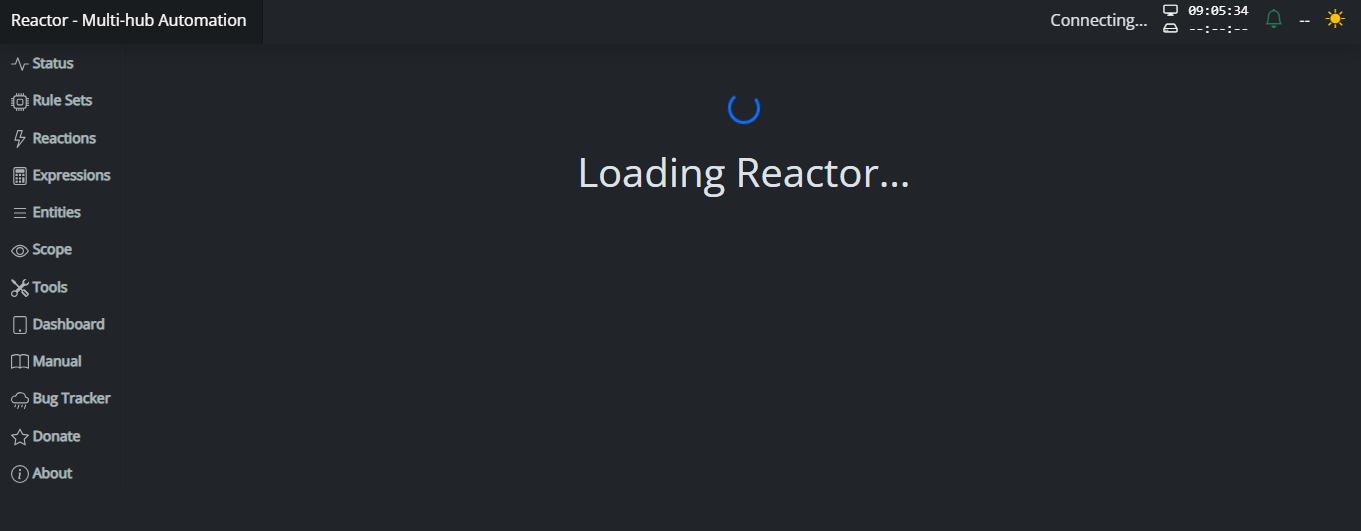
Using WinSCP to connect to the box I can still see the ruleset files present on the file system.
Not sure what went wrong then? All the updating stuff appeared to go OK.
I then tried rebooting the MSR box and now everything is back in MSR again. So maybe it was as simply as that? I also needed to reboot the Linux box.
-
Funny one thing I did have running on an Ezlo hub that worked quite well was their Site Sensor plugin. I used that to tell me if my Emby media sever had gone offline / down. Just installed the Vera Site Sensor plugin instead, which I have never used, trying to figure out how to use it now and see it was written by Patrick!
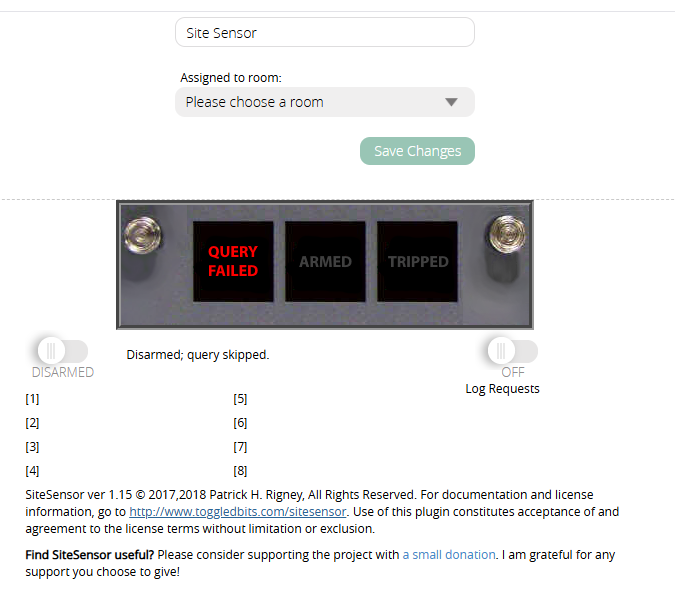
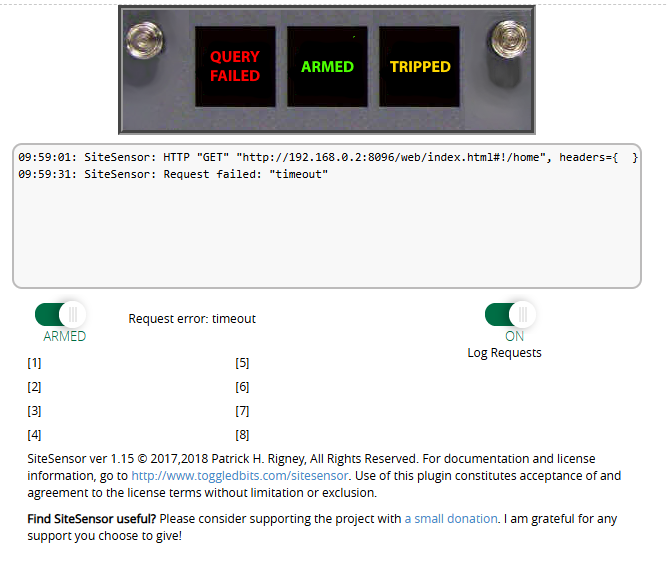
Well that old Vera plugin still seems to work, it took a long time to trigger my new MSR rule however, even with the Site Sensor plugin set to a 60 secs interval. But it did eventually trigger the rule and send a TTS to my Google Home speak saying Emby sever was down.
-
Thanks guys for the suggestions. You are right Home Assistant would be better. I just don't have a lot of time or energy to build a whole system from the ground up myself, which is why I was thinking about Hubitat. I think you can buy some ready made Home Assistant boxes, I've seen some on ebay here in the UK. Might do that or if I can be bothered just build my own etc.
@cw-kid nope, this is an hardware Zwave key from the guys working on home assistant that will work with anything you want and does not require home assistant at all. In fact, we’re running Zwave from ZwaveJS inside our own mini pc, no external hardware needed.
--
On a mission to automate everything. -
@cw-kid nope, this is an hardware Zwave key from the guys working on home assistant that will work with anything you want and does not require home assistant at all. In fact, we’re running Zwave from ZwaveJS inside our own mini pc, no external hardware needed.
@therealdb I'm not sure I understand what ZwaveJS is ?
For example if I bought a mini PC, I would also need a USB Z-Wave stick like the Aeotec or Zooz one and then I'd install Home Assistant OS and tell it to use that Z-Wave stick etc.
So where does ZwaveJS come into play?
Thanks
And I need a recommendation for a Zigbee USB stick as well please. So I can also use Zigbee devices (I don't currently).
-
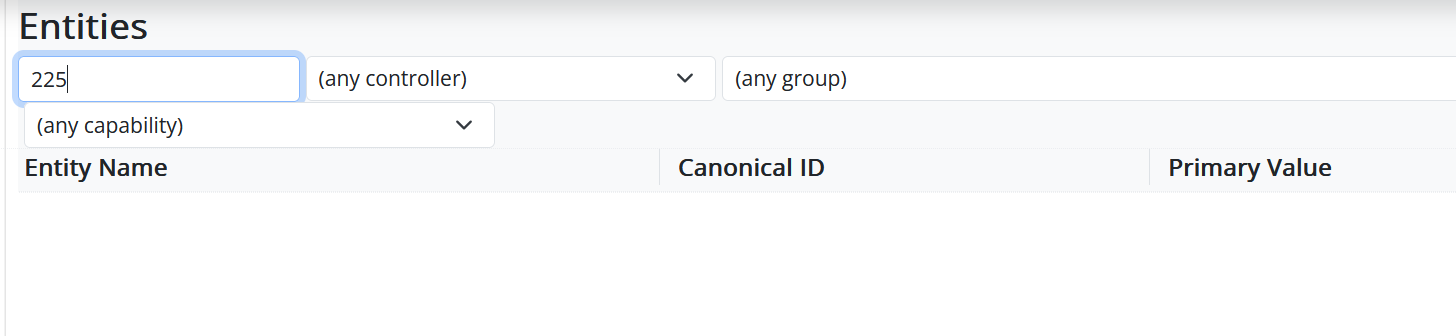
I like the new search feature for rulesets in MSR also! very handy, has helped me find associated rules today about some devices I have removed from one controller and added to a different controller. I could then more easily find such rules and edit their triggers to reflect the device location changes etc. I need to read the MSR release notes to also see what is new and different.
-
@therealdb I'm not sure I understand what ZwaveJS is ?
For example if I bought a mini PC, I would also need a USB Z-Wave stick like the Aeotec or Zooz one and then I'd install Home Assistant OS and tell it to use that Z-Wave stick etc.
So where does ZwaveJS come into play?
Thanks
And I need a recommendation for a Zigbee USB stick as well please. So I can also use Zigbee devices (I don't currently).
@cw-kid ZwaveJS is a piece of software, like reactor, specifically meant to provide Zwave software service. As such, it requires some usb key in order to work. No need to use home assistant. Nabu casa has some hardware as Zwave usb key that’s the best in town at the moment, known as ZWA-2. Together they make the same hw+sw as in Vera or Hubitat, but open and well maintained.
Install Zwave js ui, plug the usb key and you’re ready to go.ZwaveJS UI => https://github.com/zwave-js/zwave-js-ui
Home Assistant ZWA-2 Zwave key => https://www.home-assistant.io/connect/zwa-2/--
On a mission to automate everything. -
@cw-kid ZwaveJS is a piece of software, like reactor, specifically meant to provide Zwave software service. As such, it requires some usb key in order to work. No need to use home assistant. Nabu casa has some hardware as Zwave usb key that’s the best in town at the moment, known as ZWA-2. Together they make the same hw+sw as in Vera or Hubitat, but open and well maintained.
Install Zwave js ui, plug the usb key and you’re ready to go.ZwaveJS UI => https://github.com/zwave-js/zwave-js-ui
Home Assistant ZWA-2 Zwave key => https://www.home-assistant.io/connect/zwa-2/@therealdb OK I think I understand.
So if I had an Aeotec USB stick, I could then use ZwaveJS with that USB stick and ZwaveJS is like the driver / Z-Wave stack software for it then right?
I think I will still need to use Home Assistant as well as they would provide me with the Dashboard interface / app etc.
I will look more into ZWA-2 that you mentioned and learn more.
-
Funny one thing I did have running on an Ezlo hub that worked quite well was their Site Sensor plugin. I used that to tell me if my Emby media sever had gone offline / down. Just installed the Vera Site Sensor plugin instead, which I have never used, trying to figure out how to use it now and see it was written by Patrick!
Well that old Vera plugin still seems to work, it took a long time to trigger my new MSR rule however, even with the Site Sensor plugin set to a 60 secs interval. But it did eventually trigger the rule and send a TTS to my Google Home speak saying Emby sever was down.
@cw-kid said in How to upgrade from an old version of MSR?:
Well that old Vera plugin still seems to work, it took a long time to trigger my new MSR rule however, even with the Site Sensor plugin set to a 60 secs interval. But it did eventually trigger the rule and send a TTS to my Google Home speak saying Emby sever was down.
Since you are hitting an endpoint in your local network, you can shorten the HTTP timeout by setting the
Timeoutvariable on the SiteSensor device.Author of Multi-system Reactor and Reactor, DelayLight, Switchboard, and about a dozen other plugins that run on Vera and openLuup.
-
@cw-kid said in How to upgrade from an old version of MSR?:
Well that old Vera plugin still seems to work, it took a long time to trigger my new MSR rule however, even with the Site Sensor plugin set to a 60 secs interval. But it did eventually trigger the rule and send a TTS to my Google Home speak saying Emby sever was down.
Since you are hitting an endpoint in your local network, you can shorten the HTTP timeout by setting the
Timeoutvariable on the SiteSensor device.@toggledbits ok thanks will try that.
I've currently got the Interval set to 60 secs and the Timeout now at 10 secs.
I just wanted to know if the Emby server goes down as my mum connects to it remotely sometimes and I don't always notice if it's no longer up and running.
Cheers.
-
@therealdb OK I think I understand.
So if I had an Aeotec USB stick, I could then use ZwaveJS with that USB stick and ZwaveJS is like the driver / Z-Wave stack software for it then right?
I think I will still need to use Home Assistant as well as they would provide me with the Dashboard interface / app etc.
I will look more into ZWA-2 that you mentioned and learn more.
@cw-kid exactly. You’ll be able to use in reactor as the entities coming from other controllers, or in home assistant for your dashboards.
--
On a mission to automate everything. -
@cw-kid exactly. You’ll be able to use in reactor as the entities coming from other controllers, or in home assistant for your dashboards.
@therealdb Ok I watched some YouTube videos and understand some more now.
So I could use a Zooz USB Z-Wave controller stick and within Home Assistant you use ZwaveJS addon as the software for adding new Zwave devices and you can also manage your devices by doing firmware updates on them and you can also manage your Z-Wave mesh network and nodes and the routes etc. That all looks pretty cool!
Home Assistant can then be used to create your custom dashboard etc and we can still use MSR to create our logic rules, instead of whatever they tend to use in Home Assistant is? I think they either use Home Assistants inbuilt rules engine or NodeRed right?
Second option is the same as above but instead of using a Zooz USB stick you can use the newish ZWA-2 massive antenna / Z-Wave controller instead also with ZwaveJS addon within Home Assistant etc. For all your existing Z-Wave devices.
If using Z-Wave long range for a particular device then that device talks directly to the ZWA-2 controller and is then not part of the regular Z-Wave mesh network but is then separate.
I think I have a very basic understanding now.
I also need to choose a Zigbee USB stick / controller. I have not looked into that as yet. I do have a few Zigbee devices here but never used them as Vera / Ezlo was crap for Zigbee devices. Even their new Ezlo hub where you could pair Zigbee devices to them, over a period of time those Zigbee devices would just go offline and stop working. So I gave up on using Zigbee and Ezlo never fixed the problem I don't think.
-
@cw-kid,
I ditched my Vera Plus several years ago. I started just by migrating to a Raspberry Pi 4 and Home Assistant, and MSR. Hubitat just for a Z-Wave radio is overkill. I used a Z-Wave USB dongle from Aeotec, but there are others out there (Zooz is inexpensive and actively develops Z-Wave).Now I use a Mini PC, run HA and MSR as VMs on Proxmox, and still use the z-wave dongle. Might want to look into something like that, rather lock yourself into a proprietary ecosystem like Habitat.
@tamorgen said in How to upgrade from an old version of MSR?:
run HA and MSR as VMs on Proxmox
So your running MSR and HA as virtual machines? On Proxmox.
I've never heard of Proxmox before, will have to look into it.
So whats the advantage of running them as virtual machines?
Vs running Home Assistant OS and MSR also running on the same OS (if possible).
Edit: Gemini A.I. told me lol.
Which should you choose for your Mini PC?
Since you're getting a dedicated Mini PC, you have two great paths:The "Easy" Way (Bare Metal): Flash the HAOS image directly onto the Mini PC's hard drive. It turns your Dell/HP/Lenovo into a dedicated "Home Assistant Hub." It’s rock solid and zero maintenance.
The "Pro" Way (Proxmox): Install a hypervisor called Proxmox (which is based on Debian) on the PC first. Then, run HAOS in a Virtual Machine.
Why do this? It allows you to use the leftover power of your Mini PC to run other things (like a media server or a file server) alongside Home Assistant without them interfering with each other.‐--------
So it sounds like if I just use HAOS it's locked down OS and I won't be able to install other things like MSR. So looks like I need to go down the Proxmox route as you suggested.
-
A.I. is pretty good! I don't normally use it tbh. Scared of the future robots gonna rule the world.
I asked:
Yes please tell me more about the general concepts of Proxmox. I do know what virtual machines are however I have used them in the past. But I have never heard of Proxmox before. I am familiar with Debian however I already have a thin client here running Debian and Multi System Reactor aka MSR. MSR is a 3rd party logic rules engine which can be used with your devices in Home Assistant. I need a new setup that allows me to run home assistant and msr on the same pc etc.
It replied but it recommends to run MSR in an LXC rather than a full VM. The whole setup sounds it would be brilliant, but for me to do it, is probably lot of time, learning and head straching lol. So it's gonna be a commitment.
Here is what it said:
Since you are already comfortable with Debian and Virtual Machines, Proxmox is going to feel like a superpower for your home lab.
What is Proxmox?
Proxmox Virtual Environment (PVE) is a Type-1 Hypervisor.
Type-2 (What you've used): Like VirtualBox on Windows. You have an OS, then an app, then the VM.
Type-1 (Proxmox): It is the OS. It sits directly on the "bare metal" hardware.
Crucially for you, Proxmox is built on top of Debian. When you install it, you are essentially installing a highly customized version of Debian with a world-class Web GUI to manage VMs and Containers.
The Strategy: Running HAOS and MSR Together
Since you want to run both Home Assistant and Multi-System Reactor (MSR) on one machine, Proxmox is the perfect "manager" to keep them isolated but interconnected.
1. Home Assistant (The VM)
You will create a Virtual Machine (VM) and install HAOS directly into it.
Why a VM? HAOS wants to "own" the hardware. In a VM, Proxmox gives it a virtualized hard drive and CPU, keeping it stable and allowing for the "Add-on Store" to work perfectly.
Ease of use: There are famous "Helper Scripts" (by tteck) that allow you to install HAOS on Proxmox with a single command.
2. Multi-System Reactor (The LXC Container)
Since MSR is a Node.js application that runs great on Linux, you don't need a full VM for it. You should use a Linux Container (LXC).
What is an LXC? It’s lighter than a VM. It shares the Proxmox (Debian) kernel but has its own file system.
The Benefit: An LXC for MSR will use almost zero idle RAM (around 100-200MB) compared to a full VM which might grab 2GB just to boot.
Why this is better than your current setup:
Snapshots: Before you update Home Assistant or change a massive rule in MSR, you click "Snapshot." If it breaks, you hit "Rollback" and you're back in 10 seconds.
Backups: Proxmox can automatically back up your entire HA setup and MSR setup to an external drive or NAS every night while you sleep.
Hardware Pass-through: If you have a Zigbee or Z-Wave USB stick, Proxmox makes it easy to "pass" that physical USB port into the Home Assistant VM.
The "Debian" Safety Net: Since the base is Debian, you can still SSH into the host and use familiar commands if you ever need to troubleshoot the hardware level.
Recommended "UK eBay PC" Allocation:
If you buy an 8th Gen i5 with 16GB RAM (as discussed):
Proxmox Host: Uses ~1GB RAM.
HAOS VM: Assign 4GB RAM (it will use ~2GB).
MSR LXC: Assign 1GB RAM (it will use ~200MB).
Leftover: You still have 10GB of RAM free to experiment with other things like Pi-Hole, Plex, or a local MQTT broker.
Would you like me to find those "Helper Scripts" for you so you can see how easy the one-command installation is? -
This video is wild and super scary, if real and why I very rarely use A.I.
I'd love to hear you guys opinions as being the expert technical guys you are.


 Woman Claims "Something Sinister" Is Taking Over The Internet, And It's Crazier Than We Think